Wails Cross-Platform Compilation in Practice: Current State and Best Practices

A practical guide to Wails cross-compilation challenges and solutions using CI/CD and native builds.
This article explores why cross-platform compilation is challenging for Wails desktop apps due to CGO dependencies and native WebView requirements. It covers three practical solutions: native platform builds, CI/CD pipelines with GitHub Actions matrix builds, and Docker-based cross-compilation toolchains, while comparing Wails with Electron and Tauri.
The Cross-Platform Compilation Dilemma in Desktop App Development
For developers building desktop applications with Go, Wails is an extremely attractive framework. It combines Go's high-performance backend capabilities with the flexible UI development of web frontend technologies (HTML/CSS/JavaScript), enabling developers to rapidly build lightweight desktop programs using familiar tech stacks.
Wails was created by Australian developer Lea Anthony in 2019, originally inspired by frustration with the lack of desktop development options in the Go ecosystem. Before Wails, Go developers had very limited choices for building GUI applications — either using native GUI libraries like fyne or walk (with steep learning curves and limited visual expressiveness), or calling external browser processes through projects like Lorca (with poor stability and distribution experience). Wails' core innovation lies in seamlessly combining Go's concurrency capabilities and compilation characteristics with the modern web frontend ecosystem. Developers can use any frontend framework like React, Vue, or Svelte to build interfaces while directly calling Go functions through auto-generated bindings, without manually writing HTTP APIs or WebSocket communication layers.
However, when it comes to cross-compilation, Wails has always faced some unavoidable technical challenges.
This article examines the current state of Wails cross-platform compilation, its core pain points, and viable practical solutions, helping developers clearly understand the real boundaries of "write once, deliver to all platforms" within the Wails ecosystem.
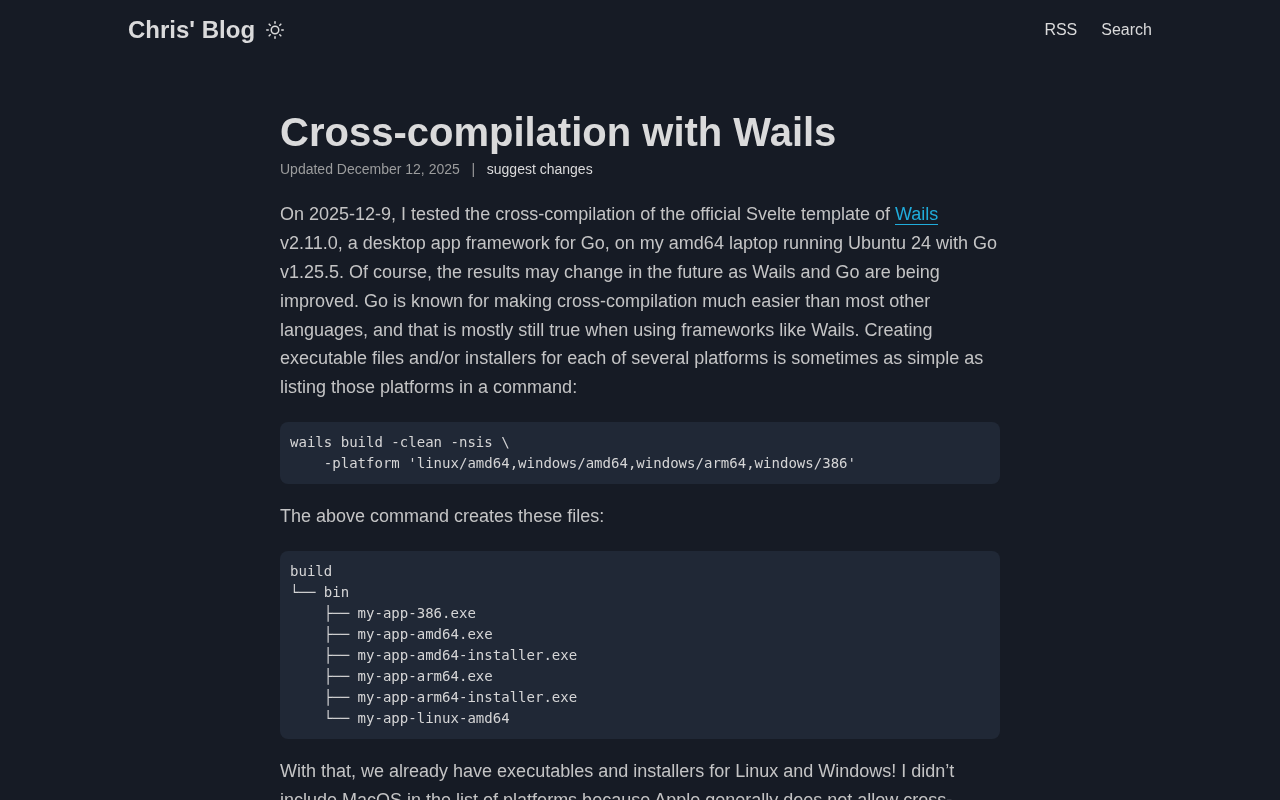
Why Wails Cross-Platform Compilation Is So Challenging
Native WebView Dependencies Are the Biggest Obstacle
The reason Wails can deliver a near-native user experience is that it doesn't use a bundled browser engine (like Electron's Chromium). Instead, it calls the operating system's built-in WebView component:
- Windows: Uses WebView2 (based on Edge/Chromium)
- macOS: Uses WKWebView (based on WebKit)
- Linux: Uses WebKitGTK
WebView2 is an embedded browser control developed by Microsoft based on the Chromium open-source project, officially released in 2020. It differs fundamentally from the legacy IE-based WebBrowser control: WebView2 uses the same rendering engine as Microsoft Edge, supports modern web standards (ES2020+, CSS Grid, WebAssembly, etc.), and automatically updates through Windows Update to ensure security. Starting from Windows 11, the WebView2 runtime comes pre-installed; Windows 10 users may need to install the runtime separately (approximately 130MB). WebView2 uses a multi-process architecture where browser processes are isolated from application processes, which improves stability while adding debugging complexity.
WKWebView is the next-generation web view component Apple introduced in iOS 8 and macOS Yosemite, designed to replace UIWebView which suffered from severe memory leak issues. WKWebView runs web content in a separate process with the same JavaScript engine as Safari (JavaScriptCore) and supports JIT compilation optimization. WebKitGTK is the port of the WebKit engine to the GTK (GIMP Toolkit) platform and is one of the core components of the GNOME desktop environment. Linux distributions vary significantly in their WebKitGTK version management — for example, Ubuntu 20.04 LTS still ships WebKitGTK 2.28, while the latest distributions may provide 2.42+. This version fragmentation can cause some modern Web APIs to be unavailable on older systems.
This design dramatically reduces application size, but it also introduces the core challenge of cross-platform compilation — each platform's WebView depends on its own native system libraries and CGO bindings. This means the compilation process cannot achieve cross-platform builds by simply setting GOOS and GOARCH environment variables like pure Go programs.
The Chain Reaction of CGO Dependencies
Go is renowned for its excellent cross-compilation capabilities. As long as the code is pure Go, developers can easily compile executables for Windows or Linux on macOS. But once CGO is introduced (i.e., calling C code), cross-compilation requires the target platform's C toolchain and system header files.
CGO is Go's official Foreign Function Interface (FFI) mechanism that allows Go code to directly call C language libraries. It works as follows: during compilation, the Go toolchain identifies import "C" declarations and special comment blocks (pseudo-package imports) in source code, then invokes the system's C compiler (typically GCC or Clang) to compile the C code portions, and finally links the C object files with Go object files. This process requires a compatible C compiler and linker installed on the system. In cross-compilation scenarios, developers need to provide the target platform's complete toolchain, including cross-compilers (e.g., x86_64-w64-mingw32-gcc), target platform system header files (.h), and library files (.a/.so/.dylib). These dependency chains are often extremely complex — a single WebView library may indirectly depend on dozens of system libraries.
Wails heavily relies on CGO to interface with each platform's WebView and window management system. Therefore, truly "compiling all platform artifacts on a single machine" is not easily achievable with Wails, which is the fundamental reason this topic is repeatedly discussed in the community.
Viable Cross-Platform Build Strategies
Option 1: Native Builds on Target Platforms
The most reliable approach is always to compile on the target platform:
- Build Windows apps on Windows
- Build macOS apps on macOS (and handle signing and notarization)
- Build Linux apps on Linux
While this may not seem "elegant," it avoids the vast majority of toolchain compatibility issues. For team collaboration, this is also the most reliable delivery approach.
Option 2: Automated Builds via CI/CD Pipelines
For projects seeking automated multi-platform delivery, CI/CD platforms like GitHub Actions are the mainstream choice today. By configuring matrix builds, you can spin up Windows, macOS, and Linux runners in the cloud, each completing native compilation for their respective platform, with artifacts collected at the end.
GitHub Actions' Matrix Strategy is a mechanism for generating multiple parallel jobs from a single workflow definition. Developers define a strategy matrix (containing combinations of variables like operating systems, architectures, and Go versions), and GitHub automatically expands all combinations and creates independent runner instances. For example, a matrix containing [ubuntu-latest, windows-latest, macos-latest] generates three parallel jobs. GitHub's macOS runners are based on real Apple hardware (Mac Mini or Mac Studio), which is crucial because Apple's licensing agreement requires macOS to run only on Apple hardware, and macOS application signing and notarization require access to Apple's developer certificate chain. Each runner is a fresh virtual machine environment, ensuring build reproducibility.
This approach is essentially "replacing single-machine cross-compilation with multiple native environments," ensuring both compatibility and automation. It's the standard workflow adopted by many mature Wails projects.
Option 3: Docker Containers and Cross-Compilation Toolchains
Some developers attempt single-machine multi-platform builds through Docker containers paired with cross-compilation toolchains (such as mingw-w64 for Windows targets and osxcross for macOS targets).
mingw-w64 is the modern fork of MinGW (Minimalist GNU for Windows), providing a complete GCC toolchain for compiling Windows native applications on Linux or macOS. It includes Windows API header files and import libraries, supporting generation of both 32-bit and 64-bit PE format executables. osxcross is a community-maintained open-source project for setting up macOS cross-compilation environments on Linux. It requires users to provide the macOS SDK extracted from Xcode themselves (Apple does not officially support this usage), which involves legal gray areas. The osxcross configuration process is cumbersome, requiring handling of Apple's unique Mach-O executable format, code signing tools (ldid/codesign), and Framework dependency resolution. Even if compilation succeeds, the generated binaries may be blocked by macOS Gatekeeper due to lack of proper signing.
This type of solution is viable in specific scenarios but is complex to configure, costly to maintain, and prone to hard-to-debug errors caused by system library version differences. It's therefore more suitable for advanced users with specific requirements rather than a first choice for typical developers.
Comparison with Electron and Tauri
Placing Wails within the broader desktop framework ecosystem makes it easier to understand its positioning and trade-offs.
Electron bundles a complete Chromium and Node.js, offering extremely strong cross-platform consistency at the cost of massive application size (a blank Electron app exceeds 150MB) and memory usage (typically starting at 300MB). The reason Electron achieves "low-difficulty cross-platform compilation" is precisely because it ships its own complete rendering engine without depending on any system WebView component — essentially packaging a complete browser instance inside the application. Tauri also uses system WebView with a philosophy similar to Wails, but its backend is based on Rust and faces the same native dependency challenges for cross-compilation. Rust's cross-compilation ecosystem is relatively mature (target platform toolchains can be conveniently added via rustup), but when it involves system WebView bindings, it faces nearly identical challenges to Wails.
| Feature | Wails | Tauri | Electron |
|---|---|---|---|
| Backend Language | Go | Rust | Node.js |
| WebView Approach | System Native | System Native | Bundled Chromium |
| App Size | Small (~5-10MB) | Small (~3-8MB) | Large (150MB+) |
| Cross-Compilation Difficulty | High | High | Low |
| Memory Usage | Low (~50-100MB) | Low (~40-80MB) | High (300MB+) |
It's fair to say that "lightweight" frameworks like Wails and Tauri universally sacrifice the "effortless cross-platform" convenience of Electron in exchange for smaller size and higher performance. The complexity of cross-platform compilation is essentially the price that must be paid for lightweight design.
Practical Advice for Wails Developers
Based on real-world development experience, here are recommendations for developers currently using or planning to use Wails:
- Don't obsess over single-machine cross-compilation. Unless there are specific technical constraints, prioritize native platform builds or CI/CD pipeline solutions.
- Set up CI/CD build pipelines early. Configuring GitHub Actions multi-platform build matrices at the beginning of a project avoids extensive manual work during later releases.
- Pay attention to macOS signing and notarization. Beyond compilation itself, macOS involves code signing and Apple notarization processes, which often consume more effort than the compilation. Apple's code signing and notarization are core components of the macOS security model. Starting from macOS Catalina (10.15), all applications distributed over the network must be notarized to open normally; otherwise, users will see an "unable to verify developer" warning dialog. The notarization process includes: first signing the application with an Apple Developer ID certificate (codesign), then uploading the application to Apple's servers via notarytool for automated security checks (including malware scanning, entitlements verification, etc.), and after approval, Apple issues a "ticket." Finally, developers need to "staple" this ticket to the application bundle. The entire process typically takes 2-15 minutes but may take longer during peak times. Additionally, if you need to support both Intel and Apple Silicon Macs, you'll need to consider building Universal Binaries (fat binaries containing both x86_64 and arm64 architectures).
- Evaluate framework selection carefully. If your project demands extremely high cross-platform consistency and doesn't mind the size, Electron might still be the more hassle-free choice; if you're pursuing performance and lightweight design, accepting Wails' build complexity is worthwhile.
Conclusion
Wails is an excellent choice for building modern desktop applications in the Go ecosystem, winning many developers' favor with its minimal size and native performance. But its cross-platform compilation complexity reminds us: there's no free lunch. Understanding the technical principles behind CGO and native WebView dependencies, and leveraging CI/CD automation pipelines, is the right approach to mastering Wails multi-platform delivery.
As Wails v3 development progresses and the Go toolchain continues to improve, the cross-platform build experience is expected to get better in the future. But for now, accepting constraints and choosing the build strategy that best fits your team's current situation is far more pragmatic than pursuing a theoretically perfect solution.
Related articles

CSS Subgrid Tutorial: Achieving Perfect Card Layout Alignment
Learn how CSS Subgrid solves card layout alignment issues. Achieve automatic cross-card title, description, and button alignment in three steps—no fixed heights or JavaScript hacks needed.

CSS Custom Properties in Practice: Replacing JS Style Calculations with calc()
Learn how to replace JavaScript style calculations with CSS Custom Properties and calc(). A practical guide using a rainfall indicator bar example for better maintainability and performance.

Self-Interrogation: A Novel Approach to Reverse Engineering DeepSeek by Interviewing the AI
Exploring an innovative approach to reverse engineering DeepSeek by directly interviewing the AI assistant, analyzing system prompt leakage, hallucination issues in model self-descriptions, and implications for AI transparency and prompt injection security.