Web Penetration Testing for Beginners: Weak Password Vulnerabilities and Burp Suite Hands-On Tutorial
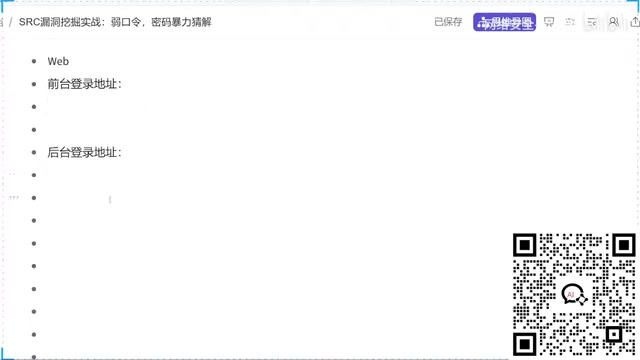
Beginner's guide to web pentesting: compliance, weak password theory, local lab setup, and Burp Suite intro.
This article is based on a beginner-level cybersecurity course covering four progressive layers: legal compliance and the White Hat vs. Black Hat boundary; the privilege difference between front-end and back-end logins and why weak admin passwords are high-severity; using Google Hacking syntax like `intitle:` for information gathering; and setting up a local PHP lab with phpStudy for legal practice, culminating in an introduction to Burp Suite for brute-force password testing.
The First Lesson in Cybersecurity: Know the Law
For most beginners learning cybersecurity from scratch, the biggest pitfall isn't the technical content itself — it's mindset. The instructor behind this course (a Bilibili creator known as "Crow Teacher") repeatedly emphasized one core point at the very start: China's cybersecurity laws and regulations are now comprehensive and well-established — there are no so-called "gray areas" or "edge cases."
In plain terms, any attempt to illegally access data or intrude into another person's system using technical means carries clear legal consequences. The instructor put it bluntly: "I don't want the next time I see your name to be on the news."
That statement reflects an ethical premise that's inseparable from cybersecurity education — the line between a White Hat and a Black Hat isn't technical skill; it's intent and the boundaries of authorization. The whole point of learning vulnerability research is to discover issues and report them through legitimate channels, not to exploit them for personal gain. This is the first lesson — and the most important one.

Front-End vs. Back-End Login: Why the Admin Panel Is a Primary Penetration Target
The Fundamental Difference Between Two Login Entry Points
Many beginners lack a clear understanding of how website login systems actually work. In reality, most web systems have two distinct login entry points:
- Front-end login: Intended for regular users. In an academic management system, for example, students log in through the front end to check grades, select courses, and perform basic operations. In demos, this entry point typically appears as a path like
member.php. - Back-end login: Intended for administrators or staff. After logging in, an admin can modify grades, manage scheduling, control user accounts, and manage content — with significantly elevated privileges. In demos, this entry point is typically
admin.php.

The instructor demonstrated this with an internal forum: a regular user logging in through the front end can only post, comment, and browse. But hidden in the "Settings" menu is a "Management Center" link — a second login point that leads to the back end. Once inside the back end, an attacker can manage all users, content, and core data across the entire site.

Back-End Weak Password Vulnerabilities Carry a Higher Severity Rating
This reveals a key principle in vulnerability research: the severity of a vulnerability is determined by the level of privilege and the scope of data access it exposes.
Back-end systems offer more functionality and higher permissions, meaning a successful attack grants access to far more sensitive data. If an admin account uses a trivially weak password, an attacker who gains entry could access large volumes of sensitive information — and potentially perform high-risk actions like uploading malware or taking control of the server.
That's precisely why, from a White Hat perspective, discovering and reporting a back-end weak password vulnerability is considered highly valuable — you're helping the system owner patch an entry point that could cause serious damage.

How to Locate the Admin Login Page: Advanced Search Engine Syntax
Finding the back-end login URL is a prerequisite for vulnerability testing. The instructor introduced one of the most fundamental and widely used methods — using advanced search engine syntax (Google Hacking).
Take the intitle: syntax as an example. Entering intitle:后台登录 ("intitle: admin login") in a search engine filters results to pages whose titles contain that keyword. The intitle operator targets the page title — what appears in the browser tab.
Using this kind of syntax filter, you can quickly surface admin login pages for a wide range of systems, rather than their public-facing front ends. The instructor also noted:
Systems that use QR code login or CAPTCHA-based login are relatively more secure. The real testing targets are systems that rely solely on username and password authentication.
Beyond search engine syntax, there are many other techniques for locating admin panels in real-world engagements — such as directory scanning and JavaScript file analysis. Each has its own applicable scenarios, and together they form the toolkit for the information-gathering phase.
Setting Up a Practice Lab: The Right Way to Learn Penetration Testing Legally
This section reflects a responsible approach to teaching. The instructor made it clear that no live attacks against real websites would ever be demonstrated — even with authorization, conducting a public demo means every viewer learns the exact attack method, which itself creates an unacceptable risk.
So how do you develop penetration testing skills within legal boundaries? The answer is to build a local vulnerable lab (Vulnerable Lab).
Steps to Set Up a Local Lab Environment
The lab provided in the course is a custom practice system built on PHP + MySQL, designed to run in an Apache environment. Setup is straightforward:
- Install phpStudy (Xiao Pi Panel) on your local machine — it comes bundled with Apache and MySQL.
- Start both the Apache and MySQL services.
- Extract the lab code and place it in a
Systemsubdirectory under the website root (wwwdirectory). - Open your browser and navigate to
localhost/Systemto access the lab.
This local setup allows beginners to practice in a fully isolated, fully authorized environment — testing skills repeatedly without crossing any legal lines.
Burp Suite: The Core Tool for Web Penetration Testing
Once the lab is up and running, the next step is choosing the right testing tool. The instructor introduced one of the most important tools in web security testing — Burp Suite.
Burp Suite is an integrated web security testing platform widely used for intercepting, inspecting, and modifying HTTP requests. In the context of weak password brute-forcing, it can automatically send large numbers of password attempts to a login endpoint, verifying whether the system is vulnerable to weak credential attacks.
Although the course wraps up just as Burp Suite is introduced, the content up to that point outlines a complete weak password vulnerability testing workflow:
- Information Gathering: Use search engine syntax like
intitle:to locate admin login pages; - Environment Setup: Build a local lab for legal practice;
- Vulnerability Validation: Use Burp Suite to brute-force the login endpoint;
- Responsible Disclosure: Submit discovered weak password vulnerabilities as a White Hat.
Final Thoughts: The Right Mindset for Getting Started in Penetration Testing
This introductory lesson is aimed at complete beginners, but the methodology it conveys is worth internalizing at every stage of your learning:
- Technical skill must be built on a foundation of compliance — understand the law before you learn the techniques;
- Understanding system architecture (the privilege separation between front end and back end) is essential to understanding how vulnerability severity is assessed;
- Using a lab environment for security practice is the only legitimate path from theory to hands-on skill.
For anyone looking to enter the cybersecurity field, weak password vulnerabilities and Burp Suite are inseparable foundational skills. But what ultimately determines how far you go is your respect for boundaries — the technology itself is neutral; what matters is what you do with it.
Related articles

WorkBuddy Beginner's Guide: How AI Agents Automate Office Tasks
WorkBuddy tutorial: learn how this desktop AI agent workbench automates files, organizes data, and generates documents, compared with LLMs and Codex, plus a beginner path and cost analysis.

Doubao Work in Practice: Three Modes That Let AI Actually Get Work Done
Doubao Work practical tutorial: from chat mode to Work Mode Lite and Pro, explaining the logic for choosing among three modes with real office task demonstrations. Even complete beginners can learn to use an AI agent to handle local files, organize materials, and generate documents.

AI Agent Runs the Entire GEO Database Mining Workflow with a Single Prompt
Based on a Bilibili creator's demo, this article explains how the WorkBuddy AI agent completes GEO database mining with a single prompt: automatically searching datasets, downloading and organizing data, batch correction, differential analysis, WGCNA, machine learning-based feature gene screening, and regulatory network construction, and generating a complete analysis report.