What Is a Datacenter Proxy? How It Works and How to Choose the Right One

A complete guide to datacenter proxies: how they work, types, use cases, and how to choose the right one.
This article provides a comprehensive introduction to datacenter proxies — how they route traffic through data center IPs, their speed and cost advantages, and their core limitation: publicly visible ASN data that allows target sites to identify and restrict them. It covers three dimensions of proxy types (shared/dedicated, static/rotating, IPv4/IPv6), common use cases like scraping and SEO monitoring, and practical selection advice using tools like IPinfo and AbuseIPDB to evaluate IP reputation before deployment.
Datacenter proxies are widely used for web scraping, SEO rank monitoring, and automation tasks thanks to their speed, low cost, and ease of large-scale deployment. However, their IP origins can be identified and restricted by certain platforms. This article breaks down datacenter proxies from the ground up — covering how they work, type differences, use cases, detection methods, and selection criteria — to help you make an informed choice based on your business needs.
What Is a Datacenter Proxy? How It Works, Pros and Cons
A datacenter proxy is a proxy service that provides outbound IP addresses through data centers, cloud providers, or server hosting networks. When a user sends a network request, the proxy server makes the connection to the target website on the user's behalf, so the target site typically sees the proxy's outbound IP rather than the user's original public IP.
The workflow can be summarized in three stages: request forwarding, target access, and result return. Users simply configure the proxy address, port, and authentication credentials in their browser or application to access target websites through the proxy server. It's important to understand that a proxy primarily changes your network exit point — it does not automatically solve CAPTCHA challenges, rate limits, or fingerprinting detection.
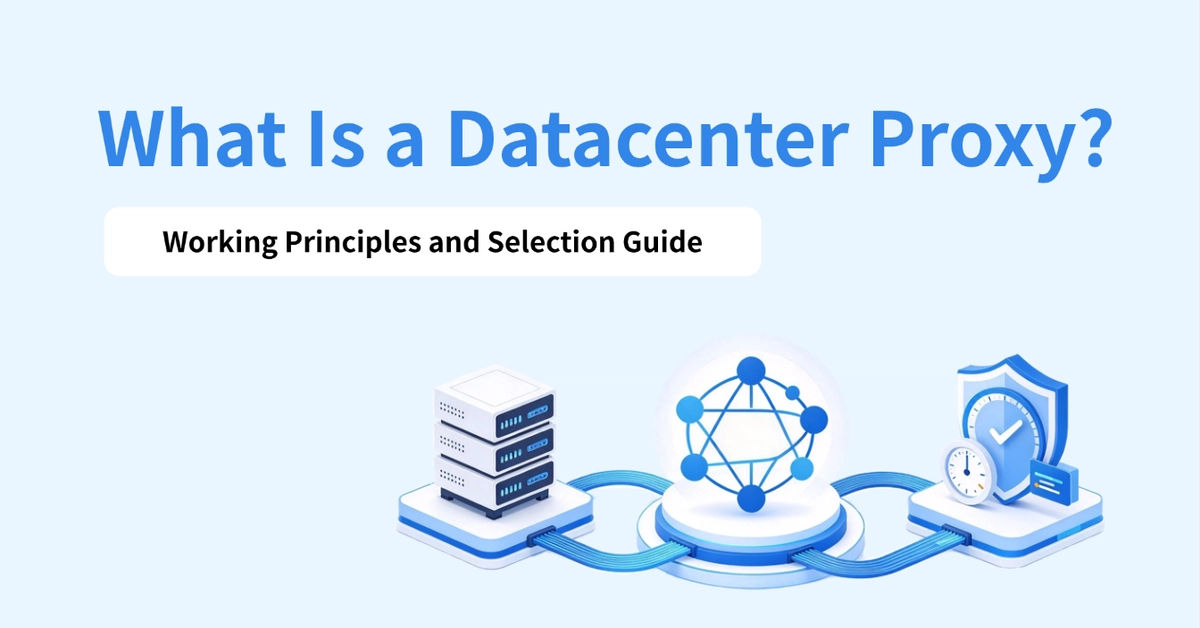
The core characteristics of datacenter proxies include:
- High speed: Data centers typically have high bandwidth and robust network infrastructure, making them suitable for high-frequency requests and bulk tasks.
- Relatively low cost: Many services charge per IP or per plan, which works well for automation tasks that need to run continuously.
- Easy large-scale deployment: Multiple outbound IPs can be configured to support concurrent requests based on business needs.
That said, datacenter proxies have notable drawbacks compared to other proxy types. Detection risk is the most prominent — the ASN, registrar, and network type of an IP can all reveal that it belongs to a data center, and some websites will restrict access on that basis. There's also IP reputation risk: shared IPs may be tainted by other users' past behavior, and even dedicated proxies can't fully eliminate the risk of being blocked.
Understanding a datacenter proxy's "identifiability" from a network attribution perspective helps clarify its fundamental limitations. Every IP address belongs to an Autonomous System (ASN), and ASN registration records explicitly indicate whether a network block belongs to a cloud provider like Amazon AWS, Google Cloud, or Cloudflare, or to a colocation hosting provider. A target website only needs to look up the ASN of the requesting IP to determine whether traffic is coming from a data center rather than a regular residential user. This is why datacenter proxies are inherently disadvantaged against strong anti-bot mechanisms — it's not the IP itself that reveals intent, but the fact that its "origin" is written in publicly accessible routing databases.
What Types of Datacenter Proxies Are There?
Choosing the right type often matters more than choosing the right provider. Datacenter proxies can be categorized along three dimensions.
Shared Proxies vs. Dedicated Proxies
Shared proxies are used by multiple users sharing the same IP, while dedicated proxies are exclusively assigned to a single user. When your budget is limited and your tasks don't require IP exclusivity, shared proxies may suffice. When you need to minimize interference from other users' behavior, dedicated proxies are the better choice. Keep in mind, however, that dedicated does not mean the IP is immune to restrictions from target websites.
The core risk with shared proxies is the spillover effect on IP reputation. When multiple users share the same IP, any one user's high-frequency requests, malicious behavior, or policy violations can get that IP blacklisted by target websites, affecting all users sharing it. This phenomenon is often referred to as "neighbor contamination" in the scraping community. Providers typically don't proactively disclose the usage history of a shared IP, so it's especially important to check the IP's abuse history using tools like AbuseIPDB before using a shared proxy. Dedicated proxies cost more, but at least they limit reputational risk to your own actions.
Static Proxies vs. Rotating Proxies
Static proxies maintain a fixed outbound IP throughout use, while rotating proxies switch outbound IPs according to the provider's rules. The key difference lies in how the outbound address changes, which directly affects session management and task execution logic. Tasks that require maintaining login state or long sessions are better suited for static proxies, while scraping tasks that need frequent identity changes and rate limit avoidance tend to favor rotating proxies.
IPv4 vs. IPv6
IPv4 generally offers broader compatibility, while IPv6 provides a larger address space but requires support from both the target website and the runtime environment. For operations that need to cover different platforms and markets, always verify the target website's protocol support before testing proxy connection performance.
IPFoxy, for example, offers dedicated static datacenter IPv4 and IPv6 proxies, allowing users to select protocols based on task requirements to reduce connection issues caused by protocol incompatibility. Be clear-eyed, though: a larger IPv6 address space does not automatically mean faster access or higher success rates — real-world testing is the only true benchmark.
Common Use Cases
Large-Scale Public Data Collection
For static web pages, lightly protected sites, and public APIs, datacenter proxies offer low latency, sufficient bandwidth, and low per-unit cost, making them well-suited for bulk collection of product details, industry data, and public directories. For tasks with high data volume, high network throughput requirements, and no need for residential network characteristics, properly distributing requests can significantly improve collection efficiency.
SEO Monitoring and Search Rank Tracking
For SEO tasks that don't require login and focus on public search results and page information — such as bulk keyword rank queries, SERP change monitoring, meta tag extraction, and competitor page tracking — datacenter proxies are fast, cost-effective, and easy to deploy at scale, making them ideal for scheduled, repeated queries.
That said, search engines may impose rate limits or CAPTCHAs on automated queries. It's advisable to keep request frequency reasonable. If you need to collect search results at scale, prioritize evaluating official APIs or compliant data services rather than relying solely on IP rotation to ensure query success.
Website Performance Testing and Connectivity Checks
For website availability monitoring, API load testing, and multi-exit connectivity checks, datacenter proxies perform well thanks to fast response times and ample bandwidth, making them suitable for high-frequency, repetitive test requests. Recording response times, HTTP status codes, and connection failure rates helps identify network or service issues. To simulate real user experience, you'll also need to incorporate browser performance metrics and data from different ISP networks.
Automated Scripts and Bot Tasks
For scheduled scripts, batch processing programs, and automated testing, datacenter proxies are easy to configure, cost-controllable, and simple to integrate into code and test environments. They can be used for authorized page checks, sneaker copping, or appointment flow validation.
A critical note: high-competition scenarios like ticket grabbing and limited-item purchasing demand extreme speed, and platforms may deploy queuing systems, rate limits, and anti-automation mechanisms. Datacenter proxies cannot guarantee purchase success, nor can they be used to bypass queues, purchase limits, or platform security mechanisms — these expectations need to be set clearly before you start.
Proxy Detection and Practical Selection
Check Key IP Metrics
Use tools like IPinfo or IP2Location to view the IP's origin, ASN, and network type, then use tools like Scamalytics or AbuseIPDB to check fraud scores and query public blacklists. A high fraud score generally indicates more risk signals, but it doesn't mean the IP is absolutely unusable — it's best to combine multiple test results and real-world access performance for a comprehensive assessment.
For example, when testing an IPFoxy proxy in AbuseIPDB, a historical risk score of 0 indicates the IP carries low risk.
An IP fraud score is a composite evaluation across multiple dimensions, typically including: whether the IP appears on public blacklists, whether it has been used to send spam, whether it's associated with known anonymous proxies or VPN exit nodes, and whether it has unusual recent traffic records. Different assessment tools use different algorithms and data sources, so the same IP may receive significantly different scores on Scamalytics versus IPQualityScore — don't rely on a single tool to draw conclusions. In practice, the fraud score is just one reference metric. Whether you can successfully access the target website ultimately depends on the target server's specific filtering policies and the IP's real-time status.
Geolocation and Network Attribution
If your business requires a specific country or city, check the geographic location of the proxy's outbound IP before use, and verify ASN, ISP, or registrar information. Geolocation results in IP databases can be inaccurate — don't assume an IP is from the target region based on a single lookup page.
For tasks like regional price monitoring and ad display verification, record timestamps, target pages, and access results during testing to distinguish between three categories of issues: geolocation mismatch, content differences, and network access failures.
Connection Configuration and Error Handling
In your browser or script's proxy settings, enter the proxy address, port, username, and password provided by the service, and select the matching proxy protocol. After saving, visit an IP lookup site to confirm the outbound IP has switched, then test the connection to the target website.
If the connection fails, first check authentication credentials, port, and protocol settings. When encountering 403, 429, or CAPTCHA responses, review access rules and reduce request frequency. Your scripts should also include timeout limits, bounded retry logic, and error logging to avoid continuously sending failed requests.
Frequently Asked Questions
What's the difference between datacenter proxies and residential proxies?
Datacenter proxy IPs primarily come from cloud providers or server hosting networks, offering faster speeds and lower costs. Residential proxies (static or rotating) use IPs associated with consumer-grade networks like home broadband, and may be more appropriate on platforms that are sensitive to datacenter IPs. The right choice depends on the target website, task requirements, and real-world test results.
Are datacenter proxies suitable for web scraping?
Yes, for many public data scraping tasks, low-restriction targets, and batch processing jobs. For websites with strict access controls, first confirm data access authorization, then test the success rate and stability of proxy requests.
Can datacenter proxy IPs get banned?
Yes. Target websites may impose restrictions based on IP reputation, network type, request frequency, and request behavior. Using dedicated proxies doesn't fully prevent bans — compliant access patterns, reasonable request frequency, and solid error handling all matter.
Conclusion
Datacenter proxies perform well in scenarios like public data collection, SEO monitoring, price tracking, and automated testing, combining speed, deployment flexibility, and cost control. When selecting a proxy in practice, align your choice with business needs and comprehensively evaluate IP reputation, network type, protocol compatibility, and target website rules — striking the right balance between task efficiency, operational cost, and connection stability.
Related articles

Gemini 4 Argon Hands-On: AI Builds Board Games, Constructs Temples, and Trains Robots Autonomously
Gemini 4 Argon hands-on roundup: AI autonomously builds a desk racetrack and temple in Blender, writes a ray tracing engine, trains a humanoid robot to sink 7 shots, plus API pricing and developer access.

The Magic Octagonal Coin: Why Only 9% of People Can Predict Its Flip?
Only 9% of people can correctly predict the Magic Octagon coin flip. This article explains its spatial rotation mechanism, common cognitive pitfalls, and a new hypothesis based on Relevance Theory, exploring the limits of human spatial reasoning.

Sam Altman: AI Is Entering the Era of Scientific Discovery — Math Breakthroughs Will Replicate in Biology and Energy
Sam Altman says AI is entering the era of scientific discovery — math breakthroughs will replicate in biology, materials science, and energy to help develop new drugs and energy sources.