Why iPhone HDR Videos Lose the Red Channel When AirDropped to a Computer and Uploaded to X — Causes and Solutions

iPhone HDR videos lose the red channel on X's web upload — fix by converting to SDR or uploading from the phone.
iPhone Dolby Vision HDR videos transferred to a computer via AirDrop lose their red channel when uploaded through X's web interface, due to the server-side transcoder incorrectly handling BT.2020-to-BT.709 color space conversion. The simplest fix is uploading directly from the X app on iPhone (which has built-in tone mapping), or pre-converting the video to SDR format using tools like HandBrake before uploading from a computer.
The Problem: iPhone HDR Videos Turn Green-Blue After Uploading to X
A user shared a frustrating technical issue on X: after transferring a video from an iPhone to a laptop via AirDrop and uploading it through X's web interface, the video's HDR data was corrupted. The entire red channel was lost, resulting in an abnormal green-blue tinted image.
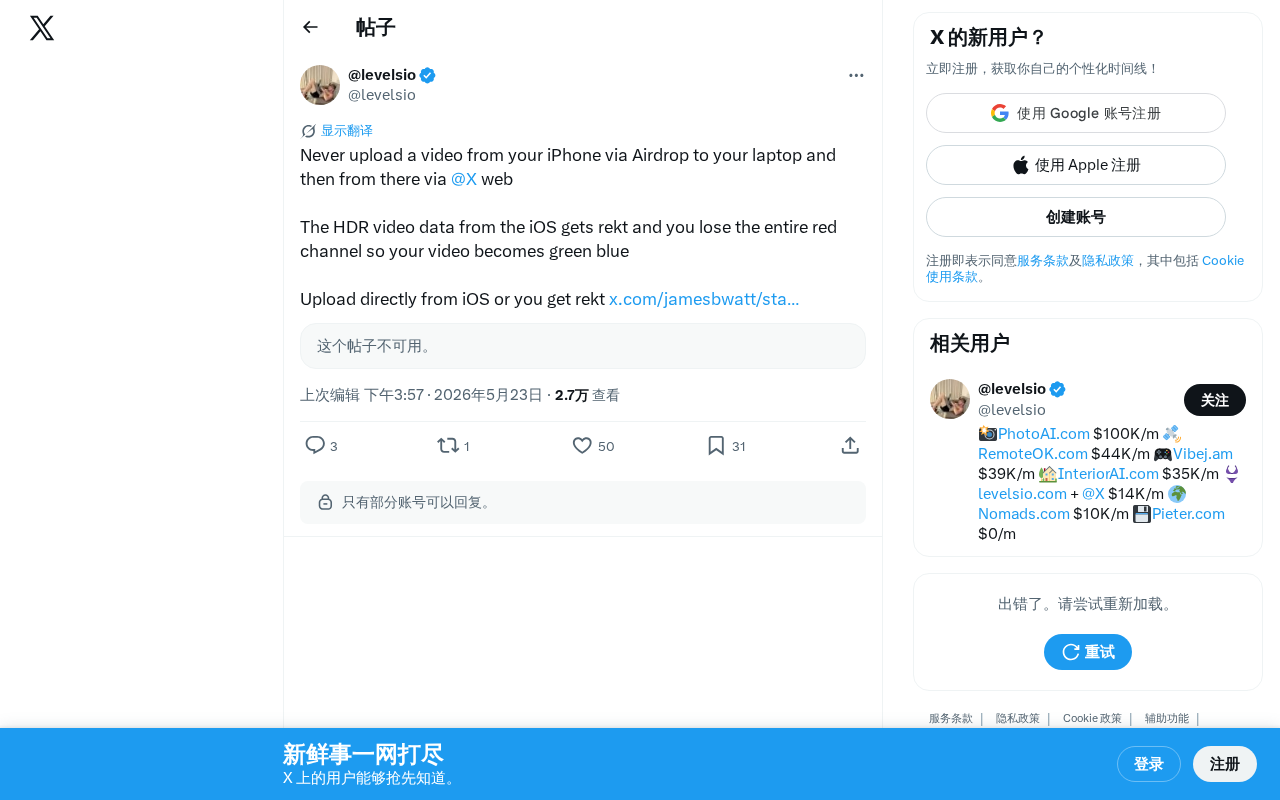
The root cause lies in how the color metadata of HDR videos recorded on iOS devices (typically in Dolby Vision or HDR10 format) is parsed incorrectly during cross-device transfer and platform processing.
Technical Analysis: Why the Red Channel Is Lost
The Fragility of HDR Metadata During Transcoding
Starting with the iPhone 12 series, iPhones record Dolby Vision HDR video by default. Dolby Vision is a proprietary HDR format developed by Dolby Laboratories. Compared to the open-standard HDR10, it supports dynamic metadata (color mapping parameters adjusted independently per frame or per scene), up to 12-bit color depth, and 10,000-nit peak brightness. Dolby Vision video recorded on iPhone uses a dual-layer encoding structure: a Base Layer compatible with SDR devices, and an Enhancement Layer carrying HDR extension information. While this dual-layer design was built with backward compatibility in mind, when a transcoding system only recognizes the base layer and incorrectly parses the enhancement layer data, it can cause severe color issues such as channel misalignment.
After the video is transferred to a Mac via AirDrop, the file itself remains fully intact — AirDrop uses a combination of Bluetooth (for device discovery) and Wi-Fi Direct (for data transfer), with TLS encryption during transmission, delivering files losslessly in their original format. Native macOS applications like QuickTime Player can correctly read this metadata and render the video properly. However, when uploading through X's web interface, the browser simply sends the raw file byte stream to the server. The platform's server-side transcoding pipeline is where color processing actually fails.
Specifically, HDR video uses a wider color gamut (BT.2020) and higher bit depth (10-bit). BT.709 is the standard color space for traditional SDR video, covering approximately 35.9% of the visible color gamut; BT.2020, used by HDR video, covers approximately 75.8%, enabling more saturated red, green, and blue primaries. Converting between the two requires a precise Color Space Conversion Matrix. If the transcoder incorrectly decodes a BT.2020 YCbCr signal using BT.709 matrix coefficients, the weight distribution across color channels becomes wrong — causing anything from a color shift to a complete overflow or zeroing-out of a channel. When X's web-side transcoder force-converts HDR content to SDR format, improper handling of the color space conversion matrix, combined with errors in 10-bit to 8-bit depth compression, ultimately causes the red channel to be completely lost, leaving only green and blue information in the image.
Why Uploading Directly from iPhone Doesn't Have This Problem
When uploading directly from the iOS app, X's mobile client first performs a correct color space conversion locally, appropriately mapping HDR content to a platform-compatible SDR format before uploading. This process includes complete Tone Mapping: compressing and mapping HDR's high dynamic range luminance information into SDR's 0–100 nit range, while using a gamut conversion matrix to correctly map BT.2020 color space back to BT.709. The web interface lacks this preprocessing step, sending the raw HDR file directly into the server-side transcoding pipeline, which results in color channel parsing errors.
Solutions: How to Prevent Red Channel Loss
The Simplest Method: Upload Directly from iPhone
Uploading the video directly from the X app on your iPhone is the most reliable approach. The iOS client has built-in HDR-to-SDR conversion logic that ensures accurate color reproduction.
Alternatives When You Must Upload from a Computer
If you need to upload from a computer (for example, after editing on desktop), consider the following options:
- Disable HDR recording on iPhone: Go to Settings > Camera > Record Video, and turn off the "HDR Video" option. This will record video in standard SDR format.
- Pre-convert to SDR using HandBrake: HandBrake is an open-source video transcoding tool that relies on FFmpeg and other libraries for color space tag processing. In the "Video" tab, explicitly specify the output color space as BT.709 and enable the tone mapping option (algorithms like Hable or Reinhard are available) to preserve image detail while preventing channel overflow. Note that merely changing the container format without processing the metadata will still cause color anomalies.
- Export an SDR version from professional editing software: Final Cut Pro or DaVinci Resolve can both correctly handle HDR-to-SDR color space conversion. Simply select the BT.709 color space when exporting.
Broader Implications: iPhone HDR Video Platform Compatibility Issues
This problem isn't limited to X. Many social media and video platforms have similar compatibility issues when processing iPhone HDR video. As HDR content becomes more widespread, platforms need to implement consistent color space processing logic across all upload entry points — including correctly identifying Dolby Vision's dual-layer structure, using accurate BT.2020-to-BT.709 conversion matrices, and implementing reliable tone mapping algorithms on the server side.
For content creators, understanding the video format characteristics of your devices and the processing mechanisms of various platforms is essential to ensuring the quality of your published work. A seemingly simple AirDrop file transfer involves far more color science complexity than most people imagine.
Key Takeaways
- iPhone HDR videos AirDropped to a computer and uploaded via X's web interface lose the red channel, turning the image green-blue
- The root cause is X's web transcoder failing to correctly process iOS Dolby Vision HDR metadata, with errors in the color space conversion matrix (BT.2020 → BT.709)
- AirDrop itself does not corrupt the file — the problem lies in the server-side transcoding pipeline
- The simplest solution is to upload directly from the X app on iPhone (the client has built-in correct tone mapping logic)
- If uploading from a computer is necessary, convert the video to SDR format (BT.709 color space) first, using tools like HandBrake, Final Cut Pro, or DaVinci Resolve
- This is a widespread HDR content cross-platform compatibility issue, fundamentally caused by the high demands Dolby Vision's dual-layer encoding structure places on transcoders
Related articles
 Tutorials
ChatGPT Plus Subscription Guide: Are GPT-5.5, image-2, and Codex Worth the Upgrade?
A detailed look at ChatGPT Plus features — GPT-5.5, image-2, and Codex — with a Plus vs Pro comparison and a complete step-by-step subscription guide for users outside the US.
 Tutorials
Harness AI Engineering in Practice: Using Claude Code to Master Enterprise-Level E-Commerce Development
Deep dive into Harness AI Engineering: master enterprise e-commerce development with Claude Code using the Rules, Skills, Wiki, and Changes framework.
 Tutorials
Cursor + Codex Dual-IDE Collaboration: A Practical Methodology for Open-Source Project Customization
A complete methodology for open-source project customization based on real-world experience, detailing the Cursor+Codex dual-IDE workflow, seven-stage process, MVP validation, and AI source code reading techniques.