Why You Shouldn't Run the Hermes Agent on Your Personal Computer
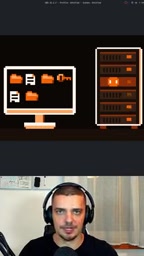
Autonomous AI agents should be deployed to a dedicated VPS rather than your primary personal computer, to isolate risk, resources, and credential exposure.
Based on the arguments of a technical analysis video, this article explains why autonomous AI agents like Hermes shouldn't be installed on your primary personal computer but should be deployed to a dedicated VPS. There are three core reasons: first, autonomy means the agent has file-deletion and command-execution permissions, so mistakes directly affect personal data; second, an always-on 24/7 agent continuously consumes compute and memory, competing with daily workloads for resources; third, personal computers concentrate a large number of login credentials and API keys, and if the agent touches them or mistakenly outputs them, leakage can result. VPS deployment simultaneously achieves a security boundary, resource isolation, and autonomy guarantees—and this principle applies to any always-on agent, not just Hermes.
Why Should You Show Hermes the Door on Your Personal Computer?
If you're considering deploying an autonomous AI agent like Hermes, your first instinct might be to install it directly on your desktop or laptop. After all, running it locally sounds simpler and more straightforward. But a technical analysis from YouTube offers a clear recommendation: don't run Hermes on your primary computer—deploy it to a dedicated VPS (Virtual Private Server) instead.
This advice isn't about technical perfectionism; it's a realistic trade-off involving risk, resources, and autonomy. Drawing on the video's core arguments, this article breaks down why isolated deployment is the more sensible choice.
The More Autonomous the Agent, the More It Needs Isolation
What You Want Isn't a Robot You Have to Watch Constantly
The whole point of deploying an agent is to have it do real work for you. That means you want it to have autonomous capabilities—creating files, deleting files, executing commands—rather than waiting for you to click "approve" at every step. The video explicitly states that users want a "capable agent that can act autonomously," not a tool that requires constant monitoring and command-by-command approval.
But autonomy and risk are two sides of the same coin. When you grant an agent permission to delete files and execute commands, the cost of its mistakes falls directly on your personal system. In theory, it could accidentally delete files that are important to you—and this risk doesn't require any malicious intent to materialize.
The Exposure Surface of Running Around the Clock
A key point the video repeatedly emphasizes: you don't want an agent like this running 24/7 on your system. An always-on agent means an always-open operating window—it could leak information, or it could access credentials and abuse them. Again, these scenarios don't have to be malicious, but the possibility objectively exists.
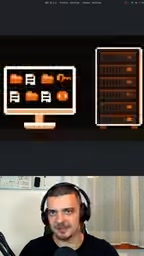
Putting the agent on a separate machine that runs nothing else is essentially "separation of concerns": even if it makes a mistake, only that isolated environment is affected—not your primary device where you store work materials, personal files, and login credentials.
Resource Consumption Is Another Practical Consideration
Beyond security concerns, resource consumption shouldn't be overlooked either. The video states outright that an always-on agent will "eat up" system resources. For a personal computer that needs to handle daily work and run other software simultaneously, a continuously running agent process will compete with your normal usage for compute and memory.
This leads to a more general deployment principle: don't mix a resident agent with your other workloads on the same machine. Isolation protects not only your data but also your user experience.
The Chain Risk of Credential and Information Leakage
The third category of risk mentioned in the video deserves its own discussion: credential access. Personal computers tend to be a central repository for login states across various accounts—passwords saved in browsers, API keys configured in command-line tools, login tokens for various services. An agent with file-reading and command-execution capabilities could theoretically reach this sensitive information.
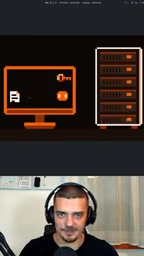
Even if the agent itself isn't malicious, a single mishandled piece of information or log output could cause credentials that should have stayed local to appear where they shouldn't. Isolated deployment minimizes this risk surface.
Credentials in this context broadly refers to any secret information usable for identity authentication, including website passwords saved in browsers, SSH private keys, cloud service API keys, OAuth tokens, and access keys in various CLI tool configuration files. If an autonomous agent has file-reading permissions, it could traverse hidden directories like .ssh, .aws, and .config under the user's home directory, or read keys injected via environment variables. Even without malicious intent, the agent could inadvertently leak these secrets when generating logs, debugging output, or sending context to external models. Common industry mitigations include: applying the principle of least privilege to restrict the paths the agent can access, storing keys in dedicated secret management services rather than plaintext files, and running in isolated environments to sever the physical connection to primary credential stores.
The Practical Logic of VPS Deployment
Synthesizing the video's arguments, the recommended deployment path is clear: install Hermes on a VPS—a virtual private server separate from your desktop PC or laptop. This solves three problems at once—
- Security boundary: The agent runs in an isolated environment, so mistakes won't affect personal data;
- Resource isolation: The agent's resource consumption doesn't impact your daily usage;
- Autonomy guarantee: You can confidently grant it the necessary file and command permissions without having to monitor it constantly.
The video also allows for a reasonable exception: if you genuinely need certain services connected to the agent, those services should be taken into account rather than mechanically pursuing complete isolation. In other words, what you're isolating from is "unrelated other workloads," not necessary dependencies.
VPS (Virtual Private Server) uses virtualization technology to divide a physical server into multiple isolated virtual instances, each with its own operating system, CPU, memory, and disk resources. Users can log in remotely via SSH and have root-level control. Unlike shared hosting, a VPS offers isolation and customizability approaching that of a dedicated server, but at a much lower cost than physical dedicated servers—typically billed monthly and provisioned within minutes. For deploying autonomous agents, the key value of a VPS is this: it's a "disposable" environment that is network-isolated from personal devices and can be snapshotted, backed up, or destroyed and rebuilt at any time—so even if the agent's behavior goes out of control, the damage is contained and can be quickly rolled back. Major cloud providers all offer such products; when choosing, pay attention to whether the memory is sufficient to support resident processes, whether regular snapshots are supported, and whether the network egress is stable.
This Isn't a Problem Unique to Hermes
It's worth emphasizing that the video's advice applies to "any always-on agent," not just Hermes. As autonomous AI tools increasingly enter personal workflows, how to draw the boundary between agents and personal primary systems will become a universal deployment challenge. Treating an agent as a service that needs its own dedicated runtime environment—rather than an app you casually install on your main machine—is the more mature approach.
For developers who want to try Hermes, spending time preparing an isolated VPS first may be more worthwhile than rushing to get the first task running locally.
Related articles

Ignite Keynote: Building a Frontier Ecosystem to Bring AI to Life
Microsoft CEO Nadella's Ignite keynote proposes a frontier ecosystem to turn AI advances into real-world impact. This article unpacks the strategy's ecosystem layers and deployment signals.
C++26 Standard Finalized: Key Takeaway…
C++26 Standard Finalized: Key Takeaways from the ISO C++ Meeting
C++26 wraps up at the ISO C++ meeting. This article explains the trip report's implications, the standardization process, and impact on developers and compiler ecosystems.

Microsoft Ignite Kicks Off Today, with AI and Cloud in the Spotlight
Microsoft Ignite opens today at 10 AM Pacific, streaming live to developers worldwide. Here's what to watch, the AI and cloud themes, and how to follow along.