WorkBuddy Comprehensive Review: A Practical Guide to Local Automated Office Assistant

Bilibili creator releases a 720-minute WorkBuddy local AI automation tutorial, from installation to browser control.
The article covers a Bilibili creator's WorkBuddy system tutorial. WorkBuddy is positioned as a domestic Codex alternative—a locally running AI automation tool that needs no special network to take over software and browsers for tasks like proposals, spreadsheets, data analysis, poster design, and coding. The 720-minute tutorial took three and a half months to make, spans zero-installation to advanced tips, and includes a learning blue book for beginners. It suits repetitive office work in admin, finance, and operations, though stability, error handling, and maintenance costs are unverified, and content may age with version updates.
In today's landscape of endless AI tools, how to make AI truly complete repetitive work for us—rather than just staying in a chat box—has become a focus for many professionals. Recently, a Bilibili creator released a WorkBuddy system tutorial billed as "the most down-to-earth on the internet," covering everything from zero-beginner installation to advanced techniques like multi-file linkage and browser control, along with a complimentary learning blue book. Based on that video's content and the accompanying screenshots, this article breaks down WorkBuddy's core capabilities and learning path.
What Is WorkBuddy? The "AI Digital Workhorse" for Local Automation
According to the creator, WorkBuddyAd can be considered a domestic alternative to Codex, positioned as "an AI digital workhorse that works automatically for you on your local computer." Its barrier to entry is extremely low—no special network environment or complex configuration required. It runs on your personal computer, takes over various software and browsers, and automatically completes tasks like writing proposals, building spreadsheets, data analysis, poster design, writing code, and even operating software, delivering finished products directly.
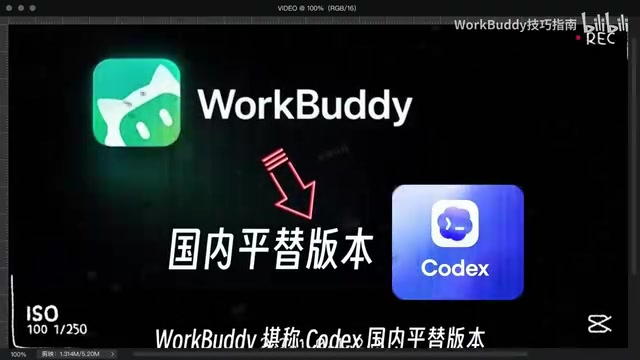
Unlike cloud-based AI assistants, WorkBuddy emphasizes local execution capability, meaning data doesn't need to be uploaded to third-party servers—making it more attractive for workplace scenarios involving sensitive information. At the same time, it can directly operate local files and applications, achieving true "end-to-end" automation.
Codex is a code generation model released early by OpenAI, which later evolved into one of the technological foundations behind GitHub Copilot. It can automatically complete code based on natural language descriptions, explain code logic, and even independently write small scripts. The article calls WorkBuddy a "domestic alternative to Codex," meaning the two are similar in their positioning of "using natural language to drive computers to complete tasks," but WorkBuddy emphasizes direct control of local software and browser interfaces rather than mere code completion. Note that Codex itself is a model-level concept, while WorkBuddy is a packaged application-layer product—the two are not technologies at the same level.
Local execution vs. cloud execution is key to understanding the differences between these tools. Cloud-based AI assistants (such as web-based chat models) need to upload user input to vendor servers for inference and then return results; local execution runs models or automation scripts on the user's own computer, keeping data on the local machine. The advantages of local execution are controllable privacy, direct read/write access to local files, and operation of installed software; the disadvantages are limited by personal computer computing power, so response speed and capability for complex models may not match the cloud. WorkBuddy chose the local route precisely to balance automation and data security in sensitive office scenarios.
Core Features in Practice: From Multi-File Linkage to Browser Control
The creator demonstrated multiple practical projects in the video, covering high-frequency daily office scenarios. Among them, multi-file linkage stands out—users can instruct WorkBuddy to process multiple documents and spreadsheets simultaneously, automatically extract information, and generate summary reports, greatly reducing the repetitive labor of manual copy-pasting.
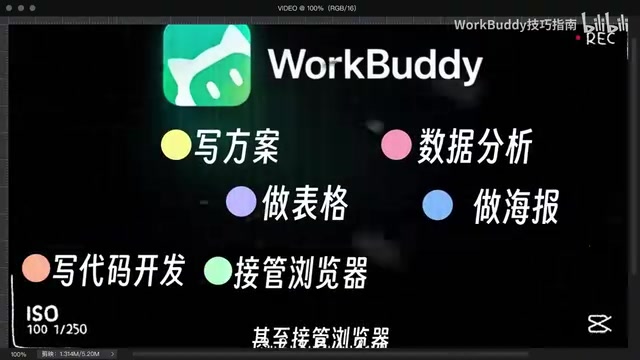
Additionally, WorkBuddy can take over browsers to automatically complete web information scraping, form filling, data downloading, and more. For marketing and operations roles that need to collect materials across platforms, this feature can save a lot of time. The creator emphasizes that whether it's writing proposals, building spreadsheets, data analysis, making posters, or writing code for development, WorkBuddy can "deliver results in one line," directly handing over usable finished products.
Browser control is typically implemented through browser automation protocols (such as Chrome DevTools Protocol) or simulated mouse and keyboard operations. Tools can read webpage DOM structures, locate buttons and input fields, fill out forms, click links, and download files, thereby completing information scraping and cross-platform operations. The boundary of this capability lies in: webpage structure redesigns, captchas, expired login sessions, and similar situations can all cause automation to be interrupted. Therefore, in actual use, manual fallback and exception handling mechanisms are often needed—this is also an important dimension for evaluating the stability of such tools.
Learning Path: 720-Minute System Tutorial and Blue Book
This tutorial totals 720 minutes, and the creator says it took three and a half months to produce. The content starts from zero and systematically explains WorkBuddy's installation, configuration, core features, and practical projects. Even complete technical beginners who have never touched AI tools can gradually master it by following the tutorial. To facilitate learning, the creator also compiled a WorkBuddy learning blue book covering everything from basic installation to various usage tips, which viewers can obtain by leaving a comment.

A small detail: the creator admits in the video to being "a blogger with 0 followers," yet takes on "hardcore stuff that only million-follower bloggers have pulled off." This contrast also reflects the uneven quality of content in the current AI tool tutorial space—users need to screen carefully.
Use Cases and Limitations: Who Is WorkBuddy For?
Judging from the video description, WorkBuddy is particularly suitable for people who need to handle large amounts of repetitive office tasks, such as administrative, finance, operations, and market analysis roles. Its low-barrier nature also allows ordinary users without programming skills to get started quickly. However, the creator did not mention WorkBuddy's stability under complex tasks, error handling mechanisms, or long-term maintenance costs—these are factors to consider for actual deployment.

In addition, the "89G of practical content" and "720 minutes" mentioned in the tutorial reflect the richness of the content, but users should also note that tool tutorials iterate quickly, and some operations may become invalid as versions change. It's recommended to combine official documentation and community discussions during learning to stay synchronized.
Conclusion: A New Choice for Automated Office Work
With its localization, low barrier to entry, and multi-scenario coverage, WorkBuddy offers professionals a new efficiency tool option. Although this system tutorial comes from an individual creator, its content volume is substantial and suitable as an introductory reference. For professionals hoping to liberate themselves from repetitive labor, it's worth following WorkBuddy's subsequent development and evaluating its applicability based on your own needs.
One-line Summary
A Bilibili creator released a 720-minute WorkBuddy local AI automation tutorial, covering everything from installation to browser control.
Paragraph Summary
The article introduces a WorkBuddy system tutorial released by a Bilibili creator. WorkBuddy is positioned as a domestic alternative to Codex—a locally running AI automation tool that requires no special network environment to take over software and browsers, completing tasks like writing proposals, building spreadsheets, data analysis, poster design, and coding. The tutorial runs 720 minutes and took three and a half months to produce, covering everything from zero installation to advanced techniques like multi-file linkage and browser control, plus a complimentary learning blue book, making it suitable for beginners. The article also notes that the tool fits repetitive office scenarios in administration, finance, and operations, but its stability, error handling mechanisms, and long-term maintenance costs remain unverified, and tutorial content may become outdated as versions iterate—users should use it cautiously alongside official documentation.
Related articles

Tencent WorkBuddy Hands-On: How AI Agents Crush Traditional Chat Assistants
WorkBuddy vs Doubao tested: how AI Agents directly operate computers to convert PPT to PDF, archive files and more. Analysis of WorkBuddy's low barrier, domestic ecosystem, pricing and plugin marketplace, plus AI Agent selection advice.

Azure Cross-Tenant Attack Chain: Root Cause Analysis of Five Paths
Binary Security analyzes five full cross-tenant compromise paths in Azure, trending 271 points on HN. This article interprets their shared root cause perspective and offers defense recommendations for cloud tenant isolation and reflections on responsibility boundaries.

Recreating a Real Bubble Tea Station in Isaac Sim: Script-Driven Unitree G1 Brews Tea
Developers recreated a real self-service tea station in NVIDIA Isaac Sim, using scripts to drive a Unitree G1 through a five-step tea-brewing process, exploring whether physics simulation can be a source of synthetic robot demonstration data and discussing contact stability and imitation learning.