WorkBuddy for Beginners: Office Automation Made Easy from Zero

A Bilibili UP host releases a 720-minute WorkBuddy tutorial focused on zero-barrier local AI office automation.
The article introduces a WorkBuddy tutorial series released by a "0-follower" Bilibili UP host, totaling 720 minutes and claiming that without buying courses, anyone can learn from scratch to use AI for automating documents, spreadsheets, data analysis, and browser control. WorkBuddy is positioned as a "domestic alternative to Codex," with its core selling point being that it requires no special network environment or complex configuration and can execute tasks directly on the local computer—likened to an "AI digital workhorse." The article outlines the tutorial's structure from installation to hands-on practice and analyzes its target audience—repetitive office workers and AI programming beginners—while noting that the material comes from a single UP host's self-description, lacks third-party verification, and its features and effects should be evaluated cautiously. It concludes by advising learners to practice with specific pain points in mind, focus on prompts, and maintain discernment about the materials.
AI tools keep multiplying, but few are truly "ready to use" for ordinary people. Recently on Bilibili, a UP host (content creator) claiming to have "0 followers" released a WorkBuddy tutorial series said to run 720 minutes in total, declaring "no need to buy courses" and promising to take complete beginners from zero to automating documents, spreadsheets, data analysis, and even browser control. That's a bold claim, but the WorkBuddy it introduces does tap into an overlooked need: letting AI do the work for you on your local computer.

What Is WorkBuddy: An "AI Digital Workhorse" on Your Local Computer
According to the UP host, WorkBuddyAd is positioned as a "domestic alternative to Codex," and its core selling point is its extremely low barrier to entry. No special network environment, no complicated configuration—once installed, it lets AI execute tasks on your local computer. The host uses a vivid metaphor—"AI digital workhorse"—meaning it's like a tireless assistant that handles repetitive computer operations for you.
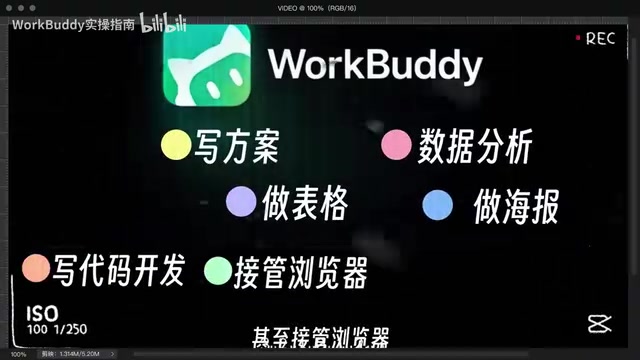
In terms of functionality, WorkBuddy covers a remarkably wide range of scenarios: writing proposals, building spreadsheets, data analysis, making posters, coding and development, and even taking over the browser to control various software. The host emphasizes that it can "deliver results in one pass, directly handing over finished products"—in other words, users don't need to switch back and forth between multiple tools; everything from entering a request to receiving the finished product can happen in a single workflow.
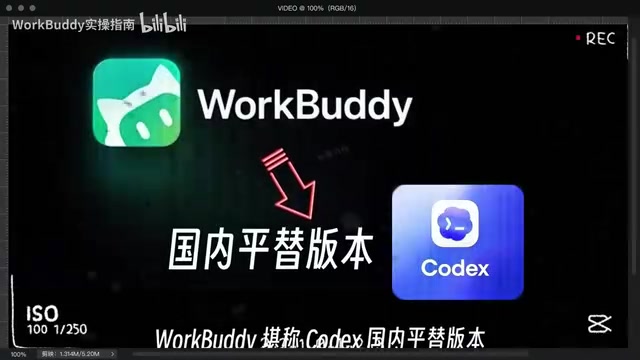
This "local execution" approach is fundamentally different from cloud-based AI assistants. Cloud tools typically only offer suggestions and generate text, while local agents can directly manipulate files and run programs—turning "saying" into "doing." For office workers drowning in Excel and documents every day, this difference determines whether a tool is a "toy" or a "productivity boost."
The term "local agent" refers to an AI program running on the user's own computer that can access the local file system, applications, and browser to complete operations directly rather than merely outputting text. Compared with cloud AI assistants, local agents don't depend on a constant internet connection, data never leaves the machine, and privacy is better; and because they can directly "take action," they can complete tasks that cloud models cannot—opening software, filling in spreadsheets, batch renaming, and so on. Their technical foundation typically includes local large models or calls to cloud models, tool-calling (Function Calling) mechanisms, and screen/interface recognition capabilities. Codex is a code-generation model OpenAI launched early on, which later evolved into an agent form supporting multi-step task execution; "domestic alternative to Codex" refers to a substitute with similar functionality that can be used directly within China's network environment.
Breaking Down the Tutorial: A Full Workflow from Installation to Real-World Practice
The tutorial follows a classic "hand-holding" structure: starting with basic installation, gradually moving through various usage tips, and finally landing on core features and hands-on projects. The host mentions having compiled a "WorkBuddy Learning Blue Book" covering the entire tutorial, provided to viewers as companion material.
What's notable is the tutorial's scope. According to the host, it starts from "complete non-technical beginners who have never touched an AI tool" and aims to turn them into "AI efficiency masters" by the end. Whether such a wide-ranging promise is delivered depends on how well the tutorial polishes its prompts and examples—the original title specifically mentions a "prompt + case collection," indicating the focus isn't just listing features but providing reusable operational patterns.

For people who want to learn AI automation on their own, the value of systematic material like this lies in saving the time spent figuring things out alone. The host reveals that the entire series took three and a half months to produce, with a total length of 720 minutes—a volume rarely seen in free tutorials. Of course, phrases like "the most down-to-earth on the internet" and "bar none" are the creator's self-assessment; learners will need to judge the actual quality for themselves.
A "prompt" is the instruction text a user inputs to an AI, and how it's written directly affects output quality. In agent scenarios, a prompt doesn't just describe "what you want"—it also needs to specify task steps, available tools, output format, and constraints; this more structured approach is often called "prompt engineering." For automation tasks, a clear prompt is essentially an operating manual: the more specific the task goal and the clearer the boundaries, the lower the probability that the agent will deviate from expectations during execution. The tutorial's emphasis on a "prompt + case collection" essentially provides reusable instruction templates, so beginners don't have to design instructions from scratch but can get started quickly by modifying existing examples. This is also one of the key indicators for judging the practicality of such tutorials.
Capability Boundaries and Target Audience: Who Should Use WorkBuddy
Based on the description, WorkBuddy is best suited to two types of people. One is those who bear repetitive labor in office settings—roles that frequently handle spreadsheets, organize documents, and compile data summaries; automation can directly cut down the time spent on these tasks. The other is people who want to try AI programming but are put off by environment setup; WorkBuddy's "no complicated configuration" feature lowers the starting barrier.
But the material itself has limitations. The host lists a broad range of capabilities but gives no specific technical details, performance data, or quantified results from real cases. "Delivering results in one pass" may perform very differently across tasks—generating a simple spreadsheet and developing a complete project are not remotely in the same league in terms of difficulty. Treating WorkBuddy as a "universal tool" easily leads to unrealistic expectations; a more reasonable positioning is that it's a local assistant that can help you handle moderately complex automation tasks, while complex tasks still require human intervention and debugging.
Another thing to watch is information verification. This tutorial currently comes from a single UP host's self-description, with no third-party validation of its features and effects. It's wiser to stay cautious with AI tools and try them on a small scale before deciding whether to invest time.
When evaluating a local automation tool, several dimensions are worth noting: first, the upper limit of task complexity—simple tasks (format conversion, batch organization) are usually stable, while tasks involving multi-software collaboration or exception handling are prone to errors; second, robustness to interface changes—browser-control features often rely on page structure recognition, and a website redesign can break the workflow; third, the cost of human intervention—complex tasks require users to break down steps and verify them one by one. Therefore, "delivering results in one pass" is better understood as reducing manual operations in clear, repetitive scenarios rather than being fully unattended. When actually choosing a tool, it's advisable to first run small-scale tests on one or two high-frequency tasks you're most familiar with, observe the success rate and error-correction cost, and then decide whether to expand usage.
The Right Approach to Self-Learning AI Automation
The popularity of this tutorial reflects a trend: more and more people realize that the value of AI tools isn't in "knowing they exist" but in "actually using them." Whether or not you buy a course isn't the key—the key is finding learning material with clear structure and solid examples, and then getting hands-on.
If you plan to learn from tutorials like this, it's recommended to first identify your high-frequency pain points—is spreadsheet processing slow, or is document organization tedious? Learning with specific problems in mind is more effective than grinding through all 720 minutes from start to finish. The prompt section is worth studying closely, because with the same tool, the quality of the prompt directly determines the quality of the output. As for the companion materials, according to the host, you can get the "Blue Book" by leaving a comment—but remember to maintain basic discernment about materials from any source.
One-line Summary
A Bilibili UP host releases a 720-minute WorkBuddy tutorial focused on zero-barrier local AI office automation.
Paragraph Summary
The article introduces a WorkBuddy tutorial series released by a "0-follower" Bilibili UP host, totaling 720 minutes and claiming that without buying courses, anyone can learn from scratch to use AI for automating documents, spreadsheets, data analysis, and browser control. WorkBuddy is positioned as a "domestic alternative to Codex," with its core selling point being that it requires no special network environment or complex configuration and can execute tasks directly on the local computer—likened to an "AI digital workhorse." The article outlines the tutorial's structure from installation to hands-on practice and analyzes its target audience—repetitive office workers and AI programming beginners—while noting that the material comes from a single UP host's self-description, lacks third-party verification, and its features and effects should be evaluated cautiously. It concludes by advising learners to practice with specific pain points in mind, focus on prompts, and maintain discernment about the materials.
Related articles

Claude Code v2.1.316 Update Analysis: Enterprise Gateway and Multiple Stability Fixes
Claude Code v2.1.316 released: new enterprise gateway pooled group budgets, layered policy mode, subagent effort control, dozens of Shell, network, and session recovery fixes, and Opus 4.8 fast mode deprecated.

17th-Century British Floods and Doomsday Panic: A New Perspective on Weather History
Based on a Hacker News discussion of '17th-Century British Floods and Foreboding,' this piece explores how extreme weather was given divine and political significance, and what weather history teaches us about contemporary climate communication.

Salesforce Acquires Rune for $375M: AI Logistics Tech Bolsters Defense Business
Salesforce reportedly acquires defense tech startup Rune for $375M. Rune's AI logistics tech will strengthen Salesforce's Missionforce defense platform, continuing its M&A spree.