WorkBuddy in Three Days: From Zero to Automated Office Work

Breaking down the seven-lesson WorkBuddy beginner course, from installation to automation and MCP connections.
This article covers a seven-part Bilibili beginner course on WorkBuddy, positioned as a domestic alternative to Codex with no special network needs, low configuration requirements, and beginner accessibility. It breaks down the learning path: installation, expert and Skill system, AI website creation with global memory, hands-free automation and MCP connectors—noting that Skill modules differentiate it from chat tools, global memory solves cross-session forgetting, and automation plus MCP create a complete loop for a capable AI office assistant. It also offers beginner learning advice and warns that the info comes from a single creator and needs more validation.
Many people install AI tools but only use them as chatbots, never tapping into their real productivity potential. A seven-part beginner course on WorkBuddy recently gained attention on Bilibili, claiming you can "learn it in three days and start using it right after watching." So what does this course actually cover? And why is WorkBuddy called "a domestic alternative to Codex"? This article combines the course content with the tool's features to break down the complete path from basic operations to automated deployment.
What WorkBuddy Is and Why It's Worth Learning First
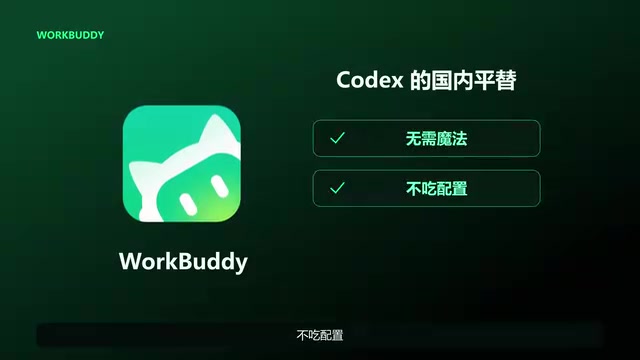
According to the Bilibili creator, WorkBuddyAd is positioned as "a domestic alternative to Codex"—no special network environment required, low hardware demands, and easy for beginners to pick up. These three traits directly address the most common barriers Chinese users face when using AI coding and office tools: network restrictions, device performance anxiety, and a steep learning curve.
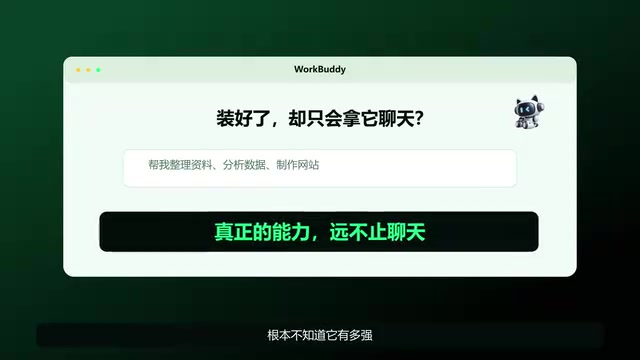
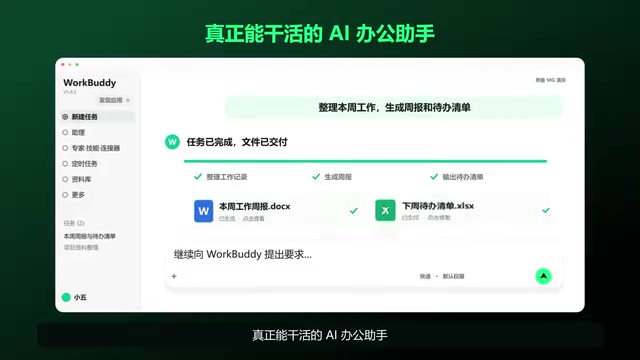
Based on the course description, WorkBuddy's capabilities go far beyond conversation. It covers the expert and Skill system, AI one-click website creation, global memory, hands-free automation, and MCP connector practice. In other words, it aims to upgrade "an AI that can chat" into "an AI office assistant that can actually get work done." For professionals who don't want to write code but still want to enjoy the benefits of automation, this positioning is quite appealing.
Codex is a set of AI coding models and toolchains launched by OpenAI. Early versions provided code generation capabilities via API, and later evolved into an intelligent coding assistant supporting code completion and natural language-to-code conversion. It is widely used in overseas developer communities to assist with writing, debugging, and explaining code. The term "domestic alternative" generally refers to similar tools with comparable functionality but lower access barriers (no special network environment needed) and more friendly local hardware requirements. Note that "alternative" is not a strict technical equivalent—model capabilities, ecosystem integration, and long-term maintenance strategies may all differ, so users should evaluate based on their actual task needs.
Breaking Down the Complete Seven-Lesson Learning Path
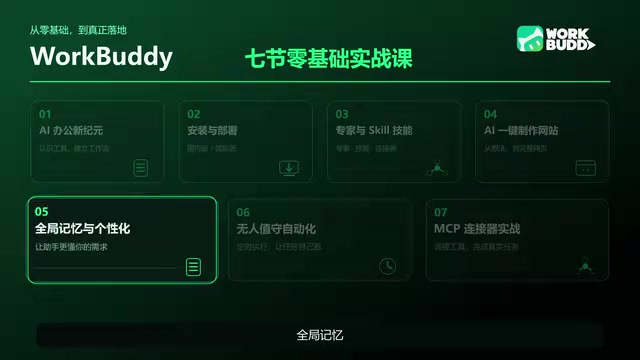
The course structure deserves a closer look, as it basically corresponds to a progression from beginner to practical deployment.
Phase 1: Installation, Deployment, and Basic Understanding
The course starts with installation and deployment, which is the first hurdle for all beginners. Many people give up when they get stuck on environment configuration, but the course explicitly emphasizes that "it's fine if you don't know how to code—you can learn by following along," indicating that the teaching design focuses on step-by-step operations rather than theory.
Phase 2: Expert and Skill System
Skill modules are what set WorkBuddy apart from ordinary chat tools. Through preset or custom skill modules, users can have the AI complete professional tasks following specific workflows, rather than describing requirements from scratch each time. This layer determines whether the tool can truly integrate into daily workflows.
Phase 3: AI Website Creation and Global Memory
AI one-click website creation is one of the more impressive capability demonstrations in the course—no need to hand-write front-end code; pages can be generated through natural language descriptions. Global memory addresses the pain point of AI tools "forgetting after each conversation," allowing the assistant to retain context across sessions, significantly increasing long-term value.
Global memory (also called long-term memory or cross-session memory) is a capability design for AI assistants: the system persistently stores preferences, background information, or task context revealed by users in historical conversations and automatically recalls them in subsequent sessions, avoiding the need to re-describe requirements each time. Unlike "short-term context" that only retains a single conversation window, global memory typically involves vector databases or structured storage and needs to address privacy, memory conflicts, and cleanup of outdated information. For office scenarios, global memory can significantly reduce repetitive communication costs, but it also requires users to pay attention to data retention policies and permission management.
Phase 4: Hands-Free Automation and MCP Connectors
This is the culmination of the entire course. "Hands-free" automation means delegating repetitive work to the AI for background execution, while MCP connector practice enables WorkBuddy to connect with external tools and data sources. Combined, these two form the complete loop of "an AI office assistant that can actually get work done."
MCP (Model Context Protocol) is an open protocol for standardizing how AI models connect with external tools and data sources. Think of it as the "universal interface" of the AI world: through MCP, assistants can call file systems, databases, API services, and other external resources in a unified format, without developing a separate adapter layer for each tool. The significance of MCP connector practice is that it transforms WorkBuddy from a closed conversation system into an extensible workflow node—users can connect internal systems or third-party services to enable data reading, task triggering, and other operations. However, connector stability and security depend on the specific implementation, and thorough testing should be done before use in production environments.
How Beginners Should Use This Course
The course comes with a blue paper and hands-on materials, distributed free by the creator through comment replies. For those who want to learn systematically, it's recommended to follow the course order: first complete installation and deployment to build confidence, then master Skill modules and global memory one by one, and finally tackle automation and MCP connections. Avoid skipping the basics and jumping straight to automation—otherwise you'll be lost when errors come up.
One caveat: the information in this article mainly comes from a single Bilibili creator's course introduction. WorkBuddy's actual performance, stability, and long-term maintenance still need more user feedback for cross-validation. Tool-related content updates quickly, so it's advisable to refer to official documentation and the latest version when learning.
FAQ
Does WorkBuddy require programming knowledge? According to the course, beginners can learn by following along—the core is step-by-step operations, not writing code.
How is it different from Codex? The creator calls it a domestic alternative to Codex, emphasizing no special network environment needed and low configuration requirements.
What can you do after learning it? It covers AI website creation, global memory, automated execution, and MCP external connections, with the goal of building an office assistant that can actually get work done.
One-line Summary
Breaking down the seven-lesson WorkBuddy beginner course, from installation to automation and MCP connections.
Paragraph Summary
This article focuses on a seven-part beginner course on WorkBuddy from Bilibili. It first introduces WorkBuddy as "a domestic alternative to Codex," emphasizing no special network environment, low configuration requirements, and beginner accessibility. It then breaks down the learning path according to the course structure: installation and basic understanding, expert and Skill system, AI website creation and global memory, hands-free automation and MCP connector practice. It notes that Skill modules are what set it apart from ordinary chat tools, global memory solves cross-session forgetting, and automation plus MCP connections form the complete loop of "an AI office assistant that can actually get work done." The article also offers learning advice for beginners and notes that the information mainly comes from a single creator, so the tool's actual performance needs more feedback for cross-validation.
Related articles
world2vec: Building Mechanistic World Models with Latent Dynamics Learning
world2vec proposes a reward-free method for learning mechanistic world models via latent dynamics, faithfully reproducing systems over long horizons with at least an order of magnitude fewer parameters than DreamerV3, TD-MPC2, and LeWM, and achieving accurate system identification on 71 attractor benchmarks.

A New KL-DRO Paradigm: Adaptive Scenario Generation Around a Learned Density Model
KL-DRO research proposes centering the KL ball on a learned density model instead of the empirical distribution, with adaptive scenario generation guiding sampling toward the worst case. Experiments show lower cost under distribution shift when records are scarce and the model can extrapolate, with comparable in-distribution cost.

ODE Samplers for Discrete Diffusion Models: Exponential Residual Flows Accelerate Generation
Discrete diffusion models lack deterministic ODE sampling? This article introduces Exponential Residual Flows (ERFs), which introduce continuous residual variables per token to construct piecewise ODEs for deterministic sampling and support consistency distillation acceleration. Superior to prior methods on code and text generation tasks.