WorkBuddy Step-by-Step Tutorial: Get an Automated Workflow Running in Half an Hour

WorkBuddy is called a strategic-level Tencent product, and the course teaches people to use templates to turn conversation into execution.
The article introduces WorkBuddy, which some creators call "Tencent's third strategic-level product," positioned close to a domestic version of Codex. Its core selling points are no complex configuration, free use, and unified handling of material organization, document generation, spreadsheet analysis, and repetitive tasks. The article notes that most users treat it only as a chat app, asking one simple question and then closing it, because they lack the awareness of task decomposition. To address this, a hands-on course refined over nearly three months offers 27 anchors and 12 SK templates to lower the onboarding cost. The implementation path suggested is to first run a high-frequency repetitive task with a template, then gradually expand. The article also reminds readers that the material is lead-generation content for a course, and claims such as "strategic-level product" are single-source and need to be verified independently.
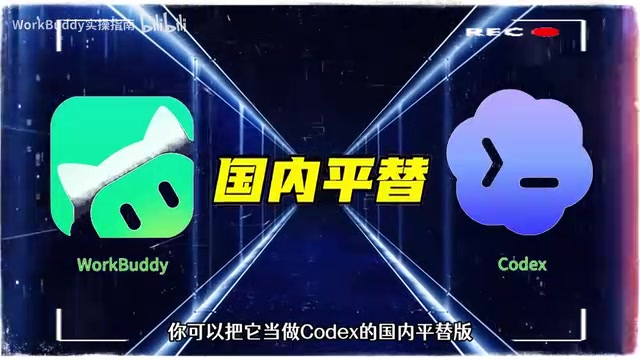
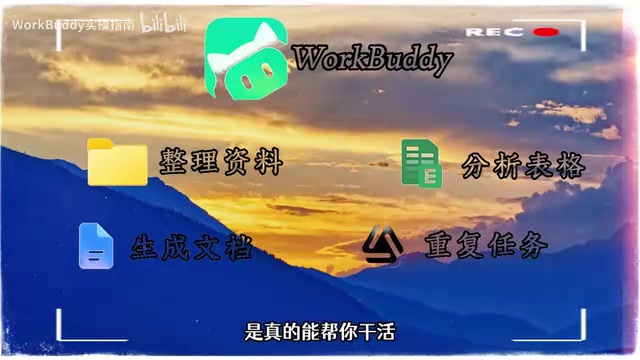
WorkBuddy has been called by some creators "Tencent's third strategic-level product," positioned as something close to a domestic version of Codex. Its core selling points: no complex configuration required, free to use, and the ability to unify work that was previously scattered across multiple apps—organizing materials, generating documents, analyzing spreadsheets, executing repetitive tasks—into a single entry point.
What Problem Does WorkBuddy Actually Solve
According to a breakdown by a Bilibili creator, WorkBuddyAd is not simply a chat tool—it tries to turn "conversation" into "execution." In the past, users had to switch back and forth between browsers, documents, spreadsheets, and note-taking apps; now these actions can be handled by the same workflow.
This positioning is similar to Codex-type products, but the material emphasizes that it is better adapted to the usage habits of domestic users and requires no extra imitation or configuration. For people who don't want to fiddle with environments but still want to experience automated office work, the barrier to entry is indeed much lower.
Codex is a code-generation model that OpenAI launched early on, which later evolved into a series of programming-assistance tools for developers. Its core idea is "describe intent in natural language, and the model generates executable code or operations." Calling WorkBuddy "a domestic version of Codex" essentially means that it likewise tries to turn natural-language conversation into executable workflow actions, rather than stopping at the Q&A level. The key difference between the two: Codex leans more toward code generation and developer scenarios, while WorkBuddy targets a broader office audience, covering non-programming tasks such as documents, spreadsheets, and material organization, and has been adapted for the domestic network environment and usage habits to lower the configuration barrier.
Why Most People Only Use It at the Level of a Chat App
In the video, the creator points out a common phenomenon: many people open WorkBuddy, ask one simple question, and then close it. The tool itself is very capable, but in the end it gets used as an ordinary chat app.
The reason isn't hard to understand. Automated workflows require users to first think clearly about "task boundaries" and "input/output," while most people are used to instant Q&A and have no awareness of breaking a task down into executable steps. This is exactly where the value of the course lies: it breaks "how to use it" into replicable operational paths, rather than stopping at the level of feature introductions.
Task boundaries refer to a clear definition of a task across its three stages—input, processing, and output: the user needs to tell the tool clearly "what data to take, what processing to do, and what format to produce the result in." Input/output corresponds to the source material at the start of the task and the deliverable at the end. Automated workflows require thinking through these two points first because the tool cannot automatically infer vague intent the way a human can—if the user only says "help me organize this," the tool doesn't know which files to organize, what rules to sort by, or whether to output a spreadsheet or a document. Breaking a task down into executable steps is essentially translating vague requirements into structured instructions the tool can understand, and this is the key obstacle most people face in moving from "chatting" to "executing."
What the 27-Anchor Course Structure Means
According to the creator, this hands-on course was refined over nearly three months and contains 27 anchors, covering everything from basic operations to real office cases. In addition, 12 commonly used SK templates are provided; reply "blue book" in the comments to get the full set of materials.

Structurally, the combination of "27 anchors + 12 templates" solves two different problems: the anchors are responsible for explaining each feature point and operational logic clearly, while the templates are responsible for lowering the onboarding cost so that beginners don't have to build from scratch. The material claims that beginners can get up and running in half an hour. Whether this holds true depends on how familiar the user is with task decomposition, but the existence of templates can indeed significantly shorten the startup time.
SK templates in this context refer to pre-configured task templates (SK may be an abbreviation defined by the course provider; refer to the official explanation for its exact meaning), usually containing a fixed input format, processing steps, and output style. The role of a template is to lock in the reusable parts of a complete workflow, so that users only need to replace the materials or parameters within it to quickly get a result, without having to build every step from scratch. For beginners unfamiliar with task decomposition, a template acts as a "runnable example" that intuitively demonstrates how the three-part structure of input, processing, and output fits together, thereby significantly shortening the learning curve.
Hands-On Practice: From Template to Workflow
The material does not elaborate on the specific operations of each anchor, but the implementation path can be inferred from the description: first use a template to run through a complete case, understand the three-part structure of input, processing, and output, and then replace it with your own real task. The scenarios of organizing materials, generating documents, analyzing spreadsheets, and executing repetitive tasks happen to be the areas where templates are easiest to reuse.
For beginners, a more practical approach is to first pick a high-frequency repetitive task, run it once with a template, observe which steps can be fixed, and then gradually expand to other scenarios. This is easier to stick with than trying to build a complex workflow right from the start.
Information Boundaries to Keep in Mind
This material is essentially lead-generation content for a course. Its description of WorkBuddy's features is rather general and does not provide specific technical details, limitations, or measured data. The claim of a "strategic-level product" comes from the creator's retelling and is a single-source opinion; readers are advised to verify it themselves. In addition, expressions such as "WorkBody" and "Codex domestic flat version" in the material contain slips of the tongue or transcription errors; the actual product name should be based on official sources.
If you're just looking for a tool to chat with, WorkBuddy may not be the optimal choice; but if you have a large amount of repetitive document and spreadsheet work and are willing to spend half an hour following the templates once, it's worth a try.
One-line Summary
WorkBuddy is called a strategic-level Tencent product, and the course teaches people to use templates to turn conversation into execution.
Paragraph Summary
The article introduces WorkBuddy, which some creators call "Tencent's third strategic-level product," positioned close to a domestic version of Codex. Its core selling points are no complex configuration, free use, and unified handling of material organization, document generation, spreadsheet analysis, and repetitive tasks. The article notes that most users treat it only as a chat app, asking one simple question and then closing it, because they lack the awareness of task decomposition. To address this, a hands-on course refined over nearly three months offers 27 anchors and 12 SK templates to lower the onboarding cost. The implementation path suggested is to first run a high-frequency repetitive task with a template, then gradually expand. The article also reminds readers that the material is lead-generation content for a course, and claims such as "strategic-level product" are single-source and need to be verified independently.
Related articles

OpenAI Partners with Shield: How the Astra Agent Revolutionizes IT Troubleshooting
OpenAI and Shield launch the Astra agent, which autonomously logs into computers and legacy systems to fix IT issues in real time, 35-40% faster than traditional models, with humans involved only when judgment is needed.

iPhone Duo Battery Life Tested: One Charge a Day Is Unavoidable, and the Large Screen Is the Culprit
iPhone Duo battery test: heavy use needs at least one charge a day, and about 30% remains after 6.5 hours of screen-on time. How often the large screen is unfolded is key; a MagSafe battery pack helps, and long-term degradation is also worth watching.

Kimi K3.1 Pro Open-Sourced: 2.8 Trillion Parameters Close In on Opus
Moonshot releases the open-source MoE model Kimi K3.1 Pro, with 2.8T total parameters and 104B activated, trailing Opus 5.5 by under 1 point on Terminal Bench 4.0.