WZRD: AI-Native Documents, Slides, Forms, and Sheets That Talk Back

WZRD transforms static documents, slides, forms, and sheets into AI-native, conversational interfaces.
WZRD is an AI-native productivity tool that makes static documents, slides, forms, and spreadsheets "talk back" — forms collect answers via voice or text, sheets explain data in natural language, and slides guide audiences like a built-in narrator. Users can upload existing content or generate from a prompt, with all output defaulting to a conversational, responsive format. Positioned across Productivity, No-Code, and Design tracks and targeting non-technical creators, it earned #3 on Product Hunt with 145 upvotes. As an early-stage product, AI explanation quality, real-world use case fit, and enterprise data security remain key questions to validate.
When Documents Start to "Speak"
The format of office documents has barely changed in decades — static text, charts, and tables waiting to be passively read. WZRD aims to break this paradigm. Ranking #3 on Product Hunt with 145 upvotes, this new product makes a straightforward yet imaginative pitch: AI-native documents, slides, forms, and sheets that "talk back."
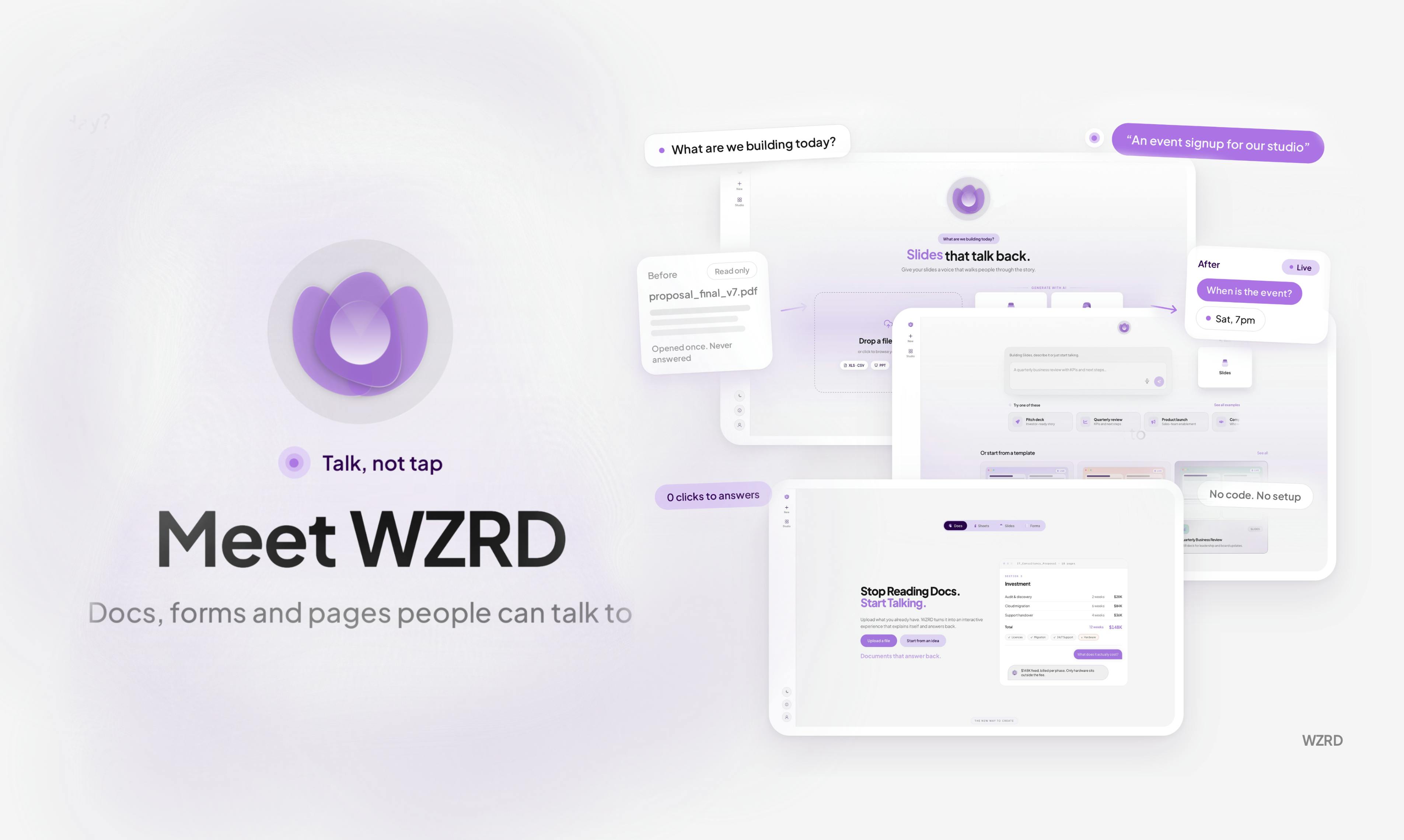
In short, WZRD is built for teams and creators who work with documents, slides, forms, and spreadsheets. You can either upload existing work or generate content from a prompt, then transform it into an AI-powered experience that users can actively interact with.
Turning Four Document Types Into Conversations
WZRD's core value proposition is transforming four traditional office content types into interactive, responsive, conversational experiences. According to the official description, here's how each one works:
Forms: Collect Answers by Voice or Text
Traditional forms are rigid input fields. WZRD lets forms interact with respondents through voice or text to collect answers. This is a clear upgrade to the user experience — instead of facing cold, impersonal fields, respondents complete submissions as if having a conversation.
Sheets: Let the Numbers "Speak for Themselves"
Data in spreadsheets often requires expert interpretation. WZRD claims its sheets can "explain numbers out loud" — proactively expressing the meaning behind the data in natural language, lowering the barrier to understanding.
Slides: Guide Audiences Through the Full Narrative
Slides are no longer just passively played. They can "walk people through the story" — acting like a built-in narrator that guides audiences through the logic and key points of a presentation.
Documents: Engage Every User
Ordinary documents are simply read. WZRD emphasizes that documents should "engage every user," with output that remains conversational and responsive — turning reading into an interactive experience.
From "Making" to "Generating": A Workflow Shift
WZRD's product logic reflects a typical approach among today's AI-native tools: lower the barrier to creation while raising the interactivity of the output.
Users enter the system through two paths. The first is uploading existing work, letting AI enhance and transform it. The second is entering a prompt to generate content from scratch. This dual-entry "upload or generate" design accommodates both the migration of existing content and the rapid creation of new content.
Regardless of which path users take, the final output maintains a conversational and responsive quality. This is what sets WZRD apart from traditional no-code and design tools — it doesn't just help you produce a slide deck faster, it gives that deck the ability to communicate directly with its audience.
"AI-native" has become a buzzword in product circles over the past two years, and it's fundamentally different from "AI-powered." The latter adds AI features on top of an existing product; the former means the product is designed from the ground up — architecturally and interactively — with AI at its core. A useful analogy is "cloud-native" versus "migrating to the cloud." Cloud-native applications are built from the start with cloud environments in mind, not retrofitted afterward. By emphasizing "AI-native," WZRD signals that its documents' conversational capability is not a plugin or an overlay — it's the default mode of existence for the content itself. A WZRD document is created from the outset to be questioned and to proactively explain itself, rather than being a static document with a chat window bolted on. This distinction has profound implications for both the product experience and the technical implementation, and is the core dimension for evaluating how WZRD truly differs from competitors.
Market Positioning and Early Signals
WZRD is categorized on Product Hunt under Productivity, No-Code, and Design — three distinct tracks. This combination suggests it's targeting teams and individual creators who lack a technical background but frequently produce various types of documents.
By the numbers, 145 upvotes, 37 comments, and a #3 ranking on launch day indicate the concept genuinely resonated with a significant audience. Making documents interactive isn't an entirely new idea, but unifying all four formats — documents, slides, forms, and spreadsheets — under a single "talking" framework, with an emphasis on voice interaction, is a relatively fresh and integrated angle.
The rise of No-Code is worth understanding in context: traditionally, building interactive forms, dynamic data dashboards, or presentation apps required programming skills. The success of tools like Typeform, Notion, Airtable, and Webflow proved that much of the "interaction logic" can be achieved through visual configuration rather than code, returning creative control to non-technical users. By placing itself in this category, WZRD signals its target users are professionals in marketing, HR, education, consulting, and similar fields — not developers. At the same time, the Design category classification implies that its output meets a certain visual standard, not just functional utility. This cross-category positioning is both an opportunity — reaching a wider potential user base — and a challenge: users across three tracks have very different standards for what makes a "good product," and demonstrating that a single product can satisfy all of them simultaneously is a core challenge WZRD still needs to prove.
Key Questions Worth Watching
The concept is compelling, but as an early-stage product, WZRD's publicly available information still leans heavily toward vision. Several critical questions remain to be validated:
- Interaction quality: How accurate and natural is the AI when "explaining numbers" or "guiding a narrative"? This directly determines whether the experience holds up;
- Real-world scenario fit: Not every document needs to be conversational. Which use cases genuinely benefit — and which are false needs — will require real user testing;
- Data and privacy: Uploading existing work involves sensitive enterprise data. Security boundaries are a core concern for any team considering adoption.
For readers tracking the evolution of AI productivity tools, WZRD represents a clear directional bet: documents are no longer the endpoint, but rather the conversational interface between people and information. Whether it can move from concept to practical utility is well worth watching.
Related articles

Trump's Request to Rename the Atlantic Rejected by Google; 1Password Lets AI Agents Log In Securely
The Vergecast roundup: Trump's request to rename the Atlantic the 'Trump Ocean' was politely declined by Google's CEO; 1Password's new feature lets AI agents log into accounts without touching passwords; OPPO launches the world's first 200-megapixel phone, the Find X10 Pro Max. All three point to the boundaries of tech authorization and trust.

The Truth About American College Party Culture: The Risks Schools Won't Admit
Behind American college party culture, the administration's "don't ask, don't tell" attitude is amplifying freshman risks. This article analyzes how the pandemic strengthened Greek dominance, freshmen's difficulty accessing safety information, and the chain reactions caused by a culture of denial.

OpenAI Reportedly Raising $30B at $1.25T Valuation Ahead of IPO
OpenAI is planning a $30B funding round at a possible $1.25T valuation, paving the way for an IPO. If completed, it would set a private company valuation record. This article analyzes the funding size, pre-IPO logic, and industry signals.