Xingliu Agent Tutorial: Precision Editing, Smart Layer Splitting, and Batch Image Generation — A Complete Hands-On Guide

Xingliu Agent redefines AI design workflows with click-to-edit precision and batch generation.
Xingliu Agent is a China-based AI design tool featuring precision local editing, smart layer separation, font style replication, Mockup perspective fitting, and batch style generation. Its end-to-end workflow — generate a direction, iterate precisely, then fine-tune interactively — compresses hours of traditional design work into seconds, pushing designers to evolve from executors into creative directors.
Recently, an AI design tool called Xingliu Agent has been making waves in the design community. Its standout feature is "click-to-edit" precision — compressing what used to take hours of meticulous work in Photoshop down to just a few seconds. So what exactly makes this tool so powerful? This tutorial breaks down Xingliu Agent's core features and shows you how to use them in practice.
What Is Xingliu Agent?
Xingliu Agent can be thought of as a China-based alternative to Lovart (a well-known overseas AI image editing tool), with several key localizations:
- Direct domestic access — significantly faster speeds, no VPN required
- Underlying model output quality on par with top overseas products (like Midjourney)
- Identical interaction logic to Lovart — existing users can migrate with zero learning curve
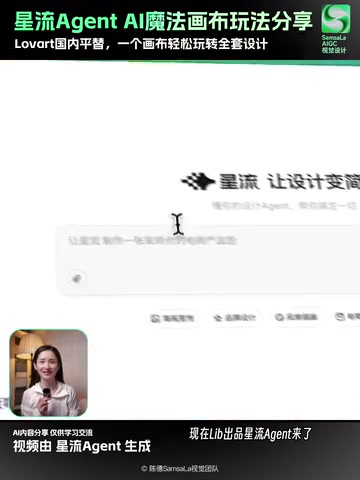
In short, its core philosophy is: generate a direction first, then iterate with precision, and finally fine-tune interactively — a complete AI design workflow, not the traditional "type keywords and hope for the best" approach. This Human-in-the-Loop workflow design reflects the evolution of AI image tools: from early random text-to-image generation, through constraint-based control techniques like ControlNet, to today's multi-round interactive iteration. Design has never been a one-shot process — it improves through continuous revision. Xingliu Agent's workflow is a direct technical response to that reality.
Core Feature 1: Click-to-Edit Precision
Xingliu Agent's most impressive capability is its localized precision control. The workflow is remarkably intuitive:
- Upload any image
- Hold
Ctrland click on the area you want to modify - Describe the effect you want — the AI replaces it instantly
This means you can accomplish all of the following on a single canvas:
- Swap people: Got a bad take? Replace the model without reshooting
- Change scenes: Click on a green screen background and instantly transform it into a Martian desert or any environment you want
- Replace props: Swap out any object in the frame
- Adjust poses: Change a character's posture and movement
- Shift mood: Switch overall lighting, color tone, and style in one click
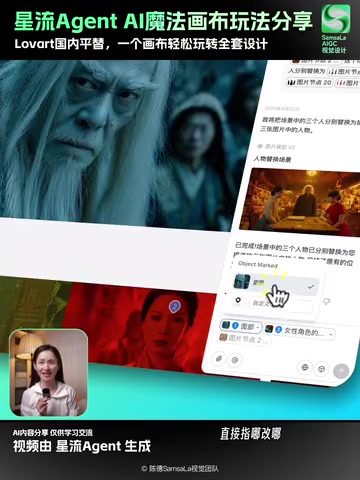
The entire process requires zero technical skill — no need for the precise masking and layer-by-layer processing that traditional Photoshop demands. The AI automatically understands the scene's semantics, truly delivering "what you click is what you change."
The Technology Behind Precision Editing
This "click-to-edit" capability isn't simple crop-and-paste. It relies on two core technologies: Semantic Segmentation and Region-Aware Inpainting. Semantic segmentation allows the AI to understand what each pixel in the image belongs to — a person, background, prop, or text — so it can precisely lock onto the edit region when you click. Region-aware inpainting then analyzes the surrounding pixels' lighting direction, color temperature, and texture continuity when replacing content, ensuring the newly generated material blends seamlessly with the original.
This is fundamentally different from Photoshop's "Content-Aware Fill": Photoshop relies on statistical interpolation of surrounding pixels, while AI inpainting regenerates content based on a semantic understanding of the entire scene. This allows it to handle far more complex replacement tasks — like swapping a standing figure for a seated one, or replacing an indoor scene with an outdoor environment — with the AI automatically handling lighting consistency and spatial perspective.
Core Feature 2: One-Click Layer Splitting — Edit Freely Like in Photoshop
Click the "Edit Elements" function, and Xingliu Agent will intelligently separate all layers in a poster with a single click:
- Text layers: Headlines, body copy, and annotations all become independent
- Element layers: Icons, decorations, and product images are each separated
- Background layer: The base image is extracted on its own
Once separated, you can drag and modify freely just like in Photoshop — but at a dramatically higher level of efficiency.
The Technology Behind Smart Layer Separation
One-click layer splitting is fundamentally an application of multimodal recognition and instance segmentation. The AI needs to simultaneously apply OCR (Optical Character Recognition) to detect and extract text, object detection to identify independent elements like icons and product images, and foreground-background separation to extract the base image.
It's worth noting that layers in traditional design software are manually created by designers during the creative process. Xingliu Agent, however, typically works with an already-flattened bitmap (such as a screenshot, photo, or exported JPG) and must "reverse-engineer" the original layer structure. The core technical challenge lies in handling occlusion between elements — when text overlays a product image, the AI must not only identify the text but also infer and reconstruct the portion of the product image hidden beneath it. This requires powerful image generation capabilities as a foundation.
A Killer Experience for Text Editing
Xingliu Agent's text editing capability deserves special mention. It can perfectly replicate the font style and texture of the original image — even when swapping between Chinese and English, the layout stays intact. For designers who need to produce multilingual versions, this feature is nothing short of a lifesaver.
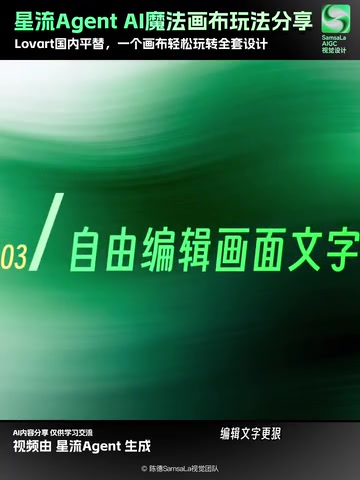
Perfectly replicating font styles is a high-difficulty challenge in AI design, involving three stages: font recognition, style transfer, and adaptive typesetting. First, the AI must identify the font type from a bitmap — or, when an exact font library match isn't possible, learn the font's stroke characteristics, weight variations, and decorative details through a generative model. Second, when swapping between Chinese and English, the structural differences between Chinese square characters and Latin letters are enormous, so the AI must recalculate letter spacing, line height, and overall layout balance while maintaining visual style consistency. Finally, text often carries layer effects like drop shadows, gradients, and outlines — these must also be accurately identified and applied to the new text. This is far more complex than simple font substitution; it's fundamentally a conditional generation problem.
In the traditional workflow, changing text on a poster means tracking down the original font, re-typesetting, adjusting spacing and effects — a process that takes at least 30 minutes. Xingliu Agent handles it in seconds.
Core Feature 3: Smart Mockup Fitting and Batch Style Generation
Smart Mockup Fitting
Xingliu Agent's built-in Mockup feature supports automatic perspective fitting, with lighting and material automatically matched. Whether it's a phone screen, packaging box, or T-shirt print, drop your design in and it renders with realistic results — saving enormous amounts of time manually adjusting perspective and lighting.
The core technology behind Mockup fitting is Perspective Transformation and Illumination Estimation. When a user places a design onto a Mockup template, the AI first detects the corner points of the target surface and calculates a Homography Matrix to apply perspective distortion to the flat design, matching the angle and shape of the target surface. Going further, high-quality Mockups also analyze the light source direction and intensity in the template photo, then overlay corresponding highlights, shadows, and reflections onto the fitted design to make it look like it's genuinely printed or displayed on the object's surface. For curved objects (like mugs or bottles), Mesh Warping is also applied to simulate curved surface fitting. In the traditional approach, designers had to manually complete these steps in Photoshop using Smart Objects and warp tools — each Mockup requiring at least 5–10 minutes of adjustments.
Batch Style Generation
When launching new e-commerce products or presenting brand proposals, one of the biggest headaches is producing multiple style variations. Xingliu Agent supports generating 20 different styles in a single batch — you just quickly browse and pick the best option.

Batch style generation is powered by the parallel inference capabilities of Conditional Diffusion Models. Starting from the same product image or design, the AI injects different style condition vectors (such as "minimalist Scandinavian," "cyberpunk," or "Chinese retro") to simultaneously generate multiple style variants. Each variant keeps the product subject unchanged while differentiating the background, color palette, lighting atmosphere, and decorative elements. This capability shifts designers from "building proposals one by one" to "selecting from multiple proposals" — a fundamental transformation in how the work gets done.
Five minutes to produce a complete set of new product assets. That was unthinkable before.
The Designer's Role Is Evolving
The emergence of AI design tools like Xingliu Agent is redefining where designers spend their time. In the past, enormous amounts of time went into execution — masking, color correction, layout, exporting. Now, AI has taken over nearly all of that mechanical work.
The areas where designers truly need to invest their energy have shifted to:
- Aesthetic judgment: Picking the best option from 20 generated variations
- Creative strategy: Deciding the direction and narrative logic of a design
- Brand thinking: Ensuring visual output stays consistent with brand identity
This isn't a story of "AI replacing designers" — it's a story of AI liberating designers' creativity. The more powerful the tools become, the higher the demand for the user's aesthetic and strategic capabilities. This trend mirrors every previous design tool revolution in history — from hand-drawing to digital design, from desktop publishing to cloud collaboration. Each leap in tooling eliminated a tier of pure "operators" while amplifying the value of designers with genuine creative ability. In the AI era, designers are fundamentally evolving from "executors" to "creative directors," with core competitiveness shifting from software proficiency to aesthetic sensibility, user insight, and brand storytelling.
Summary
Xingliu Agent represents an important trend in AI design tools: moving from "generative guesswork" toward "precise, controllable iterative creation." Its end-to-end workflow — generate a direction, iterate with precision, fine-tune interactively — makes the design process both efficient and controllable.
For designers, e-commerce operators, and content creators, Xingliu Agent is worth getting hands-on with sooner rather than later. While others are still painstakingly retouching frame by frame in Photoshop, you'll have already generated and filtered an entire set of deliverables with AI. That's exactly how the efficiency gap opens up.
Key Takeaways
- Xingliu Agent supports holding Ctrl and clicking anywhere on the canvas for precise local editing — enabling person swaps, scene changes, prop replacements, and more
- The one-click layer splitting feature intelligently separates text, elements, and backgrounds, with text editing that perfectly replicates the original image's font style
- The Mockup feature automatically fits perspective and matches lighting and materials, with support for batch-generating 20 different style variations
- Domestic direct access means faster speeds, with underlying model output quality on par with top overseas products
- AI design tools are shifting designers' focus from execution to aesthetic judgment and creative strategy
Related articles
 Tutorials
ChatGPT Plus Subscription Guide: Are GPT-5.5, image-2, and Codex Worth the Upgrade?
A detailed look at ChatGPT Plus features — GPT-5.5, image-2, and Codex — with a Plus vs Pro comparison and a complete step-by-step subscription guide for users outside the US.
 Tutorials
Harness AI Engineering in Practice: Using Claude Code to Master Enterprise-Level E-Commerce Development
Deep dive into Harness AI Engineering: master enterprise e-commerce development with Claude Code using the Rules, Skills, Wiki, and Changes framework.
 Tutorials
Cursor + Codex Dual-IDE Collaboration: A Practical Methodology for Open-Source Project Customization
A complete methodology for open-source project customization based on real-world experience, detailing the Cursor+Codex dual-IDE workflow, seven-stage process, MVP validation, and AI source code reading techniques.