Zero-Background Guide to DeepSeek Harness: Installation, Configuration, and Plugins

DeepSeek's official open-source Harness turns models into an agent foundation that can complete task loops; this article provides a zero-background path to get started.
The article introduces DeepSeek's official open-source project Harness: it topped GitHub Trending the day after launch, setting the record for the fastest project to surpass 200,000 stars. Its core positioning is not a chat assistant but an execution system connecting the model, terminal, file system, sandbox, memory, and task scheduling, turning AI from "giving answers" to "giving results"—able to autonomously break down requirements, run tests, and fix errors until the project loop is complete. It supports dynamically writing plugins and mounting them into workflows; models, tools, flows, and interfaces can all be recombined, and full-chain traces are traceable and replayable, making it an extensible agent foundation. The article also points out that beginners often get stuck on environment configuration, API Key filling, workspace selection, and plugin installation, and provides a complete introductory path and pitfall-avoidance tips covering environment check, installation and startup, model configuration, workspace selection, core operations, and plugin installation.
DeepSeek Harness is an official open-source project from DeepSeek. It hit the top of GitHub Trending the day after launch, setting a new record for the fastest open-source software project to surpass 200,000 stars at the time. Beyond the rankings, what's more worth noting is its capability positioning: if the DeepSeek model is the brain, Harness is the nervous system—it turns the model from "giving answers" into "giving results."
What Exactly Is Harness?
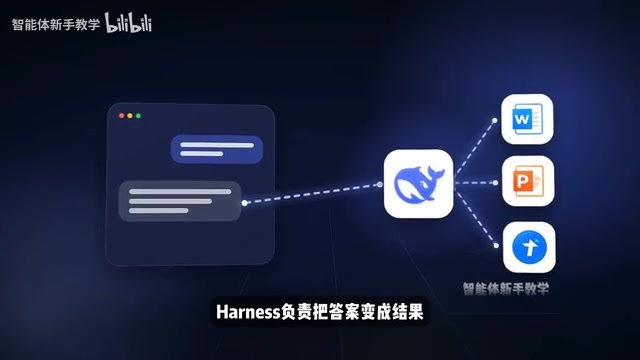
Ordinary chat AI is only responsible for giving you answers, while Harness is responsible for turning answers into results. It connects the model, terminal, file system, sandbox, memory, and task scheduling into a complete execution system. You can give it a task, and it will break down requirements on its own, run tests, check for errors, keep fixing them, and run through an entire project loop. Even when it lacks a certain capability, it can write a plugin on the spot and mount it into the workflow.
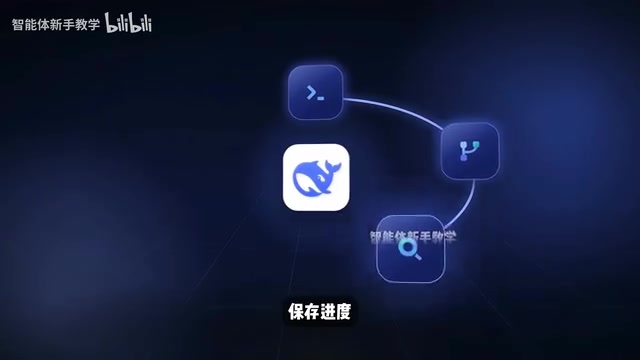
This system's extensibility is reflected at multiple levels: models can be swapped, tools can be swapped, and task flows and operational interfaces can be recombined. Every step—what tool was called, what command was executed, where an error occurred—has a complete trace that can be traced and replayed. Therefore, Harness's real ceiling is not an AI assistant with more features, but an agent foundation that can be continuously extended and reassembled according to your workflow.
Agent foundation: An agent refers to an AI system that can autonomously perceive its environment, make decisions, and execute actions. Unlike chat models that only do question-and-answer, it has the ability to plan, call tools, and correct itself based on feedback. The so-called "foundation" means it is not bound to a specific task but provides basic capabilities such as model access, tool invocation, state management, and permission control, with the upper-layer workflow assembled by the user. This concept is similar in positioning to frameworks like LangChain and AutoGPT, but Harness emphasizes an "out-of-the-box execution environment" rather than a pure code library: it comes with a terminal, sandbox, and task scheduling, so the same foundation can run code fixes and also extend to other automation scenarios.
Sandbox: A sandbox is an isolated runtime environment that lets AI-generated code and commands execute in a restricted space, avoiding accidental file deletion, system contamination, or sensitive data leakage. Typical implementations are based on containers or lightweight virtual machines, restricting file system access scope, network egress, and available resources. For a system like Harness that automatically executes commands, the sandbox is the security boundary: the model can safely try and error, repeatedly run tests, and even if something goes wrong, it only affects the isolated area, not the host machine. This is also the prerequisite for letting the agent "run tests itself and fix errors itself."
Where Do Beginners Get Stuck Most Easily?
The more powerful the tool, the more easily beginners get stuck at the first step. Common problems include: environment configuration errors, not knowing how to fill in the API Key, not knowing how to choose a workspace after startup, how to install plugins, and ultimately only being able to treat it as ordinary chat software. These pain points precisely illustrate that Harness's positioning is fundamentally different from chat tools—it requires correct initial configuration to unlock its full capabilities.

API Key and model configuration: An API Key is the identity credential for calling cloud large-model services, equivalent to an account password. It is issued by the model provider (such as the DeepSeekAd open platform) and billed by usage. When using Harness, you need to fill the Key into the configuration item before it will forward requests to the model; if it is filled in incorrectly, expired, or has insufficient balance, it will cause no response after startup or an authentication error. Besides the Key, you usually also need to specify the model name and interface address (Base URL); inconsistency among the three is the most common cause of configuration failure for beginners. If using a local model, you need to fill in the local service address instead, with no Key required. Understanding this layer helps quickly locate the problem of "installed but unusable."
A Complete Path from Zero
A complete introductory process should cover: environment check, installation and startup, model configuration, workspace selection, core operations, and plugin installation—without skipping steps or dancing around concepts, and explaining common errors one by one. It doesn't matter if you don't know how to program; just follow along. After learning, you will not only know how to use Harness but also be able to configure plugins independently and build an agent workflow that truly suits you.

Organizing installation commands, plugin usage, and a pitfall-avoidance checklist into materials you can practice along with can significantly lower the barrier to entry. For zero-background users, the key is to solidly complete the two steps of environment check and model configuration; subsequent workspace and plugin operations will then be much smoother.
Key Takeaways
- Harness is an official open-source project from DeepSeek; it topped GitHub Trending the day after launch and set the record for the fastest project to surpass 200,000 stars.
- Its value lies in connecting the model, terminal, file system, sandbox, memory, and task scheduling into an execution system, achieving a closed task loop.
- It supports dynamic plugin writing and mounting, and models, tools, flows, and interfaces can all be recombined.
- Full-chain traces are traceable and replayable, making it suitable as an extensible agent foundation.
- Beginners should proceed step by step: environment check, installation and startup, model configuration, workspace selection, core operations, and plugin installation.
Related articles

Gemini 4 Neon Leak: A Potential Strong Contender Against Opus 5.5
A Hacker News thread suggests Gemini 4 Neon looks like an Opus 5.5 competitor. This article unpacks the product positioning behind this community signal, shifts in the top-model competitive landscape, and what it means for developers' model selection strategy.

Claude Fable 5.2's Self-Authored Short Film 'Fable' Sparks Discussion
A short film 'Fable,' credited to Claude Fable 5.2 for script, visuals, and directing, appears on Hacker News. This article analyzes the significance of full-pipeline AI creation, community reactions, and what it means for content creators.

Anthropic IPO Pricing: A Signal of AI Giants Going Public
Anthropic's IPO pricing draws attention. This article analyzes its potential impact on AI industry valuation, commercialization paths, and the competitive landscape, and highlights public-market expectations and challenges for AI companies.