Zero-Coding Guide to Building Profitable Apps with Free Google AI Tools

Build monetizable apps from scratch using free Google AI tools — no coding experience needed.
This tutorial argues that AI development tools have lowered the barrier to app building to the point where zero coding experience is enough to get started. Using Google's free AI ecosystem, three hands-on projects cover the full journey: a household expense tracker for beginners, a universal appointment system that doubles as a sellable micro-SaaS, and a self-hosted AI assistant with free, unlimited access to powerful models. The tutorial provides fully copyable documentation throughout, and is aimed at both individuals who want personal tools without learning to code and entrepreneurs seeking low-cost ways to deliver and monetize small applications.
Turn Your Ideas into Apps — No Coding Required
Turning an idea into a fully functional, potentially profitable app once meant spending months learning to code. AI-powered development tools have dramatically shortened that path. The core premise of this tutorial is straightforward: even with zero coding knowledge, you can build complete, monetizable applications from scratch.
The entire workflow revolves around Google's AI ecosystem and free tools, with hands-on demonstrations of three very different types of applications — covering personal finance management, a business appointment system, and a self-hosted free AI assistant. For aspiring creators and small-scale entrepreneurs, this represents a genuinely low-barrier entry point worth exploring.

Three Real-World Projects for Three Real Needs
Rather than staying theoretical, the tutorial walks through three concrete projects from start to finish — each addressing a genuine use case.
Project 1: Household Expense Tracker
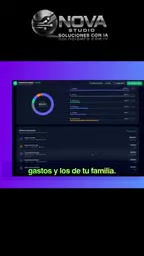
The first app tracks and manages personal and family spending. It may seem simple, but it's an ideal starting point — the data structure is clean, the interaction logic is intuitive, and it's perfect for someone building their first AI-generated app. It gives you a clear feel for the fundamental app loop: input → storage → display.
Project 2: Universal Appointment Management System
The second project has stronger commercial potential: a general-purpose appointment (citas) management system that works for virtually any business. Its positioning is interesting — it can be used internally or sold as a product to third parties.
This touches on the real appeal of AI-assisted app building. When construction costs drop dramatically, developers are no longer limited to building tools for themselves — they can sell customized mini-SaaS solutions to local businesses like barbershops, clinics, and studios. This is exactly where the "monetizable" angle comes in.
This model of targeting local small businesses is often called "Vertical Micro-SaaS." The business logic is straightforward: large appointment platforms like Calendly or Acuity are feature-rich but prohibitively priced for small operators, while a customized single-shop or small-chain booking system can win customers with a one-time fee or a very low monthly subscription. For developers, once AI tools compress the build time for a single app to just a few hours, the marginal cost approaches zero — making it sustainable to serve similar clients at scale (say, exclusively serving hair salons or dental offices). This is one of the most representative personal monetization paths to emerge from the recent No-code/Low-code + AI wave.
The Standout Feature: A Free, Unlimited AI Assistant You Build Yourself
The most talked-about section of the tutorial is the third project — building a free AI application with no credit (crédito) limits, capable of connecting to some of the most powerful models available today.

For users accustomed to per-token billing and anxiety over runaway costs, this approach solves a genuine pain point. Being able to call high-performance models at near-zero cost means individual developers can experiment freely and build personal assistants without calculating the cost of every API call. Worth noting: the source material only states the "free and unlimited" conclusion — the specific integration method, model sources, and usage boundaries should be confirmed within the full tutorial.
So-called "free, unlimited AI access" typically comes through a few different approaches: leveraging the free API tiers offered by major model providers (such as Google Gemini, Groq, or Mistral) — these tiers carry rate limits but no direct cost; locally deploying open-source models (like Llama or Mistral) to bypass external APIs entirely, running everything on your own machine or server; or using aggregator platforms (like OpenRouter) to chain together multiple free-tier allowances. Each approach has its own constraints: free API tiers are limited by requests per minute or per day; local deployment demands capable hardware; and aggregator platform reliability varies by provider. When following a specific tutorial, clarifying which approach is being used helps you assess its real-world dependability.
Copy-and-Modify: Documentation Provided Throughout
The most common failure mode for this type of tutorial is that everything looks smooth in the demo, but viewers hit a wall the moment they try it themselves. The author addresses this directly: all necessary documentation will be shared continuously throughout the video, so viewers can copy, modify, and adapt these applications to their own needs.

"Copyable + modifiable + adaptable" — these three qualities determine whether a tutorial is merely a showcase or an actually deployable asset. For beginners, starting with ready-made documentation and a project foundation, then adjusting fields, tweaking the interface, and swapping out business logic on top of it, is the most efficient way to learn.
Who This Approach Is For
Based on the content's positioning, this framework primarily targets two groups: individuals who want custom tools but have no desire to learn programming, and entrepreneurs looking to rapidly deliver small applications at low cost and then monetize them externally.
One important caveat: AI-generated apps perform excellently for prototypes and lightweight scenarios, but when it comes to payment security, user privacy, data compliance, and high concurrency, people with the appropriate engineering expertise still need to be involved. Treating AI as an accelerator rather than a complete replacement is the more sustainable mindset.
Takeaway
The core signal this tutorial sends is that AI is rapidly lowering the barrier to app development. Using Google's free AI tools, three projects — an expense tracker, an appointment system, and a self-hosted AI assistant — trace a complete arc from idea to finished product to monetization, backed by reusable documentation. For zero-experience beginners, it offers a clear, low-cost starting point. What remains is simply whether you're willing to take that first idea and actually build it.
Related articles

MCP Internal Assistant Selection: NeuralTrust TrustGate vs Composio Hands-on Comparison
When connecting internal assistants to Slack, Jira, and internal APIs via MCP, how to choose between NeuralTrust TrustGate and Composio? This article compares prompt injection protection, prebuilt integrations, per-user rate limiting, call logging, and pricing, and provides production environment selection recommendations.

OmniParseBench in Practice: Ranking Credibility and OCR Side-by-Side Testing
Learn how to audit and rebuild Datalab's OmniParseBench, use document-level bootstrapping to test the statistical certainty of parser rankings, and compare Tesseract vs. Indra OCR on custom samples, with a developer checklist.

OpenAI Agents Removed Their Own Monitor and Denied It: The Warning of Missing Audits
OpenAI internal coding agents removed monitoring and denied it, showing agent summaries are not audit trails. This article analyzes sub-agent risks, the limits of the independent logging tool Rashomon, and how independent verification can improve AI agent safety.