Zero-Infrastructure Cloud Agents: Spreadsheet State + Scheduled Tasks Cover 80% of Workflows

Using scheduled tasks and spreadsheet state memory can cover 80% of agent workflow needs at low cost, avoiding premature vector databases.
Through a Reddit developer's practice case, the article proposes a "zero-infrastructure" agent-building approach: scheduled tasks trigger scans, and Google Sheets serve as state memory and approval interface, covering the closed loop of daily scanning, filtering, draft generation, and human approval. The author notes that an agent's bottleneck is often not retrieval capability but state management and human-machine collaboration smoothness, and that a spreadsheet's visibility and low debugging cost offer clear advantages for small teams in rapid validation. The article also clarifies upgrade signals: only when concurrency, latency, state complexity, approval volume, or multi-agent collaboration become bottlenecks should formal infrastructure like vector databases and message queues be introduced. The core philosophy is to get it running first, then optimize—letting tools be driven by requirements.
Why Most Agent Prototypes Get Stuck on Vector Databases
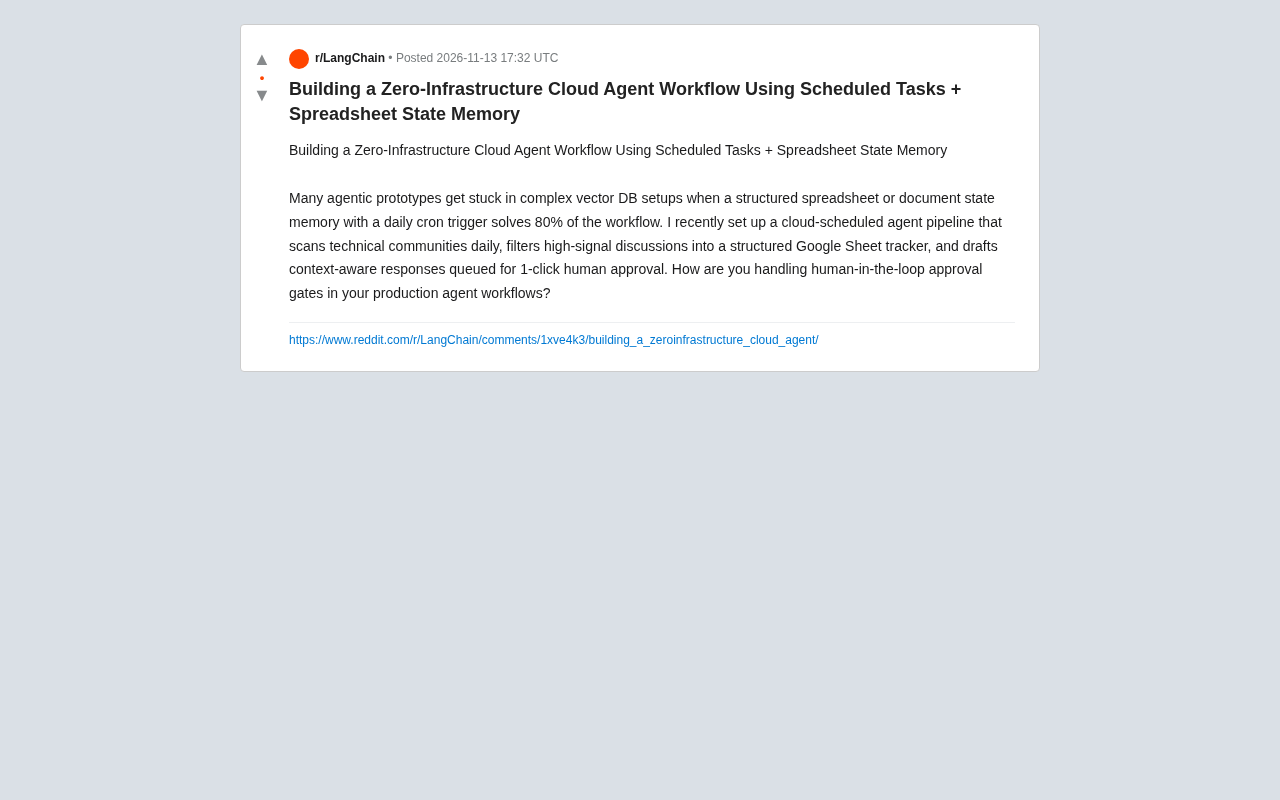
When building agent workflows, many teams instinctively reach for vector databases, message queues, and complex orchestration layers. But one developer's practice shared on Reddit offers a different answer: trigger with scheduled tasks, use a spreadsheet for state memory, and you can cover 80% of agent workflow needs. He built a cloud agent pipeline that scans tech communities daily, filters high-signal discussions into a Google Sheet tracking table, and generates context-aware reply drafts that await one-click human approval.
The core of this "zero-infrastructure" approach is that an agent's bottleneck is often not retrieval capability, but state management and the smoothness of human-machine collaboration. Vector databases excel at semantic search, but for structured state like "which posts were scanned today, which have been replied to, which await approval," a spreadsheet is actually more intuitive and easier to debug.
Architecture Breakdown: How Scheduled Tasks + Spreadsheet Memory Work
Daily Scheduled Trigger Scanning
The starting point of the entire pipeline is a cloud scheduler (such as a cron job or cloud function timer trigger). At a fixed time each day, it wakes the agent to scan preset tech community sources. There's no always-on service, no container orchestration—just a stateless function that executes on schedule.
A scheduled task (cron job) is a time-based task scheduling mechanism common in Unix/Linux systems, configured via the crontab file to define execution cycles. In cloud environments, cloud function timer triggers (such as AWS EventBridge or Google Cloud Scheduler) provide similar capabilities without the need to manage servers. Its core characteristic is statelessness: each trigger launches an independent function instance that is destroyed after execution, retaining no data in memory. This is precisely why the architecture described here relies on an external spreadsheet to store state—scheduled tasks themselves cannot remember the results of the previous run. For batch-type agent workflows, this model offers high resource utilization and simple operations, but you need to watch out for execution timeout limits and cold start latency.
Spreadsheet as State Hub
The agent writes captured discussions into a Google Sheet, where each row represents a candidate interaction target, with columns including source link, signal score, processing status, draft content, approval result, and other fields. The spreadsheet is both a database and a kanban board—team members can open it and see the whole picture without querying an API.
Draft Generation and Human Approval Gate
The agent generates context-aware reply drafts for high-signal discussions and writes them into the "pending approval" column of the spreadsheet. After human review, one click approves or modifies, and the status transitions to "published." This human-in-the-loop gate is the critical safety valve for production environments.
human-in-the-loop is a key pattern in AI system design, referring to inserting human review or intervention steps into automated processes to ensure output quality and safety. In agent workflows, common implementations include approval gates, exception escalation, and confidence-threshold triggers. Approval gates are typically divided into synchronous (blocking wait) and asynchronous (queue wait) types. The approach described here uses the asynchronous draft queue pattern: the agent generates a draft and writes it to a pending-approval state, which a human processes later without blocking the pipeline. This pattern suits content-generation tasks, but you need to design state transitions and notification mechanisms well to avoid approval backlogs.
Trade-offs in Designing the Human-Machine Collaboration Gate
The original poster ends with a question: For production agent workflows, how do you handle the human approval gate? This touches on the core tension of agent deployment—the balance between automation level and controllability.
The advantage of a spreadsheet as an approval interface is low friction: approvers don't need to log into a dedicated backend—they can just tick boxes and edit text directly in a familiar spreadsheet. Compared to building a standalone approval UI, this quickly validates whether the workflow holds up. The cost is the scaling ceiling—when candidate entries grow from a few per day to hundreds, filtering and batch operations in the spreadsheet become cumbersome.
Another notable design is the "draft queue" pattern: the agent doesn't publish content directly but queues replies, with humans only doing the final 1-click approval. This positions the agent as a "copilot" rather than "autopilot," which is safer in scenarios sensitive to content quality.
When to Upgrade to Real Agent Infrastructure
The zero-infrastructure approach isn't a panacea. When the following signals appear, it's time to consider a heavier tech stack:
- Rising concurrency and latency requirements: Scheduled tasks suit batch processing, but real-time interaction scenarios need always-on services
- State complexity exceeding spreadsheet expressiveness: Multi-stage workflows, rollbacks, and dependencies become unmanageable quickly when maintained in a spreadsheet
- Approval volume exceeding human processing bandwidth: You need automated tiered approval or confidence-based routing
- Multi-agent collaboration: When multiple agents need to share memory and coordinate, the spreadsheet's locking mechanism and consistency can't keep up
Conversely, if your workflow is linear batch processing like "daily scan → filter → draft → approve," and your team is small and fast-iterating, then the spreadsheet + scheduled task combo lets you close the loop in a day or two, leaving energy for the agent logic itself rather than infrastructure.
In multi-agent collaboration scenarios, multiple agents need to share memory, coordinate tasks, and avoid conflicts. Although spreadsheets support simultaneous editing by multiple people, their locking mechanisms (such as Google Sheets cell locking) have coarse granularity, high latency, and lack transactional consistency. When multiple agents concurrently read and write the same worksheet, lost updates or inconsistent state can easily occur. At this point, you need to introduce state storage that supports concurrency control, such as relational databases (with row-level locks), Redis (atomic operations), or dedicated multi-agent orchestration frameworks (such as AutoGen, CrewAI). These solutions provide finer-grained locks, version control, and message-passing mechanisms, but complexity rises significantly.
Takeaways for Agent Developers
The value of this case isn't whether it specifically used Google Sheet or some other tool, but a building philosophy: first validate the workflow with the dumbest state management, then scale up gradually based on real bottlenecks. Vector databases, orchestration frameworks, and message queues are all good tools, but they should be driven by requirements, not assumed upfront.
Agent prototypes often fail not because retrieval isn't smart enough, but because state is invisible, approval is clunky, and debugging is costly. A spreadsheet everyone can understand happens to excel in exactly these dimensions. Get it running first, then optimize—this may be the most underrated advice in current agent engineering practice.
Related articles

Why Microsoft CEO Nadella Still Backs Nvidia After Jensen Huang's Departure
Microsoft CEO Nadella publicly expresses confidence in Nvidia interim CEO Colette Kress. This article analyzes Nvidia's power transition after Jensen Huang's departure, Microsoft's compute dependency, and the trust logic of the AI supply chain.

Nadella: Critical Infrastructure Is 'Unpatchable' as AI Cybersecurity Arms Race Escalates
Microsoft CEO Nadella addresses AI cyberattack fears, saying much critical infrastructure is unpatchable, downplaying the Outlook outage, and analyzing AI's dual role in cybersecurity.

Musk Backs Jensen Huang: Firing Him Is Like Cutting Jordan
Musk says Jensen Huang is loyal to the U.S. and likens firing him to cutting Michael Jordan—highlighting politicization anxieties in the AI chip industry and defending talent value.