Zigzag Browser: A Lightweight Native Mac Browser Option After Arc
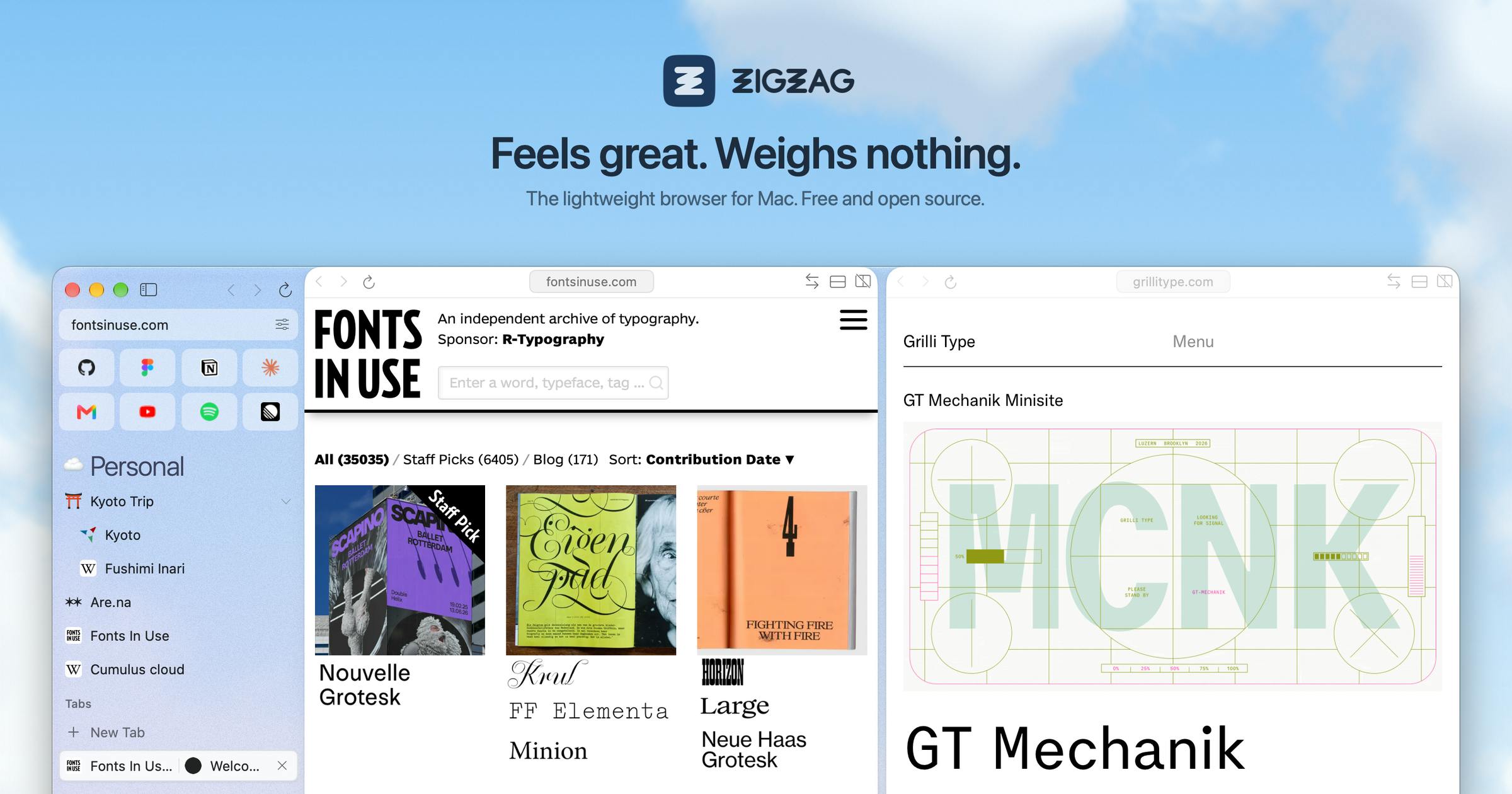
After Arc's discontinuation, the WebKit-based lightweight open-source browser Zigzag offers an alternative with an 18 MB footprint and Arc-style interactions.
After Arc browser announced its discontinuation, Zigzag Browser appeared on Product Hunt as a native Mac browser alternative by independent developer Zigao Wang. It uses WebKit rather than Chromium, with an app size of only 18 MB versus Arc's 871 MB, yielding faster startup and lower resource usage. It retains Arc's colorful spaces, split view, and peek, supports one-minute import with preserved login states, is compatible with Chrome extensions like 1Password and Tampermonkey, and includes ad blocking. It explicitly chooses open source, no account, and no AI. Trade-offs include potential compatibility issues, a less rich extension ecosystem, and unproven long-term maintenance.
After Arc browser announced it would stop being maintained, a group of users began looking for alternatives. A product called Zigzag Browser appeared on Product Hunt with a clear positioning: to provide a native Mac browser for people leaving Arc, preserving the sidebar and spaces usage habits, but taking a completely different technical route.
Why WebKit, Not Chromium
The core difference of Zigzag lies in its rendering engine. It is built on WebKit rather than Chromium. This choice directly determines the product's size and character: the entire app is only 18 MB, compared to Arc's 871 MB—a difference of nearly two orders of magnitude.
For a browser, small size means faster startup, lower disk usage, and fewer background processes. WebKit is the native system engine on macOS—Safari uses it—so Zigzag integrates better with the system and has natural advantages in power consumption and memory management. This is a conscious trade-off: giving up the full compatibility of the Chromium ecosystem in exchange for a native experience and lightweight footprint.
WebKit was originally developed by Apple from a fork of KHTML and is the underlying rendering engine for Safari on macOS and iOS, as well as the required engine for all iOS browsers in the App Store. Chromium, on the other hand, is based on the Blink engine led by Google, and is used by Chrome, Edge, Opera, and others. The key difference between the two lies in ecosystem and system integration: Chromium has a vast extension ecosystem and broader web compatibility coverage, but requires bundling a large number of runtime components; WebKit is deeply tied to macOS and can reuse system frameworks, resulting in a small package, fast startup, and low power consumption. The cost is that some sites relying on Chromium private APIs or specific rendering behavior may display abnormally, and extension capabilities are limited to Safari's extension model rather than the full Chrome Web Store.
Migration Cost: Switch in One Minute
The biggest obstacle to switching browsers has never been features—it's migration cost. Zigzag's approach is "import once and bring everything over," with the official description claiming switching takes only one minute and accounts are already logged in after import.
This design targets exactly the pain points of Arc users: bookmarks, tabs, login states, extension configurations—losing any one of them makes people give up trying. Zigzag compresses migration into a single step, lowering the barrier for users leaving Arc.
The core objects of browser migration typically include bookmarks, history, passwords and cookie login states, extension configurations, and tab sessions. Most browsers complete migration by importing bookmark HTML or reading other browsers' local databases, but login states often cannot be carried over, requiring users to re-login to each site in the new browser. Zigzag's claimed one-minute import with preserved login states suggests it may read and reuse existing browsers' cookies or credential stores during import, thereby eliminating the need to log in site by site. This approach is technically feasible but involves access to sensitive data; users choosing such tools should confirm their data handling practices and whether the open-source implementation is transparent.
Familiar Features, Familiar Interactions
Zigzag preserves the interaction patterns Arc users are already accustomed to: colorful spaces that can be swiped left and right, split view, and peek. These are Arc's most recognizable designs and the reason many users are reluctant to leave Arc. Zigzag doesn't reinvent interactions but carries these habits forward.
For extensions, it supports Chrome extensions like 1Password and Tampermonkey, and includes built-in ad blocking. For an 18 MB app, this feature coverage is already quite complete.
Peek is an interaction introduced by Arc: when hovering over or clicking a link in the sidebar, it previews the target page in a floating small window without immediately switching tabs, suitable for quick scanning or temporary viewing. Split view allows two pages to be displayed side by side in the same window, often used for comparative reading or viewing documentation while operating. Colorful spaces are Arc's advanced abstraction for tab grouping—each space has its own sidebar, theme color, and profile, allowing switching between different projects or life scenarios. These interactions depend on deep modifications to the browser's tab management model rather than simple front-end styling, so replicating them on WebKit requires implementing the tab and window management layer from scratch—one reason Zigzag still requires significant engineering effort despite its 18 MB size.
Open Source, No Account, No AI
Zigzag has made several clear "don'ts" in its positioning: open source, no account required, no AI features. The official rationale is "no one can shut it down"—open source means the code is auditable and forkable, and won't suddenly disappear due to business decisions, which is exactly the lesson Arc users have experienced.
No account and no AI are another expression of product philosophy. As browsers increasingly add AI assistants and require login synchronization, Zigzag chooses to prioritize its tool nature—not collecting accounts, not bundling intelligent features. This appeals to users who value privacy and just want to browse quietly.
The sustainability of open-source browser projects typically depends on maintainer commitment, upstream engine update cadence, and community contributions. WebKit evolves with system updates on macOS, and third-party wrapper layers need continuous adaptation to API changes and security patches, otherwise compatibility or security risks may accumulate. Arc's discontinuation is the result of a commercial company adjusting its product line; while open-source projects won't be shut down by a single company, they may stagnate due to insufficient maintainer energy. When evaluating such projects, consider the commit frequency of the code repository, issue response speed, whether upstream WebKit security updates are followed, and whether there are clear release and rollback mechanisms—these indicators reflect long-term usability better than initial feature lists.
Trade-offs Worth Noting
Zigzag currently has 76 votes and 7 comments, ranking 11th on Product Hunt. As a project built by independent developer Zigao Wang, it is still in its early stages.
The WebKit route means it may encounter compatibility issues on some sites that depend on Chromium features, and the extension ecosystem is not as rich as Chromium's. The 18 MB size and native experience are advantages, but whether it can be maintained long-term and keep up with macOS system updates is a test that small open-source projects must face. For Mac users who have just left Arc and want a lightweight native alternative, Zigzag offers a clearly reasoned choice.
One-line Summary
After Arc's discontinuation, the WebKit-based lightweight open-source browser Zigzag offers an alternative with an 18 MB footprint and Arc-style interactions.
Paragraph Summary
After Arc browser announced its discontinuation, Zigzag Browser appeared on Product Hunt as an alternative, built by independent developer Zigao Wang and positioned as a native Mac browser. Its biggest difference is using WebKit rather than Chromium, with an app size of only 18 MB—far smaller than Arc's 871 MB—yielding faster startup and lower resource usage. It preserves Arc's familiar colorful spaces, split view, and peek, supports one-minute import migration with preserved login states, is compatible with Chrome extensions like 1Password and Tampermonkey, and includes built-in ad blocking. The product explicitly chooses open source, no account, and no AI, emphasizing its tool nature and resistance to shutdown. The trade-offs are potential compatibility issues from the WebKit route, a less rich extension ecosystem than Chromium, and long-term maintenance capability that remains to be seen.
Related articles

Hermes Agent Beginner's Guide: Hands-On with a Self-Evolving AI Agent
A beginner's guide to Hermes Agent, the open-source self-evolving AI agent that gained 41.7K GitHub stars in two months—covering Harness Engineering, the learning loop, three-layer memory, WSL installation, and hands-on configuration.

AI Agent in Action: Building a Smart Office Assistant with WorkBuddy
A practical case study shows how Tencent WorkBuddy batch-converts and archives files, compares chat LLMs with AI Agents, and analyzes WorkBuddy's credit system, use cases, and positioning for office automation selection.

From Single-GPU Bottlenecks to Hundreds of Billions of Parameters: 6 Key Questions in Large Model Distributed Parallelism
Based on a Bilibili tutorial, this article organizes core knowledge of large model distributed parallelism: starting from decoder-only architecture's token-by-token generation and the essence of X times W computation, it analyzes six key questions including data parallelism, tensor parallelism, and pipeline parallelism under single-GPU bottlenecks. Suitable for learners in private deployment and model training scenarios to build systematic understanding.