Agnix: The First Linter for AI Coding Assistant Configuration Files, with LSP Real-Time Validation

Agnix is the first Linter and LSP tool designed specifically for AI coding assistant configuration files.
Agnix is an open-source tool written in Rust that provides semantic-level validation, real-time error reporting, and auto-fix capabilities for AI coding assistant configuration files like CLAUDE.md and AGENTS.md. It integrates with mainstream IDEs via the LSP protocol, filling the gap in professional validation tools for AI config files and helping developers catch semantic errors that traditional Markdown or JSON validators cannot detect.
What is Agnix
With the rapid adoption of AI coding assistants like Claude Code, Cursor, and Windsurf, developers increasingly rely on configuration files such as CLAUDE.md, AGENTS.md, and SKILL.md to define behavioral rules for their AI assistants. However, these configuration files have long lacked professional validation tools — misconfigurations are hard to detect and directly impact the AI assistant's actual performance.
Agnix is the first Linter and LSP (Language Server Protocol) tool specifically designed for AI coding assistant configuration files. Written in Rust, it supports integration with mainstream IDE plugins and provides auto-fix capabilities. Developers have dubbed it "the missing linter" for AI configuration files.
What is a Linter? The term Linter dates back to 1978, when Stephen C. Johnson at Bell Labs wrote a static analysis tool called lint for the C language, designed to catch suspicious code patterns before compilation. Since then, the concept of linting has continually expanded — from initial syntax checking to code style enforcement (like Prettier), security vulnerability detection (like Bandit), accessibility auditing (like axe-linter), and many other dimensions. Modern linters typically possess three core capabilities: a rule engine (defining what constitutes a "problem"), a reporting system (presenting problems in a human-readable way), and auto-fix (automatically correcting problems where possible). Agnix brings the linting philosophy to the AI configuration file domain, representing yet another extension of the linter concept — from checking "code" to checking "instructions that control AI behavior."
Why We Need a Dedicated AI Configuration File Linter
Current State and Pain Points of AI Configuration Files
In today's AI-assisted programming workflows, developers use various configuration files to control AI assistant behavior:
- CLAUDE.md: Claude Code's project-level instruction file, defining code style, project conventions, etc.
- AGENTS.md: Behavioral specification files for multi-agent collaboration scenarios
- SKILL.md: Defines the AI assistant's skills and capability boundaries
- Hooks configuration: Hook scripts executed by AI assistants when specific events are triggered
- MCP configuration: Server and tool configurations related to Model Context Protocol
Among these, CLAUDE.md's working mechanism deserves a deeper look. It's a project-level instruction file designed by Anthropic for Claude Code, inspired by the philosophy behind project configuration files like .editorconfig and .eslintrc. When Claude Code starts up, it automatically scans the project root directory and subdirectories for CLAUDE.md files, injecting their contents as system-level context into the conversation. Developers can define code style preferences (e.g., "use 4-space indentation"), project architecture conventions (e.g., "all API routes go in the /routes directory"), prohibited operations (e.g., "don't modify migration files"), and other rules. CLAUDE.md also supports hierarchical override mechanisms — files in subdirectories can override or supplement parent directory rules, similar to .gitignore's hierarchical logic. It's precisely this flexibility and complexity that increases the risk of configuration errors.
While these files mostly use Markdown or JSON/YAML formats, they have specific semantic constraints and structural requirements. Traditional Markdown linters can't understand the business semantics of these files, and manual inspection easily misses critical issues.
Here's a practical example: a malformed CLAUDE.md might cause the AI assistant to completely ignore your carefully crafted instructions, and during debugging you'd never think to look at the configuration file. This "AI not following instructions" confusion is something many developers have experienced.
Why Traditional Tools Fall Short
General-purpose Markdown linters (like markdownlint) only focus on syntax formatting and don't understand the meaning of specific instruction blocks in CLAUDE.md. While JSON Schema validation can check structure, it can't cover cross-file semantic dependencies. Agnix's value lies in understanding these configuration files at the semantic level, ensuring they can be correctly parsed and executed by AI assistants.
Agnix Core Features in Detail
Multi-Format Configuration File Validation
Agnix covers the configuration formats of current mainstream AI coding tools. Whether you're using Claude Code's CLAUDE.md or the more general AGENTS.md, Agnix provides targeted checking rules, including structural integrity verification, field compliance checks, and semantic consistency analysis.
LSP Protocol Integration
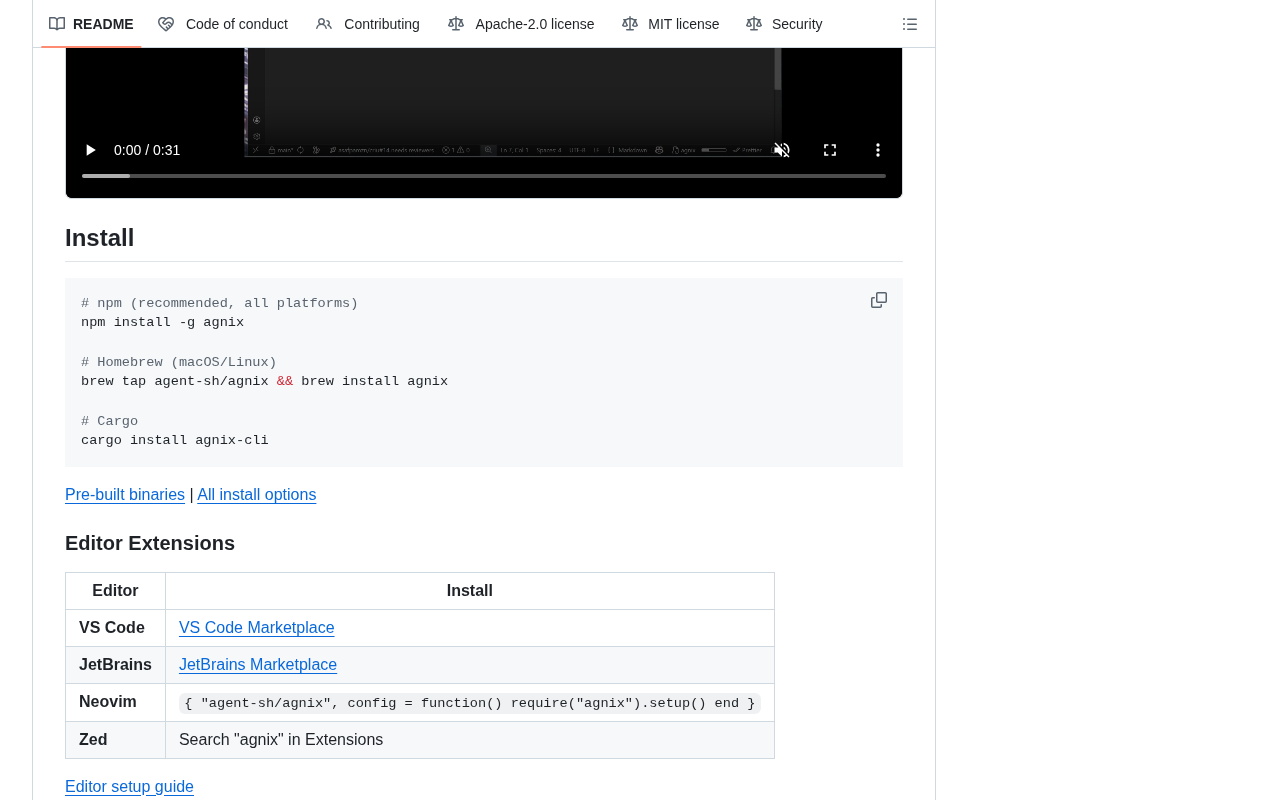
By implementing the standard LSP protocol, Agnix seamlessly integrates with mainstream IDEs including VS Code, Neovim, and the JetBrains suite.
The Origins and Value of LSP: LSP (Language Server Protocol) is a communication protocol designed and open-sourced by Microsoft in 2016 for VS Code, aimed at solving the "M×N problem" — the dilemma where M programming languages and N editors would require M×N adapter plugins. Through LSP, language tools only need to implement one Language Server to be called by all LSP-supporting editors, reducing complexity from M×N to M+N. Today LSP has become the de facto standard in the development tools space, with virtually all mainstream IDEs and editors having built-in LSP client support. Agnix's choice to implement the LSP protocol means it doesn't need separate plugins for each editor — one implementation achieves full platform coverage.
Developers get real-time feedback while writing configuration files:
- Inline error and warning hints: Configuration issues are highlighted immediately during editing
- Code completion suggestions: Reduces manual typing and lowers the probability of spelling errors
- Hover documentation: Mouse hover instantly shows field meanings and usage
- Go to definition: Quick navigation to related configuration definitions
This real-time feedback experience is completely consistent with the code linters developers use daily (like ESLint, Clippy), making the learning curve extremely low.
Auto-Fix
Finding problems is just the first step. For common formatting errors, missing fields, and non-standard patterns, Agnix provides one-click auto-fix functionality. This is especially useful when batch-processing multiple configuration files, significantly reducing the time cost of configuration maintenance.
MCP and Hooks Configuration Validation
MCP (Model Context Protocol) is becoming an important interoperability standard in the AI tool ecosystem. Agnix can validate the correctness of MCP server configurations and the compliance of Hooks scripts, helping developers discover potential runtime errors before deployment.
MCP Protocol Explained: MCP is an open protocol released by Anthropic in late 2024, designed to establish standardized communication interfaces between AI models and external data sources/tools. Before MCP, every AI application needed custom integration code to connect external tools (such as database queries, API calls, file system operations), leading to severe ecosystem fragmentation. MCP adopts a client-server architecture: AI applications act as MCP clients initiating requests, while MCP servers encapsulate specific tool capabilities. The protocol defines three core primitives: Resources, Tools, and Prompts. Currently, mainstream AI coding tools including Claude Desktop, Claude Code, and Cursor all support MCP, and the community has produced numerous third-party MCP servers (connecting GitHub, Slack, PostgreSQL, etc.). MCP configuration files are typically in JSON format, defining server addresses, authentication methods, available tool lists, and other critical information — any configuration error could cause tool invocation failures.
Technical Implementation and Architecture Choices
Agnix chose Rust as its implementation language, a technical decision that brings several key advantages:
- Extreme performance: Rust's zero-cost abstractions ensure that even when facing dozens of configuration files in a large monorepo, validation completes in milliseconds
- Memory safety: Rust's ownership mechanism fundamentally eliminates memory leaks and data races, guaranteeing the tool's own stability
- Cross-platform support: A single codebase easily compiles to Windows, macOS, and Linux, covering all mainstream development environments
Agnix's choice of Rust is not an isolated case but rather a significant trend in the development tools space in recent years. Star projects like SWC (a JavaScript compiler replacing Babel, with 20x+ speed improvements), Ruff (a Python linter, 10-100x faster than Flake8), Biome (replacing ESLint + Prettier for frontend toolchains), Oxc (JavaScript/TypeScript parser and linter), and Turbopack (Vercel's Webpack replacement) are all written in Rust. The core driving force behind this trend: development tools are extremely performance-sensitive (developers don't want to wait), while also requiring extremely high reliability (tool crashes interrupt workflows). Rust's zero-cost abstractions, no GC pauses, and compile-time memory safety guarantees precisely satisfy both needs, making it the language of choice for next-generation development tools.
The project has currently earned 233 stars and 19 forks on GitHub. While still in its early stages, community participation is steadily growing and feature iterations maintain a brisk pace.
Use Cases for Agnix
Configuration Standardization in Team Collaboration
In team development, ensuring consistent AI assistant configurations across all members is crucial. Agnix can be integrated into CI/CD pipelines, automatically validating configuration files during code commits or Pull Request stages to prevent non-standard configurations from entering the main branch. It's as natural as adding ESLint to your code review process.
Multi-Agent Configuration Management in Complex Projects
For complex projects using multiple AI Agents in collaboration, configuration files for different Agents may have dependencies or even conflicts. Agnix's semantic-level validation helps developers discover these hidden issues before they manifest.
Technical Background on Multi-Agent Collaboration: Multi-agent collaboration is a cutting-edge direction in the current AI programming field. Unlike a single AI assistant handling all tasks, multi-agent architectures decompose complex tasks across multiple specialized Agents: for example, one Agent handles code generation, another handles code review, and a third handles test writing. Claude Code's sub-agent mechanism, AutoGen, CrewAI, and other frameworks are all exploring this paradigm. In multi-agent scenarios, configuration management complexity grows exponentially — different Agents may need different permission boundaries, different tool access scopes, and different behavioral constraints, and these configurations may have implicit dependencies (e.g., Agent A's output format must match Agent B's input expectations). This is precisely where Agnix's semantic-level validation capability delivers its core value.
Daily Efficiency Boost for Individual Developers
Even for individual developers, when frequently adjusting AI assistant configurations, Agnix's real-time feedback and auto-fix can significantly reduce debugging time. No more repeatedly guessing "why isn't the AI following the rules I wrote" — Agnix will directly tell you where the configuration file has problems.
Summary and Outlook
Agnix fills a long-overlooked gap in the AI coding assistant toolchain. As configuration files like CLAUDE.md and AGENTS.md become increasingly important in developer workflows and configuration complexity continues to escalate, the demand for professional validation tools will only grow stronger.
As a high-performance Linter and LSP tool written in Rust, Agnix has the technical foundation to become the standard tool in this niche. If you're already deeply using Claude Code or other AI coding assistants in your daily work, try Agnix now — it may well help you find those configuration issues that have been affecting your AI assistant's performance all along but were never discovered.
Related articles
 Product Reviews
The Programmer's Desk Setup Guide: Building a Workspace That Feels Like Home
Discover how programmers build productive, comfortable workspaces. From multi-monitor setups to ergonomic design, explore the desk philosophy that drives focus and flow.
 Product Reviews
Qoder vs Cursor Real-World Comparison: Which $20/Month AI IDE Is Better?
Hands-on comparison of Qoder vs Cursor AI IDEs: Agent autonomy, human interaction count, and architecture decisions. Qoder needed only 2 interactions vs Cursor's 8.
 Product Reviews
Cursor Cloud Agent Demo: Eliminating Bottlenecks Across the Entire Software Development Lifecycle
Deep analysis of Cursor's Cloud Agent demo showing how cloud VMs, automated test artifacts, and a full-chain control plane systematically eliminate human bottlenecks across the software development lifecycle.