GPT-5.6 Three-Model Showdown: How Luna, Terra, and SOL Divide the Work to Save You Money

How to use GPT-5.6's Luna, Terra, and SOL models strategically to maximize your ChatGPT Plus value.
GPT-5.6 introduces three models—Luna, Terra, and SOL—but most Plus users don't know how to use them efficiently. Luna handles lightweight tasks, Terra covers daily workloads, and SOL tackles complex projects. Combined with Work mode's shift from generating text to delivering finished results, smart model selection is the key to making your $20/month subscription truly worthwhile.
Is Your $20/Month ChatGPT Plus Actually Worth It?
At $20 a month, ChatGPT Plus seems affordable — but how many subscribers are truly getting their money's worth? With OpenAI's launch of GPT-5.6 and its three new models, many users are more confused than ever: Which model can I actually use? What tasks belong to which model?
Based on hands-on testing shared by Bilibili creator "AI Coach Laohui," the most significant change in this release isn't just improved model capabilities — it's a fundamental shift in how AI works: moving from giving answers to delivering results. This article breaks down the positioning and selection logic of all three models based on real-world usage.
Three Models ≠ Three Options in Your Chat Window
This is the most common misconception. The fact that GPT-5.6 launched three models doesn't mean you can freely choose between all three in the chat interface.
In practice, Plus users will only find one new model available in the standard chat window: SOL. There's also a subtle but critical detail that's easy to miss: if you don't change anything and stick with the default "quick response" mode, the system is actually running the previous-generation 5.5 model under the hood. To genuinely use GPT-5.6, you have to switch manually.

So where are Terra and Luna? They live in the work environments — specifically Work mode and Codex mode. In those contexts, all three models are available for you to choose from. The design logic is actually quite clear: chat interfaces prioritize fast responses, while complex task environments are where you need to weigh different capabilities against cost.
It's worth noting that OpenAI's multi-model strategy is no accident — it mirrors a broader industry trend toward model tiering. Since 2023, leading AI companies have largely abandoned the "one model to rule them all" approach in favor of capability tiers: lightweight models handle high-frequency, low-cost tasks, while flagship models tackle complex reasoning. Google's Gemini series (Nano/Pro/Ultra) and Anthropic's Claude series (Haiku/Sonnet/Opus) follow the same product logic. The underlying driver is inference cost: a top-tier model can consume tens of times more compute per call than a lightweight one. Using your most powerful model to answer "translate this sentence" is commercially unsustainable — and wasteful for individual users too.
Luna, Terra, SOL — How to Choose: Match the Right Task to the Right Model
When faced with three models, the instinct is to always use the strongest one. But that's exactly the biggest waste. Laohui put it well with a vivid analogy: Would you hand every single task at your company to the most expensive specialist? Of course not.
Understanding this also requires knowing how the quota system works behind subscription-based AI. ChatGPT Plus's $20/month fee is not unlimited — OpenAI places implicit usage caps on advanced models (typically expressed as "messages per 3 hours" or "credits"). Once you hit that cap, the system automatically downgrades to a weaker model. This means: if you burn SOL-level compute on "help me come up with an email subject line," you may have no high-tier quota left when a task requiring deep reasoning actually arrives. Building the habit of tiered model usage is fundamentally about managing a limited resource — the same logic companies use to control cloud computing costs.
Luna: The Quick and Light Assistant
Luna is designed for lightweight, high-frequency tasks. Organizing materials, extracting information, batch processing — anything that doesn't require deep reasoning is a good fit. Its core advantage is fast response time and low resource consumption, making it the go-to for volume tasks.
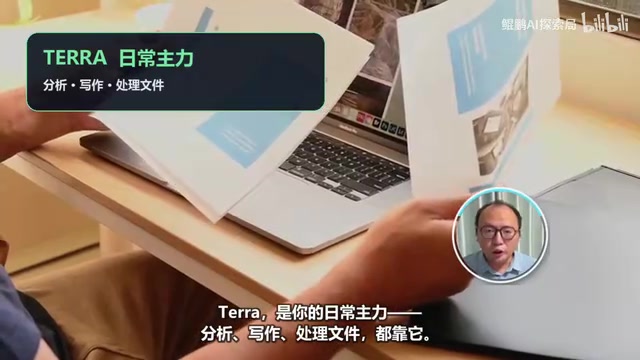
Terra: Your Everyday Workhorse
Terra is the "main model" for the vast majority of users. Everyday analysis, writing, and document handling are all well within its capabilities, striking a solid balance between power and cost. It's suitable for covering 80%+ of your day-to-day workload.
SOL: The Senior Expert for Complex Tasks
SOL is the most capable of the three, purpose-built for complex projects and high-stakes tasks. But greater capability means higher call cost and longer response times — it's not meant for trivial requests. Saving SOL for genuinely difficult problems is the right approach.
The one-line takeaway: stronger isn't always better — it's about matching the right task to the right model. Defaulting to the top-tier model for everything is both slower and quota-draining, which is the most important cost-awareness lesson when using multi-model products.
From "Giving Answers" to "Delivering Results": The Core Shift in GPT-5.6 Work Mode
Beyond choosing the right model, there's a deeper issue: have you ever had this experience — the AI gives a perfectly articulate response, you nod along, and then you close the chat and realize none of the actual work got done?
It gave you the answer, but you still have to build the spreadsheet yourself, format the report yourself, switch between multiple apps yourself, and spend ages editing the generated content. In short, the old AI talked while you worked.

This is exactly the pain point GPT-5.6's Work mode is designed to solve. Technically speaking, Work mode is the productized implementation of AI Agent capabilities. Traditional conversational AI's workflow broke off at "generate text" — users had to manually copy, paste, and transform the AI's output into actual deliverables. The core breakthrough of the Agent paradigm is that AI is no longer just a text generator, but an executor capable of calling external tools, performing multi-step operations, and self-correcting in a loop. The industry describes this evolution as a three-stage transition: "from Chatbot to Copilot to Agent" — and we're currently at the critical inflection point.
In Laohui's hands-on test, he used Work mode to produce a complete quarterly business review — and the AI delivered a finished document with data tables included. Even more significant was the change in interaction: if you don't like a sentence, select it and annotate your edit directly, no need to start from scratch.
This is the most noteworthy change in this upgrade: the old AI stopped at "answers"; the new AI is starting to move toward "results." For everyday users, the leap from "generating text" to "delivering a finished product" is where that $20 a month actually starts to earn its keep.
The Biggest Barrier for Ordinary Users: Forgetting to Use AI When It Matters
At the end of the day, the biggest obstacle for most people isn't whether the model is powerful enough — it's that when a problem comes up, they simply don't think to use AI.

Laohui's advice boils down to one line: When in doubt, ask AI first. For any task at work or in life that you're struggling with, throw it at AI and ask — "Can you work through this with me?" Get AI involved first, then decide how much of the work to actually hand off.
Building this habit is the real key to getting your money's worth out of a ChatGPT Plus subscription. Whether GPT-5.6 is worth upgrading to isn't just about how powerful it is — it depends far more on whether you have real problems that actually need solving.
A Final Word
Models will keep updating, and capability ceilings will keep getting raised. But what truly separates people isn't who hears about the new model first — it's who starts working alongside AI sooner.
Understanding "how Luna, Terra, and SOL divide the work" and "the shift from answers to results" is more practically valuable than simply chasing the latest release. Deploy all three models in their proper roles, combine that with Work mode's ability to deliver finished outputs, and you'll finally start squeezing genuine value out of that $20/month subscription.
Key Takeaways
Related articles

AI Art Prompt Structure Breakdown: Creating a Desert Crystal Pyramid Scene
Breaking down a popular Reddit AI artwork to reveal the five core elements of structured prompts: subject, material, lighting, environment, and atmosphere for AI art scene creation.

$100 Million Deal: AI Gives 50,000 Ukrainian Kamikaze Drones Autonomous Target Lock
A U.S. company struck a $100M deal with Ukraine to deploy AI visual lock-on capabilities on 50,000 cheap kamikaze drones, enabling terminal autonomous guidance to defeat electronic warfare jamming.

The Privacy Boundaries of AI Data Collection: Your Bedroom Is Becoming a Model Training Ground
A humorous tweet about clothes entering AI training data reveals the privacy dilemma of AI data collection. We explore machine unlearning challenges, consent issues, and how users can balance convenience with privacy.