10 AI Automation Tools Compared: Which One Fits Your Workflow?

10 AI automation tools split into three camps; compare access, limits, reliability, and cost to choose.
The article breaks down a list of 10 AI automation tools into three camps: workflow engines (N8n, Make, Zapier), business agents and integration (Gumloop, Linde, Composio, Pipedream), and vertical-scenario tools (Browser Use, ONNX, TaskAuto). N8n handles complex branching and self-hosting, Make emphasizes visual orchestration, and Zapier offers managed plug-and-play. The article stresses comparing access, usage limits, reliability, and cost — and testing with a small scenario before scaling up.
The AI automation tool market is expanding rapidly, but the real headache isn't "are there tools available" — it's "which one should I pick." A short video rounded up 10 AI automation tools worth comparing, organized into a few clear camps by function. Below is a deep breakdown of that list to help you think things through before making a choice.
Three Categories, Three Automation Philosophies
These 10 tools aren't competitors on the same track — they each address different levels of automation needs.
Workflow Engines: N8n, Make, Zapier
These three are the most frequently compared products in the automation space, but their positioning differs noticeably.
N8n's core strength lies in branching workflows. It's suited for scenarios that require complex conditional logic and multi-path execution, and its open-source nature lets technical teams self-host and deeply customize it. If your automation logic looks like a decision tree that keeps forking, N8n handles it more gracefully.

Make takes the visual orchestration route. Its interface feels more like a flowchart canvas — drag modules, connect them, and you're done — making it relatively friendly for non-programmers. It's a good fit for users whose logic isn't overly complex but who need intuitive management of multiple steps.
Zapier is the poster child for managed app automation. It connects a massive number of SaaS apps, and simple triggers like "if A happens, do B" are nearly zero-effort to set up. The trade-off is that costs rise quickly with complex logic, and flexibility trails the other two.

In a nutshell: go with N8n for complex logic, Make for visualization, and Zapier for plug-and-play.
Self-hosting means deploying software on servers or in local environments controlled by your own team, rather than using a vendor's cloud service. For automation tools, self-hosting means workflow data, API keys, and business logic all stay within your internal network and never pass through third-party servers. N8n's open-source nature makes self-hosting possible, which is especially important for industries like finance and healthcare that have strict data compliance requirements. The trade-off is that you take on server operations, version upgrades, and security patches yourself, which demands a certain level of technical capability from your team. By contrast, Zapier and Make are pure SaaS models — ready out of the box, but data must flow through the vendor's cloud.
Business Agents and Integration: Gumloop, Linde, Composio, Pipedream
The second camp targets "business agent" and system integration scenarios. Gumloop, Linde, Composio, and Pipedream are relatively unfamiliar names to most people, but their shared direction is making AI more than a single-step task executor — instead, it acts as an agent that connects multiple business systems.
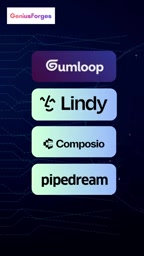
Pipedream leans toward developer-friendly API integration and event-driven workflows; Composio focuses on providing tool-calling capabilities for AI agents, letting models actually operate external services. Gumloop and Linde are closer to the product philosophy of "business people can also build AI agents."
The value of this direction: when your automation needs upgrade from "sync data between two apps" to "have AI complete a business process for me," the logic for choosing tools becomes completely different.
The core difference between AI agents and traditional automation lies in decision-making capability. Traditional workflows are preset rule chains of "if A then B" with fixed paths; AI agents, however, can autonomously break down tasks based on goals, select tools, process intermediate results, and adjust strategies when exceptions occur. For example, an agent can independently determine that it "needs to first query the CRM for customer information, then call the email service to send a follow-up email," without a human pre-orchestrating each step. The key to implementing agents is Tool Calling — enabling large language models to recognize when to call which external API and correctly construct request parameters. Tools like Composio provide a standardized integration layer precisely for this purpose, reducing the development cost of connecting agents to external services.
Browser Tasks and Knowledge Foundations: Browser Use, ONNX, TaskAuto
The remaining three tools cover more vertical scenarios. Browser Use handles web-side tasks — letting AI operate directly in the browser, ideal for legacy systems without open APIs or web operation scenarios. ONNX, as a model exchange format, supports internal knowledge deployment, allowing enterprises to run models locally and keep data from leaving their premises.

TaskAuto positions itself at the intersection of task management and AI assistance, leaning toward lightweight everyday automation.
ONNX (Open Neural Network Exchange) is an open model exchange format jointly introduced by companies including Microsoft and Meta. Its role is like a "universal translator for AI models": no matter whether a model was originally trained with PyTorch, TensorFlow, or another framework, it can be exported to ONNX format and then loaded and executed in an ONNX-compatible runtime environment. For enterprises, this means model inference can run on local servers or even edge devices without sending data to external APIs. Combined with tools like ONNX Runtime, enterprises can achieve hardware acceleration and cross-platform compatibility for model deployment — practically valuable for scenarios sensitive to data sovereignty, such as internal document processing and customer data analysis.
Four Dimensions You Must Compare Before Choosing
The original content offers a pragmatic suggestion: before deciding, compare access, usage limits, reliability, and cost.
These four dimensions seem simple, but they're actually where many teams stumble. Access determines whether you can self-host and whether data crosses borders; usage limits are often a hidden ceiling in free or low-cost plans; reliability is a hard requirement for critical business pipelines; and cost isn't just the subscription price — you also need to factor in task consumption from complex workflows.
There's No Universal Tool, Only Matching Scenarios
Putting these 10 tools together, the most memorable takeaway is this: choosing automation tools is essentially about understanding your own workflow. Do you really need visual orchestration, developer integration, AI agent capabilities, or browser-level operations? The answer depends on what your business processes look like.
It's advisable to start with a specific small scenario as a test — automating a weekly report or syncing a data source, for example — and then decide whether to expand based on hands-on experience. A comparison list is only a starting point; real judgment comes from getting your first workflow running yourself.
One-line Summary
10 AI automation tools fall into three camps by function; choosing requires comparing access, limits, reliability, and cost.
Paragraph Summary
The article deeply breaks down a list of 10 AI automation tools, dividing them into three camps: workflow engines (N8n, Make, Zapier), business agents and integration (Gumloop, Linde, Composio, Pipedream), and vertical-scenario tools (Browser Use, ONNX, TaskAuto). N8n excels at complex branching logic and supports self-hosting, Make focuses on visual orchestration, and Zapier is known for managed plug-and-play simplicity. The second camp focuses on elevating AI from single-step execution to agent capabilities that connect multiple systems. The third camp covers browser operations, local model deployment, and lightweight task management. The article emphasizes comparing four dimensions — access, usage limits, reliability, and cost — and suggests testing with a specific small scenario before deciding whether to expand.
Related articles

Felix Rieseberg Personal Homepage
Felix Rieseberg's personal homepage sparks attention on Hacker News. This article covers the Slack engineer's technical background, the rise and fall of nativefier, and the value of a developer homepage as a tech calling card.

@ai-sdk/vue 3.0.306 Patch Release Syncs with [email protected] Update
@ai-sdk/vue 3.0.306 released, synced with [email protected]. A routine patch release for the Vercel AI SDK ecosystem with no public API changes; the Vue adapter layer stays version-aligned with the core package.

Gemini 4 Argon API Launches: The Era of Million-Token Output Begins
Google launches Gemini 4 Argon with sparse MoE architecture, up to 1M output tokens, and a 68.90% Vals Index score, available across API, AI Studio, and the Gemini app.