10 Free AI API Platforms Tested: Zero-Cost Guide to Calling GPT/Claude/Gemini
Hands-on guide to 10 platforms offering free API keys for GPT, Claude, Gemini, and more mainstream LLMs.
This article reviews 10 platforms that provide free AI API keys covering mainstream models like GPT, Claude, Gemini, DeepSeek, GLM, and Grok. It details each platform's registration process, free quotas, and available models, and explains how to connect these free APIs to AI coding assistants like Codex and Cloud Code via OpenAI/Anthropic-compatible interfaces for zero-cost development.
For developers, AI enthusiasts, and indie creators, calling LLM APIs is a core part of building applications — but the pay-as-you-go pricing of official APIs can add up quickly. Based on a hands-on tutorial by a Bilibili creator, this article compiles 10 platforms offering free API keys, covering mainstream models like GPT, Claude, Gemini, DeepSeek, GLM, and Grok. Whether you want to quickly validate an idea or integrate AI coding assistants like Codex or Cloud Code, you'll find a suitable zero-cost solution here.
Why Developers Need Free AI APIs
The pay-as-you-go pricing model for LLM APIs isn't exactly friendly to developers in the exploration and validation stage. Billing is typically measured in Tokens — the smallest unit of text the model processes. One English word corresponds to roughly 1–1.5 tokens, while one Chinese character usually maps to 1.5–2 tokens. Take OpenAI's GPT-4o as an example: input costs approximately $2.50 per million tokens, and output costs around $10 per million tokens. While the unit price seems low, frequent debugging, batch testing, and prototyping can burn through quotas fast. This is especially true for long-context conversations or agentic workflows, where token consumption grows exponentially and daily costs can easily hit tens of dollars. Third-party platforms that offer free tiers significantly lower the barrier to entry by aggregating multiple model providers, offering free quotas, or opening up free models.
More importantly, many of these platforms support both OpenAI-compatible and Anthropic-compatible interfaces. An OpenAI-compatible interface follows the OpenAI Chat Completions API specification — an HTTP interface format with the core endpoint at /v1/chat/completions, where the request body includes standard fields like model and messages. Since OpenAI was the first company to commercialize LLM APIs at scale, its interface format has become the de facto industry standard, natively supported by the vast majority of AI development frameworks (such as LangChain and LlamaIndex) and tools. An Anthropic-compatible interface follows Anthropic's Messages API specification, with the endpoint at /v1/messages, differing from OpenAI in how message structures and system prompts are handled. When a platform supports both protocols, it means you can not only make standard CURL requests but also plug it directly into AI coding assistant tools like Codex and Cloud Code — enabling a truly zero-cost AI programming experience.
Codex mentioned here is OpenAI's AI coding agent tool, integrated into the ChatGPT interface. It can autonomously write, debug, and test code in a cloud sandbox environment, powered by the codex-1 model. Claude Code is Anthropic's command-line AI coding assistant that runs directly in the terminal, understands the context of an entire codebase, and can edit files, run commands, and perform Git operations. Both tools require API keys to run, and official keys are expensive — so being able to connect to free API platforms via compatible interfaces is immensely valuable for indie developers.
Detailed Reviews of 10 Free AI API Platforms
Below, we'll introduce each platform in the order shown in the video. The overall workflow is highly similar: Sign up/Log in → Browse available models → Create an API key → Copy code and call the API.
Inception Labs: A Quick-Start Free API Entry Point
Inception Labs is the first platform covered. After logging in, go to the "Try APIs" page and click "Get Started" to create an API key. The platform generates a CURL example directly — just paste in your key to make calls. You can view all freely available model endpoints in the Available Models section of the documentation.
Cran Cloud: Multi-Model Aggregation with Dual Protocol Support
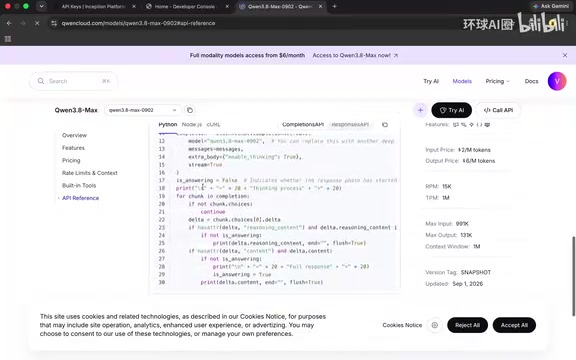
Cran Cloud supports one-click login with a Google account and has a very rich model library. In "Browse Models," you can filter by free tier, covering popular models like GLM, DeepSeekAd, and Cran 3.8 MAX. It provides both Anthropic-compatible and OpenAI-compatible interfaces, so it integrates seamlessly with Codex and Cloud Code — making it one of the better platforms for multi-protocol compatibility.
TokenHubber AI: Hidden Free Models That Need Manual Activation
TokenHubber AI requires you to first "enable free models" in the settings, then search for the keyword "free" on the models page to filter out all free models. The documentation page provides basic Chat API code, which you can also convert to CURL format using AI tools.
YoungRouter: The Aggregation Router with the Most Free Models
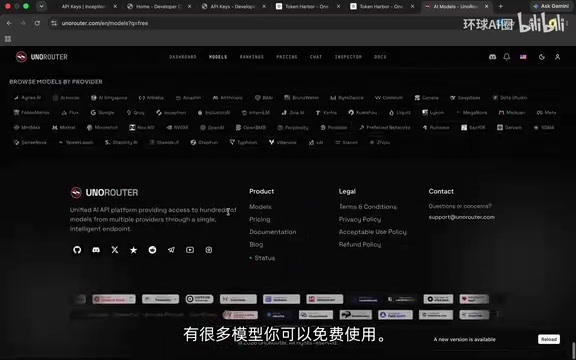
YoungRouter is one of the platforms specifically recommended in the tutorial, because it aggregates a large number of free models. Search "free" on the models page, and you'll see a long list of freely available models including GLM, Gemini, DeepSeek, MiniMax, and more. It has a built-in Chat testing feature — type "Hello" to verify a model responds correctly, then create a key, copy the code, and swap in your desired model ID.
The core mechanism of these aggregation/router platforms is serving as a middleware proxy layer that uniformly interfaces with multiple LLM providers' APIs. Developers only need to obtain a single API key and Base URL from the platform, then switch the model parameter in their requests to call different providers' models — no need to register and manage multiple accounts separately. Their business models typically include: acquiring users through free tiers then upselling to paid plans, adding a small markup on API calls to earn the spread, or receiving commissions through partnerships with model providers. Their biggest advantage is "one key to call multiple models," making them ideal for scenarios where you need to compare different LLMs side by side.
Grokify: $10 Free Credit, Featuring Grok Models
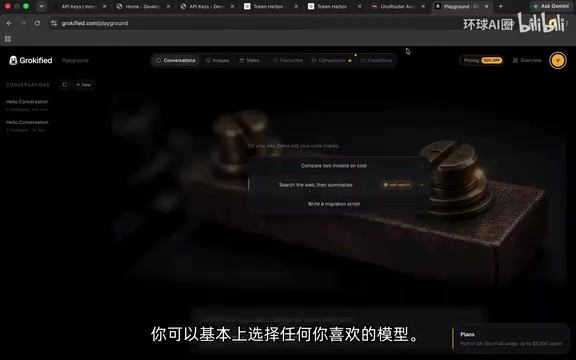
Grokify offers $10 in free starting credit and primarily features xAI's Grok model. Grok is a large language model series developed by xAI, the company founded by Elon Musk. Its standout feature is deep integration with the X (formerly Twitter) platform, enabling real-time access to X's information feed — giving it a unique advantage on time-sensitive questions. The Grok series has iterated to Grok-3 and Grok-4 versions, performing well across multiple reasoning and coding benchmarks. xAI's official API pricing presents a barrier for individual developers, so free access through Grokify is quite attractive. You can test directly in the Playground and view copyable API call code; after creating an API key, just paste it into the Bearer Token field.
Kiosapi: A Free Platform Supporting the Latest GLM Models
Kiosapi lets you filter by Free in the "Model Square," where you can find free models including the latest GLM 5.3 and even the more niche Agnes model. GLM (General Language Model) is a large language model series jointly developed by Tsinghua University and Zhipu AI. It uses a unique autoregressive blank-filling pre-training method and excels at bilingual Chinese-English tasks. The GLM-4 series significantly improved capabilities in code generation, mathematical reasoning, and tool calling, while GLM 5.3 represents the latest advancement in the series. Kiosapi also supports OpenAI-compatible interfaces and can be connected to Codex. To get started, go to the Quick Start section in the documentation, grab the Base URL, and paste in your key.
A quick note on what Base URL does: it's the root address of API requests, determining which server HTTP requests are ultimately routed to. When using third-party compatible platforms, developers need to replace the default official Base URL (e.g., OpenAI's https://api.openai.com/v1) with the address provided by the third-party platform. As long as the third-party platform strictly follows the same request and response format, client code works without any other modifications — this is the technical foundation that makes compatible interfaces so widely popular.
Official Channels: Google AI Studio and Assembly AI
Beyond third-party aggregation platforms, some official channels themselves offer free quotas, with better stability and trustworthiness.
Google AI Studio: The Most Reliable Way to Use Gemini for Free
Google's official Google AI Studio provides free Gemini series API keys. In the Playground, click "Get Code" to get ready-to-use code snippets in Python, Java, TypeScript, and more. Create a key via "Get API Keys," paste it into the code, and you're ready to go. As an official channel, it's the most direct and stable option for free Gemini model access.
Assembly AI and TensorMax
Assembly AI offers an LLM Gateway service. After logging in, go to the LLM Gateway Playground to see the free models available along with corresponding code. API key management is found under "Manage API Keys" in settings — create one and paste it into the code to use.
There's also TensorMax, which currently has fewer available models but has more "coming soon" — worth keeping an eye on.
How to Connect Free APIs to Codex and Cloud Code
Most platforms covered in this article support OpenAI or Anthropic-compatible interfaces, which is where their greatest practical value lies. For developers looking to use AI coding assistants at zero cost, the core steps are:
- Create a free API key on one of the platforms above
- Get the Base URL provided by the platform
- In Codex or Cloud Code settings, replace the API address and key with the free platform's information
- Select the corresponding compatible protocol (OpenAI or Anthropic)
This workflow is possible because these AI coding tools fundamentally call LLM APIs via HTTP requests under the hood. Their client code allows custom API endpoint addresses and keys — as long as the third-party platform's response format matches the official one, the tool's code completion, conversation, and agent features will work normally. For specific configuration details, refer to the respective tool's integration tutorials.
Usage Tips and Risk Warnings for Free AI APIs
While these free APIs are highly attractive, you should approach them pragmatically:
- Quotas and Rate Limits: Free tiers typically come with strict rate limits and quota caps. Common limiting dimensions include RPM (Requests Per Minute, usually capped at 5–15), TPM (Tokens Per Minute, usually limited to 10K–100K), and monthly total quota caps. These limits mean free APIs are suitable for development, debugging, and small-scale prototype validation, but cannot support production-grade applications requiring low latency and high throughput.
- Stability Risks: Model availability on third-party aggregation platforms can change at any time. Free models may go offline or change versions without warning. Official channels (like Google AI Studio) tend to be more reliable.
- Data Security: When calling third-party APIs, your request data (including prompts and context) passes through third-party servers. Avoid transmitting sensitive or private data — especially when using AI coding assistants, be careful not to expose code files containing API keys, internal endpoint addresses, or other sensitive information to third parties.
- Compliance: Some platforms lack transparency about the sourcing and licensing of their free models. Before commercial use, carefully evaluate their terms of service and model license agreements.
Summary: How to Choose the Right Free API Platform
This list provides a wealth of free options for the learning and prototyping stage. Here's a recommended strategy:
- Primary use: Official channels like Google AI Studio — stable and reliable
- Multi-model comparison: Aggregation platforms like YoungRouter and Cran Cloud — one key to call multiple models
- Specific model needs: Vertical platforms like Grokify (Grok models) and Kiosapi (latest GLM models)
Striking the right balance between cost and stability is key to making these free resources truly serve your AI development workflow.
Key Takeaways
Related articles

Last Week Tonight Exposé: The Dangerous Ties Between Politicians and White Supremacy
Last Week Tonight investigates Georgia Senate candidate Mike Collins and Florida candidate Marshall Rawson, exposing their multiple ties to white supremacists and the Republican Party's silent response.
AI Buzz Weekly: GPT-6.5 Leak, New Claude Model, and MiniMax's Cost-Effectiveness
This week's AI buzz roundup: suspected GPT-6.5 leak, Microsoft configs showing GPT-6.1 Tera, Anthropic's new model that can identify entire classes of bugs, disappointing early Gemini 4 Carbon results, and MiniMax M3.1 Flash beating Claude Opus 5 and GPT-5.6 Sol in benchmarks at extremely low cost.
AI Briefing: Gemini 4 Carbon Released, Ant Open-Sources Ling-3.1
AI Briefing: Google releases Gemini 4 Carbon qubit model, claiming to surpass Opus 5.5 with half-price tokens; Ant open-sources Ling-3.1-1019 for real-task Personal Agents; domestic AI drug discovery succeeds in 18 of 19 projects, hitting all 6 GPCR targets; zero-revenue company valued at $20B raises another $1B; Sichuan convenience store robot sales fail.