177B LLM on Budget GPUs? Running Qwen3 Flash Next Locally — Real-World Test
Running a 177B model on budget hardware by offloading its Ngram table to SSD — 22 tokens/s achieved.
A Bilibili creator used two budget GPUs (24GB VRAM) plus 32GB RAM to run the 177B-parameter Qwen3 Flash Next model locally at 22 tokens/s. The key insight: the model's 177B parameters split into 125B core neural network weights and a 51B Ngram lookup table. The lookup table demands far less memory bandwidth and can be streamed from SSD without major speed loss. With IQ4_XS quantization, 4-bit KV caching, and llama.cpp's lazy loading mode, the core weights (≈45.8GB) fit in VRAM and RAM while the Ngram table (≈39.1GB) offloads to SSD. The takeaway: judge local deployment feasibility by core weight size, not total parameter count.
Running an 85GB Model on 50GB of Memory: A Counterintuitive Experiment
Running a model nearly twice the size of your total system memory sounds impossible. Yet a Bilibili creator did exactly that — using two budget GPUs (24GB VRAM combined) plus 32GB of system RAM (roughly 50GB total available memory) to successfully run a 177B-parameter model that occupies around 85GB, achieving a usable 22 tokens/s with solid output quality.
The core insight behind this setup is rethinking what "parameter count" actually means for hardware requirements. We've long used total parameter count as a proxy for hardware cost, but with new architectures, that intuition can break down.
177B Parameters ≠ 177B Crammed Into Memory
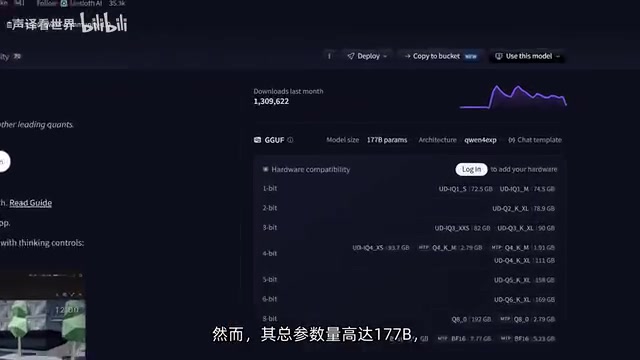
The model in question is Qwen3 Flash Next (referred to in the video as Qwen 3.8 Flash Next) — a recently released model already considered a next-generation open-weight flagship. According to the creator, its intelligence benchmark scores can go toe-to-toe with leading closed-source models. But with 177B total parameters, even the most aggressive quantization requires around 72.5GB, making it effectively inaccessible without high-end hardware.
The key twist lies in its architecture. That 177B total isn't monolithic — it's actually 125B core model weights + a 51B Ngram lookup table. These two components have completely different hardware demands: the core model layers need as much memory bandwidth as possible, while the Ngram table is essentially just a lookup structure that can theoretically be streamed directly from an SSD without serious speed penalties.
This split matters a lot. Using the IQ4_XS quantization that the creator deployed, the model weights require only 45.8GB, while the Ngram table needs 39.1GB. That means the "fast part" that actually needs to fit in VRAM and RAM is under 46GB — the remaining ~40GB can be handed off to the SSD.
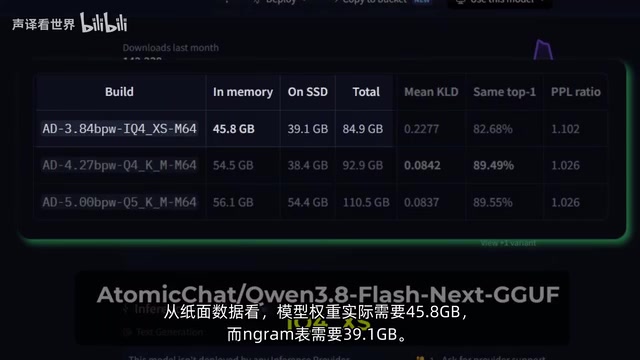
The Ngram lookup table here refers to an auxiliary structure based on n-gram language modeling. Traditional n-gram models predict the next word by counting co-occurrence frequencies of consecutive n words (or tokens) in a corpus — essentially a massive conditional probability index. In hybrid architectures like Qwen3, the Ngram table assists the neural network's predictions, particularly boosting efficiency when handling high-frequency phrases, fixed collocations, or repetitive text. Because the Ngram table's access pattern is relatively predictable — more of a key-to-value lookup than the dense matrix multiplications required by neural network layers — its memory bandwidth demands are far lower than those of the core Transformer layers. This is precisely why it can be "downgraded" to SSD reads without severely dragging down inference speed: an SSD's sequential read throughput (typically 2–7 GB/s) is sufficient for lookup operations, while the matrix computations in neural network layers are extremely latency-sensitive and must rely on VRAM or high-speed RAM.
Deployment Details: Forcing the Ngram Table onto the SSD
The actual deployment used the llama.cpp server, and the launch parameters are worth examining:
- 4-bit KV cache, to compress context memory usage
- Context length set to 100,000, leaving plenty of room for long documents
- 32 layers offloaded to system RAM (CPU-side offload)
- Lazy mode enabled + load mode set to None, forcing llama.cpp to read the Ngram table directly from SSD rather than letting it spill into swap or virtual memory
There's one tricky pitfall here: because RAM is pushed to its limits, Linux's OOM killer will automatically terminate the server process when RAM usage gets too high. The creator's workaround was adjusting oom_score_adj to set the llama server's score to -1000, preventing it from being killed by the system. These kinds of details often make or break a local deployment.
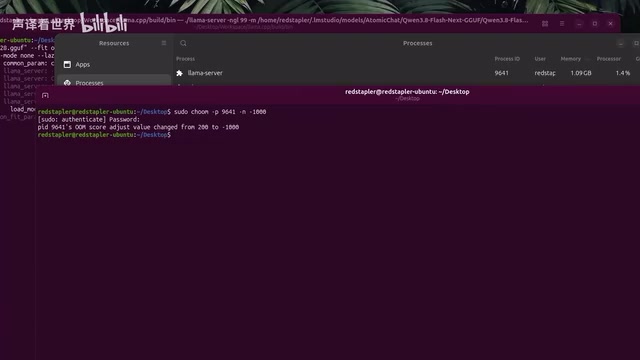
IQ4_XS is a non-uniform 4-bit quantization format in the llama.cpp ecosystem (part of the iQuant series). Compared to standard schemes like Q4_K_M, it uses a more refined scaling factor allocation strategy within each quantization block, preserving more of the original weight distribution at similar compression ratios. "4-bit KV cache" is a separate optimization: the KV cache (Key-Value Cache) stores the key and value vectors for every historical token at every attention layer, and grows with context length — at 100K context, this can easily exceed 10GB. Quantizing the KV cache itself to 4-bit compresses its memory footprint to roughly one-quarter, making it a necessary technique for supporting ultra-long contexts with limited VRAM. OOM (Out of Memory) is a Linux kernel protection mechanism triggered when system memory is exhausted — it automatically selects a process to forcibly terminate. The lower the oom_score_adj value, the less likely a process is to be killed; -1000 is the lowest value that can actually be set, effectively giving the process a "death immunity" card.
Measured Performance: The SSD Didn't Kill the Speed
The results are the most compelling part of this test. Despite more than half the model weights being offloaded to RAM and the Ngram table offloaded to SSD, the model still ran at 22 tokens/s. Even with context length pushed to 76,000 tokens, average speed held at 14 tokens/s — a fully usable range.
Platform differences were also documented: running on Windows is about 20% slower than Linux, with roughly 16 tokens/s on short contexts and ~10 tokens/s on longer ones. For users serious about local inference performance, operating system choice remains worth factoring in.
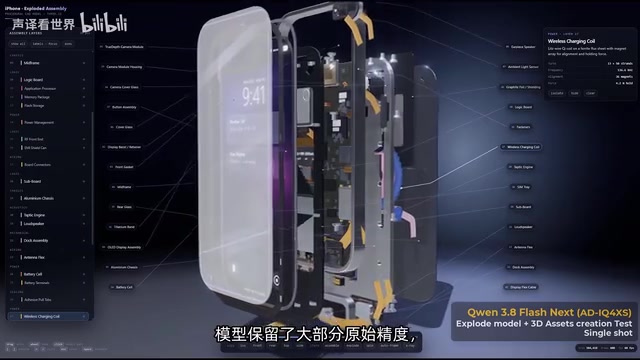
Thanks to the 4-bit iQuant quantization, the model retained most of its original precision and output quality remained solid. Being able to run a frontier-level intelligence model at 100K context with 4-bit quantization on such modest hardware is itself a testament to the practical value of architectural innovation.
What This Means for Open-Source AI: Stop Letting Total Parameter Count Scare You Off
The single most important takeaway from this experiment: offloading the Ngram table to SSD did not slow down inference the way you'd expect.
This points to a judgment framework worth spreading — when you see a model with an Ngram lookup table (or similar sparse/lookup structures), don't let the total parameter count immediately discourage you. Instead, look at how large the core model that actually needs high-speed memory is. For local deployment, "core weight size" is a far more accurate indicator of hardware requirements than "total parameter count."
The creator also offered a longer-horizon observation: architectures with built-in Ngram tables may become a new standard for open-source AI. They make it possible to run large-parameter models on consumer hardware, bringing capabilities that once required expensive servers down to ordinary enthusiasts' desktops.
For anyone looking to run large models locally, this setup provides a replicable blueprint: sensible quantization selection (IQ4_XS), careful layer offloading strategy, and delegating the lookup-table component to the SSD. Of course, the data here comes from a single creator's specific test environment — actual speeds will vary with your hardware, SSD read performance, and specific prompts. Take it as a reference, not a guarantee.
Related articles
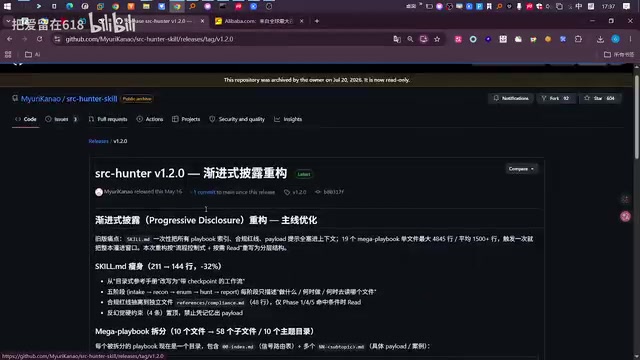
DeepSeek Harness Penetration Testing Mode in Practice: Capabilities and Boundaries of AI-Assisted Vulnerability Hunting
A hands-on look at AI-assisted vulnerability hunting using DeepSeek Harness with a dedicated SKILLS package, covering recon, WebShell backdoors, RCE, and database credential leaks.
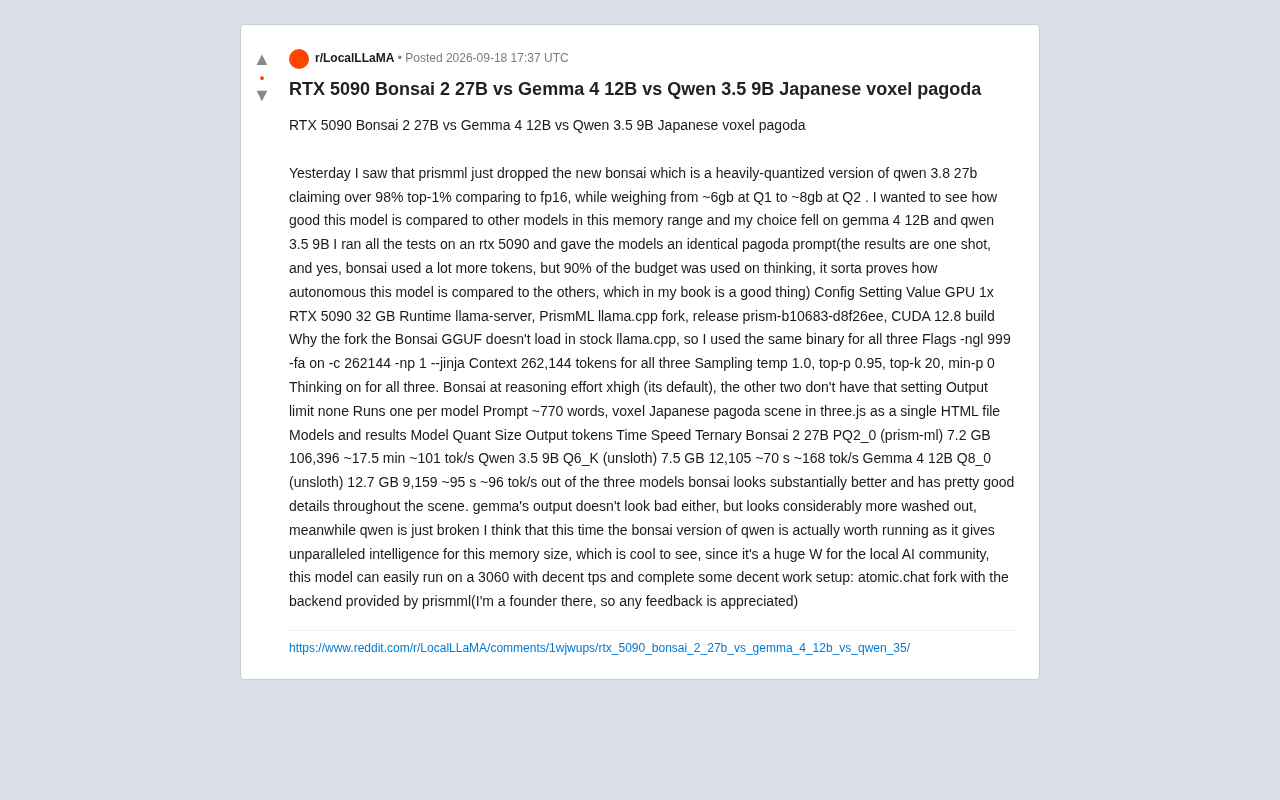
Low-VRAM Local LLM Showdown: Why the Quantized Bonsai 2 Comes Out on Top
RTX 5090 comparison of Bonsai 2 27B, Gemma 4 12B, and Qwen 3.5 9B. Ternary-quantized Bonsai fits 27B params in 7.2GB VRAM and wins on voxel pagoda rendering quality.

Yue2 Music Model LoRA in Practice: Cloning a Celebrity Voice in 400 Steps
A celebrity voice LoRA built on Yue2 with AI-Toolkit in just 400 steps went viral on Reddit. We break down the tech, its limits, and the voice cloning ethics involved.