20 Real Pitfalls of Vibe Coding: Essential Reading Before Beginners Write Code with AI

Nine failure traits of Vibe Coding: over-generation, confident hallucinations, context blind spots, and understanding debt.
Using "open 20 PRs with AI first" as a threshold, the article systematically catalogs common yet easily overlooked idiosyncrasies of Vibe Coding. Through "what you said / what the AI did / what the result was" dialogues, the author identifies over-generation, confident hallucinations and stale information, context window limitations, instruction disobedience and vague "optimization," self-referential test loops, and understanding debt from repeated generation, analyzing each. Conclusion: Vibe Coding shifts the cost of writing code into the cost of understanding it—users must constrain change scope, verify package names and versions, provide full context, align tests with real requirements, and review every diff line.
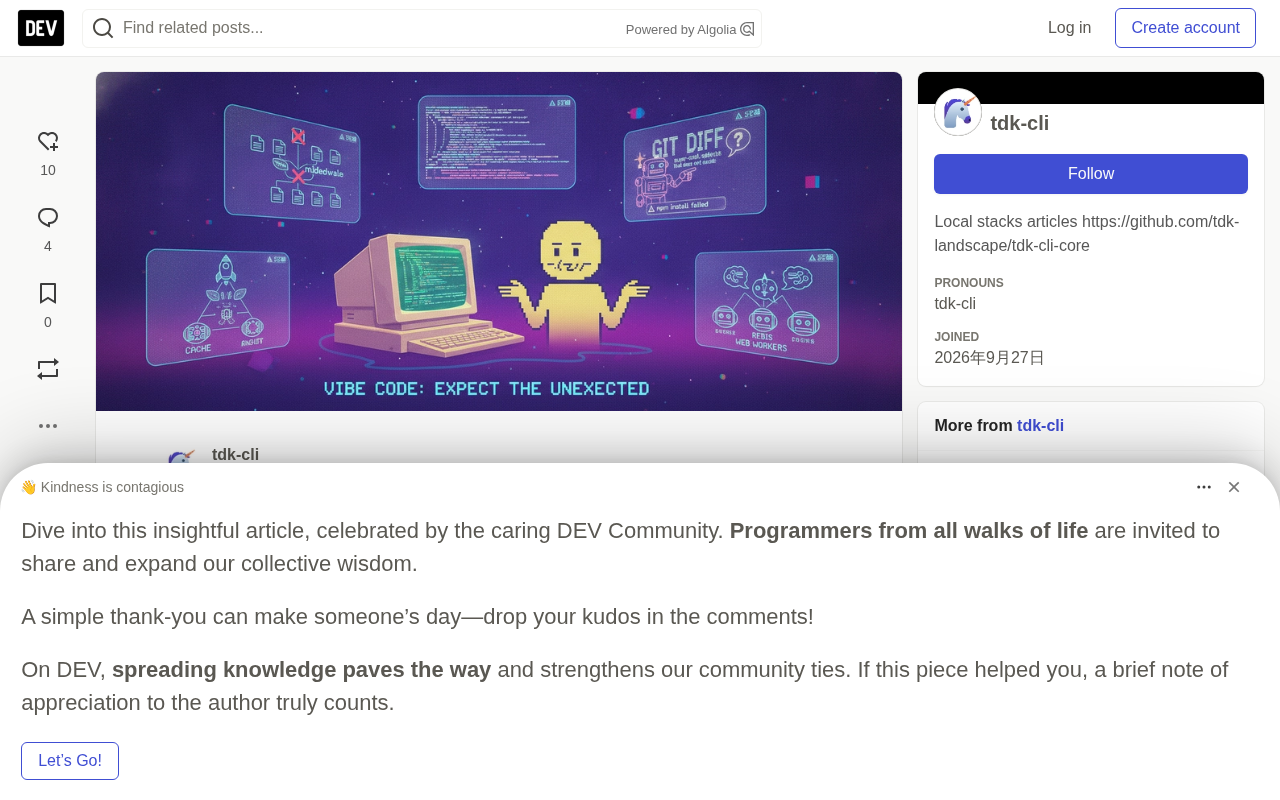
Have you heard of Vibe Coding? Before answering, the original author set a very practical threshold: first open 20 PRs with AI and get burned at least once, then come back to talk. This article compiles exactly those idiosyncrasies that often occur when "writing code with AI" but that beginners tend to overlook. The author states that some of these merely showcase the quirks of AI-assisted programming and are not meant to encourage best practices.
What Is Vibe Coding?
Vibe Coding means handing the main work of writing code to AI—you describe requirements in natural language, AI generates the implementation, and you accept or reject suggestions. The proliferation of tools like Cursor, Claude, Grok, and ChatGPT has made this way of working extremely low-barrier.
Low barrier doesn't mean low risk. The original uses a series of "what you said / what the AI did / what the result was" dialogues to string together common failure scenarios. Below, they're reorganized by theme with some analysis added.
PR (Pull Request) is a core mechanism in code collaboration: after a developer completes changes on a separate branch, they initiate a merge request to the main branch, where others (or automated tools) review the diff, run CI tests, and only merge after confirming everything is correct. The original uses "open 20 PRs first" as a threshold precisely because the PR process forces you to examine every single change AI generates line by line—and that's exactly the step Vibe Coding most easily skips. Just accepting suggestions without looking at the diff is equivalent to abandoning the PR review quality gate.
diff refers to the difference between two code versions, marked line by line with +/- for additions and deletions. It's the only reliable basis for reviewing AI changes: the smaller and more focused the diff, the easier it is to judge correctness; once AI casually refactors half a module, the diff balloons to the point where line-by-line verification becomes impossible, and review effectively breaks down.
Over-generation: You Asked for a Door, AI Gave You the Whole Building
The first example in the original is typical:
You say "add a login form," and AI directly generates a complete Next.js application with authentication, middleware, a database, and tests.
The result: you have 47 extra files you didn't ask for, and there's a bug in the middleware.
Similar situations include "modify this function," where AI rewrites the entire file—the git diff becomes unreadable, and the comment explaining that weird edge case is gone. And you only wanted a "small change," but AI casually refactors half a module "for clarity"—the small change is correct, but the refactor introduces two new bugs.
Analysis: AI tends to amplify local requests into complete solutions because "login form" in its training data often comes with an entire scaffold. For beginners, extra code means extra reading and debugging costs—code you never intended to understand.
Hallucinations and Staleness: AI Makes Mistakes with Great Confidence
One phrase appears repeatedly in the original: "The AI was very confident."
- You ask it to use the official SDK, and it
imports a package that doesn't exist at all—npm installfails outright. - You ask it to use the latest version of X, and it uses some old version whose API was removed last year.
- You ask it to explain an error, and it says "this is a common async/await issue," when the real cause is a missing comma—it never even looked at the stack trace.
Analysis: Models don't proactively say "I'm not sure." Information requiring precise recall—package names, API versions—is exactly where hallucinations run rampant. The mistake beginners most easily make is treating AI's confident tone as a signal of correctness.
Hallucination refers to language models generating content that seems plausible but is factually incorrect. It stems from the model's generation mechanism: the model outputs the most "likely" next token by probability, rather than verifying whether a package actually exists in the npm registry. For strings requiring precise recall—package names, function signatures, API version numbers—once the model's memory is fuzzy, it smoothly fabricates a syntactically correct, convincingly named substitute, with confidence indistinguishable from a correct answer. The way to judge is straightforward: before importing, search the official docs or package manager first; defer to official changelogs for version numbers, not AI's statements.
Context Problems: It Only Sees What It Sees
There are two particularly painful scenarios in the original:
- You paste 3 files into the conversation and ask "why is this failing," and AI gives a perfect answer based only on the first file—the real bug is in the third file, which it never looked at.
- Code that works in the playground doesn't work when pasted back into the project: missing imports, wrong types, and assumptions about global variables that don't exist.
There's also a cross-model version: ask Claude, Grok, and ChatGPT the same question, get three different answers that all sound right, but only one is.
Analysis: The quality of AI's answer depends on the context window you give it, not the actual state of your project. Cross-model comparison is a good habit, but it presupposes you have judgment—which is exactly what beginners lack most.
Context window is the upper limit on the total tokens a model can "see" in a single request, including system prompts, conversation history, and pasted code files. Content beyond the window gets truncated or discarded, and the model knows nothing about project files, directory structure, or configuration outside the window. This explains two typical phenomena: when pasting multiple files, later content may not be fully processed; and code that runs in the playground errors out when moved back to the project because the model never saw your project's import paths, type definitions, and global variables. In practice, rather than stuffing in a large number of files at once, precisely provide the complete stack trace and key files directly relevant to the problem, and clearly communicate the project structure.
Instruction Disobedience and the "Optimization" Trap
The original lists several scenarios that seem funny but are very real:
- You explicitly say "don't change the function signature," and it changes the signature, casually updates call sites, and half of them are wrong.
- You say "don't use any libraries," and it uses three, one of which is unmaintained.
- You say "make it faster," and it adds caching, memoization, Web Workers, and a Redis layer—your 20ms function becomes 40ms and gains an extra dependency.
- You say "make it production-ready," and it adds logging, error handling, retries, and metrics—the prototype grows 300 lines but still lacks the one validation you actually need.
Analysis: Vague instructions like "optimize" and "production-ready" cause AI to make sweeping changes based on its understanding of general best practices. Vague instructions + sweeping changes = uncontrollable diff. This is where beginners often lose control of their code.
Testing and Self-Review: Passing Doesn't Mean Correct
This part may be the most cautionary in the whole article:
You say "write tests," and AI writes a bunch of tests that pass. But these tests test AI's own implementation, not your requirements—they'd pass even if the feature were broken.
And: you ask AI to review its own code, and it finds two style issues but misses the logic bug.
Analysis: When AI writes tests, it tends to construct assertions around its own implementation, forming a closed loop of "setting its own exam and grading its own paper." Test independence is quietly undermined here, and this erosion is hard for beginners to notice.
Test independence is the prerequisite for test validity: assertions should derive from the requirements specification, not from the implementation under test. If tests and implementation come from the same source (the same model, the same conversation), they share the same misunderstandings—if the implementation misses an edge case, tests built around it naturally won't cover that edge case either, so "all green" only proves the implementation is self-consistent with its own expectations, not that the feature is correct. The way to break this coupling: first have AI restate the requirements and write acceptance criteria, then write assertions based on those yourself or in an independent session; or adopt test-first, fixing tests first and then having AI implement, so the implementation must bow to the tests rather than the tests accommodating the implementation.
Repeated Generation and Understanding Debt
The original also has two observations about "decision paralysis":
- Regenerate the same component five times, and you get five slightly different versions, with no idea which one is right.
- Accept every suggestion for two hours straight, and the codebase now has four ways of writing the same thing, none of which you can explain.
The last one is the article's closing, and the heaviest blow:
You finally read the code AI wrote. As a result, you understand it less than when you started.
Analysis: This is "understanding debt." Vibe Coding trades the cost of writing code for the cost of understanding code, and the latter is often more expensive. The author closes with the "I should have just written it myself" license, and the attitude is already clear.
A Few Practical Tips for Beginners
Combining the original's complaints, we can distill several directly actionable habits:
- Constrain the scope of changes: In your prompt, explicitly state "only change this function, don't touch other files," and review the diff line by line before committing.
- Stay skeptical about package names and versions: For any
importand version number, confirm it actually exists before installing. - Provide full context: When reporting errors, include the complete stack trace and relevant files—don't expect AI to guess.
- Write tests against requirements: Have AI restate the requirements first, then write tests; or write assertions yourself and let AI only fill in the implementation.
- Don't ship on Friday afternoon: The original's line "the bug hit production at 5 PM on Friday" is the one sentence in the whole article that needs no explanation.
Vibe Coding isn't unusable—you just need to know its temperament: it over-generates, hallucinates confidently, and only sees the part of the world you give it. Treat these traits as known conditions, then decide which work to hand over to it and which to keep for yourself.
The original is published under the "I should have just written it myself" license.
One-line Summary
Nine failure traits of Vibe Coding: over-generation, confident hallucinations, context blind spots, and understanding debt.
Paragraph Summary
Using "open 20 PRs with AI first" as a threshold, the article systematically catalogs common yet easily overlooked idiosyncrasies of Vibe Coding (handing the main work of writing code to AI while you only accept or reject suggestions). Through "what you said / what the AI did / what the result was" dialogues, the author identifies over-generation, confident hallucinations and stale information, context window limitations, instruction disobedience and vague "optimization," self-referential test loops, and understanding debt from repeated generation, analyzing the causes of each. The conclusion: Vibe Coding isn't unusable, but it shifts the cost of writing code into the cost of understanding code—users must constrain change scope, verify package names and versions, provide full context, align tests with real requirements, and review every line of the diff.
Related articles

Chain of Thought Isn't Just for AI: How Humans Can Use CoT to Improve Thinking Quality
Chain of Thought isn't just a prompt trick for large models. Starting from a Hacker News discussion, this article analyzes why CoT works for human thinking too, breaks down actionable ways to transfer it, and highlights the key differences between human CoT and machine CoT.
Cloudflare Teams Up with OpenAI: Closi…
Cloudflare Teams Up with OpenAI: Closing the Loop from Vulnerability Discovery to Defense with AI
Cloudflare uses OpenAI Daybreak to investigate security vulnerabilities and generate reviewable remediation plans, while developers use Codex to boost coding efficiency and quality.

Orca Multi-Agent Orchestration in Practice: A Guide to Parallel Collaboration with Claude and Codex
Orca is Stable AI's free open-source agent workbench supporting 34 agents like Claude Code and Codex in parallel. Learn its Git worktree isolation, multi-model orchestration, and mobile management.