3D Printed Monitor Stand Riser: Save the Cost of a New Stand

A 3D printed riser block solves a monitor height problem for just $6, with results that look OEM.
This article describes how Jeff used 3D printing to solve insufficient mounting height for a 43-inch monitor. He quickly modeled a cylindrical flange riser block in Tinkercad, printed it in fiberglass PETG for about $6 and six hours, and used the printed part directly as a drill template during installation to ensure precise hole alignment. In the end the soundbar fit perfectly and the appearance was almost indistinguishable from OEM. The article emphasizes the practical value of 3D printing for solving everyday small problems, far better than buying a new stand.
Title
3D Printed Monitor Stand Riser: Save the Cost of a New Stand
Meta Description
Jeff from Craft Computing 3D printed a fiberglass PETG riser block on a Bambu Lab P1S, raising a monitor stand by 2.5 inches for just $6 and perfectly solving a soundbar placement problem. This article covers the whole process from Tinkercad modeling to installation.
Article Content
After buying a 43-inch Gigabyte Aorus FV43U gaming monitor and pairing it with a newly purchased VESA 200 desk stand, Jeff found the monitor sat too low and the soundbar wouldn't fit underneath. Get a new stand? Return it? Or just shim it with wood? Craft Computing's Jeff offered a more elegant answer: make a custom riser block with a 3D printer for just a few dollars, with results that look like an OEM part.
The Problem: Monitor Too Low, Nowhere for the Soundbar
Jeff was setting up a new office and needed to mount the 43-inch Gigabyte Aorus FV43U on a desk stand. The stand is a VESA 200 model bolted to the desktop. However, after installation he found the monitor height was insufficient to accommodate a soundbar underneath.
Conventional options were either to buy a taller stand or switch to a different mounting method. But Jeff really liked the existing column-style stand and didn't want to replace it lightly. Then he thought of his Bambu Lab P1S printer—why not print a riser block to raise the entire stand by two to three inches?
The core idea: don't change the original stand structure, just add an adapter. It solves the height problem, preserves the stand style the user likes, and avoids the hassle of returns or re-purchasing.
Design: A Cylindrical Flange Modeled in Five Minutes
The riser block's structure is very simple: a cylinder with four through-holes in the center and a recessed groove around the top. Jeff modeled it in Tinkercad, and the whole process took less than five minutes.
Key dimensions came from actual measurements: the base flange outer diameter is about 126 mm, the top recess is 120 mm in diameter and 2 mm deep, and the total height is 62 mm. The four bolt holes are 8.5 mm in diameter with a hole spacing of 87.5 mm. Jeff deliberately designed a 5 mm inset recess on top so the stand's original decorative cover plate could fit perfectly, making the riser and stand look like one integrated piece.
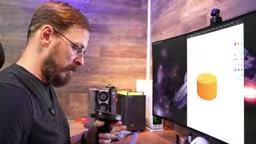
To verify dimensions, Jeff first printed a thin test piece and checked hole positions and thickness against the actual part. Only after confirming it was correct did he print the full-size version. This "test thin slice first, then print the full part" approach is very practical for functional parts and avoids wasting time and filament.
Tinkercad is a free browser-based 3D modeling tool developed by Autodesk and designed for beginners. It uses a building-block approach: drag basic geometric shapes (such as cylinders and cubes) and perform Boolean operations (combine, hollow out) to create models. No software installation is required, and the learning curve is extremely low. For users who need to quickly make functional parts, Tinkercad can take you from idea to printable model in minutes, which is perfect for Jeff's simple riser block design needs.
Printing: Fiberglass PETG, About $6
The full-size riser block was printed in fiberglass PETG. Jeff likes the texture of its matte surface and felt it paired well with the black base. He used Elegoo fiberglass PETG, priced at about $22 per spool. The part used about 300 grams of filament, putting material cost at roughly $5 to $6.
The print took about six hours. Jeff didn't lower the infill percentage to save material; instead he chose a stronger structure. His reasoning was straightforward: better for the part to be overbuilt than barely adequate. For load-bearing components, this conservative design is reasonable.
It's worth noting that Jeff's Bambu Lab P1S is equipped with a Diamondback hotend, which can reliably print a variety of filaments, and he was pleased with the surface quality.
Fiberglass PETG is a reinforced filament made by mixing short chopped glass fibers into ordinary PETG. The addition of glass fiber significantly improves rigidity, heat resistance, and dimensional stability while reducing shrinkage, making printed parts less prone to warping. But it also brings challenges: glass fiber accelerates nozzle wear, so wear-resistant hotends such as hardened steel or ruby are recommended; printing temperatures usually need to be slightly higher than ordinary PETG (about 250-260°C), and layer adhesion may be slightly weaker. Jeff's Diamondback hotend is designed specifically to handle abrasive materials.
Installation: Using the Printed Part as a Drill Template
The installation process was equally clever. Jeff went to the hardware store and bought 5/16-inch, 5-inch-long bolts. The riser block itself is about 2.5 inches tall, the desktop is about 1.5 inches thick, and with half an inch of thread allowance, the length was just right.
He placed the printed riser block directly on the desktop as a drill template, first drilling pilot holes, then going through the desktop. This ensured the four holes aligned perfectly with the riser block without any deviation.
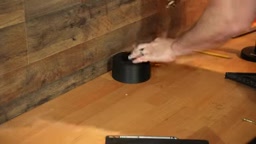
The bottom was secured with nylon lock nuts and washers, and the top was covered with the original stand's decorative cover plate. Jeff was very satisfied with the final result: the cover plate matched the riser's outer diameter, and from any angle it looked like an OEM part.
A nylon lock nut (also called a nylon-insert lock nut) is a self-locking fastener with a nylon ring embedded inside the nut. When a bolt is threaded in, the nylon ring is compressed to create friction, preventing the nut from loosening due to vibration. This type of nut is especially suitable for applications requiring long-term stability, such as securing a monitor stand. During installation, a certain torque is usually needed to fully deform the nylon ring, but be careful not to overtighten and damage the threads or the nylon ring.
The Result: Perfect Height, Soundbar Fits Easily
With the monitor mounted, the height problem was solved. The soundbar could easily sit under the monitor, and both viewing distance and height reached Jeff's ideal state.
Jeff repeatedly emphasized in the video that if you look from the other side of the room, you can't tell this is a 3D printed part at all. It solved a real problem, customized the desktop, and took only a few hours from modeling to installation.
Why This Beats Buying a New Stand
From an economic standpoint, a brand-new monitor stand might cost tens or even hundreds of dollars, while the material cost of a 3D printed riser block is only a few dollars. More importantly, there's the time cost: five minutes of modeling, print overnight, and install the next morning.
From a psychological standpoint, Jeff didn't have to return a stand he already thought was good quality, nor did he have to put up with an imperfect alternative. He kept the column-style design he liked while getting a customized height.
The most valuable takeaway from this video is this: the real value of a 3D printer isn't printing trinkets, but solving small problems in daily life—riser blocks, spacers, adapters, couplings. These parts often can't be found in the right specifications when bought separately, and custom machining is expensive, while 3D printing makes "manufacturing on demand" within reach.
If you often need to make small adapters, or have customization needs for your desktop setup, a 3D printer may change the way you solve problems. As Jeff said, it has already changed how he approaches problem-solving in his workshop and at home.
One-line Summary
A 3D printed riser block solves a monitor height problem for just $6, with results that look OEM.
Paragraph Summary
This article describes how Jeff used 3D printing to solve insufficient mounting height for a 43-inch monitor. He quickly modeled a cylindrical flange riser block in Tinkercad, printed it in fiberglass PETG for about $6 and six hours, and used the printed part directly as a drill template during installation to ensure precise hole alignment. In the end the soundbar fit perfectly and the appearance was almost indistinguishable from OEM. The article emphasizes the practical value of 3D printing for solving everyday small problems, far better than buying a new stand.
Related articles

The Truth About AI Coding: Code Output Soars, So Why Is Delivery Still Hard to Speed Up?
Engineering leaders from Databricks, Uber, and Google Maps discuss AI coding's real impact: code output soars but delivery bottlenecks shift, code review faces rethinking, and enterprises begin fine-grained token governance.

A New Paradigm for Text Editing in Compose: TextFieldState Replaces the Old API
Jetpack Compose introduces the TextFieldState API to fix dropped characters and cursor jumps from async input. The old value/onValueChange callbacks will be deprecated in 1.13. This article covers InputTransformation, OutputTransformation, four state hoisting patterns, and new formatted text editing capabilities.

Remote Compose: A New Document-Driven Paradigm for Cross-Platform UI on Android
Remote Compose transmits compact binary documents instead of screen pixels, enabling efficient UI rendering on remote surfaces like Wear OS and widgets. This article covers its document creation API, expression animations, size optimization techniques, and Wear OS progress.