5 Hidden Money-Making Projects on GitHub: A Complete Guide from AI Side Hustles to Remote Work

Combine five GitHub resource projects to build a path from side hustle direction to automated customer acquisition.
The article covers five GitHub resource projects shared by a Bilibili creator: an AI side hustle handbook, a remote work resource library, a group and bot index, the OSAM tool library, and the automation tool n8n. They don't make money directly but greatly reduce information gathering time. Only combined use forms a closed loop: use the AI handbook to pick a direction, OSAM for tools, n8n for automation, group resources for customers, and the remote work library to assess a full-time transition. Saving doesn't equal income — results depend on running the minimum viable loop.
Many people treat GitHub as a code repository, overlooking the fact that it's also a massive treasure trove of resources. A Bilibili creator recently shared a list of money-making projects on GitHub, covering AI side hustle ideas, remote work opportunities, community resources, tool indexes, and automation workflows. These projects don't generate income directly, but they can save you a huge amount of time on information gathering and help you focus your energy on directions that can actually be monetized.
Why GitHub Is Worth Using as an Information Gateway for Side Hustles
Resource index projects on GitHub share a common trait: they're continuously maintained by the community, updated frequently, and filtered by a large number of users. Compared to scattered searches, these projects aggregate dispersed information into a single entry point, reducing information gaps. In the video, the creator emphasized "save first, read later" — the logic being that these repositories are a starting point, not an endpoint. The real value lies in how you use them to build your own side hustle path.
Below, these five projects are introduced by function, along with usage suggestions.
AI Side Hustle Ideas: AI Money Maker Handbook
The first project is AI Money Maker Handbook. As the name suggests, it compiles various AI side hustle projects and money-making methods. Based on its positioning, this type of handbook typically covers AI writing, AI art, chatbot building, automation consulting, and other directions — suitable for people new to AI monetization who need a quick overview.

The key to using such a handbook is not to copy projects wholesale, but to identify directions that match your own skills. For example, if you're good with words, you might focus on AI content writing; if you have a development background, you're better suited to AI tool customization or workflow building. The handbook's value is in providing options — the filtering is still up to you.
Minimum Viable Loop is a common strategy in the side hustle launch phase. It means running through the complete chain of "need identification → delivery → getting feedback/income" with the fewest resources, rather than perfecting every step before going to market. For example, if you choose the AI writing direction, the minimum viable loop could be: find a client who needs ghostwriting → use AI to help complete the draft → deliver and get paid. Its significance lies in validating whether a direction works through real feedback, rather than investing large amounts of time in assumptions. Once the loop is running, you can gradually optimize efficiency (by introducing n8n automation), expand customer acquisition (using community resources), and raise your average order value. If the loop doesn't work, you can cut your losses early and switch your energy to the next direction.
Remote Work and Life Support: Awesome Remote Job
The second project, Awesome Remote Job, collects hundreds of remote job boards and also includes interview preparation and rental information. This is a typical Awesome-series resource library, covering everything from job platforms to the supporting needs of remote work.
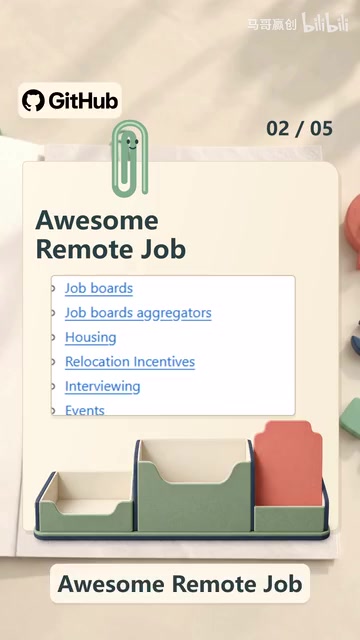
The pain points of remote work often aren't about finding a job itself, but about the interview process, contract handling, renting in a different city, and similar matters. This project aggregates information on these aspects, making it especially useful for those planning to transition from a side hustle to full-time remote work. The creator mentioned "interview and rental information," indicating that the project considers the real-life scenarios of remote workers rather than merely piling up job links.
The Awesome series is a special open-source collaboration model on GitHub: a list repository maintained by a community that collects quality resources (tools, tutorials, websites, etc.) in a certain field according to unified standards. Its name comes from the fact that repository names typically start with awesome-, such as awesome-python and awesome-design. Each entry must be submitted and reviewed by contributors, so the quality of the list is relatively controlled. The value of an Awesome list lies in being "pre-filtered" — it saves you the time of searching and vetting on search engines, letting you go directly to a trusted set of candidates. But note that different Awesome lists vary greatly in maintenance effort; to judge quality, look at star counts, recent commit frequency, and PR merge speed. For side hustlers, making good use of the Awesome series is like having a domain map drawn collectively by the community.
Community and Bot Resources: Group Resource Index
The third project is a group resource index, compiling a large number of group channels and bot resources. In AI side hustle scenarios, communities are both information sources and customer acquisition channels. Telegram channels, Discord servers, and WeChat groups often host project collaborations and demand postings, while bot resources can help automate community management or handle repetitive tasks.

The practicality of such index projects depends on maintenance frequency. Before use, it's advisable to browse the recent update records to confirm whether the resources are still valid, avoiding joining a large number of expired groups.
Tools and Inspiration Library: OSAM Resource Collection
The fourth project, OSAM, aggregates various quality resources. The creator summarized it as "useful for finding tools, finding materials, and finding inspiration." This type of comprehensive resource library is suitable as an entry point for daily reference, especially when you need to quickly find a tool or reference case in a certain field.
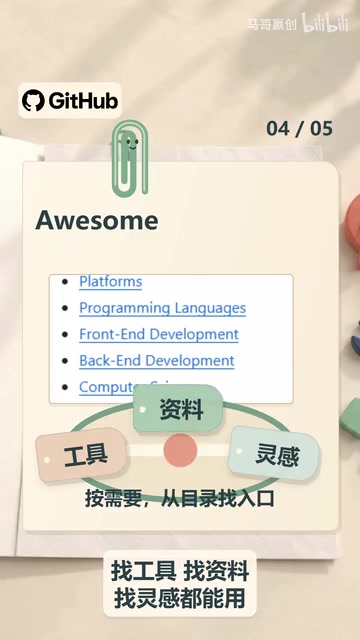
Comprehensive resource libraries can easily fall into the trap of "saved it, so I know how to use it." A more effective approach is to search with a specific question in mind — for example, "I need an AI tool for batch image processing" — rather than browsing aimlessly.
Automation Workflows: n8n
The fifth project is n8n, an open-source automation workflow tool. The creator described it as "handing repetitive work to AI to complete automatically." n8n supports visual node orchestration, connecting different applications and services, and is often used for content distribution, data collection, customer follow-up, and similar scenarios.
For side hustlers, n8n's appeal lies in lowering the automation threshold: you don't need to write code from scratch — you can build processes by dragging and dropping nodes. Common uses include automatically publishing content to multiple platforms, monitoring keywords and pushing notifications, and syncing form submissions to spreadsheets and email. Once you've mastered n8n, the time cost of repetitive work drops noticeably.
Visual workflow orchestration refers to defining task execution logic by dragging nodes and drawing connections through a graphical interface, rather than handwriting code. Each node represents an action (such as reading a form, calling an API, sending an email), and the connections determine the data flow. n8n belongs to the same category of tools as Zapier and Make, with the differences being that n8n is self-hostable, open-source, and supports conditional branches and custom code nodes. For non-programmers, the core advantage of visual orchestration is that "the process is visible": you can intuitively see where data comes from and goes to, and it's easier to pinpoint bottlenecks when troubleshooting. For beginners, it's advisable to start with a minimal process (such as "receive form → write to spreadsheet → send notification"), and after it runs successfully, gradually add nodes and conditions — avoiding building overly complex flowcharts from the start.
How to Combine These Five Projects
Viewed individually, each project has limited value; only combined can they form a closed loop. One feasible path: use AI Money Maker Handbook to determine your side hustle direction, use OSAM to find execution tools, use n8n to build automated processes that reduce repetitive labor, use the group resource index to find partners and customers, and finally use Awesome Remote Job to assess the possibility of going full-time remote.
It's worth noting that these projects are all information gateways, not income guarantees. The creator's video title includes "money-making," which can easily create the illusion that saving equals earning. Actual results depend on execution: pick one direction, run through the minimum viable loop, then gradually scale up.
FAQ
Do these projects require payment? Resource index projects on GitHub are usually free and open-source, but the third-party tools or services they link to may include paid content.
Can I use them without a programming background? Yes. The AI side hustle handbook and remote work resource library are friendly to non-technical users; although n8n involves workflow concepts, its visual interface lowers the barrier to entry, making the learning cost low.
How do I tell if resources are outdated? Check the repository's most recent commit time and issue activity. Projects that haven't been updated for a long time are more likely to have dead links.
One-line Summary
Combining five major GitHub resource projects can build a complete path from side hustle direction to automated customer acquisition.
Paragraph Summary
The article introduces five types of GitHub resource projects shared by a Bilibili creator: the AI side hustle handbook, the remote work resource library, the group and bot index, the comprehensive tool library OSAM, and the automation tool n8n. These projects don't make money directly, but they can greatly reduce information gathering time. The author emphasizes that saving them individually has limited value — only combined use can form a closed loop: use the AI handbook to determine direction, OSAM to find tools, n8n to build automation, group resources to find customers, and finally the remote work library to assess a full-time transition. At the same time, readers are reminded that saving doesn't equal income — actual results depend on whether you pick a direction and run through the minimum viable loop.
Related articles

Chain of Thought Isn't Just for AI: How Humans Can Use CoT to Improve Thinking Quality
Chain of Thought isn't just a prompt trick for large models. Starting from a Hacker News discussion, this article analyzes why CoT works for human thinking too, breaks down actionable ways to transfer it, and highlights the key differences between human CoT and machine CoT.
Cloudflare Teams Up with OpenAI: Closi…
Cloudflare Teams Up with OpenAI: Closing the Loop from Vulnerability Discovery to Defense with AI
Cloudflare uses OpenAI Daybreak to investigate security vulnerabilities and generate reviewable remediation plans, while developers use Codex to boost coding efficiency and quality.

Orca Multi-Agent Orchestration in Practice: A Guide to Parallel Collaboration with Claude and Codex
Orca is Stable AI's free open-source agent workbench supporting 34 agents like Claude Code and Codex in parallel. Learn its Git worktree isolation, multi-model orchestration, and mobile management.