5 Steps to Build SimReady Assets for Robot Simulation: A Practical Guide with Frontier AI Models

A five-step workflow using Frontier AI Models to convert CAD files into fully physics-ready SimReady assets for robot simulation.
SimReady assets are 3D assets ready for physics simulation, requiring complete physical properties — materials, collision geometry, mass distribution — beyond mere visual geometry. Converting CAD models to OpenUSD is only the starting point; material configuration, collision generation, physics annotation, and structural validation must follow. NVIDIA's methodology introduces Frontier AI Models to automatically infer material types, generate simulation-appropriate collision geometry, and recommend physical parameters, systematizing a previously manual process into five clear steps. High-quality SimReady assets are critical infrastructure for closing the Sim-to-Real gap and enabling large-scale robot simulation training.
Converting CAD models into usable simulation assets is far more complex than a simple geometry format conversion. Developers must not only transform models into OpenUSD format, but also configure and validate materials, collision geometry, physical properties, and a host of other parameters. NVIDIA's developer blog recently shared a complete workflow for building SimReady assets using Frontier AI Models, offering simulation engineers a practical, actionable methodology.
What Are SimReady Assets
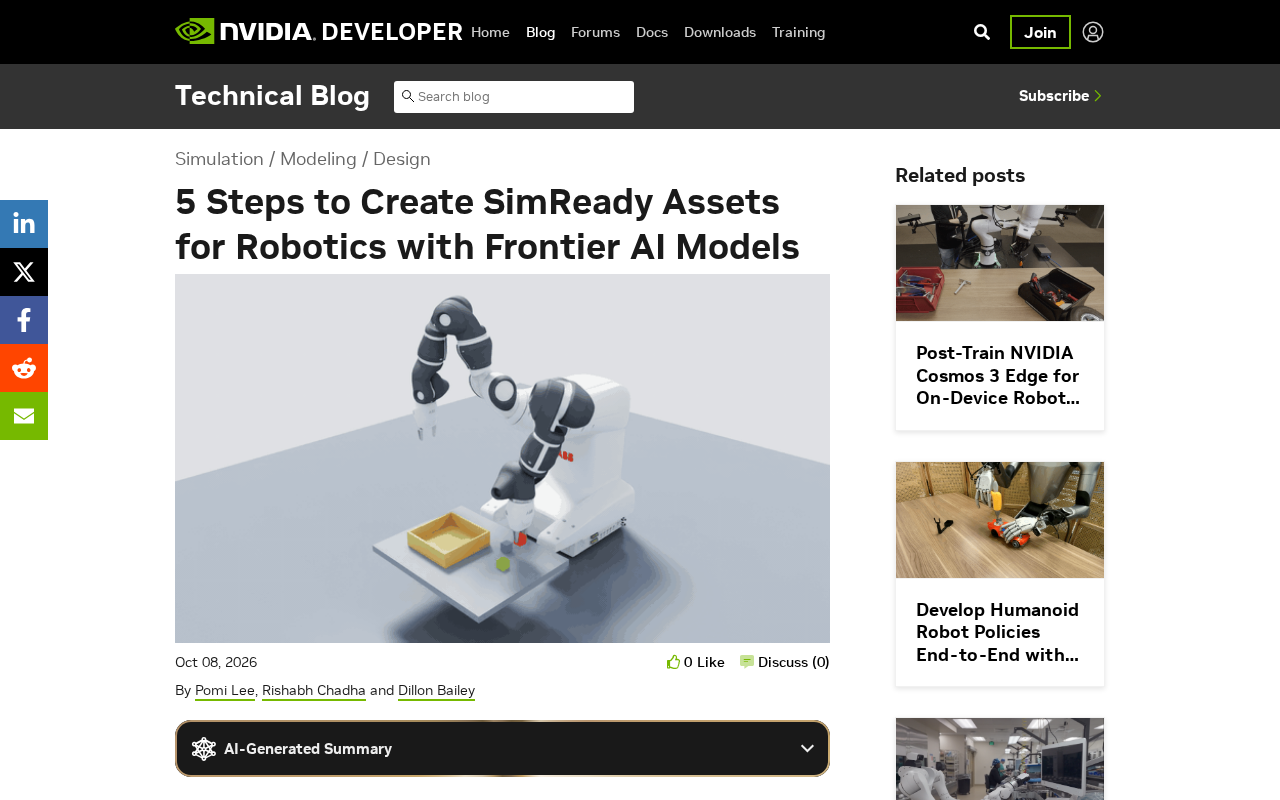
SimReady (Simulation Ready) refers to 3D assets that are fully configured and ready for use in physics-based simulation. They differ fundamentally from ordinary 3D models: while standard models focus solely on visual appearance, SimReady assets must carry accurate physical properties — including material parameters, collision geometry, mass distribution, and friction coefficients — to faithfully reproduce real-world object behavior in a simulation environment.
In robotics development, simulation is a critical component for training and validation. An asset lacking accurate physical properties can cause simulation results to diverge significantly from reality, ultimately degrading the performance of trained robot policies. The quality of SimReady assets therefore directly determines the success rate of Sim-to-Real transfer.
OpenUSD (Universal Scene Description) is an open 3D scene description format originally developed by Pixar Animation Studios and later championed by NVIDIA. Its core strengths lie in Layer Compositing and non-destructive workflows, allowing multiple teams to simultaneously edit different layers of the same scene. In robotics simulation, OpenUSD has become the preferred format for platforms like NVIDIA Isaac Sim, because it can describe not only geometry and materials, but also physical properties, joint constraints, sensor configurations, and other robot-specific metadata. The SimReady specification is built on top of this extensibility — by embedding property definitions compatible with physics engines such as PhysX directly into USD files, a single asset file can serve both rendering preview and physics simulation purposes.
Why CAD Conversion Is Just the Beginning
Many developers mistakenly believe that converting a CAD file to OpenUSD format completes the asset preparation work. In reality, this is only the first step. Raw CAD data typically contains only geometric information and lacks the extensive metadata required for simulation.
According to NVIDIA, a complete SimReady asset preparation workflow must address at least the following areas:
- Material configuration and validation: Assigning physically accurate material properties to model surfaces to ensure realistic rendering and physical interaction
- Collision geometry setup: Generating appropriate collision geometry that balances simulation accuracy with computational performance
- Physical property annotation: Defining parameters such as mass, inertia, and friction
- Structural validation: Ensuring the asset hierarchy meets simulation engine requirements
These tasks have traditionally required extensive manual effort — time-consuming and error-prone — which is precisely where Frontier AI Models add value.
How Frontier AI Models Accelerate Asset Creation
Frontier AI Models serve as automation assistants throughout this workflow. By understanding geometric structure and semantic information, AI can assist with material recognition, collision geometry generation, and parameter recommendation, dramatically reducing the burden of manual configuration.
Automated Material Recognition
AI models can infer material types — such as metal, plastic, or rubber — from an object's appearance and geometric features, then automatically match corresponding physical parameters. This eliminates the tedious process of manually configuring materials one by one.
Intelligent Collision Geometry Generation
Designing collision geometry requires balancing precision against performance. Overly detailed collision meshes slow down simulation, while overly coarse ones compromise interaction fidelity. AI models can generate appropriate collision geometry based on an object's intended use, helping developers quickly arrive at workable collision bodies.
Collision geometry in physics simulation exists independently from the visual mesh. It is typically represented using simplified convex hulls, combinations of primitive shapes, or approximate convex decompositions generated by algorithms such as V-HACD (Volumetric Hierarchical Approximate Convex Decomposition). For robot grasping scenarios, collision geometry quality is especially critical: if it deviates too far from the actual shape, grippers may exhibit clipping or fail to maintain stable grasps in simulation — errors that surface directly as policy failures during Sim-to-Real transfer. Algorithms like V-HACD decompose complex concave meshes into combinations of convex bodies, maintaining high shape fidelity while preserving the collision detection performance required for real-time simulation. The introduction of AI models takes this further by dynamically adjusting decomposition granularity based on an object's semantic category (e.g., industrial part vs. consumer product), rather than applying uniform parameters across the board.
Five-Step Workflow Overview
The core process for building SimReady assets can be distilled into five key steps:
- Geometry conversion: Convert CAD models to OpenUSD format, establishing a standardized asset foundation
- Material configuration: Use AI models to identify and assign accurate material properties
- Collision geometry generation: Create collision geometry tailored to simulation requirements
- Physical property annotation: Define physical parameters such as mass and friction
- Validation and export: Check asset integrity and export to a final format ready for simulation
This workflow systematizes what was previously a scattered, experience-dependent manual process, while AI tooling improves efficiency and consistency at every stage.
Implications for Robotics Development
With the rapid growth of embodied intelligence and robot learning, demand for simulation data is exploding. The scalable production of high-quality SimReady assets has become one of the key bottlenecks constraining simulation training efficiency. By automating the asset creation pipeline with Frontier AI Models, developers can build richer simulation scene libraries at significantly lower cost.
This not only accelerates the pace of individual projects, but also lays the groundwork for generating large-scale robot training data. For teams working on platforms such as NVIDIA Isaac Sim, mastering this SimReady asset construction methodology will become an increasingly important engineering capability.
Sim-to-Real transfer refers to the process of deploying a robot policy trained in simulation directly onto a physical robot. Because an inevitable gap exists between simulated and real-world environments — known as the Reality Gap — policies often experience performance degradation or outright failure. The main sources of this gap include visual appearance discrepancies (rendering fidelity), physical parameter errors (friction, elasticity, mass distribution), and inaccurate sensor noise models. High-quality SimReady assets directly address the physical parameter error component by providing more precise physical property configurations, making them one of the key tools for closing the Reality Gap. When combined with Domain Randomization techniques, accurate baseline physical parameters also provide well-grounded priors for setting randomization ranges, further improving policy robustness.
Summary
SimReady assets serve as the bridge between 3D models and physics-based simulation, and their quality directly impacts the reliability of robot simulation. By leveraging Frontier AI Models to automate material recognition, collision geometry generation, and physical parameter configuration, developers can significantly accelerate asset creation. The five-step workflow provides a clear practical path for this process, making it a technical direction well worth attention in robotics simulation development.
Related articles

Chain of Thought Isn't Just for AI: How Humans Can Use CoT to Improve Thinking Quality
Chain of Thought isn't just a prompt trick for large models. Starting from a Hacker News discussion, this article analyzes why CoT works for human thinking too, breaks down actionable ways to transfer it, and highlights the key differences between human CoT and machine CoT.
Cloudflare Teams Up with OpenAI: Closi…
Cloudflare Teams Up with OpenAI: Closing the Loop from Vulnerability Discovery to Defense with AI
Cloudflare uses OpenAI Daybreak to investigate security vulnerabilities and generate reviewable remediation plans, while developers use Codex to boost coding efficiency and quality.

Orca Multi-Agent Orchestration in Practice: A Guide to Parallel Collaboration with Claude and Codex
Orca is Stable AI's free open-source agent workbench supporting 34 agents like Claude Code and Codex in parallel. Learn its Git worktree isolation, multi-model orchestration, and mobile management.