8 AI Coding Tools Ranked and Tested: Which Ones Are Worth Paying For, and Which Are Overhyped?

Cursor and Claude Code top the S tier — picking the right tool for your context matters more than picking the most expensive one.
A YouTube creator ranked 8 mainstream AI coding tools in a tier list. Cursor and Claude Code lead the S tier with cloud Agent and workflow automation capabilities. GitHub Copilot is seriously underrated, earning A tier for its parallel Agent support. V0 shines for production-level frontend work; Bolt suits rapid prototyping but struggles with complexity; and Devin delivers real value for engineering teams but is overkill for personal projects. Two core takeaways: tool quality is always context-dependent, and human code review before shipping remains essential no matter the automation level.
AI coding tools are evolving at a breathtaking pace — but the real question is: are you paying for the wrong one? A YouTube creator put together a tier list ranking eight mainstream AI coding tools from S to D, calling out underrated dark horses and overpriced underperformers alike. This hands-on breakdown might just help you spend your money where it actually counts.
S Tier: All-Rounders and Automation Powerhouses
At the very top sit Cursor and Claude Code (referred to as "Cloud Code" in the original video, but clearly meaning Claude Code).
Cursor earns its S-tier placement thanks to its cloud-based Agent capabilities — it can build and test code, and even demonstrate results via video. The creator calls it the "all-rounder," and it's the first tool he'd recommend if budget isn't a constraint. For developers who want a one-stop solution from coding to validation, Cursor's overall experience is currently hard to beat.
Claude Code lands in S tier on the strength of three core capabilities: Skills, Hooks, and Sub-agents, which together allow it to automate entire workflows. The creator's verdict is clear: for serious engineering work, this is one of the strongest options available — provided you carefully review every change it makes. That caveat speaks to a risk shared by all AI coding tools: the more automation you unlock, the less you can afford to skip human review.
Those three Claude Code capabilities are worth unpacking. Skills are user-defined, reusable operation modules — think of them as encapsulating common tasks into callable functions. Hooks let you automatically trigger preset actions when specific events occur, such as running tests automatically before a commit. Sub-agents allow Claude Code to spin up multiple parallel task-execution units, each completing an independent sub-goal before aggregating results. This architecture enables Claude Code to handle complex engineering tasks spanning multiple files and steps, rather than just single-turn code generation. Precisely because the automation runs deep and reaches wide, human review becomes non-negotiable — a misconfigured Hook or a runaway Sub-agent can silently introduce bugs that are nearly impossible to track down.
A Tier: The Underrated Copilot and a Frontend Powerhouse
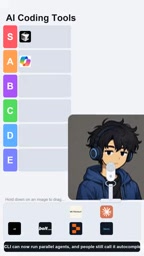
GitHub Copilot earns an A tier here — and the creator believes it's seriously underestimated. Many developers still think of it as an "autocomplete" tool, but its CLI can now run multiple Agents in parallel. The leap from "code completion" to "parallel agents" puts Copilot far ahead of what most people expect.
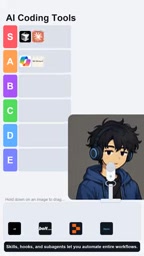
V0 also lands in A tier. It's no longer just about generating polished React UIs — it's pushing toward production-grade applications. The creator appreciates its speed advantage in frontend development, making V0 a compelling option for rapid frontend delivery.
Agent 4 (as referenced in the original video) likewise sits at A tier, supporting visual design with parallel multitasking and described as "a great tool for turning ideas into usable apps." That said, the creator adds a key caveat: he would never ship its generated draft without checking the code first.
As for Windsurf's Cascade, its placement feels a bit awkward — it was the feature that put Windsurf on the map, but it has since become part of Devin Desktop. The creator likes the idea of managing multiple Agents in one place, but the brand transition makes this ranking somewhat bittersweet.
The Agent 4 reference in the video is vague. Based on context, it likely refers to Lovable (formerly GPT Engineer) or a similarly Agent-centric emerging IDE plugin — or it may simply be the creator's informal label for a specific tool. As for Windsurf's Cascade: Windsurf was built by the Codeium team, and Cascade was its flagship "context-aware AI streaming edit" capability, once considered superior to Cursor of the same era in understanding large codebases. However, after Cognition AI acquired Windsurf and integrated its technology into Devin Desktop, Cascade's life as a standalone product effectively ended. This brand transition reflects the accelerating M&A consolidation across the AI coding tools market in 2024–2025 — a reminder that today's mainstream tool may tomorrow be under new ownership or no longer independently maintained.
B Tier and D Tier: Context Determines Value
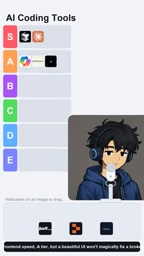
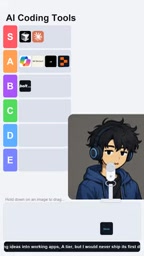
Bolt lands at B tier. Its "reusable skills" feature — which lets developers reuse their preferred workflows — is seen as significantly underrated. The creator uses it for quick prototyping, but is candid: complex projects can turn the "magic" into "prompt-driven chaos." In other words, Bolt is well-suited for lightweight, rapid validation — not for carrying heavy-duty engineering workloads.
The most polarizing tool in the ranking is Devin. Its code-scanning capability can research an entire codebase and convert improvement ideas directly into Pull Requests. The creator's verdict is telling: B tier for teams, D tier for personal hobby projects. For engineering teams it delivers real value, but if you're spending a weekend building a calculator app, this is a sledgehammer where a regular hammer will do.
Devin, released by Cognition AI in 2024, was positioned as "the first fully autonomous AI software engineer." It accepts natural-language requirements, autonomously plans and executes multi-step programming tasks — including running commands, debugging code, and submitting Pull Requests. Its core differentiator is an independent sandboxed execution environment, letting it operate in a terminal like a real engineer rather than just generating code snippets. This is exactly why it offers value to teams — it's closer to "an asynchronous virtual teammate" than "a real-time autocomplete assistant." The trade-off is significantly higher costs and longer task execution times, which is precisely why individual developers find it overkill for lightweight use cases.
What This Ranking Means for Developers
The greatest value of this tier list isn't who ranked first — it's the truth it surfaces that often gets overlooked: there's no universally "best" AI coding tool, only the one that matches your specific context.
Cursor and Claude Code are built for serious developers who want a comprehensive, automated experience. Copilot's capabilities have long since surpassed what most users expect. V0 and Bolt each shine at different stages — frontend development and rapid prototyping respectively. And heavy-hitters like Devin are powerful in the right hands but a budget drain in the wrong context.
Running through every review is one consistent bottom line: no matter how intelligent the tool, AI-generated code requires human review. Whether it's Claude Code's workflow automation, or the initial output from Agent 4 or V0, the creator repeatedly emphasizes: always inspect the code before shipping. That's the most pragmatic stance you can take in the current era of AI-assisted development.
Does your ranking look different? Which underrated tool do you think deserves to jump to S tier? It's worth revisiting this list against your own experience.
Related articles

How Big Can Stars Really Get? The Physical Limits of the Largest Stars
Red supergiants are the largest stars by volume, with radii up to 2,000 times the Sun, engulfing the inner solar system. But there is no precise upper limit on stellar size—models predict up to 15,000 solar radii. The most massive blue stars are far smaller than red supergiants—biggest and heaviest are two different things.

Apple HomeView Smart Display Full Feature Breakdown: Wall-Mount or Desktop, $299
Apple launches HomeView, a $299 smart display with wall-mount and desktop options, 12MP camera for facial recognition, smart home control, music playback, and recipe step-by-step cooking. Full breakdown of watch faces, apps, privacy, and cooking integration.

Where Did the Promised New Studio Go? Craft Computing Answers After Five Years
Craft Computing's host responds to viewer questions: the new studio promised five years ago was shelved as construction costs soared from $30,000 to $75,000, and was replaced by a 168-square-foot garage conversion.