8 MCP Servers Worth Installing: Unlocking New Capabilities for AI Agents

8 free open-source MCP servers covering anti-detection browsing, game modding, local video editing, and real SEO data access.
This article introduces 8 newly released free, open-source MCP servers — tools that give AI Agents standardized access to external capabilities. Each addresses a different real-world bottleneck: dots uses a modified Firefox for anti-detection browsing; Universal Modder extends Agents into PC game reverse engineering and mod creation; Concat is a local video editor with an MCP API for Agent-driven editing; Chat on Steroids adds local file and terminal access to ChatGPT with multi-Agent workflows and session compression; OpenSEO MCP Skills connects to real Google Search Console and GA4 data; Specialized Departments organizes 170+ skills into on-demand expert departments; and Unigitico offers a unified AI workbench with intelligent routing and provider failover.
MCP (Model Context Protocol) is rapidly becoming the universal interface connecting AI Agents to external capabilities. Whether it's helping an Agent browse the web freely, edit videos, or tap into real SEO data, the right MCP server can enable tasks that were previously out of reach.
This article rounds up 8 new MCP servers recommended in a YouTube episode — all free and open source, spanning browser automation, game modding, video editing, local development, SEO data integration, and more. Here's a breakdown of what each one solves.
Browser & Automation: dots
dots is an open-source browser designed for AI Agents, built to tackle a core problem: many websites actively block automated behavior, stopping Agents before they even start.
Its approach is to use a modified, real Firefox engine with all automation fingerprints stripped out. The browser generates a consistent user identity and simulates human behavior — like moving the pointer to a target before clicking — so every interaction appears credible. For Agents that need large-scale web scraping or automated browsing, this kind of anti-detection capability is essential.
MCP (Model Context Protocol) is an open standard proposed by Anthropic that defines how AI models communicate with external tools and data sources. Think of it as the "USB port" of the AI world — any tool that implements the MCP protocol can be called directly by any compatible Agent, with no custom integration code required for each pair. Before MCP, connecting to external capabilities (like a browser, database, or API) typically required bespoke development. MCP standardizes and makes this connectivity reusable. dots exposes its browser capabilities via this protocol, so an Agent calling dots through MCP is no different from calling a local function.
Game Modding: Universal Modder
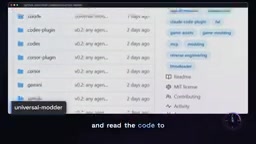
Universal Modder extends the capabilities of AI coding Agents into PC game modding. It provides a complete set of skills and tools, allowing Agents to create mods for almost any PC game through natural language requests.
The workflow covers reconnaissance (recon), reverse engineering, and in-game testing. The Agent starts by locating the game and understanding its engine, then reads the code to build a mod. It can generate APIs and, using the FAL MCP server, create assets like sprites and 3D models — then test the runnable mod it produces. This is a textbook example of closing the loop between reverse engineering, generation, and validation.
The FAL MCP server mentioned here is a companion tool. FAL is a cloud platform focused on generative AI model inference, offering image generation, video generation, 3D model generation, and more. Universal Modder calls FAL's MCP interface to dynamically generate sprites (2D texture assets used in games) and 3D assets during the modding process — no manual art creation needed. This complete pipeline — "reverse-engineer game structure → code-generate mod logic → AI-generate visual assets → automated testing" — is a great example of multiple MCP servers working together: a single Agent can orchestrate several specialized MCP tools to complete complex tasks.
Local Video Editing: Concat
Concat is positioned as a free, open-source alternative to CapCut. Its value proposition is straightforward: no account required, no watermarks, no uploading footage to the cloud — all processing runs locally on a native Rust engine.
Feature-wise, it covers everything from multi-track editing to AI-powered capabilities like automatic captions and background removal. More importantly, it exposes JSON RPC, gRPC, and MCP APIs for automation — meaning AI Agents can call it directly to edit video. For developers who prioritize privacy and want to incorporate video editing into automated pipelines, this is worth paying attention to.
Local Development: Chat on Steroids
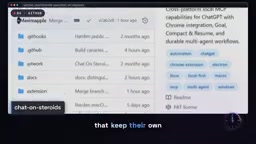
Chat on Steroids adds local MCP capabilities to ChatGPT, enabling the model to actually interact with your project: reading and editing files, running tests, and keeping a persistent terminal open — bridging the gap between the model and your local development environment.
It supports multi-Agent workflows, splitting tasks across multiple workers, each maintaining its own context between tasks. One standout feature is Compact and Resume — it lets you migrate an entire session along with its worker history into a brand-new conversation, avoiding the performance and context issues that come with bloated long sessions.
A multi-Agent workflow involves breaking a complex task into pieces handled by multiple specialized Agent instances running in parallel or in sequence, with a primary Agent coordinating and aggregating results. Compared to a single Agent handling every step, this architecture keeps each worker's context focused, avoiding attention dilution from long conversations; workers can run concurrently for better efficiency; and if a task fails, only that specific worker needs to be re-run rather than the entire pipeline. Chat on Steroids' Compact and Resume feature addresses another common problem: LLMs have finite context windows, and after extended sessions, accumulated history can degrade performance or get truncated. This feature works around that by compressing and migrating session state.
SEO & Data Integration: OpenSEO MCP
This category focuses on giving Agents access to real search data — without forcing users to subscribe to services or pay premium rates for third-party API calls.
OpenSEO MCP Skills
OpenSEO MCP Skills provides a set of SEO and Geo skills for cloud-based Agents. These skills run on a free SEO MCP server (Rise Connector) and pull data directly from your own accounts — rankings from your actual Google Search Console and traffic data straight from your GA4 property. The authenticity of the data source is what sets it apart from generic SEO tools.
OpenSEO MCP Specialized Departments
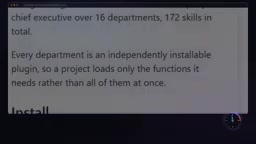
Specialized Departments organizes Agent capabilities like a "company," divided into professional departments. It arranges over 170 skills into a clear hierarchy, so each project only loads the functionality actually needed for the task.
Each department is a standalone installable plugin, with skills addressed by role (e.g., security, threat modeling). When you ask a question, the system automatically loads the relevant expert — or you can call a specific expert directly for a particular perspective. Agent sessions can also see each other, so one session can hand off a task to another for review. You can also throw a "side question" mid-task; it runs in a sub-session and returns an answer without interrupting the main conversation.
Loading all 170+ skills at once would create obvious performance and accuracy problems: the model would need to search through a massive tool list to find the right call, wasting tokens and increasing the risk of selecting the wrong tool. Specialized Departments' "load experts on demand" strategy is essentially a tool-routing mechanism — the system dynamically decides which "department" to activate based on user intent, keeping the rest invisible to the current session. This aligns with the software engineering principle of modular design: high cohesion, low coupling. The ability for Agent sessions to see each other and hand off tasks (similar to a code review process) bakes quality control directly into the workflow, rather than relying on users to manually verify results after the fact.
AI Workbench: Unigitico System
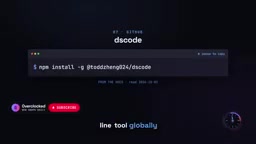
Unigitico System is positioned as an AI workbench for real work, integrating models, tools, and files into a coherent environment. The goal is to produce "usable results" — not just answers to prompts or outputs from rigid pipelines.
Rather than enforcing a fixed sequence of steps, it gives the model a stable set of tools and honest feedback. It features intelligent routing for model selection, a relatively low barrier to entry, and provider failover to preserve context and state when a service goes down.
Note: according to the README, the associated terminal coding Agent SCODE is built specifically for macOS — that's a prerequisite for using it.
Summary: Where to Start
These 8 MCP servers each address a different need: dots handles web access, Universal Modder targets game modding, Concat brings local video editing into Agent workflows, Chat on Steroids connects Agents to local development environments, the two OpenSEO projects tackle real data access and capability organization, and Unigitico provides a unified workbench.
The common thread is using a standardized protocol to turn "things Agents can't do" into "callable tools." For developers building AI Agents, the recommendation is to start with whichever bottleneck is most pressing — whether that's data access, browsing capability, or a local execution environment. All projects are free and open source, and each is worth trying for yourself.
Related articles

JobRunner MCP Server: AI Agents Can Now Fix Failed Java Jobs
JobRunner launches an open-source MCP server enabling AI agents to view cluster status, diagnose failures, and recover Java jobs—incident response from any cloud coding environment or existing agent.

MLAI Digital Launches 9 Security Agents: MCP Server Safeguards the Full Lifecycle of Agentic AI
MLAI Digital launches Security MCP Server with nine built-in specialized security agents covering vulnerability discovery, attack simulation, prompt injection detection, API and infrastructure assessment, and accelerated remediation—embedding security validation across the full Agentic AI lifecycle from development to production.

Running Isaac Lab on H100 GPUs: Exploring Better Approaches
Exploring optimization methods for running Isaac Lab on NVIDIA H100 GPUs, including MIG configuration, mixed precision, TensorRT acceleration, and community experience to improve robotics simulation and reinforcement learning efficiency.