9 No-Code AI Automation Tools Ranked: Zapier Tops the List, Open-Source N8n Close Behind

9 no-code AI automation tools ranked: Zapier leads, open-source solutions rise.
This article ranks 9 tools for building AI workflows without coding, sorted by ease of use, integrations, and AI features. Zapier takes the top spot with thousands of integrations and AI capabilities, making it the go-to for business automation (paid). N8n and Active Pieces represent open-source power with self-hosting and data control, ideal for data-sovereignty-focused teams. Gumloop and IFTTT have the lowest barriers, suited for beginners and lightweight scenarios. Microsoft Power Automate deeply integrates with Office 365 for Microsoft-ecosystem enterprises. The article notes that by 2026, open-source solutions can compete head-to-head with commercial platforms, and the key to selection is balancing ease of use, integration breadth, and data control needs.
No-code automation is becoming a key path for individuals and businesses to boost efficiency. A YouTube channel ranked 9 tools that let you build AI workflows without any programming, sorted by ease of use, integration capabilities, and AI features, covering everything from lightweight daily automation to enterprise-grade process orchestration.
Full Ranking: From IFTTT to Zapier
#9: IFTTT
Launched in 2010, IFTTT is one of the earliest consumer-grade automation platforms. It connects everyday services like Telegram through simple "if X then Y" logic, making it suitable for lightweight scenarios. While its features are relatively limited, it remains valuable as an entry-level tool.
#8: Microsoft Power Automate
As part of the Power Platform (released in 2016), Power Automate deeply integrates with Office 365, making it ideal for enterprises already using the Microsoft ecosystem to automate business processes.
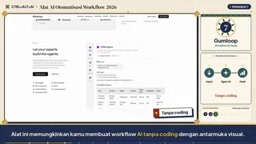
#7: Gumloop
Gumloop offers a visual interface that lets users build AI workflows without coding. It's especially friendly to beginners looking to try AI automation, and it provides a free tier.
#6: Relevance AI
Relevance AI focuses on automation for sales and marketing teams. Users can create AI agents to perform complex tasks, directly boosting team productivity.
#5: Lindi
Lindi is an AI assistant that automatically handles administrative tasks like scheduling and emails through natural language instructions, ideal for busy individual users.
#4: Pipe Dream
Pipe Dream is an event-based integration platform that supports both code and no-code workflow creation, achieving high flexibility through thousands of API connections.
#3: Active Pieces
Active Pieces is an open-source alternative to Zapier. Its drag-and-drop interface lets users build complex automations for free. It supports self-hosting, giving users full control over their data. With an active and growing community, it's ideal for developers who need unlimited customization.
Self-hosting refers to deploying software on servers or local environments that you control, rather than using a vendor's cloud service. For automation platforms, self-hosting means all workflow data, API keys, and execution logs remain within your own infrastructure and never pass through third-party servers. This brings three key benefits: first, data sovereignty and compliance, especially suited for regulated industries like finance and healthcare; second, controllable costs, with no per-task fees; third, deep customization, such as modifying source code or connecting to internal systems. The trade-off is that you need to maintain servers yourself, handle upgrades and security patches, which requires some DevOps capability. Open-source tools like N8n and Active Pieces use self-hosting as a core selling point, differentiating themselves from pure cloud SaaS like Zapier.
#2: N8n
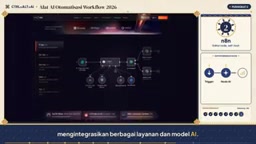
N8n is an open-source workflow automation platform founded in 2019. Its node-based visual editor supports a wide range of integrations. Its core advantage is self-hosting, offering privacy and full control, while also supporting JavaScript and Python for customization, appealing to both technical and non-technical teams.
#1: Zapier
Zapier has been the industry standard since 2011, with over 700 employees and thousands of integrations, and it continues to add AI capabilities.

Despite being a paid service, Zapier has few rivals in terms of feature richness and ease of use. Users can move data between apps without coding, making it the top recommendation for business automation.
Integration in the context of automation platforms refers to pre-built connectors that can communicate with external applications (such as Gmail, Slack, Notion). Each integration typically corresponds to the target app's official API, and the platform handles authentication (OAuth), request format conversion, error retries, and other low-level details. Users simply select trigger events and actions in the interface. The number of integrations is a key metric for measuring an automation platform's capabilities: Zapier has thousands of integrations covering the vast majority of mainstream SaaS; N8n and Active Pieces have fewer integrations but support connecting to any API through HTTP request nodes or custom code. When choosing a platform, beyond the total number of integrations, you should also confirm whether the specific apps you use are supported and whether the integrations support the trigger and action types you need.
Choosing the Right Tool: Open Ecosystem vs. Managed Services
The choice depends on actual needs. For out-of-the-box usability and extensive integrations, Zapier remains the top choice; for open source and data sovereignty, N8n or Active Pieces are more suitable; for simple daily tasks, IFTTT is sufficient.

One clear trend: open-source solutions in 2026 can now compete head-to-head with commercial platforms, and the data control that comes with self-hosting is becoming a core consideration for more and more teams.
Open-source ecosystems vs. managed services differ not only in price but also in long-term lock-in risk. Managed services (like Zapier, Microsoft Power Automate) have vendors handle maintenance, scaling, and security. Users pay by subscription or task volume. They're quick to get started with, but workflow logic and business data reside on the platform, making migration costly. Open-source solutions (like N8n, Active Pieces) allow you to view and modify source code, let the community contribute new integrations, and give users the freedom to migrate or build upon them, avoiding vendor lock-in. However, open source doesn't mean free—self-hosting requires server costs and DevOps manpower, and enterprise versions typically offer paid managed cloud services. When choosing, weigh three dimensions: data sensitivity, team technical capability, and budget model. If data is sensitive and you have a technical team, prioritize open-source self-hosting; if you want rapid deployment and have sufficient budget, managed services are more hassle-free.
Key Takeaways
- Zapier tops the list with thousands of integrations and AI capabilities, but it's paid
- N8n and Active Pieces represent the open-source movement, supporting self-hosting and data control
- Beginners can start with Gumloop or IFTTT, which have the lowest barriers to entry
- Enterprise users can prioritize Microsoft Power Automate for integration with their existing ecosystem
- The key to selection: balancing ease of use, integration range, and data sovereignty needs
Which automation tool are you using? Feel free to share your workflow solutions in the comments.
Related articles

JobRunner MCP Server: AI Agents Can Now Fix Failed Java Jobs
JobRunner launches an open-source MCP server enabling AI agents to view cluster status, diagnose failures, and recover Java jobs—incident response from any cloud coding environment or existing agent.

MLAI Digital Launches 9 Security Agents: MCP Server Safeguards the Full Lifecycle of Agentic AI
MLAI Digital launches Security MCP Server with nine built-in specialized security agents covering vulnerability discovery, attack simulation, prompt injection detection, API and infrastructure assessment, and accelerated remediation—embedding security validation across the full Agentic AI lifecycle from development to production.

Running Isaac Lab on H100 GPUs: Exploring Better Approaches
Exploring optimization methods for running Isaac Lab on NVIDIA H100 GPUs, including MIG configuration, mixed precision, TensorRT acceleration, and community experience to improve robotics simulation and reinforcement learning efficiency.