A Senior Developer's AI Full-Stack SaaS Workflow: From Planning to Deployment

A senior developer's AI full-stack SaaS workflow: plan first, give references, debug via screenshots, and use Agent Skills for accurate context.
The article presents a senior developer's complete workflow for building a full-stack SaaS app with AI. The core is having AI interview the developer via Plan Mode and generate plan.md as persistent context, rather than guessing features. The UI phase uses Pinterest references to "inspire" AI and fake data to get all pages working. The toolchain includes Neon for database, auth, and real-time sync, Stream for chat and video calls, ImageKit for image transforms, Sentry for error monitoring, and Cloudways for deployment. The article emphasizes that Agent Skills and LLM-friendly docs are shifting AI coding's bottleneck from model capability to context quality, and demonstrates screenshot-based debugging plus Sentry Seer's closed loop of detecting, diagnosing, and opening PRs. The transferable lessons are the principles of planning, references, verification, and automation.
Building a beautiful landing page with AI is no longer difficult, but turning it into a real application with authentication, payments, a database, real-time messaging, and video calls is another matter entirely. A senior developer walks through his complete AI full-stack SaaS workflow—not scattering requests for AI to generate features piecemeal, but planning first, then designing, then implementing, with a reusable method at every step.
Core Idea: Let AI Understand Before It Acts
The most common mistake beginners make is opening the editor and telling AI, "Build this app for me." The problem: you haven't thought through what you want yourself, so AI can only guess at every feature detail, and the result is often not what you wanted.
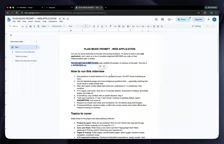
The right approach is to spend time planning first. This developer uses a "Plan Mode" prompt that turns the tables and has AI interview you—asking whether to use Stripe or something else for payments, whether to go with one-time payment or a subscription model, how much to charge monthly. AI will ask twenty or thirty such questions covering the user flow, page structure, tech stack, and all key decision points.
After all answers are in, AI generates a complete plan.md file containing architectural decisions, tech stack assumptions, and a feature list. This file then serves as ongoing context for AI. The author emphasizes that this planning prompt is generic and reusable for any project.
He summarizes the process as a loop: plan → UI design → build features one by one → manual self-check → have AI review the code → fix issues → commit progress → next feature.
Plan Mode is an interaction mode in AI coding tools (such as Cursor) designed to put the model into a "planning" state rather than directly outputting code. In this mode, AI pauses code generation and instead clarifies requirement boundaries through follow-up questions—including tech choices, business rules, page structure, etc. This contrasts with "direct generation" mode: the latter is fast but leaves all unspecified decisions to the model's implicit guessing, leading to rework. The plan.md produced by Plan Mode is essentially a traceable specification document that can be injected as part of the system prompt in every subsequent conversation, maintaining context consistency throughout the development cycle and preventing AI from producing contradictory implementations of the same feature across sessions.
UI Design: Reference Images Are Key
Asking AI to "design a nice-looking interface" directly often yields that unmistakable AI flavor. The author's solution is to provide visual references: search Pinterest for website design or fitness website design, find screenshots you like, put them in the project's design folder, and then ask AI to build the entire UI "inspired by this image."
If you need specific background images or assets, you can hand the reference screenshot to GPT or Gemini and ask for a version "without text and logos"; or connect Higgsfield's MCP to let AI generate images directly inside the editor. The author notes: use 1K quality instead of 4K to save a significant amount of credits.
At this stage, use fake data to get all pages and interactions working. The fitness coach platform built in the video includes a coach discovery page, course purchase page, booking page, coach dashboard, and more—all with hardcoded mock data. Commit immediately after the UI is done to trigger automatic deployment.
MCP (Model Context Protocol) is an open protocol that lets AI coding agents connect to external tools and data sources in a standardized way. In this article's context, Higgsfield's MCP server enables AI to call image generation capabilities directly inside the editor, without switching to an external website to generate and download manually. Similarly, Chrome MCP lets AI actually operate a browser—open pages, click elements, read the DOM—enabling closed-loop verification like "test it yourself until the UI works." The value of MCP is that it expands AI from "only able to write code" to "able to call tools and observe results," so both debugging and asset generation can happen within the same workflow, reducing manual busywork.
Toolchain: A Dedicated Service for Every Stage
The project's tech stack is clearly divided, and most tools offer a free starting tier:
- Neon: Expanded from a Postgres database into a full backend, providing authentication (powered by Better Auth under the hood), real-time features, and object storage. The video demonstrates real-time sync of booking slots—once one user books a time slot, another user's interface immediately disables that slot, no refresh needed.
- Stream: Handles real-time chat and one-on-one video calls, supporting emoji reactions, replies, threads, and typing indicators. Video calls include camera/mic controls, screen sharing, and recording.
- ImageKit: Handles image and video upload, optimization, and adaptive bitrate streaming. The same coach photo can be transformed in real time via URL parameters into a chat avatar, profile header, and list card—no need to upload multiple times.
- Sentry: Error monitoring and automated debugging.
- Cloudways Velocity: Deployment hosting; push code and it automatically redeploys.
The author specifically mentions Stream's "Agent Skills"—a set of Markdown-format skill packs that teach AI coding agents to use Stream's SDK correctly. After installation, AI can query the latest official documentation directly instead of relying on outdated training data. This solves a common pain point in AI coding: library APIs change fast, and the model's memory may already be stale.
Agent Skills and the New Paradigm of Tool Integration
The most valuable methodological detail in the video is that multiple service providers are starting to offer "skill packs" or "documentation-as-context" capabilities for AI agents. Every ImageKit documentation page has a "Copy for LLM" button that copies complete implementation guidance to paste to AI in one click; Stream lets AI access live documentation after installing its skill pack via CLI; Sentry provides an MCP server that gives AI agents direct access to production errors and debugging context.
This means the bottleneck in AI coding is shifting from "model capability" to "context quality." Feeding AI accurate, up-to-date, tool-specific documentation may be more effective than switching to a stronger model.
Agent Skills are typically distributed as Markdown files or lightweight packages containing correct usage of the service's SDK, common pitfalls, and the latest API examples. After installation, AI agents proactively read these documents as context when they need to call the service, rather than relying on old-version knowledge learned during training. This differs from the traditional "paste a documentation link to AI": skill packs are versionable, CLI-updatable first-class artifacts that providers can continuously revise. For developers, this means you no longer need to hand-write lengthy prompts to "teach" AI when integrating a new service—just install the corresponding skill pack; for providers, it's a channel to compete for AI's default tech choices under the new paradigm.
Debugging: A Screenshot Is a Fix
The author demonstrates a very pragmatic debugging habit: for any problem, just take a screenshot and send it to AI with "Here's the issue I'm hitting, please fix it." When real-time sync of booking slots first failed, he used a single screenshot to get AI to locate and fix it. Similarly, when the chat interface UI was broken, he sent a screenshot and asked AI to "test it yourself in the browser until the UI works"—AI used Chrome MCP to connect to a browser and actually verify, fixing it with one prompt.
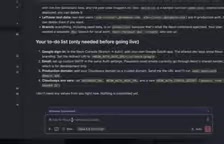
When encountering uncertain spots in dashboard configuration, his approach is equally direct: screenshot and ask AI, "What do I need to configure here?" AI provides a to-do list and even tells you which steps you can skip.
Sentry + Seer: From Reactive Firefighting to Automatic Fixes
Post-deployment error monitoring is the dividing line between a toy project and a real product. Sentry monitors the application, captures errors, provides stack traces and context, and can send alerts to email, Slack, or Discord. But what's more noteworthy is its AI debugging agent Seer.
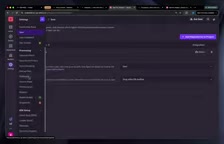
Seer works in three steps: detect (capture the error), diagnose (read the code on GitHub to locate the root cause), and fix (generate a patch and open a Pull Request). You just review and merge the PR. The author demonstrates the full flow—deliberately introduce a bug to trigger an error, Seer analyzes the cause and reproduction steps, generates a fix plan, and eventually submits a PR.
Even more aggressive is fully automatic mode: after configuring GitHub code mapping, when a given error triggers more than 10 times, Seer automatically runs the entire flow above, and you wake up to a PR already sitting in the repository.
Note that Seer reads code from GitHub, not your local machine—which also explains why the entire workflow insists on pushing code after each completed step.
Seer's prerequisite is "code mapping": you need to link a GitHub repository in Sentry so error events correspond to specific repositories, branches, and commits. Because Seer reads remote code on GitHub rather than local files, local unpushed changes are invisible to it—this is the technical reason the original text emphasizes "push after each completed step." Additionally, automatic fix mode has a trigger threshold (e.g., more than 10 errors) to filter out occasional fluctuations and avoid opening PRs for noise. Generated patches still require human review before merging, because the root cause AI locates may be just one symptom; before merging, confirm the fix doesn't mask a deeper design problem.
What You Can Take Away from This Workflow
At the end of the video, the author leaves Stripe payment integration as an exercise, reasoning that the process has already been demonstrated clearly: get the keys, hand them to AI, and screenshot any confusion.
What's truly transferable isn't this fitness platform, but a few principles: plan before you act, let AI interview you instead of you guessing at AI; give references, not instructions, one design screenshot beats ten phrases of "make it look good"; screenshots as feedback, replacing lengthy text descriptions with visual information; use each service's Agent Skills or LLM-friendly docs to give AI accurate context; commit in small steps so deployment and automatic fixes always have something to build on.
In an era where AI coding tools are increasingly commoditized, what determines output quality is often not the model, but this workflow built around planning, references, verification, and automation.
Related articles

Anthropic IPO Explained: Fuel for the AI Boom or the Spark for a Bubble?
Anthropic files for an IPO under ticker ANT. Breaking down the prospectus: 80% of revenue from usage-based pricing, $72B of an $80.7B net loss being non-cash charges, 900% net revenue retention, and how past IPOs like SpaceX performed on day one and over three years — answering the AI bubble question.

Will AI Kill the Research Paper? Mathematicians Offer a New Answer
Mathematicians on the Lex Fridman podcast discuss whether AI will kill research papers—from journal review pressure to Lean formal verification, GitHub open source fatigue to Mathlib's crowdsourcing model, exploring the evolution of academic contributions and the future of mathematical knowledge verification.

Enterprise LLM Development: From RAG to Multi-Agent in Practice
A course breakdown of enterprise LLM application development: from prompt engineering and RAG to multi-agent engineering practice and FDE project delivery, helping developers understand why Agent technology is a key focus for enterprise deployment and learn systematically to avoid detours.