Agentic AI Project Comparison: The 5 Best Agent Projects to Build in 2026

Choose agent projects that are narrow, evaluable, and explainable over the flashiest ones.
Based on cross-validation from multiple sources, the article honestly ranks five agent projects: the support-desk copilot is best as a first real project and interview showcase; the deep research agent suits portfolios best; the Claude Agent SDK multi-agent pipeline fits developer-facing tools; computer-use automation should come last; and beginners should start with Microsoft's course. The core point is that impressiveness and practical value diverge sharply in the agent space, and projects you can explain clearly in interviews are usually narrow in scope. It also stresses scoring constraints programmatically and logging latency and cost, since model latency can differ roughly threefold at equal quality — invisible in demos, yet decisive for production infrastructure bills and hiring signals.
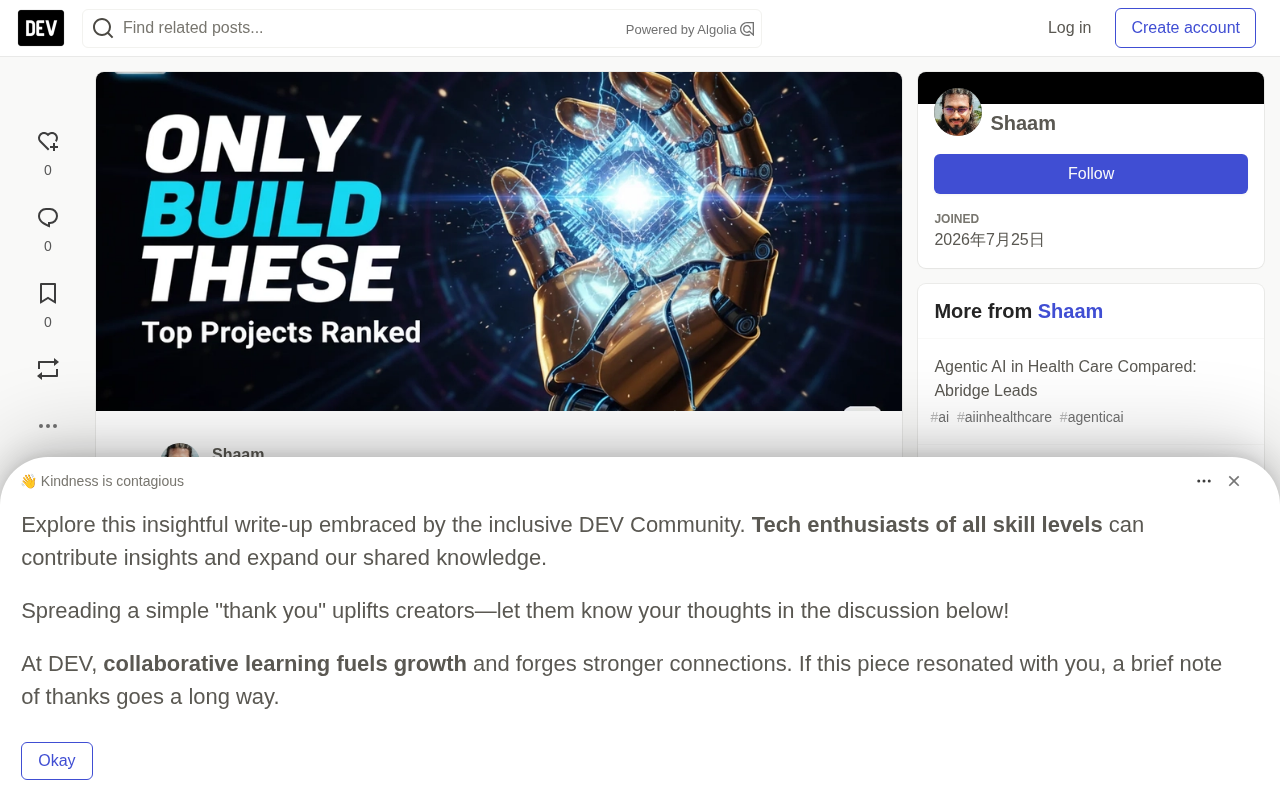
Agentic AI projects are becoming the new battleground for developer resumes and product launches. But there's an awkward reality: the projects best suited for showcasing are often not the ones best suited for production. Drawing on cross-validation from multiple sources, this article offers an honest ranking of the five agent projects most worth investing in right now.
Side-by-Side Comparison of the Five Projects
Let's start with the big picture. The table below lists each project's framework, build cost, runtime environment, and ideal use case:
| Project | Framework | Build Cost | Runtime | Best For |
|---|---|---|---|---|
| Support-desk copilot | OpenAI Agents SDK | Low–Medium | Any Python host | First real project, interview showcase |
| Deep research agent | LangChain open_deep_research | Medium | LangGraph server | Portfolio, in-depth demos |
| Multi-agent dev/content pipeline | Claude Agent SDK | Medium–High | Local CLI or service | Developer-facing tools |
| Computer-use automation | Hybrid/vendor-specific | High | Sandboxed VM or container | Research, not production |
| Guided learning project | Microsoft AI Agents for Beginners | Low | Local Python + Foundry | Absolute beginners |
Notice this table deliberately omits a "most impressive" column. Impressiveness and practical value diverge sharply in the agent space — the projects you can actually explain clearly in an interview are usually those narrow enough that you can walk through them end to end.
Why Is the Support-Desk Copilot the Best First Project?
Because it forces you to handle the four key differences between an "agent" and a "chatbot" — no more, no less. The OpenAI Agents SDK organizes exactly these four things as its core primitives: agents, handoffs, guardrails, and sessions, with the runtime managing turns, tool execution, and state.
A workable scope: index your own product docs, then give the agent two or three actions — look up a ticket, post an internal note, escalate. Add an input guardrail that rejects anything outside the support scope, since guardrails in the SDK are precisely for validating agent inputs and outputs. Then add a handoff to a "billing" agent.
Here's an easily overlooked detail: every Agent accepts a handoffs parameter, and input filters like handoff_filters.remove_all_tools strip tool state when control transfers. This is the key mechanism that prevents the billing agent from inheriting permissions it shouldn't have. According to OpenAI's official docs and handoffs documentation, these primitives are first-class citizens of the SDK's design, not afterthoughts.
If Python itself — not agents — is your weak spot, shore up async and type patterns first, because these SDKs assume you're already comfortable with them.
Handoff is a core mechanism in multi-agent systems: when the current agent determines a request is beyond its capabilities, it transfers control along with necessary context to a more suitable agent. In the OpenAI Agents SDK, a handoff isn't a simple function call but a runtime primitive — it reorganizes conversation history, rebinds the toolset, and decides which state should persist. Filters like handoff_filters.remove_all_tools matter because without stripping tools, the receiving agent inherits all of the sender's permissions, creating privilege creep. In a real system, this means an agent responsible only for ticket lookups could accidentally gain the ability to post notes or even escalate. Security boundaries must be declared explicitly, not relied upon by default.
Guardrails are the input/output validation layer, typically running as a separate agent or function that performs pre- or post-checks on each request. What distinguishes them from traditional input validation is that they judge semantic-level "out of bounds" cases — for example, a customer asking for legal advice, attempting prompt injection, or requesting an action unrelated to support. A well-designed guardrail should be independent of the main agent's logic, so that even if the main agent is bypassed, the guardrail still intercepts.
Deep Research Agent: Best Portfolio Project
It demonstrates planning, parallelism, and synthesis all in one artifact — and it's already open source, so you're extending rather than inventing from scratch. LangChain describes open_deep_research as a configurable, fully open-source deep research agent compatible with multiple model providers, search tools, and MCP servers, with performance comparable to well-known deep research products.
Two details make it especially good for learning. First, it ships with two architectures — a plan-and-execute workflow and a supervisor-researcher multi-agent setup — so you can compare orchestration styles on the same task. Second, it runs on the LangGraph server via langgraph dev, with LangGraph Studio for inspection, letting you observe state transitions instead of guessing. The default search is Tavily, models are wired in via init_chat_model(), and switching providers is configuration, not rewriting.
Let's be honest about the limitations too: research agents are expensive to run and hard to evaluate. You'll need to budget for token spend and define what "good output" means up front.
Plan-and-execute vs. supervisor-researcher are two fundamentally different orchestration paradigms. Plan-and-execute has a planner generate a fixed list of steps, then executes them one by one — the advantage is clear structure and easy debugging and reproducibility; the drawback is a lack of dynamic adjustment when intermediate results diverge from expectations. Supervisor-researcher introduces a supervisor role that dynamically decides which researcher to invoke next and whether more searching is needed — flexible but with a larger state space that's harder to evaluate. open_deep_research offering both means you can directly compare them on quality, latency, and token consumption for the same task, which is remarkably rare when learning multi-agent orchestration.
MCP (Model Context Protocol) is an open protocol proposed by Anthropic to let models call external tools and data sources in a standardized way. Think of it as providing a unified "USB-C port" for the agent ecosystem: search, databases, and file systems all expose capabilities through MCP servers, so agents don't need custom integrations for each tool. This is also why swapping search tools or model providers is just a configuration matter — MCP and init_chat_model() isolate changes at the config layer.
Claude Agent SDK Multi-Agent Pipeline: When to Choose It?
When the work genuinely splits into isolated subtasks and the audience is technical. The Claude Agent SDK lets you define subagents programmatically via the agents parameter — each AgentDefinition carries its own description, prompt, tools, model, and turn limit — or as markdown files under .claude/agents/. The official docs list the reasons to use them: context isolation, parallel analysis, and applying specialized instructions.
One constraint shapes your architecture: subagents cannot spawn their own subagents, so plan for flat fan-out rather than tree structures.
Hooks are another reason to choose this path. PreToolUse and PostToolUse hooks, paired with matchers like Write|Edit, can block, modify, or log tool calls — the cheapest audit trail you'll find. External tools connect via MCP with explicit permissions.
How Do You Tell a Demo from a Real Project?
Measure what demos hide. According to a benchmark running headless via Antigravity on the same seven-constraint article-planning task (three trials each, n=6, measured 2026-09-27), Gemini 3.8 Flash (High) and Claude Opus 4.6 (Thinking) both scored 17/17 on machine-verified constraint compliance — but median wall-clock time was 23 seconds for Gemini versus 67 seconds for Opus.
Same quality, roughly triple the latency. In a demo you'd never notice. But in a support queue handling thousands of tickets a day, it determines your infrastructure bill and your p95. The transferable lesson: score constraints programmatically, not by eye, and log latency and cost per run from day one. It's also the hiring signal — job descriptions increasingly demand orchestration, evaluation harnesses, and production incident experience rather than prompt writing.
p95 latency refers to the value at the 95th percentile when all request response times are sorted from fastest to slowest. It reflects real user experience better than the average: if the mean latency is 2 seconds but p95 is 30 seconds, it means one in every 20 users hits extreme lag. In customer support, p95 directly determines queue length and abandonment rate. The 23 seconds vs. 67 seconds mentioned in the article is median wall-clock time; the median describes the "typical case," while production systems truly care about the tail — because tail latency amplifies into infrastructure costs and SLA violations.
An evaluation harness is a repeatable test set, usually comprising a fixed set of tasks, programmatic scoring rules, and result logging. Its value is turning "looks good" into "passed 187 out of 200 cases, regressed 3." For agents, scoring often needs layers: final-answer correctness, intermediate-step compliance, whether tool calls overstep, whether guardrails triggered. Employers value harness experience because it proves you can bring uncontrollable model behavior under engineering management rather than relying on manual spot checks.
Why Should Computer-Use Automation Come Last?
Because it's the only project on this list whose failure mode is both silent and persistent. Screen-driven agents depend on pixel layouts, popups, and timing — things that change without warning. Learning it does have value: Microsoft's course dedicates a lesson to computer-use agents. But it should come after you have working evaluation and rollback mechanisms, not before.
Where Should Beginners Start?
The lab course. Microsoft's AI Agents for Beginners offers 18 lessons covering agent fundamentals, design patterns like tool use and planning, agentic RAG, trustworthy agents, MCP and A2A protocols, memory, computer-use agents, and security, under the MIT license. As of 2026-09-27, the repo page showed roughly 74,000 stars and 24,000 forks — mostly a sign that issues and discussions are active enough to help you get unstuck.
Each lesson pairs a written README with Python examples, using the Microsoft Agent Framework and Microsoft Foundry Agent Service V2. Once you finish the course, immediately rebuild one of them as your own scoped project.
Frequently Asked Questions
Q: What's the easiest agent project to start with? A: A support-desk copilot that does retrieval over your docs plus two or three tool actions. Small enough to finish, real enough to demo.
Q: Does my first project need a multi-agent setup? A: No. Start with one agent and one handoff. Multi-agent architectures introduce coordination failures that are hard to debug before you have evaluation mechanisms.
Q: Which framework should I learn in 2026? A: For fastest results, OpenAI Agents SDK; for inspectable state and complex control flow, LangGraph; when subagents and tool-call hooks matter, Claude Agent SDK.
Q: Is a project idea enough to land a job? A: Only with evidence. Submit your evaluation harness, latency, and cost numbers alongside the code. Teams hire for orchestration and production experience, not demos.
Q: How much does it cost to run? A: It varies by model, tool calls, and run length. The research agent is the most expensive of the five because it fans out to many searches. Meter token usage per run before scaling.
Q: Can I build entirely with open-source tools? A: Largely yes. LangChain's open_deep_research is fully open source and Microsoft's course is MIT-licensed — but both still call hosted models and search APIs unless you swap in local alternatives.
This article synthesizes official documentation from OpenAI, LangChain, Anthropic, and Microsoft, plus independent benchmark data. Last verified: 2026-09-27.
Related articles

Felix Rieseberg Personal Homepage
Felix Rieseberg's personal homepage sparks attention on Hacker News. This article covers the Slack engineer's technical background, the rise and fall of nativefier, and the value of a developer homepage as a tech calling card.

@ai-sdk/vue 3.0.306 Patch Release Syncs with [email protected] Update
@ai-sdk/vue 3.0.306 released, synced with [email protected]. A routine patch release for the Vercel AI SDK ecosystem with no public API changes; the Vue adapter layer stays version-aligned with the core package.

Gemini 4 Argon API Launches: The Era of Million-Token Output Begins
Google launches Gemini 4 Argon with sparse MoE architecture, up to 1M output tokens, and a 68.90% Vals Index score, available across API, AI Studio, and the Gemini app.