AI Agent in Action: Automatically Detecting SharePoint Oversharing and Removing Links

An AI Agent audits SharePoint permissions via natural language, detecting and fixing oversharing without scripts or consoles.
A YouTube creator's hands-on demo shows an AI Agent configured with SharePoint tenant read (and limited write) permissions automatically detecting that non-member Dan had access to a file marked "do not share" — a classic oversharing case. Using a report-first, act-second approach, the Agent only removed the sharing link after user confirmation. The entire workflow required no PowerShell scripts or admin console access, and even a lightweight model proved sufficient. The article also cautions that granting Agents tenant permissions is a double-edged sword, making least-privilege access, auditable operations, and human confirmation of key changes essential production safeguards.
A Real-World Permission Governance Scenario
In enterprise collaboration environments, SharePoint permission management has long been a headache for administrators. Oversharing — where a user shares a file link intended for internal site members with an external party — is a common information security risk. Traditional approaches rely on navigating the cumbersome SharePoint admin console, writing PowerShell scripts, or using reports from SharePoint Advanced Management.
As the YouTube creator in this video put it: "I personally hate checking anything through the SharePoint console. Yes, you can run PowerShell scripts, and SharePoint Advanced Management now has decent reports — but I'm not good at those things. I just want to know the answer." That's exactly where an AI Agent comes in.
Test Setup
The creator prepared an important SharePoint site containing a playlist file. The prompt given to the Agent was straightforward: this is a critical site, and the key requirement is that no one outside the site members should be able to create external sharing links. He then deliberately switched to a lighter-weight model (described in the video as something like a "5-6" series model) to observe how the Agent performed under that configuration.
SharePoint Advanced Management (SAM) is Microsoft's enterprise-grade SharePoint management add-on, requiring a separate subscription. It provides Data Access Governance (DAG) reports, content lifecycle management, restricted access controls, and more. Its "oversharing" audit reports can identify which files have been shared with users outside the organization or with unintended recipients. Despite its capabilities, SAM still requires administrators to be familiar with the Microsoft 365 admin center interface — a meaningful barrier for non-technical admins. Oversharing in enterprise environments typically takes forms such as: using "Anyone with the link" sharing, sharing files with specific external users who are not site members, and accidentally elevating access levels for an entire site. In 2024, Microsoft identified addressing oversharing as one of the key compliance prerequisites before rolling out Copilot for Microsoft 365, since the AI assistant indexes and retrieves content based on user permissions — meaning permission leaks directly amplify the risk of information exposure.
How the Agent Discovered the Risk
After receiving the task, the Agent confirmed the commands available to it, then began reading tenant data. The scenario itself is quite typical: you want to check whether someone has violated the permission configuration.
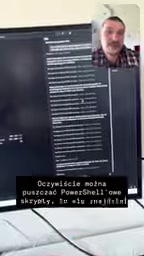
The result surprised the creator — the Agent quickly surfaced a clear risk signal. It identified a user named Dan as having access to a file within the site: the very document labeled "Playlist – do not share." In other words, someone had shared this playlist with Dan, who is not a member of the site.

This is a textbook case of oversharing. The creator highlighted the core value: "I don't know scripts, I don't know PowerShell. But some kind gentleman — say, myself — set up an Agent connected to the tenant with read-only permissions, and all I have to do is ask, and it tells me these things." For administrators unfamiliar with command-line tools, this natural language query capability dramatically lowers the bar for permission auditing.
From Discovery to Automated Remediation
Notably, in the first step the Agent only "read" the data and provided a clear risk summary: Dan has access, and the file has been shared with him. It did not take it upon itself to delete anything — reflecting a relatively conservative operational boundary: report first, don't act unilaterally.
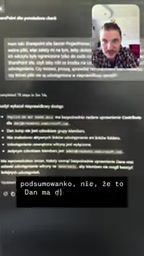
The creator then issued a follow-up instruction: "Go ahead and remove that link so he can't access it." After the Agent executed the action, it reported back: access had been removed for that user, Dan can no longer use the file, the file is now set to read-only, and it retains only the standard group permissions with no additional sharing links.
The creator was satisfied with the result: "This is a neat solution to the oversharing problem. Honestly, I'm surprised it works this well." From discovery to remediation, the entire workflow was completed through conversation — without touching any console or script.
What This Kind of Agent Deployment Means — and Its Limits
This demonstration points to a practical use case for AI Agents in enterprise IT operations: permission and compliance auditing. Its value isn't in replacing specialized security tools, but in transforming tasks that previously required expert skills into conversational interactions that any administrator can handle.
From a technical perspective, this relies on a few key prerequisites: the Agent is granted read access to the tenant, has a callable set of action commands, and can accurately interpret natural language intent. The creator's deliberate choice to test with a lighter-weight model suggests that this type of task doesn't demand top-tier model capability — well-designed tool orchestration may matter more than raw model size.
That said, the risks deserve clear-eyed consideration. Granting an Agent read or write access to an enterprise tenant is a double-edged sword: misconfiguration can introduce new attack surfaces, and Agent misjudgments or over-execution could disrupt legitimate collaboration. The "report first, act second" pattern demonstrated in the video is a sensible design choice for reducing exactly these risks. For teams planning to deploy similar solutions in production, least-privilege access, auditable operations, and human confirmation of critical changes remain non-negotiable guardrails.
Note: This article is based on a single source — a YouTube creator's hands-on demo. The results shown reflect a specific environment and should not be taken as universally applicable conclusions.
AI Agent Tool Orchestration refers to an Agent completing tasks by calling a set of predefined external tools or APIs, rather than relying solely on the language model's internal knowledge. In this scenario, the Agent doesn't inherently "know" the permission state of SharePoint — it reads and writes tenant data in real time through authorized Microsoft Graph API calls. This architecture means the model's core job is: understanding natural language intent, deciding which tool to invoke, parsing the tool's response, and organizing it into a human-readable answer. This also explains why a lightweight model is sufficient — the complexity of a permission audit task falls primarily on the logical orchestration of tool calls, not on deep reasoning by a large model. The Principle of Least Privilege is especially important in deploying this kind of Agent: it's recommended to create a dedicated service account for the Agent, granting only the necessary read permissions in the Graph API (e.g., Sites.Read.All). Write operations (such as removing sharing links) should require separate approval with operation logs recorded, avoiding the granting of overly broad permissions upfront that could lead to Agent errors or abuse.
Related articles

Why Does the Tesla Roadster Need to Fly? A Deep Dive into Musk's Wild Demo
Tesla's Roadster launch showed wall-climbing, upside-down driving, and flying stunts—but The Vergecast notes the demo car may lack a battery, the Rocket version is invite-only and not street-legal, and the website terms don't guarantee delivery. After nine years of delays, why does this car still need to exist?

AI Is Not a Replacement: Human-AI Collaboration Through the Lens of Factory Root Cause Analysis
Starting from factory root cause analysis, this article explains how AI accelerates evidence chain construction rather than replacing human experts, exploring the pragmatic implementation logic and business value of 'AI supporting people rather than replacing them.'

AI Agent Decision Auditing: Building an Evidence Chain in Regulated Workflows
Starting from a Reddit discussion, this article analyzes three core issues in AI agent decision auditing within regulated workflows: what fields audit records should contain, how to handle feedback latency for erroneous decisions, and how to continuously calibrate LLM judge consistency with human judgment.