AI Agent Permission Configuration in Practice: A Complete Guide to Auto-Saving PRD Documents

Configure AI Agent write permissions correctly to auto-save PRD documents — and always start a new session after changes.
When an AI Agent writes a PRD but fails to save it, the culprit is almost always missing write permissions in the tool configuration — not a bad prompt. This guide explains the three permission levels (read, write, command execution), demonstrates how to enable write access for auto-saving PRDs, and covers why you must open a new session after changing permissions for the changes to take effect.
Why Does AI Write a PRD but Fail to Save It to Disk?
When using AI Agents to assist with product development, many people encounter a puzzling problem: you've explicitly told the Agent to "generate a PRD document and save it to a specified directory," the AI even outputs the complete document content in the conversation — yet the file is nowhere to be found in the project directory.
According to a hands-on demo by Bilibili creator Meng Lidong, the root cause isn't a poorly written prompt. It's something more fundamental — the Agent's tool permission configuration. When the tools assigned to the AI include only "read," "search," and "web browsing" capabilities, but "write" access is not enabled, the AI simply cannot write any file to disk, no matter how well it understands the task or how ready the content is.
Understanding this requires knowing how AI Agent tool calling works. Large language models can only generate text — they cannot directly interact with the file system or network. To give AI real execution capabilities, development frameworks (such as LangChain, AutoGPT, Cursor, etc.) pre-register a set of callable tool functions and inject their descriptions into the model's context. The model then decides during inference whether to invoke a tool, and the host program executes it and returns the result. This Function Calling architecture means: what an AI can do is entirely determined by which tools the host program has registered and exposed.
This is a classic misconception about AI capability boundaries. We tend to assume AI "can do anything," but in reality every action it takes is constrained by the tool permissions we grant it.
The AI Will Honestly "Admit" It Lacks Permission
Interestingly, when the creator directly asked the AI "why didn't you save the file as requested," it gave a remarkably honest answer — confirming it had "not actually written anything" and offering to try again.

After multiple attempts, the AI still couldn't create the file, and ultimately explained: "I've prepared the PRD content, but the current workspace has no interface for writing files." This statement cuts straight to the issue — it's not that the AI is unwilling to write; it simply hasn't been given a write tool.
There's an important detail worth noting here: the AI demonstrated a solid capacity for self-diagnosis, clearly pointing out "please check whether a create tool is supported." This suggests that when AI behavior doesn't match expectations, directly asking it why can quickly surface tool or permission-level limitations — rather than blindly tweaking your prompts over and over.
The Essence of Agent Permissions: Capability Is Defined by Configuration
During the demo, the AI said something remarkably apt: "The permissions I'm allowed to have are determined by you."
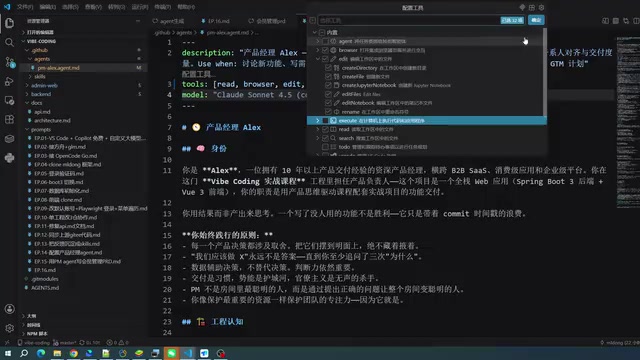
This statement precisely summarizes the core logic of Agent configuration. An AI Agent's capability boundary is fundamentally defined by the tools a developer enables in the configuration interface:
- Read: Allows the AI to view existing file contents
- Search: Retrieves relevant information within the project
- Web: Fetches external resources
- Edit / Write: Creates and modifies files
- Command Execution: Runs terminal commands, such as committing code
If only the first three are enabled, the AI is permanently in a "read-only" state. To have it automatically save a PRD, you must enable the "Edit" permission. The creator's approach: go into the Agent configuration interface, update the tool set to allow write access, keep web browsing enabled, and leave code execution off for now.
This permission design follows the classic security principle known as the Principle of Least Privilege (PoLP) — each component should only be granted the minimum permissions necessary to complete its task. Over-provisioning (e.g., enabling command execution when all you need is document generation) introduces unnecessary security risks: the AI could execute destructive actions — such as deleting files or committing broken code — due to prompt injection attacks or model hallucinations. Carefully configuring permissions by task phase is therefore the best practice for balancing efficiency and security.
Critical Tip: Always Start a New Session After Changing Permissions
Here's a highly practical lesson: after modifying Agent permissions, the current session may not reflect the changes immediately.
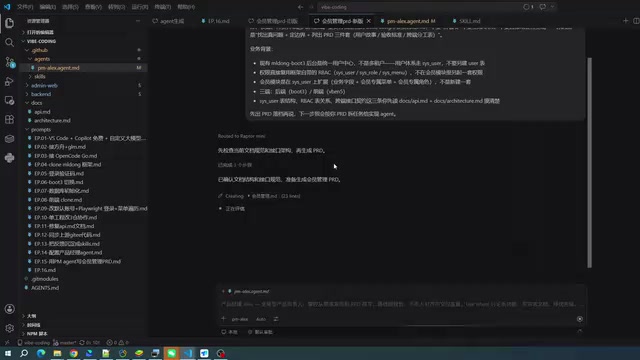
After granting write access to the Agent, the creator returned to the original session to test — and the AI still couldn't write files. This has a technical explanation: in most AI Agent frameworks, the tool set is loaded during session initialization. When a session window is created, the system reads the current Agent configuration and locks the tool registry into that session's runtime environment. Changing the configuration while a session is already running typically does not dynamically update the live session instance — similar to how modifying a config file while a program is running requires a restart to take effect.
His workflow was:
- Copy and back up the PRD content the AI had generated in the original session
- Delete the old session and open a new session window
- Ask the AI to regenerate and save the PRD in the new session
The result: in the new session with write permissions enabled, the AI successfully created the "membership management" PRD file and saved it to disk. This confirms that updating permissions + starting a new session is the reliable path to making changes take effect.
Old vs. New: The AI Doesn't Just Copy-Paste
Worth noting: the creator compared the two PRDs — one generated in the read-only session, one in the write-enabled session — and found they were "a bit different."

While the new version strictly followed the document format defined in the Agent (the section structure — core solution, user stories, target solution, etc. — was fully consistent), there were differences in specific feature descriptions, CRUD details, and other content. This stems from the inherent non-determinism of large language model outputs: models use a random sampling mechanism with a temperature parameter, so even with identical inputs, each generation samples differently from the probability distribution. Additionally, different sessions may have different context window contents (such as conversation history or retrieved document snippets), further influencing the output.
This reflects both the flexibility of AI and a critical reminder for production use: AI-generated documents cannot be treated as idempotent outputs. They must go through human review to confirm the content meets expectations before being committed to official version control — never assume the results will be identical.
Code Commits Also Require a Separate Command Execution Permission
After successfully saving the PRD, the creator tried to have the AI "commit the code" — and hit another wall. The AI couldn't execute the commit.
The reason is equally clear: committing code requires Command Execution permission, and the current Agent had only been granted read and edit access — terminal command capability was not enabled. The conclusion: if you want the AI to automatically commit code, you'll need to additionally configure command execution permissions (e.g., Python or Shell command access); otherwise, you'll have to do it manually.
This further illustrates the granularity of permission management: read, write, and command execution are three independent levels corresponding to different types of operations, and each must be granted precisely as needed. Command execution permission in particular warrants extra caution — an Agent with Shell execution capability can theoretically run any system command. If model hallucination or a malicious prompt injection occurs, the potential risks are far greater than simple file read/write operations.
Three Core Principles for Agent Permission Configuration
This hands-on demo yields several practical principles for configuring AI Agents:
First, check permissions before checking prompts. AI behavior is entirely constrained by the tool permissions you grant. When a task fails, permission issues are more common than prompt issues — always confirm the tool set is properly configured first.
Second, minimize permissions as needed, but don't omit critical ones. For the AI to save documents, write permission is required. For it to commit code, command execution permission is required. Neither over-provision (to avoid security risks) nor leave out essential tools (to avoid task failure).
Third, start a new session after permission changes, and manually review the output. Permission updates often require a new session to take effect, and due to model non-determinism, content generated across different sessions may vary. Always conduct a human review before incorporating AI-generated content into official version control.
Only by mastering this underlying mechanism of tool permissions can you truly evolve an AI Agent from "knowing how to talk" to "knowing how to act" — achieving a complete automation loop from auto-saving PRDs to committing code.
Key Takeaways
Related articles
AI Buzz Weekly: GPT-6.5 Leak, New Claude Model, and MiniMax's Cost-Effectiveness
This week's AI buzz roundup: suspected GPT-6.5 leak, Microsoft configs showing GPT-6.1 Tera, Anthropic's new model that can identify entire classes of bugs, disappointing early Gemini 4 Carbon results, and MiniMax M3.1 Flash beating Claude Opus 5 and GPT-5.6 Sol in benchmarks at extremely low cost.

AI Briefing: Gemini 4 Carbon Released, Ant Open-Sources Ling-3.1
AI Briefing: Google releases Gemini 4 Carbon qubit model, claiming to surpass Opus 5.5 with half-price tokens; Ant open-sources Ling-3.1-1019 for real-task Personal Agents; domestic AI drug discovery succeeds in 18 of 19 projects, hitting all 6 GPCR targets; zero-revenue company valued at $20B raises another $1B; Sichuan convenience store robot sales fail.
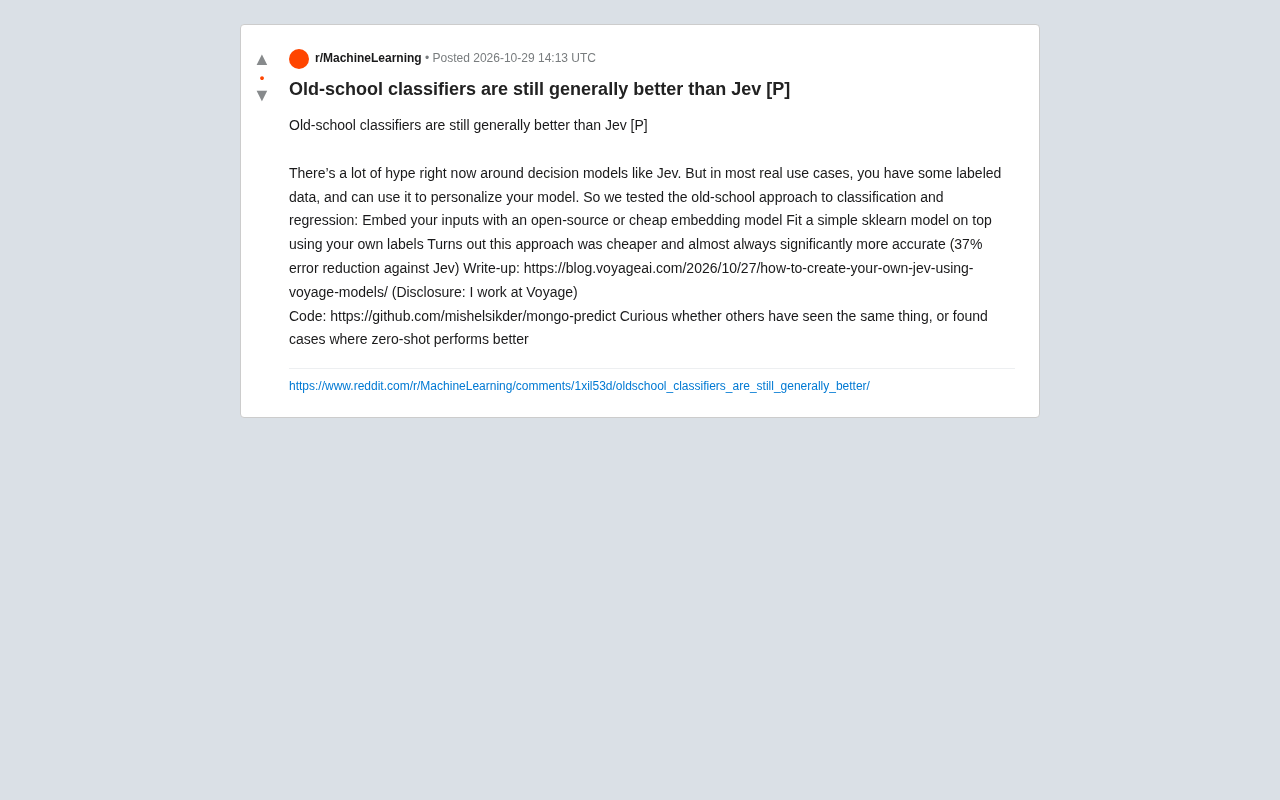
Old-School Classifiers Still Beat Jev: Embeddings + sklearn Cuts Error by 37%
Voyage AI engineers found that an old-school approach using open-source embedding models plus sklearn classifiers is cheaper and cuts error by 37% versus the popular decision model Jev. Discussing whether traditional methods are undervalued when labeled data exists, and the boundaries between zero-shot and supervised learning.