AI-Assisted Reverse Engineering of Taobao's Sign Signature: A Complete MD5 Encryption Cracking Walkthrough

How to use AI to reverse-engineer Taobao's MD5-based Sign signature from packet capture to working scraper.
This article walks through a real-world case of reverse-engineering Taobao's mtop request signature using AI assistance. It covers packet capture, AI-driven parameter classification, locating the signing function via DevTools, identifying the MD5 algorithm by output length, and delegating code generation to a large language model — resulting in a working scraper on the first run.
Introduction: A Scraping Project Stuck on Encryption
In web scraping development, the most frustrating challenge is rarely page structure parsing — it's the layered request signature (Sign) encryption that major platforms put in place. As one Bilibili creator shared, a small order worth only 200 RMB got completely stalled because of Taobao's Sign signature (which is essentially MD5 encryption). The hard part is tracking down exactly where the signature is generated in the codebase. The easy part: once you find it, the whole thing can be running in minutes.
This article uses that real-world case to systematically walk through how to reverse-engineer "MD5 token" style encrypted parameters, and shows how AI can dramatically lower the barrier to analysis and coding. The core takeaway: when you encounter a signature parameter, your first move should NOT be to blindly global-search or scatter breakpoints everywhere — instead, start by determining which parameters actually need reversing and which are simply dynamic values.
Step 1: Capture Traffic and Identify the Target Endpoint
Every reverse engineering effort starts with packet capture. Open your browser's developer panel, trigger a pagination event by scrolling, and you'll capture the key network request — in this case, an mtop 2.0 API call.
Background on the mtop Interface and Taobao's Signature System: mtop (Mobile Taobao Open Platform) is Alibaba's unified mobile gateway layer, handling API routing and authentication for apps including Taobao, Tmall, and Xianyu. Its signing mechanism has gone through multiple versions, with the core goal of blocking scrapers, man-in-the-middle attacks, and request forgery. The mtop 2.0 signature system mixes the session token from cookies, a timestamp, an AppKey, and business data together in a calculation — any mismatch triggers an "illegal request" interception. That's exactly why directly copying a cURL command fails to reproduce the request.
Once you confirm the response contains the product data you need, lock in the target endpoint.
The fastest way to validate: right-click the request, copy it as cURL, paste it into a scraping tool to convert it to base code, and run it. Unsurprisingly, it returns "illegal request" — because the sign parameter can't be faked. That's the core problem to solve.
Step 2: Let AI Classify the Request Parameters
When faced with a wall of request parameters, the most common beginner mistake is jumping straight to global search and scattering breakpoints. The smarter move is to classify the parameters first. If you're unsure how to do that, just hand them to an AI.
In web reverse engineering, a complex endpoint often carries dozens of parameters. Attacking each one blindly wastes enormous time. Experienced reverse engineers typically sort parameters into three categories: static fixed values (like AppKey and API version numbers) that can be hardcoded directly; rule-based dynamic values (like timestamps and random numbers) that just need to be generated by pattern without any reversing; and computed signature parameters that are the actual targets. This classification mindset is essentially a "minimum attack surface" strategy — concentrate resources on breaking the real barrier, not burning time on known quantities. AI's value here is rapidly applying semantic recognition to your parameter list, batch-applying human expert heuristics at scale.
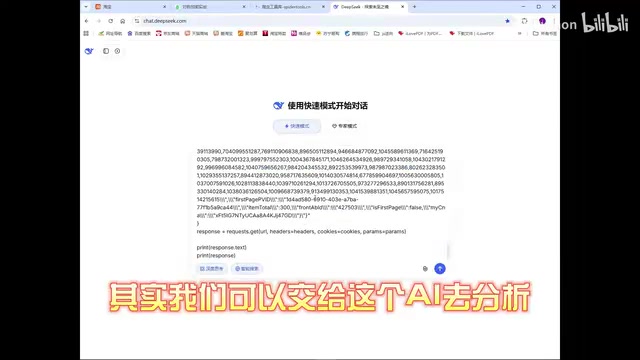
AI quickly delivered a clear breakdown:
- Parameter
t: A millisecond-precision timestamp, dynamically generated. No complex reversing needed — just make sure it matches the timestamp used when computingsign. - Parameter
sign: The request signature, used to verify legitimacy and integrity. This is the main target. It's typically computed by encrypting a combination of request parameters (includingdata,t,appKey, and other plaintext values). - Remaining parameters: Mostly fixed values or values extractable from cookies.
The value of this step: AI helps you separate the "hard nuts" from the "easy wins," so you don't waste effort on something as trivial as a timestamp.
Step 3: Precisely Locate Where the Signature Is Generated
With sign identified as the core target, the next step is finding where it's generated. Since mtop's signing function has a fairly distinctive name, you can search directly in the DevTools search box using sign: (the colon narrows results to assignment statements), quickly pinpointing where the function is.
Set a breakpoint there and refresh the page to retrigger the request. When the breakpoint fires, it confirms the request is indeed passing through this signing logic.

With the breakpoint hit, walk through the variables in the signing function one by one:
- Front half of the token: Comes from
_m_h5_tkin the cookie. Split on underscore and take the first segment. Once you save cookies in a session, this is straightforward to extract. - Timestamp
j: Millisecond-precision timestamp. - AppKey
h: Hardcoded directly in the source. c.data: A fixed string parameter.
At this point, the source of nearly every variable is clear. The only thing left is the encryption algorithm itself.
Step 4: Identify the MD5 Encryption Algorithm
The most critical part of the signing function is the encryption method — labeled i in this case. How do you quickly figure out which algorithm it uses? A very practical rule of thumb: look at the output length.

If the output is a fixed 32-character hexadecimal string, it's almost certainly MD5. MD5 (Message Digest Algorithm 5) was designed by Ronald Rivest in 1991. It takes input of any length and produces a fixed 128-bit (16-byte) digest, typically represented as 32 hexadecimal characters. MD5 exhibits the avalanche effect — change even one bit of input and the output changes completely — which makes it naturally suited for signing: the platform simply recomputes MD5 server-side using the same parameters and compares it to the sign in the request to detect tampering. Although MD5 has been retired for password storage due to collision vulnerabilities, it remains widely used in request signing — a "prevent tampering, not prevent cracking" scenario — because even if an attacker knows the algorithm, they still need the correct token to forge a valid signature.
Validation is straightforward: take the same plaintext (say, the character 1), run it through both a standard MD5 tool and the page's i function, and compare outputs. When both produce a result starting with the same characters (e.g., c4c...), you've confirmed it's standard MD5.
At this point, the entire signing logic is fully clear: concatenate the first half of the token, the timestamp, the AppKey, and data according to the observed pattern, then run MD5 — that produces the sign.
Step 5: Let AI Generate and Debug the Scraper Code
Once the analysis is done, repetitive coding work can be fully delegated to AI. Summarize your findings into a prompt and feed it to a large language model — in this case, a DeepSeekAd model was used.

The Python code AI generated was quite complete: it uses Selenium for automation, opens the page, extracts the token from cookies, concatenates the parameters per the analyzed rules, computes MD5 to get sign, then fires the request.
Why Selenium Is Used for Cookie Extraction: Selenium is a browser automation framework originally built for web app testing. In scraping, it's commonly used to bypass JavaScript rendering and dynamic cookie generation. Taobao's
_m_h5_tktoken isn't a static value — it's a session identifier issued by the server via Set-Cookie during the full page load flow, and it refreshes periodically. Sending requests directly with therequestslibrary can't trigger the complete browser execution environment, so you can't obtain a valid token. Selenium drives a real Chrome browser, fully executing the page's JavaScript, naturally receiving cookies with a legitimate token. That token is then injected into subsequentrequestscalls — ensuring token validity while avoiding the performance cost of running everything through Selenium.
After running it, the program automatically opened the page, retrieved the cookie, generated the sign, and successfully fetched the target data — the entire pipeline worked on the first run.
One notable detail: AI also handled the debugging phase automatically — it self-validated whether the sign generation was correct and switched implementation strategies when needed (e.g., using automation to extract cookies rather than manual entry), significantly reducing manual trial-and-error.
Summary: AI Lowers the Barrier, Not the Thinking Required
This case reveals the true value of AI-assisted reverse engineering: it doesn't replace foundational knowledge of cryptography or debugging instincts — it dramatically lowers the barrier for the tedious parts: parameter classification, algorithm identification, and code generation.
Key methodological takeaways:
- Start with packet capture to identify the target endpoint; use the fastest possible method to determine which parameters are missing.
- Use AI to distinguish "simple dynamic values" from "signature values that require reversing."
- Search using
function name + colonsyntax to precisely locate where the signature is generated. - Use output length (32 characters) combined with plaintext comparison to quickly identify MD5.
- Hand your clearly documented analysis to AI to generate code and auto-debug.
Disclaimer: This article is intended solely for technical learning and research purposes. Reverse engineering must strictly comply with the terms of service of the relevant platforms and applicable laws and regulations. Do not use these techniques for unauthorized data collection.
Related articles

Felix Rieseberg Personal Homepage
Felix Rieseberg's personal homepage sparks attention on Hacker News. This article covers the Slack engineer's technical background, the rise and fall of nativefier, and the value of a developer homepage as a tech calling card.

@ai-sdk/vue 3.0.306 Patch Release Syncs with [email protected] Update
@ai-sdk/vue 3.0.306 released, synced with [email protected]. A routine patch release for the Vercel AI SDK ecosystem with no public API changes; the Vue adapter layer stays version-aligned with the core package.

Gemini 4 Argon API Launches: The Era of Million-Token Output Begins
Google launches Gemini 4 Argon with sparse MoE architecture, up to 1M output tokens, and a 68.90% Vals Index score, available across API, AI Studio, and the Gemini app.