AI Coding in Practice: Build a Real Product Page in Three Steps
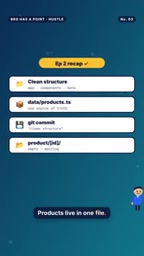
Use a data file to drive dynamic product pages and showcase a small-steps-fast-iteration e-commerce prototype workflow with AI coding.
This article covers Episode 3 of YouTube's "Real Product Pages": have the AI assistant generate 10 niche ideas and pick one for concrete context; centralize product data in one file with images in the public directory to separate data from page logic; build a /product/[id] dynamic route so each product page reads the corresponding ID from the same data file; then check on mobile and commit, establishing a small-steps-fast-iteration rhythm. It suits rapid prototypes and small e-commerce projects.
In an era where AI coding assistants are increasingly common, how can you efficiently build an e-commerce product page? Episode 3 of the YouTube channel "Real Product Pages" provides a clear answer: first decide what to sell, then use a single data file to drive all product pages. This episode doesn't rely on flashy tricks; instead, it focuses on one core principle — separating product data from page logic.
Starting with "Product Selection": Giving the AI a Concrete Instruction
The video opens with the author directly asking the AI assistant: "Ask the agent for 10 niche ideas. Pick one." He selects the niche "desk gadgets for remote workers." This step seems simple but is crucial — it provides clear context for all subsequent work.

In AI coding, vague requirements often lead to generic code. A specific niche, however, enables the AI to generate more realistic product lists. The author then replaces the placeholders (T-shirts, hats, tote bags) in the product data file with three real products: a laptop stand ($49), a desk lamp ($35), and a cable kit ($19). Each product includes an ID, name, price, image, and description.
Niche Market refers to a smaller customer segment within a larger market that has specific needs and relatively less competition. In e-commerce, choosing a niche means focusing on a specific group of people (e.g., "desk gadgets for remote workers") rather than selling generic mass-market products. Its value lies in: clear demand, well-defined user personas, easy targeting via content or search, and stronger contextual constraints for AI when generating product lists and page copy. For rapid prototyping, a niche also reduces the complexity of product selection and inventory, allowing developers to focus on validating page logic and data structures.
Data Structure: One File Drives All Pages
The technical core of this episode lies in organizing the data file. The author centralizes product information in the data/products file and places images in the public/products directory. The benefits of this structure are obvious: when adding or modifying a product, you only need to edit this one file, and all product pages update automatically.
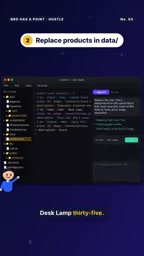
Next, the author builds a /product/[id] dynamic route page, so that each product page reads the data for the corresponding ID from the same data file. This step exemplifies the typical pattern of modern frontend frameworks — data-driven views. For AI coding assistants, this pattern is also easier to understand and generate code for, because the boundary between data and presentation is clear.
Data-Driven View is a core pattern in modern frontend frameworks (such as React, Vue, Next.js): pages don't hardcode content but read data from a data source (e.g., a JSON file, API, or database) and render the interface through templates or components. In this example, the data/products file serves as the single source of truth, and the /product/[id] route queries and renders the corresponding product based on the ID in the URL. This separation brings two benefits: first, modifying product information doesn't require touching page code; second, AI coding assistants can clearly distinguish the "data layer" from the "presentation layer," generating more predictable and maintainable code.
Mobile Check and Commit: Small Steps, Fast Iteration
After completing the page build, the author specifically checks it on mobile. This step is often overlooked by developers but is key to ensuring user experience. In the video, the author doesn't show a complex debugging process but quickly confirms how the layout looks on a phone, then performs a commit.

This "small steps, fast iteration" rhythm runs through the entire series: complete one clear task each day, commit the code, and assign "homework." The homework for this episode is: choose your niche, replace three products, build the product page, and commit. Tomorrow's task is to implement a working shopping cart.
Dynamic Route refers to a routing pattern where the path contains variable parameters, such as [id] in /product/[id], which can match any product ID. In frameworks like Next.js, the file system is the routing system: creating pages/product/[id].js automatically generates the corresponding page and retrieves the ID via route parameters. Dynamic routing is the key technology for "one template driving multiple product pages": instead of creating a separate page file for each product, you maintain one template and one data file, and new products automatically get routes. This also makes it easier for AI assistants to understand page structure, because routing rules and data query logic are decoupled.
Why This Workflow Is Worth Paying Attention To
For developers exploring AI coding, this video provides a reusable workflow template:
- Describe specific requirements to the AI in natural language (e.g., "give me 10 niche market ideas") rather than vaguely saying "build an e-commerce site."
- Separate data from code, letting the AI focus on generating logic rather than hardcoding content.
- One deliverable increment per day, forming a learning loop through commits and homework.
One detail: at the beginning of the video, the author mentions "Get save points," hinting at the importance of version control in AI coding — each commit is a save point that lets developers roll back at any time.
Version Control and Commit play the role of "save points" in AI coding workflows. Each commit records a working code state; when AI-generated code has issues, developers can quickly revert to the last known good version. The "Get save points" mentioned in the video emphasizes exactly this: in rapid iteration, frequent commits are safer than large one-off changes. For developers collaborating with AI, adopting the habit of "commit after completing a small task" effectively reduces trial-and-error costs and makes the learning process a traceable loop.
Limitations and Use Cases
This workflow is suitable for rapid prototypes and small e-commerce projects, but production environments requiring complex inventory management, payment integration, or high concurrency still need a more complete architecture. However, as an exercise for learning AI coding, it is focused enough and practical enough. If you're looking for a starter project, try following the homework steps in the video.
One-line Summary
Use a data file to drive dynamic product pages, demonstrating a small-steps-fast-iteration e-commerce prototype workflow with AI coding.
Paragraph Summary
This article introduces the core workflow of Episode 3 of the YouTube series "Real Product Pages": first have the AI assistant generate 10 niche market ideas and pick one to provide concrete context for subsequent development; then centralize product data in a single file with images in the public directory, separating data from page logic; next build a /product/[id] dynamic route so each product page reads the data for the corresponding ID from the same data file; finally check on mobile and commit the code, establishing a small-steps-fast-iteration rhythm. The article emphasizes that this pattern suits rapid prototypes and small e-commerce projects and provides a reusable workflow template: specific requirement descriptions, data-code separation, and daily deliverable increments.
Related articles
 Tech Frontiers
MuJoCo: An Analysis of DeepMind's Open-Source General-Purpose Physics Simulator
An in-depth analysis of Google DeepMind's open-source physics simulator MuJoCo: high-performance C++ kernel, MJCF modeling format, contact solving principles, MJX GPU acceleration, and robot reinforcement learning use cases.
 Tech Frontiers
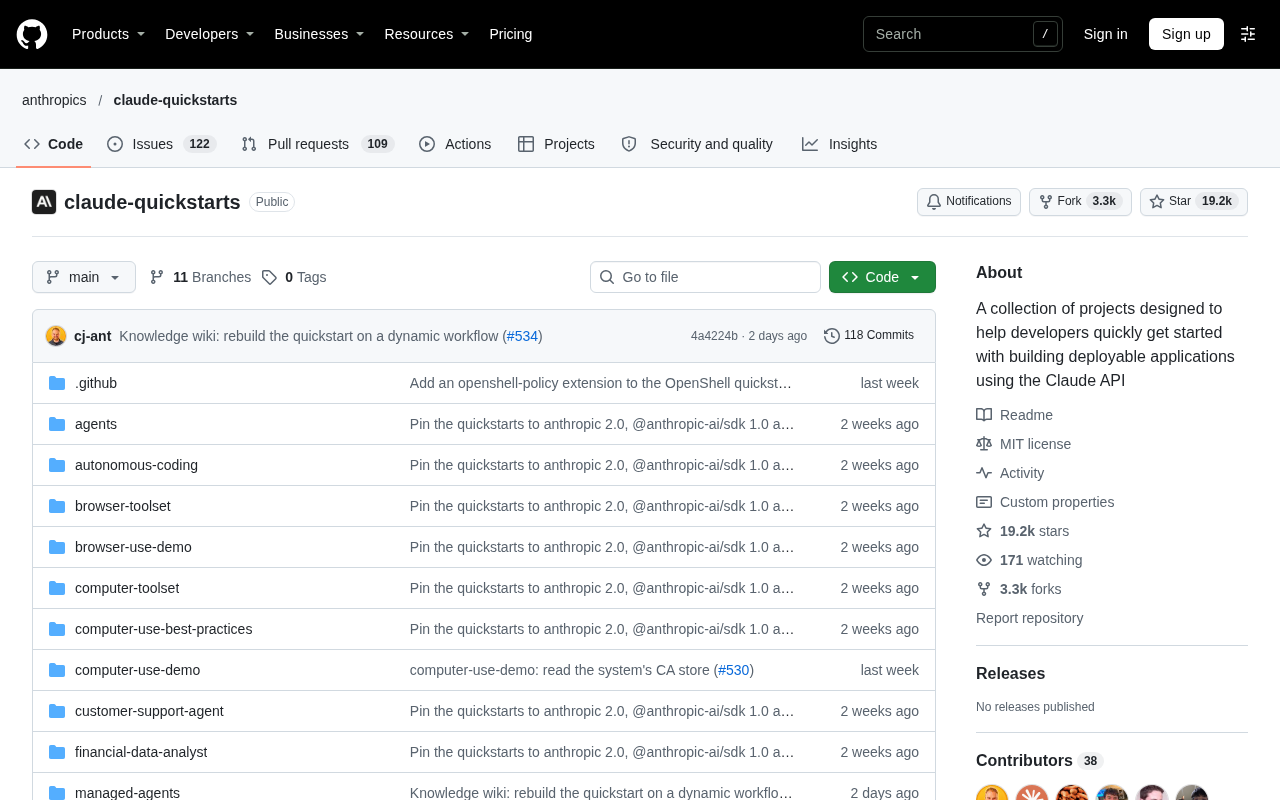
Claude API Quick Start: The Official Quickstarts Project Collection
Anthropic's official claude-quickstarts project collection helps developers quickly build deployable apps with the Claude API. Nearly 20k stars, Python-based, great for beginners and prototyping.
 Tech Frontiers
AI Agents Connecting Directly to APIs: Which Calls Can Be Safely Allowed?
AI agents can call any API, but the real challenge is deciding which calls can be safely allowed. This article analyzes allowance decisions from three dimensions—intent matching, least privilege, and controllable impact—and argues that the control layer should sit outside the agent, combined with audit traceability to build a trustworthy API call governance mechanism.