AI Crawler Perspective: robots.txt, Status Codes, and a No-JS Rendering Audit Guide

Use a small script to audit three types of AI crawler blocking points so content is actually read by ChatGPT and others.
The article notes that many sites rank well on Google yet never appear in ChatGPT or Perplexity answers, usually because the technical chain between AI crawlers and the page is blocked rather than because of content quality. The author proposes a small audit script covering three common blocking points: robots.txt disabling individual AI user agents, CDN/WAF blocking before robots.txt applies, and content that doesn't exist without JavaScript. It stresses differentiated configuration across training, search indexing, and user-triggered agents, notes the IP verification blind spot in spoofed-user-agent tests, and recommends cross-checking CDN and origin logs. It also quantifies JS dependency via the raw/rendered word count ratio and points to SSR or build-time prerendering as fixes. Finally, it clarifies that passing accessibility checks only means crawlers can read the page; citation still depends on structure, schema, and trust signals.
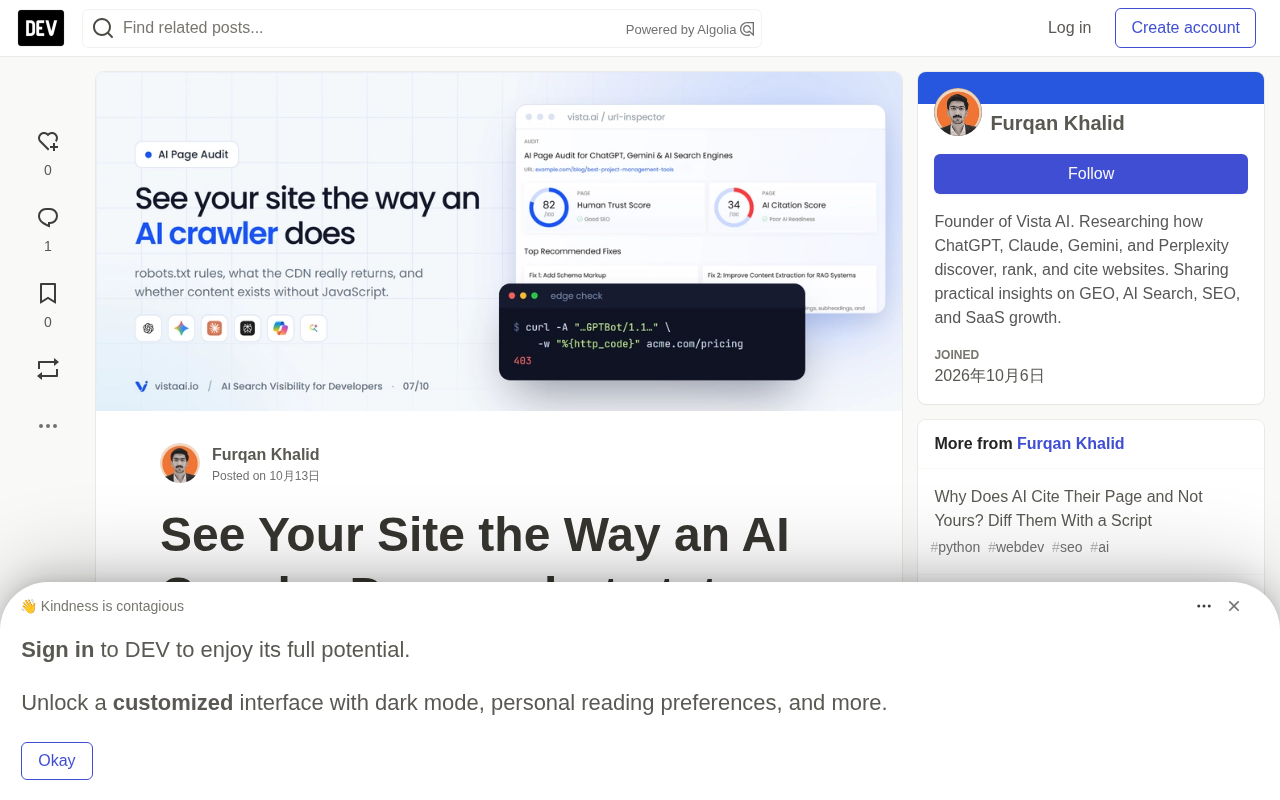
Many sites rank well on Google yet never show up in ChatGPT or Perplexity answers. The problem is often not content quality, but the technical chain between AI crawlers and the page—somewhere along the line something says "no," or only an empty shell is returned.
Google spent twenty years learning to tolerate messy sites and will execute JavaScript; most AI crawlers are not that forgiving. This article provides a small audit script covering the three most common blocking points: robots.txt disabling AI user agents, CDN/WAF blocking before robots.txt even comes into play, and content that doesn't exist without JavaScript.
Check One: Verify robots.txt per AI user agent
The Python standard library can evaluate robots.txt rules by user agent. Separating training, search indexing, and user-triggered agents is the foundation of the entire audit.
from urllib.robotparser import RobotFileParser
from urllib.parse import urljoin, urlparse

AI_AGENTS = [
    # training
    "GPTBot", "ClaudeBot", "CCBot", "Google-Extended", "Applebot-Extended",
    # search indexing
    "OAI-SearchBot", "Claude-SearchBot", "PerplexityBot",
    # user-triggered fetches
    "ChatGPT-User", "Claude-User", "Perplexity-User",
]
Two pitfalls are worth noting. RobotFileParser follows the early robots.txt conventions and does not implement all the details of RFC 9309, such as the longest-match precedence rule between Allow and Disallow; edge cases need to be cross-checked with Google's open-source robotstxt library. Additionally, some vendor documentation notes that user-triggered agents may not follow robots.txt the way crawlers do, since the request is initiated by a real person—such policies should be based on the current statements in each vendor's bot documentation.
Decide by purpose, not by mood
Separating the three agent types—training, search, and user-triggered—has real value in enabling differentiated configuration: blocking training while allowing fetches used for real-time Q&A.
**RFC 9309: The Current Specification for robots.txt**

RFC 9309 was published by the IETF in 2022 and is the first formal standard for the robots.txt protocol, replacing the previous state of de facto conventions with no formal specification. It clarifies several long-disputed details: user agent matching uses substring matching and is case-sensitive; when multiple rules conflict, the longest matching path takes precedence, and when lengths are equal, Allow takes precedence over Disallow; paths are compared byte by byte rather than character by character; and it specifies the conservative strategy crawlers should adopt when robots.txt cannot be retrieved (e.g., 5xx). Python's standard library `RobotFileParser` predates this specification and implements the looser early semantics, so it may diverge from mainstream implementations like Google and Bing when handling the wildcard `*`, the `$` end anchor, and Allow/Disallow conflicts. When auditing AI crawler accessibility, if edge-case rules are your critical configuration, it's advisable to cross-validate using Google's open-source `robotstxt` library or by directly invoking vendor robots.txt testing tools.

**The Three Categories of AI Crawler User Agents**

Distinguishing training, search indexing, and user-triggered agents is a prerequisite for shaping content strategy. Training agents (GPTBot, ClaudeBot, CCBot, Google-Extended, Applebot-Extended) are used to build or update large model corpora, and their crawling behavior is typically independent of user requests. Search indexing agents (OAI-SearchBot, Claude-SearchBot, PerplexityBot) index content for AI search products, and their crawl results directly determine whether you can appear in the retrieval candidate set for AI answers. User-triggered agents (ChatGPT-User, Claude-User, Perplexity-User) are initiated in real time by a human question, and the fetch is single and on-demand. The business implications of the three are completely different: blocking training is usually harmless to traffic, while blocking search indexing agents amounts to voluntarily withdrawing from competition for AI answers, and blocking user-triggered agents may give users a "cannot access" failure experience on your page.
# robots.txt
User-agent: GPTBot
Disallow: /

User-agent: ClaudeBot
Disallow: /

User-agent: OAI-SearchBot
User-agent: Claude-SearchBot
User-agent: PerplexityBot
Allow: /
There is one entry that is easily confused here: Google-Extended controls whether Google can use your content for Gemini model training and grounding; it does not affect Google Search or AI Overviews, which use the regular Googlebot. Equating these two things will lead to the wrong content strategy.
Check Two: What the edge node actually returns
robots.txt is only an advisory file. What actually determines what gets returned is the CDN or WAF, and many bot protection products now block or challenge AI crawlers by default.
The approach is to request the page with each vendor's user agent and observe the status code and response body size. The key to judgment is comparing against the browser row: if browser gets 200 and 80 KB, while GPTBot gets 403, or only a 6 KB challenge page, the edge is blocking it.
This test has a limitation that must be stated: the script sends a spoofed user agent from your own IP. Some CDNs verify bots by IP and may block your fake GPTBot while allowing the real one; conversely, an allowlist might let your test pass while still blocking the real crawler. Therefore, a locally observed "block" is only a strong signal and needs to be confirmed with two pieces of evidence—CDN bot or firewall event logs (filtered by these user agents), and hits and status codes in origin access logs with real IP verification.
CDN/WAF Bot Protection and AI Crawlers
Edge products such as Cloudflare, Akamai, Fastly, and AWS WAF have broadly introduced bot management modules in recent years, identifying visitors through TLS fingerprints (JA3/JA4), HTTP/2 frame characteristics, header order, IP reputation, and behavioral patterns. Under default configurations, many products classify known AI crawlers into a "known bot" category and apply a challenge (returning 403, 429, or a JS challenge page) rather than allowing them through. This creates a hidden consequence: site administrators may explicitly Allow an agent in robots.txt without knowing the edge layer is blocking it. When auditing, request the target URL separately per user agent and record the status code, Content-Length, and response body characteristics; if an agent receives HTML far smaller than a normal page, it is likely being served a challenge page. Final confirmation requires combining CDN bot event logs with origin logs, because edge blocking often leaves no trace at the origin.
Check Three: Is the content still there without JavaScript?
This is the most common and quietest failure in modern frontends. If the main content is fetched and rendered client-side, a crawler that does not execute JS sees only a <div id="root"></div> plus a pile of bundles.
The approach is to compare the raw HTML with the browser-rendered result. must_contain should be filled with a few sentences you know exist in the main content: prices, product descriptions, answers to the page's core questions. If this content is missing from the raw HTML, then AI crawlers that don't render JS won't see it.
After adding a Playwright rendering comparison, you can quantify with a ratio: if a content page's "raw/rendered word count ratio" is significantly below about 0.8, it means a considerable portion of the content depends on JavaScript.
Remediation paths
Different tech stacks require different approaches:
- Next.js / Nuxt / SvelteKit / Astro: Ensure content pages use SSR or static generation, rather than pure client-side fetching in
useEffect/onMounted. In the Next.js App Router, Server Components render on the server by default; the most common mistake is precisely a page marked"use client"that fetches content only after mounting. - SPAs without an SSR solution: Pre-render content routes at build time.
- Tabs, accordions, "read more": Keep the text in the DOM and hide it with CSS, rather than loading it only on click.
SSR, SSG, and Prerendering
Server-side rendering (SSR) means the server generates HTML in real time on each request, with content varying by request—suitable for personalized or frequently updated pages. Static site generation (SSG) generates HTML at build time, and after deployment it is distributed directly by CDN; it is the fastest, but content updates require a rebuild. Prerendering usually refers to running a headless browser once at build time for SPA routes that lack SSR capability, freezing the rendered result into static HTML files. What the three have in common is that the initial response body received by AI crawlers already contains the full text, with no need to execute JavaScript. In contrast, client-side rendering (CSR) fills content after the browser executes the bundle, so crawlers that do not execute JS see only an empty shell. For AI crawling, SSR, SSG, and prerendering are equivalent in satisfying accessibility; whether it is dynamic and whether a framework is used are merely differences in implementation cost.
Combine the three checks
Combine the robots.txt, edge status, and raw HTML checks into a single command for batch runs:
python ai_audit.py https://example.com/pricing "per seat per month" "Starter plan"
Run it on the top 20 pages by revenue contribution, not the homepage. Pricing, docs, comparison, and integration pages are where AI answers most often cite from, and also the pages most easily turned into client-rendered routes.
Passing the check ≠ Getting cited
It's important to be clear about the boundaries of this audit: passing these three checks only means AI crawlers can read your pages, not that they will use them. Whether you get cited depends on structure, schema, trust signals, and whether the page says something worth quoting. The former is accessibility; the latter is usability—the two need to be evaluated separately.
If you just want a simplified set of actions you can implement this week: verify robots.txt, check the CDN's bot settings, and view-source on your five most important pages.
One-line Summary
Audit three types of AI crawler blocking points with a small script to make sure content is actually read by ChatGPT and others.
Paragraph Summary
The article notes that many sites rank well on Google yet do not appear in ChatGPT or Perplexity answers, and the reason is usually not content quality but a broken technical chain between AI crawlers and the page. The author proposes a small audit script covering the three most common blocking points: robots.txt rules disabling individual AI user agents, CDN/WAF blocking implemented before robots.txt even applies, and content that doesn't exist without JavaScript. The article emphasizes the need for differentiated configuration across training, search indexing, and user-triggered agent types, points out that testing with spoofed user agents from your own machine has IP verification blind spots and requires cross-confirmation with CDN and origin logs, and offers a path to quantify JS dependency via the "raw/rendered word count ratio" and fix it through SSR or build-time prerendering. Finally, it clearly defines the boundary: passing an accessibility check only means crawlers can read the page; whether it gets cited still depends on structure, schema, and trust signals.
Related articles

Felix Rieseberg Personal Homepage
Felix Rieseberg's personal homepage sparks attention on Hacker News. This article covers the Slack engineer's technical background, the rise and fall of nativefier, and the value of a developer homepage as a tech calling card.

@ai-sdk/vue 3.0.306 Patch Release Syncs with [email protected] Update
@ai-sdk/vue 3.0.306 released, synced with [email protected]. A routine patch release for the Vercel AI SDK ecosystem with no public API changes; the Vue adapter layer stays version-aligned with the core package.

Gemini 4 Argon API Launches: The Era of Million-Token Output Begins
Google launches Gemini 4 Argon with sparse MoE architecture, up to 1M output tokens, and a 68.90% Vals Index score, available across API, AI Studio, and the Gemini app.