AI Employee Tools Are Everywhere — How Can a 35-Person Startup Pick the Ones That Actually Work?
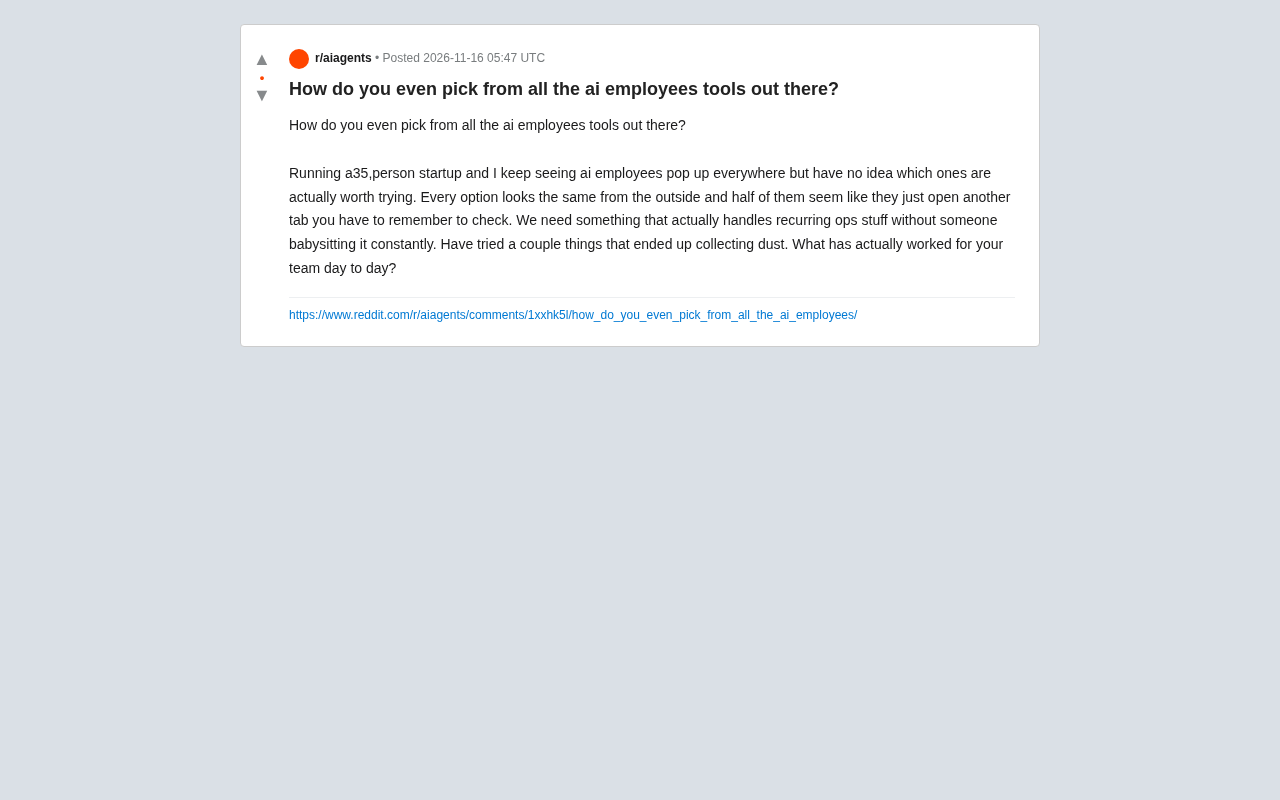
AI employee tools are highly homogenized; screen them by unattended operation, deep integration, and verifiability.
A 35-person startup founder posted on Reddit, confused by the many "AI employee" tools that look alike but in practice are just extra tabs needing human supervision. The article explains why they're hard to choose: severe homogenization, with most stuck at chat interfaces plus preset workflows, and hidden maintenance costs underestimated. It proposes three hard criteria: true unattended operation and autonomous recovery or alerting; deep integration with core systems like CRM rather than intermediaries; and complete operation logs and human review mechanisms. Community consensus: no all-in-one AI employee yet, but dedicated tools with clear boundaries already run stably. Teams should start with their most painful repetitive process and trial deeply for two weeks before expanding.
A founder running a 35-person startup posted on Reddit asking for help: a flood of tools claiming to be "AI employees" has suddenly appeared on the market, but from the outside they all look the same, and more than half seem to just give you one more tab you have to remember to check. They had already tried a few and ultimately let them gather dust. What they really wanted was something that could automatically handle repetitive operational work without requiring constant human supervision.
This question hits on a pain point for many teams. The AI employee tool market is expanding rapidly, but most products are still stuck at the level of "chat interface + automation scripts," far from the experience of "hiring an employee." This article combines this founder's actual confusion and community feedback to lay out a practical screening framework.
Why AI Employee Tools Are So Hard to Choose From
Severe Homogenization — the Interface Is Everything
Almost all AI employee tools offer a chat window backed by a large model plus some preset workflows. Judging from their website demos, they can all "automatically handle emails," "generate reports," and "follow up with customers," but in actual use, users often need to manually trigger actions, manually check results, and even manually correct errors. When the founder said "half the tools are just one more tab," that's exactly this passive experience — the tool doesn't proactively take over the work; it waits for you to come to it.
The key difference between an "AI employee" and traditional RPA (robotic process automation) or workflow automation tools lies in autonomy. RPA typically executes tasks according to pre-orchestrated fixed rules and gets stuck when it encounters exceptions outside those rules; AI employees, powered by large language models, should in theory be capable of understanding unstructured input, making judgments in ambiguous situations, and adjusting behavior based on feedback. Many products currently on the market are actually just large models wrapped in a chat entry point, still relying on hard-coded triggers and fixed processes underneath — which is why you see the gap of "smart in demos, needs babysitting in practice." To judge which category a tool belongs to, look at whether it simply fails when it encounters unanticipated input, or whether it can give a reasonable handling and record the reasoning behind its decision.
Hidden Maintenance Costs Are Underestimated
Another abandoned tool may have been dropped because it required frequent rule configuration, prompt adjustments, or ran into permission issues when connecting to internal systems. For a 35-person company without dedicated AI operations staff, these hidden costs quickly offset the benefits of automation. Similar feedback has appeared repeatedly in the community: a purchased tool sits idle after two weeks because "teaching it to do things" takes longer than doing them yourself.
Prompt engineering is currently the primary configuration method for AI employee tools and also an important source of hidden costs. Users need to repeatedly adjust instruction wording, add examples, and set output formats before the model can reliably complete a specific task. This differs from traditional software's "configure once, run long-term" — model behavior is highly sensitive to input wording, and minor business rule changes or model version upgrades can invalidate existing prompts, requiring re-tuning. For small and medium teams without dedicated AI operations staff, this ongoing investment is often overlooked during purchasing decisions. When evaluating a tool, check whether it offers visual workflow orchestration, a reusable template library, and versioned prompt management — these designs can significantly reduce long-term maintenance burden.
Three Hard Criteria for Screening AI Employee Tools
1. Is It Truly Unattended?
The key isn't how long the feature list is, but whether the tool can keep running without human intervention. Specifically, you can ask: when a task fails, does it retry automatically or wait for a human? When input data is abnormal, does it pause and notify, or fail silently? The founder explicitly said "no one needs to babysit it," so during testing you should deliberately create some edge cases and observe the tool's ability to recover autonomously. According to community discussions, tools that currently do this well usually have clear failure alerting mechanisms and retry strategies.
2. Depth of Integration, Not Breadth
Many tools advertise "support for hundreds of integrations," but in reality they only connect through intermediaries like Zapier, with high data latency and frequent breakages. A truly useful AI employee will deeply integrate with the team's core systems (such as CRM, project management tools, and email systems) and be able to read and write structured data, rather than just sending messages. We recommend first listing the three most time-consuming repetitive processes on hand, then seeing whether candidate tools can embed directly into those processes instead of making you adapt to the tool's interface.
Intermediate integration platforms like Zapier and Make work on a trigger-and-action basis using polling or webhook forwarding — data has to be relayed through third-party servers, which means minute-level latency, limited field mapping, and difficulty troubleshooting when connections break. Deep integration, by contrast, typically reads and writes data directly through the target system's native API, supporting fine-grained permission control and real-time event push, and when something goes wrong it can pinpoint the specific API call. For systems like CRM and project management that require frequent reading and writing of structured data, intermediary integrations often only handle coarse-grained actions like "create a record" and cannot handle complex logic such as field validation, state transitions, and related-object updates. When assessing integration capabilities, ask the vendor to demonstrate a complete workflow involving data linkage across multiple systems, and ask whether the underlying layer uses native APIs or an intermediary.
3. Verifiability of Results
When an AI employee makes a mistake, the team needs to be able to quickly locate the problem. A good tool keeps complete operation logs recording the input, output, and decision basis for each step, and allows human review at key checkpoints. Part of the reason the founder's tools "gathered dust" may be that outputs were unreliable and untraceable, and the team gradually lost trust.
Operation logs and traceability are foundational infrastructure for building trust in AI systems. A complete log should record the trigger source of each task, input snapshots, the prompts and raw outputs of model calls, the tool calls executed and their returned results, and the final state. Tools with human-in-the-loop mechanisms allow approval gates at key checkpoints — for example, requiring human confirmation before sending external emails or modifying customer data. In addition, verifiability includes the correspondence between outputs and their basis — for example, an automatically generated weekly report should link back to the original data source so reviewers can quickly verify it. Without these designs, once an error occurs it's hard to distinguish whether it was a model judgment error, a data source problem, or an integration failure, and the team will gradually lose the willingness to use it through repeated troubleshooting.
What the Tools That Actually Stick Around Look Like
In the discussion under the original post, some teams shared solutions they had used long-term. The consensus is that there is currently no "all-in-one AI employee" that can cover all operational functions, but tools targeting specific high-frequency tasks have begun to gain a foothold. Examples include tools focused on automatic classification and reply of customer service tickets, tools that automatically generate weekly reports and meeting minutes, and operations assistants that can monitor data pipelines and automatically fix common errors. What these tools have in common is clear task boundaries, predictable failure modes, and seamless integration with existing workflows.
There is also disagreement: some users believe teams should wait for big vendors to launch integrated platforms to avoid fragmented purchasing; another camp believes it's more pragmatic to first use dedicated tools on hand to solve specific problems. Both views have merit, depending on the team's automation maturity.
Practical Advice for a 35-Person Team
Don't roll everything out at once. Pick the most painful repetitive process (such as weekly data aggregation or customer follow-up reminders), spend two weeks deeply trialing one tool, and focus on observing its unattended performance and the team's actual usage frequency. If people are still actively using it after two weeks, then consider expanding. Also, prioritize products with transparent pricing and trial periods to avoid being locked into annual contracts. The founder's confusion is essentially a normal phenomenon in the early stage of the market — there are many tools, but you need to screen them according to your own processes, not according to website marketing.
One-line Summary
AI employee tools are highly homogenized; screen them by unattended operation, deep integration, and verifiability.
Paragraph Summary
A founder of a 35-person startup posted on Reddit, confused by the many "AI employee" tools on the market that look alike and in practice are just one more tab requiring human supervision. The article lays out why these tools are so hard to choose from: severe homogenization, with most stuck at chat interfaces plus preset workflows and not truly taking over work; meanwhile, hidden maintenance costs such as rule configuration, prompt tuning, and system integration are underestimated, and small and medium teams lacking dedicated AI operations staff quickly let tools sit idle. It therefore proposes three hard screening criteria: whether the tool can truly operate unattended and autonomously recover or alert on anomalies; whether it deeply integrates with core systems such as CRM rather than relying on intermediaries; and whether operation logs and human review mechanisms are complete. The community consensus is that there is currently no all-in-one AI employee, but dedicated tools with clear boundaries — such as customer service tickets, weekly report generation, and operations monitoring — can already run stably. Teams are advised to start with their most painful repetitive process and consider expansion only after a two-week deep trial.
Related articles
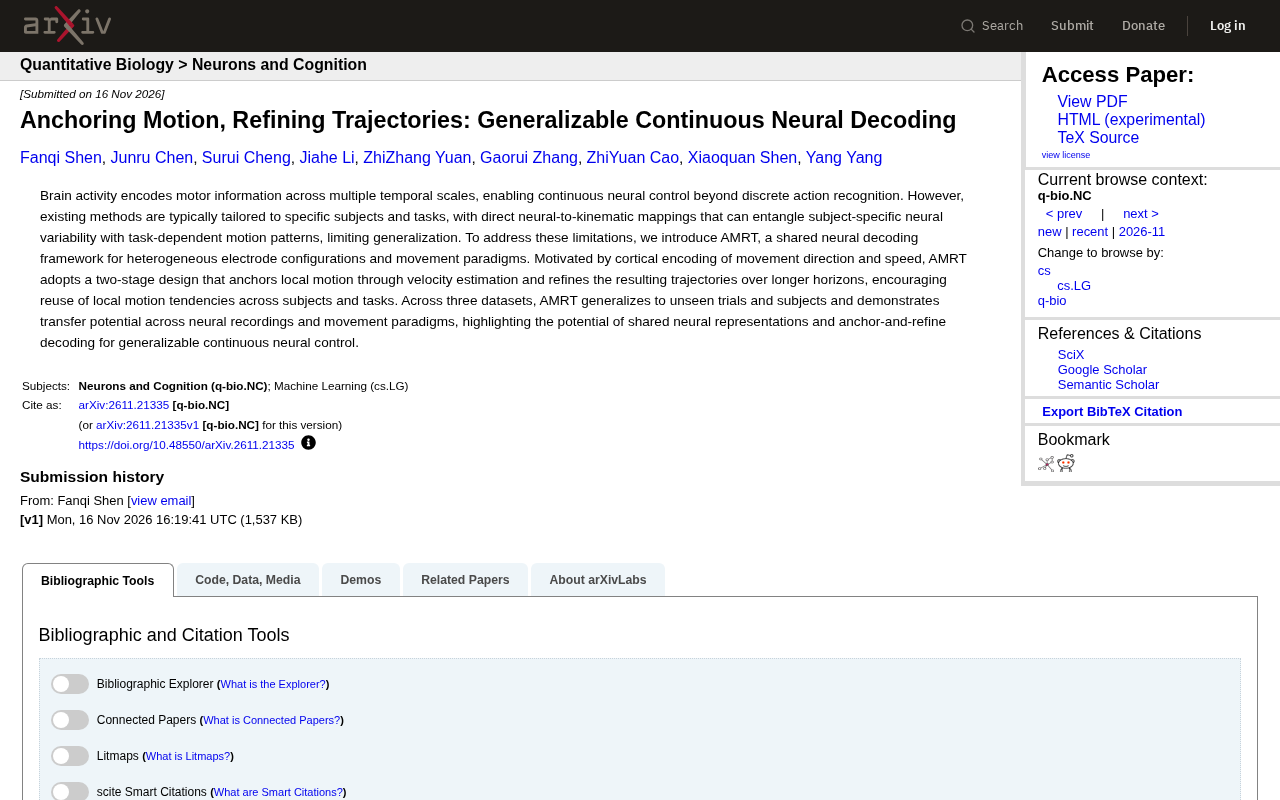
AMRT: A New Framework for Generalizable Continuous Neural Decoding Across Subjects and Tasks
The AMRT framework uses a two-stage design—velocity estimation to anchor local motion, followed by long-term trajectory refinement—to achieve cross-subject and cross-task continuous neural decoding, validated on three datasets for generalization and transfer potential, offering new ideas for general-purpose BCIs.
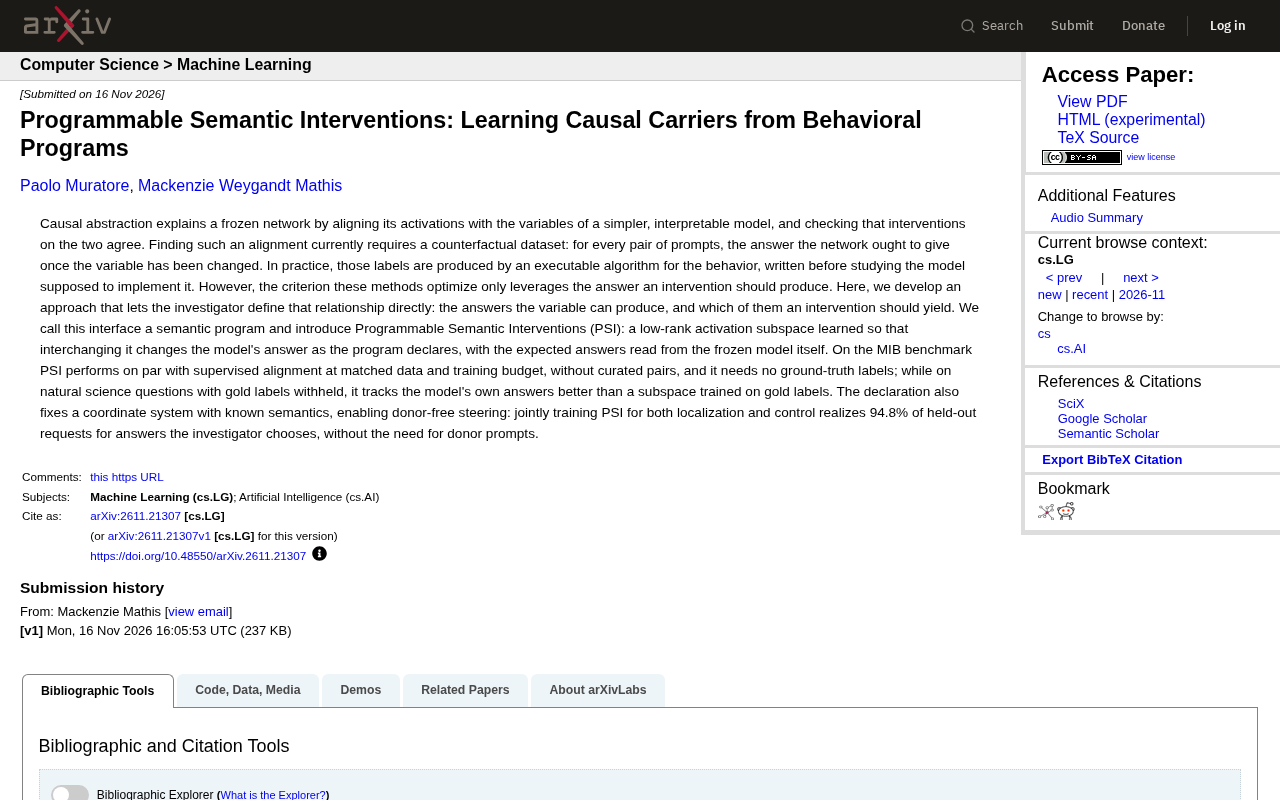
Programmable Semantic Interventions: Learning Causal Carriers Without Counterfactual Data
The paper proposes Programmable Semantic Interventions (PSI): defining variable answer spaces and intervention mappings via semantic programs, learning low-rank activation subspaces without counterfactual datasets or ground-truth labels, matching supervised alignment on the MIB benchmark and enabling donor-free steering.
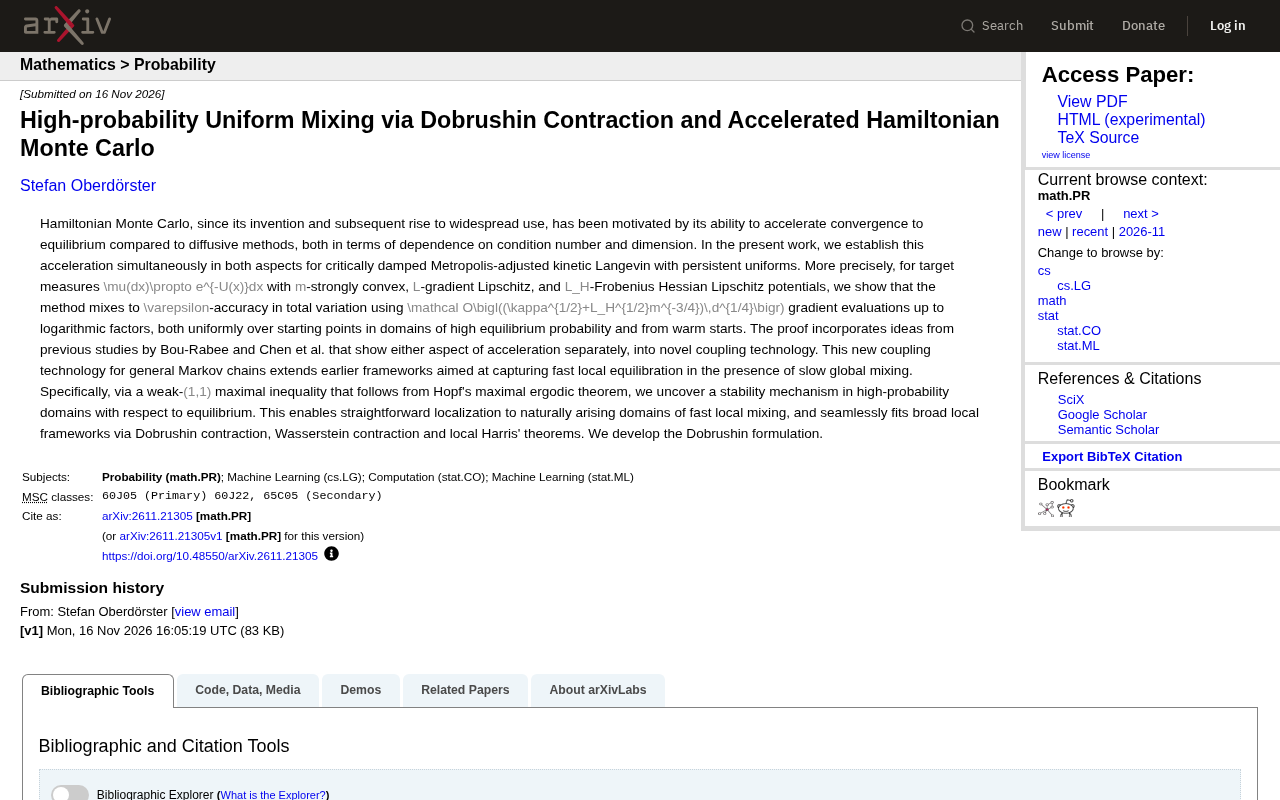
New Proof of Accelerated Convergence for Hamiltonian Monte Carlo: Dobrushin Contraction and High-Probability Mixing
The paper introduces a new coupling technique that simultaneously proves accelerated convergence of Hamiltonian Monte Carlo in condition number and dimension, requiring 𝒪((κ^{1/2}+L_H^{1/2}m^{-3/4})d^{1/4}) gradient evaluations for ε-accuracy, applicable to high-probability regions and warm starts.