AI Keeps Failing at Writing Code? You Need Knowledge Bases, Skills, MCP, and Agents — All of Them

Enterprise AI coding needs Knowledge Bases, Skills, MCP, and Agents to stop failing.
AI frequently fails in enterprise coding not due to weak models, but because it lacks a complete application framework. Through real-world cases, this article breaks down four essential capability layers — Knowledge Base (company rules), Skill (standard workflows), MCP (tool connectivity), and Agent (autonomous collaboration) — showing how to build a reliable enterprise AI development and operations system.
A Real AI Disaster in Action
An AI deployed to replace a front-end developer received a request to build a campaign page. It promptly imported three external front-end libraries and added two live CDN links. To top it off, its commit message read: "Leveraging the online front-end ecosystem to improve page development efficiency."
From a general front-end development perspective, what the AI did was perfectly reasonable — need icons? Import an icon library. Need animations? Import an animation library. Need styles? Grab them from a CDN. Plenty of open-source projects do exactly this. But in an enterprise environment, this directly violated security red lines: no external CDNs allowed, no importing packages outside the whitelist, all dependencies must go through the internal NPM registry, dependencies must pass security scanning, and the private deployment environment has no external internet access.
CDN (Content Delivery Network) is an extremely common way to import resources in open-source communities and personal projects. Public CDNs like jsDelivr, cdnjs, and unpkg have dramatically lowered development costs. However, in enterprise environments, using external CDNs means production systems depend on uncontrolled third-party services — if a CDN gets hijacked, injected with malicious code, or goes down, enterprise applications are directly affected. The 2018 event-stream incident and the 2021 ua-parser-js poisoning attack both proved that supply chain attacks are a very real threat. That's why most security-conscious enterprises set up internal private NPM registries (such as Verdaccio, Nexus, or cnpm), establish dependency whitelists, and require all third-party packages to pass security scanning before use.

The AI isn't incapable of writing code — it just doesn't know the company's rules. This problem doesn't expose a lack of model capability; it exposes a serious gap in the AI application framework. For an AI to operate in a real work environment without causing incidents, it needs at least four things: Knowledge Base, Skill, MCP, and Agent.
Knowledge Base: Teaching AI the Company Rules
A knowledge base solves the problem of "what the AI knows."
In the case above, the human front-end developer was well aware of the company's security policies — he'd even been called in for a "chat" with the security department before. But the AI that replaced him had absolutely no idea these rules existed. It wrote code following generic internet best practices, and the result was an immediate disaster in the enterprise environment.
The purpose of a knowledge base is to consolidate all "internal knowledge" — security policies, technical standards, dependency whitelists, deployment requirements — so the AI can reference them at any time while working. An AI without a knowledge base is like an employee who has never read the company handbook — potentially very capable, but completely ignorant of internal rules.
From a technical implementation perspective, the core technology behind enterprise AI knowledge bases is RAG (Retrieval-Augmented Generation). Here's how it works: internal enterprise documents (security policies, technical standards, API documentation, etc.) are first converted into high-dimensional vectors using an embedding model and stored in a vector database (such as Pinecone, Milvus, or Weaviate). When the AI receives a user request, the system converts the request into a vector, retrieves the most relevant document fragments from the vector database, and then injects those fragments as context into the large language model's prompt, enabling the model to generate responses based on private enterprise knowledge. Compared to stuffing all documents directly into the prompt (which is limited by context window length), RAG can efficiently retrieve relevant content from massive document collections while avoiding the high cost of fine-tuning models.
However, a knowledge base only solves the "knowing" problem. It doesn't guarantee the AI will actually follow the rules.
Skill: Making AI Follow Standard Procedures
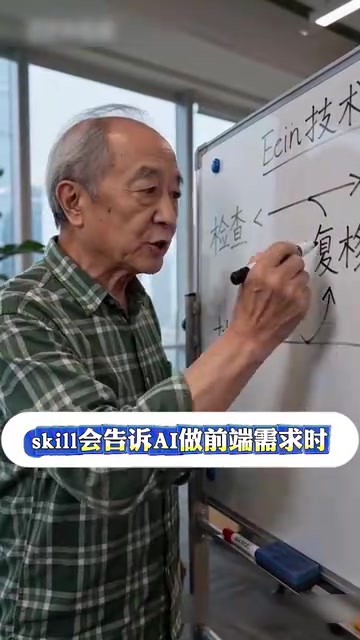
Skill solves the "not following procedures" problem. It tells the AI what steps to check and execute when handling a specific type of task.
Essentially, a Skill defines a standardized workflow for the AI. For example, when handling front-end requirements, a Skill would specify:
- First check whether the dependencies involved are on the whitelist
- Confirm that resource references comply with internal standards
- Run security scanning before committing
- Verify that the CI build passes
The security scanning mentioned here within the CI (Continuous Integration) pipeline is a mandatory quality gate in enterprise software development. Common security scanning steps include: SAST (Static Application Security Testing) to scan source code for security vulnerabilities, SCA (Software Composition Analysis) to check whether third-party dependencies have known vulnerabilities (e.g., against the CVE database), and license compliance checks to ensure dependency open-source licenses are compatible with enterprise policies. Snyk, SonarQube, Mend (formerly WhiteSource), and npm audit are all commonly used security scanning tools. When an AI introduces unvetted external dependencies, these security gates will block the build during the CI stage — which is why "CI was already raising alarms."
An AI without Skills is like an overly enthusiastic intern on their first day — you ask them to build a campaign page, and they not only build the page but also install half the front-end ecosystem, while CI is already raising alarms.
Knowledge bases solve "not knowing the rules," Skills solve "not following procedures" — you need both.
MCP: Connecting AI to Real Tools

MCP (Model Context Protocol) solves the problem of "how to connect AI to real tools."
MCP is an open protocol released by Anthropic in late 2024, designed to establish a standardized way for AI models to connect with external tools and data sources. Before MCP, every AI application that needed to integrate with different tools (such as GitHub, Jira, databases, CI/CD systems) required custom integration code, creating a massive "M×N" compatibility problem. MCP adopts a design philosophy similar to the USB interface — it defines a unified Client-Server architecture where AI applications act as MCP Clients and various tools and data sources act as MCP Servers, communicating through a standardized JSON-RPC protocol. This means a tool only needs to implement an MCP Server once to be callable by any AI application that supports MCP. Currently, mainstream AI tools like Cursor, Claude Desktop, and Windsurf already support the MCP protocol, and the ecosystem is expanding rapidly.
If the AI has no tool capabilities, all it can do is give you "suggestions": suggesting you check package.json, suggesting you review CI logs, suggesting you verify the dependency whitelist — in other words, correct but useless advice.
But if the AI connects to the code repository, CI system, and whitelist system through MCP, it can actually take action:
- Check which packages the current project uses
- Identify which packages aren't on the whitelist
- Analyze why CI failed
- Automatically fix non-compliant dependency references
However, there's a key principle here: MCP only enables the AI to "connect to" tools — it doesn't mean the AI can use them freely. MCP must be used together with Skills and access controls; otherwise, giving the AI tool capabilities could cause even greater damage.
Agent: Enabling AI to Collaborate Autonomously Toward Goals
An Agent is not just a "fancier chat box." Its core capability is: given a goal, it can break down the steps on its own, invoke tools, check results, and proceed to the next step.
The concept of AI Agents originates from classical artificial intelligence theory but has gained entirely new implementation approaches in the era of large language models. Current mainstream Agent architectures use the ReAct (Reasoning + Acting) pattern, where the model first reasons and thinks at each step, then decides which tool to call for execution, and continues reasoning based on the execution results. More complex multi-Agent architectures (such as Microsoft's AutoGen and the CrewAI framework) allow multiple Agents with different roles to collaborate on tasks — for example, one Agent handles code writing, another handles code review, and a third handles test verification. The fundamental difference between Agents and traditional RPA (Robotic Process Automation) is that RPA executes predefined fixed processes, while Agents can dynamically adjust their execution paths based on actual conditions, possessing a degree of autonomous decision-making capability.
For example, if the goal is "fix the campaign page's dependency issues," an Agent would:
- First connect to the code repository via MCP and scan current dependencies
- Cross-reference the whitelist in the knowledge base to identify non-compliant packages
- Follow the workflow defined by Skills to replace them with compliant dependencies from the internal registry
- Trigger a CI build and check whether it passes
- If it fails, analyze the logs and readjust
This is what a complete AI work loop looks like.
Server Scenarios Need Systematic Support Even More
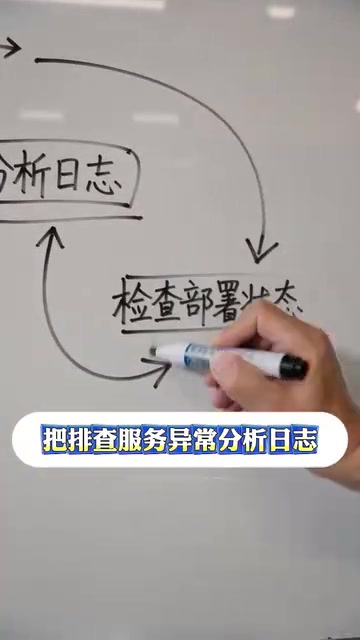
If the worst that happens in a front-end scenario from importing random packages is a build failure, then in server scenarios, an AI executing random commands means a production incident.
In server operations scenarios, AI absolutely cannot be just a chat box. For example, some mature server AI assistants consolidate server specifications, deployment procedures, common issues, and historical resolution approaches into a knowledge base, standardize workflows for troubleshooting service anomalies, analyzing logs, and checking deployment status through Skills, and then combine Agent capabilities to let the AI assist step by step toward the goal.
The risk in server operations scenarios is far higher than in front-end development. A single wrong rm -rf command, an improper database migration, or an incorrect firewall rule change can cause widespread service outages or even permanent data loss. GitLab's 2017 database deletion incident and Amazon S3's 2017 operations mishap that caused massive service outages are both painful lessons. Therefore, in server scenarios, the AI's permission boundaries must be strictly defined — which operations can be executed automatically, which must go through manual approval, and which are absolutely off-limits for AI — all need to be explicitly specified in the Skill and permission framework.
The core principle is: Don't let AI operate servers based on gut feeling. First give it documentation, procedures, tools, and boundaries. Especially for high-risk operations, there must be a manual confirmation step.
From Disasters to Reliability: Building an Enterprise-Grade AI Application Framework
Many AI systems are failing in real projects today, not because the models are too weak, but because the supporting framework hasn't been built. A truly reliable AI doesn't suddenly become competent just because you tell it "you are now a senior operations expert" — it needs:
| Capability Layer | Problem It Solves | Consequences When Missing |
|---|---|---|
| Knowledge Base | Doesn't know the rules | Follows generic practices and crosses enterprise red lines |
| Skill | Doesn't follow procedures | Skips critical verification steps |
| MCP | Can't connect to tools | Can only give advice, can't take action |
| Agent | Can't collaborate autonomously | Every step requires manual intervention |
Missing any one of these four layers will cause problems for AI in enterprise scenarios. These four layers also have clear dependency relationships: the knowledge base is the foundation, providing rule references for Skills; Skills define workflows and constrain Agent behavior boundaries; MCP provides tool interfaces, giving Agents actual execution capabilities; and Agents are the ultimate coordinators, linking knowledge, workflows, and tools into a complete work loop. Rather than scrambling to fix things after an AI disaster, it's far better to build out the complete framework of knowledge base, Skills, MCP, and Agents before deployment.
Going back to the story at the beginning, the front-end developer "Xuyang" who was replaced by AI set up a fried rice stand after leaving. He stuck a QR code on it — the first page you see after scanning is the Front-End Dependency Usage Guidelines, with a line of small text underneath: "Standards consulting billed by the hour." While the AI is still figuring things out with the company, the guy is already monetizing his knowledge base — perhaps the most vivid illustration of the value of a knowledge base.
Key Takeaways
Related articles

Should U.S. College Fraternities Be Banned? A Researcher's Incisive Observations
Why not just ban U.S. college fraternities? A researcher finds the key resistance comes from decision-makers' own fraternity identities and schools' "willful ignorance."

Microsoft Discovery: Accelerating Scientific Discovery with AI Agents
Microsoft's Discovery platform runs specialized AI agents to help researchers screen and prioritize the most promising compounds and experimental paths, reducing experiments and accelerating scientific discovery.

Cambridge Heavy Industries Secretly Develops Desktop-Scale Nuclear Fusion Device
Cambridge Heavy Industries is secretly developing a desktop-scale laser-driven nuclear fusion device, targeting the equipment supply market for fusion power plants. This article analyzes its miniaturization technology path, commercialization logic, and unique positioning in the fusion startup wave.