AI Programming Tools Every Beginner Needs: Top 3 Picks

Three AI coding tools for beginners—Copilot, Cursor, Replit—and why AI should explain code, not copy it.
This article introduces three AI coding tools recommended by a short YouTube video for beginners: GitHub Copilot for real-time code completion, Cursor as a code editor with built-in AI Q&A, and Replit as a browser-based, no-setup coding environment. It highlights the video's core advice—don't just copy code; have AI explain it, and you'll learn twice as fast—noting from a learning-science perspective that asking "why" promotes deep processing. It also offers guidance on choosing and combining tools and cautions that over-reliance on completion may weaken memory and debugging skills, so AI should be an aid, not a crutch.
Learning to program isn't easy for beginners, but AI tools can significantly lower the barrier to entry. Recently, a short YouTube video concisely introduced three AI coding tools suitable for beginners and offered a key learning tip: don't just copy the code—have the AI explain it. Behind this advice lies the essential difference between AI-assisted learning and mere "doing it for you."

Three Tools, Three Ways to Assist
The three tools recommended in the video are GitHub Copilot, Cursor, and Replit. Together they cover the full learning journey—from code completion to project Q&A to running code in the browser.
GitHub Copilot: Like "Autocomplete on Steroids"
GitHub Copilot is described as "autocomplete on steroids." It suggests follow-up content in real time as you type, helping beginners quickly get past syntax hurdles and focus on logic. For beginners, this instant feedback reduces the feeling of getting stuck, but the video also hints at the risk: if you just accept suggestions without understanding them, your learning suffers.
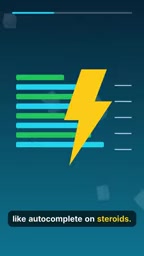
GitHub Copilot is powered by a large language model (LLM) trained on public code repositories and natural language. It can predict the most likely next snippet based on the context of the current file—including comments, function names, and existing code. It's not simple keyword completion; it understands code semantics and generates multi-line suggestions. For beginners, this means it may write syntax or library calls you haven't mastered yet, so "understand before you accept" is especially important. Copilot also supports generating code from comments that describe intent, which in turn trains beginners to express logic clearly in natural language.
Cursor: A Code Editor with Built-in AI
Cursor is a code editor with built-in AI that lets you ask questions directly about your own project. This means when you don't understand a piece of code or hit an error, you can ask the AI context-aware questions as if consulting a mentor. This kind of "conversational debugging" is great for building independent problem-solving skills because it puts explanations and code in the same interface.
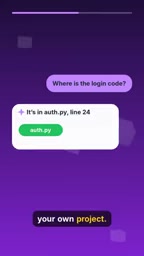
Cursor is built on top of VS Code, so it inherits most of its shortcuts, plugin ecosystem, and interface layout. Its core difference is deep integration of large models into the editor: you can select a piece of code and ask questions directly, and the AI will answer using the entire project files as context—unlike web chat, where you have to paste code manually. This "project awareness" makes explanations more accurate and also supports modifying code via natural language instructions. For learners, this means you can write and ask questions in a real project environment, reducing the cognitive load of switching between editor and browser.
Replit: An AI Coding Environment in the Browser
Replit lets you write, run, and share code directly in the browser, with an AI assistant right beside you. It eliminates the hassle of configuring a local environment, making it especially suitable for beginners to quickly try things out and collaborate. The AI assistant means you can get hints immediately when you run into problems without switching to other tools.
Replit is a cloud integrated development environment (Cloud IDE). Code runs on remote servers, and users only need a browser to write, execute, and deploy programs. It includes runtimes and package management for multiple languages, eliminating local compiler installation and environment variable configuration. Replit's AI assistant (such as Ghostwriter) can not only complete code but also explain errors and generate project skeletons. For beginners, this "out-of-the-box" experience provides quick runtime feedback, but be mindful of cloud environment resource limits and network dependency.
The Core Advice: Let AI Explain Code, Not Write It for You
The video concludes with: "Don't just copy the code. Have the AI explain it, and you'll learn twice as fast." This points to the right way to use AI coding tools—treat AI as an explainer and mentor, not a ghostwriter.
From the perspective of learning science, actively asking "why" promotes deep processing, while passive copying is merely shallow imitation. All three tools support some form of explanation request: Copilot can generate comments, Cursor supports direct Q&A, and Replit's AI assistant can provide explanations. The key is whether the learner actively initiates explanation requests.
How Beginners Should Choose and Combine Tools
For complete beginners, start with Replit, since it requires no installation or configuration and provides quick positive feedback of "it runs successfully." When you need a more complete project development experience, Cursor's built-in AI Q&A helps you understand the codebase. GitHub Copilot suits learners who can already write some code and want to boost efficiency.
The three tools are not mutually exclusive; many developers use them together. What matters is maintaining an "explanation-first" habit: after accepting an AI suggestion, spend a few seconds asking "what does this code do?" to turn the tool's output into your own understanding.
A Word of Caution
AI coding tools can accelerate learning but cannot replace understanding of fundamental concepts. What the video doesn't discuss is that over-reliance on completion may weaken memory and debugging skills. Therefore, beginners should deliberately practice writing code by hand and reading error messages during project exercises, using AI as an aid rather than a crutch.
Overall, these three tools represent three typical forms of AI-assisted programming: completion, Q&A, and environment integration. For beginners, using them wisely can significantly lower the learning curve, but learning outcomes ultimately depend on how you use them—actively seeking explanations or passively copying code.
One-line Summary
Introduces GitHub Copilot, Cursor, and Replit as AI coding tools, emphasizing having AI explain code rather than copy it.
Paragraph Summary
The article introduces three AI coding tools recommended by a short YouTube video for beginners: GitHub Copilot for real-time code completion, Cursor as a code editor with built-in AI Q&A, and Replit as a browser-based, no-setup coding environment. The tools cover three forms of assistance: completion, Q&A, and environment integration. The article highlights the video's core advice—don't just copy code; have the AI explain it, and you'll learn twice as fast. It also notes from a learning-science perspective that actively asking "why" promotes deep processing, offers advice on choosing and combining tools for beginners, and cautions that over-reliance on completion may weaken memory and debugging skills—AI should be an aid, not a crutch.
Related articles

Prompt Engineering for Beginners: From Writing Prompts to Engineering Thinking
Starting from the essence and four functions of prompts, this article systematically explains the six-step process, four success criteria, learning value, and practical limitations of prompt engineering to help you build a complete understanding.

Anthropic Launches Nasdaq IPO: AI Giant's Listing and Risk Disclosures
Anthropic officially launches its Nasdaq IPO under ticker ANT, with market valuation expected to potentially exceed SpaceX's record. The prospectus devotes nearly 100 pages to AI risks, while first-half revenue grew over 14x but net losses widened sharply, reigniting the AI bubble debate.

Rust cURL Clone Uses 4,832 unsafe Blocks—Is the Memory Safety Myth Broken?
A Rust cURL clone uses 4,832 unsafe keywords, challenging Rust's memory safety narrative. We analyze what unsafe really means, compare Fil-C, and examine rewrite motives.