AI Recreates Zendesk: 24 Acceptance Checks Passed, 21 Spec Gaps Exposed
A small team used Claude and a blueprint to build a ticketing system, passing 24 checks in one run but exposing 21 spec gaps.
Personal Software Factory used Claude on the Type platform with a Help Desk blueprint to test whether a small team can build its own Zendesk alternative. The final build passed all 24 acceptance checks in one run, with 64 automated tests, replicating core features like six state transitions, ownership and email threading, internal notes, response targets, and conflict-prevention reminders. But it was the hardest of thirteen tests, with the spec exposing 21 gaps (median 8) across five categories: seed data, numeric boundaries, section contradictions, undefined storage, and email details. Self-building offers limited savings for small teams and is more attractive to Suite users or those needing data sovereignty; production readiness still requires solving untested areas such as real email, authentication, scheduling, and hosting.
Using Claude on the Type platform with a Help Desk blueprint, can a small team of fewer than 25 people build their own ticketing system to replace Zendesk? A real-world test by Personal Software Factory gives a definitive answer: the final build passed all 24 acceptance checks in a single run, along with 64 automated tests. At the same time, the build exposed 21 gaps in the specification document—making it the hardest of thirteen build tests, with a median of just 8.
Which core features were replicated
The blueprint focuses on the email ticketing scenario most commonly used by small and mid-sized Zendesk teams, strictly replicating its state machine and lifecycle rules.
- Six states and transitions: New, Open, Pending, On-hold, Solved, Closed. Assigning a ticket opens it, and a customer reply reopens Pending, On-hold, or Solved states. Closed cannot be set manually; the system automatically closes a ticket four days after it is Solved, and replies to a closed ticket create a linked follow-up ticket.
- Ownership and threading: Every ticket must have an assignee before it can be solved, and an agent with open tickets cannot be deactivated. All public replies are sent as email with the ticket number in the subject line and a correct
In-Reply-Toheader, ensuring customer replies are filed into the same ticket. - Internal notes and response targets: Internal notes are never emailed, quoted, or shown in customer-visible content. First-response targets are set by priority (urgent 1 hour, high 4 hours, normal 8 hours, low 24 hours), and the queue displays items approaching their deadline and items overdue.
- Conflict prevention reminder: If a colleague replies while you are drafting a response, sending is aborted with the message "Ben Cho replied 2 minutes ago—please check the ticket before sending," and the draft is preserved.
Explicitly excluded features
Live chat, phone, social channels, AI agents and auto-replies, knowledge base, trigger builder, skills-based routing, business-hours targets, and satisfaction surveys are all out of scope—these require Zendesk Suite plans.
Zendesk's state machine and lifecycle is the core abstraction of a ticketing system. Zendesk's default ticket states include New (created, not yet assigned or first replied to), Open (being worked on by an agent), Pending (waiting for a customer reply), On-hold (waiting on internal or third-party input), Solved (resolved, awaiting auto-close), and Closed (closed, no longer editable). Transitions between states are driven by system events rather than arbitrary manual changes: assigning a ticket or an agent's first public reply moves New to Open; a customer reply reopens Pending, On-hold, or Solved back to Open; Solved tickets are automatically closed by a background job after four days of inactivity. A customer reply to a Closed ticket does not reopen the original ticket but instead creates a linked follow-up ticket, preserving the audit trail. Understanding this state machine is key to judging whether a self-built system is "like Zendesk," and it underpins many of the rules used in this article's acceptance checks.
Email threading relies on two SMTP headers: Message-ID and In-Reply-To. Every outgoing email should carry a globally unique Message-ID, and when a customer replies, the email client fills in the original email's Message-ID in the In-Reply-To header of the reply. The ticketing system matches inbound emails to existing tickets by parsing the In-Reply-To (and References) headers of inbound mail, rather than relying on the ticket number in the subject. The ticket number in the subject is only a human-readable aid; these header fields are what actually determine which ticket an email belongs to. The article emphasizes "setting a correct In-Reply-To header" precisely because if it is missing or wrong, a customer's reply becomes a new ticket or is lost. Moreover, internal notes must never appear in the outbox or thread emails, or they will leak to customers—which is why thread rules require strict sender checks.
Cost comparison: build vs. buy
Based on Zendesk's official website pricing as of October 2026, Support Team costs $19 per agent per month (annual billing), and Suite Team costs $55.
| Team size | Support Team annual cost | Suite Team annual cost |
|---|---|---|
| 3 agents | $684 | $1,980 |
| 5 agents | $1,140 | $3,300 |
| 10 agents | $2,280 | $6,600 |
Self-building has no per-agent fee, but it is not free: you need to pay for hosting, databases, email sending and receiving providers, and the time cost of building and maintaining the system. For small teams using Support Team, the annual savings are only a few hundred dollars; the case for self-building is stronger if you would otherwise need a Suite plan, need rules Zendesk doesn't provide, or want ticket data kept in your own database.
Phased build and the exposed specification gaps
The build process was divided into four phases: foundation (agents, dev login, seed data, ticket model), queue and replies, email ingestion and threading, and auto-close and reports. Each phase prompt ended with a single sentence: "List what you built and where the spec required you to interpret things yourself." This is precisely why the 21 gaps surfaced.
These gaps fall into five categories:
- Seed data that can't support the checks (4 instances): Seed agents had no email addresses, seed tickets had no messages, so thread checks had nothing to inspect; one ticket's "solved" reply time was earlier than its creation time; a deletion check could not fail because there was no outbox record. Lesson: seed data is part of the spec, and every check needs data that can make it fail.
- Missing boundary numbers and rounding rules (3 instances): The example for ticket #1001 landed exactly on the "approaching deadline" boundary, so both interpretations were valid; the spec cited exact durations without specifying rounding; a report check depended on the day of the week the seed data was loaded. Lesson: don't put examples on boundaries, and specify the rounding for every number displayed.
- Contradictions between sections (4 instances): One rule said tickets remain New until assigned or replied to, while the lifecycle table allowed agents to change status directly; the threading rule lacked a sender check, contradicting the edge case that "replies from strangers must not be appended to a ticket." The builder followed the earlier wording. Lesson: describe each behavior in only one place and reference it elsewhere.
- Required by the spec but undefined (4 instances): The data model had nowhere to store support-form rate limits, a ticket-number counter that survives deletion, or email retry counts; there was no UI to show the deletion events the checks looked at; queue ordering was unclear; the audit-trail requirement didn't list which events each action writes. Lesson: for every rule, ask where the data lives and where it is visible.
- Email hides real-world details (6 instances): Common email providers cannot send the Bearer header required by the inbound endpoint, so it was changed to also accept HTTP Basic auth; "the last email in the thread" could mistakenly pick an internal note; a requester with no name broke canned-reply greetings; it wasn't specified how a long inbound subject becomes the ticket subject, how a customer reply is handled when the assignee of a solved ticket is deactivated, which header the scheduler sends, or how many times failed emails are retried. Lesson: any feature that interacts with the outside world must specify the exact formats, headers, and retry rules.
This pattern is consistent with other builds: the recruiting pipeline (with a public form and data retention) ranked second with 18 gaps.
Acceptance checks are an executable verification method in spec-driven development: each check describes an observable behavior, and the builder must make the system actually satisfy it in a browser. Unlike unit tests, acceptance checks usually start from the user's perspective and cover cross-module end-to-end flows, such as "after a customer replies to a Pending ticket, the ticket becomes Open and the reply appears in the same thread." The 24 checks in this article were written this way, so passing all of them in a single run is quite convincing. But the limitations of acceptance checks are also obvious: they only verify behaviors that have been written down and cannot catch boundaries the spec never mentions. The 21 gaps the article points out are exactly the space between the checks and the spec—the checks depend on seed data, boundary values, and external email formats, while the spec does not define these details clearly, forcing the builder to interpret them.
What wasn't tested
This test was not a production deployment verification: production login (Google login was built, but all checks used the dev switcher), real email sending and receiving (outbound was recorded in the outbox, inbound was tested with JSON requests), the real scheduler (only the job endpoint and "run now" control were tested), and the hosted environment (single-server SQLite, untested HTTPS secure cookies and rate limiting behind a real proxy).
Self-build guide
The Help Desk blueprint is available for free as a Markdown file containing the data model, 15 business rules, UI, seed data, four phase prompts, and all 24 acceptance checks, with the 21 fixes incorporated. It can be pasted into Claude, ChatGPT, Cursor, Lovable, Replit, or Type and sent phase by phase.
Key takeaways
- An AI builder can pass 24/24 acceptance checks in a single browser run, proving that a self-built ticketing system is functionally feasible for small teams.
- The 21 gaps in the spec document were the biggest challenge of this build—far above the median of 8 across the other twelve builds—highlighting the importance of a precise spec.
- Seed data, numeric boundaries, section contradictions, undefined data storage, and email details are the most common types of specification gaps.
- The economics of self-building depend on team size and plan choice: savings are limited for small teams on Support Team, while Suite users or those needing data sovereignty benefit more.
- Production readiness still requires solving untested areas such as real email, authentication, scheduling, and hosting.
One-line Summary
A small team used Claude and a blueprint to build a ticketing system, passing 24 checks in one run but exposing 21 spec gaps.
Paragraph Summary
Personal Software Factory used Claude on the Type platform with a Help Desk blueprint to test the feasibility of a small team building its own Zendesk alternative. The final build passed all 24 acceptance checks in a single run, with 64 automated tests, replicating core features such as six state transitions, ownership and email threading, internal notes, response targets, and conflict-prevention reminders. But this build was also the hardest of thirteen tests, with the spec document exposing 21 gaps (median 8), concentrated in five categories: seed data, numeric boundaries, section contradictions, undefined storage, and email details. On cost, self-building offers limited savings for small teams and is more attractive to Suite users or those needing data sovereignty; production readiness still requires solving untested areas such as real email, authentication, scheduling, and hosting.
Related articles
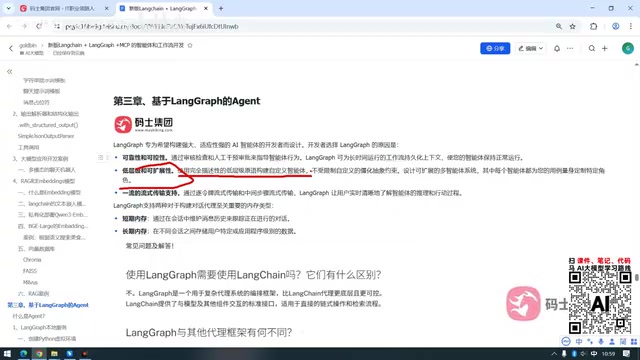
LangGraph Crash Course: Building Enterprise-Grade AI Agents and Workflows from Scratch
LangGraph crash course: learn its independence from LangChain, MIT license, FastAPI high-concurrency deployment, human approval, and memory storage for enterprise AI agents.
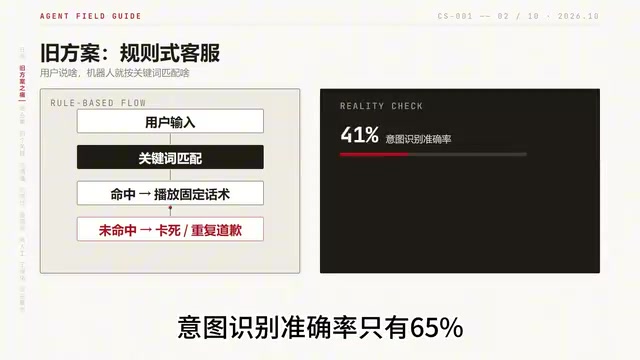
Building an AI Customer Service Agent from Scratch: A 92% Intent Recognition Case Study
A Bilibili case study: building an AI customer service agent from scratch with BERT intent recognition, dialogue state tracking, hybrid vector retrieval, and a weighted handoff model—raising intent accuracy from 65% to 92%, 78% conversation completion, handling 100K conversations daily.
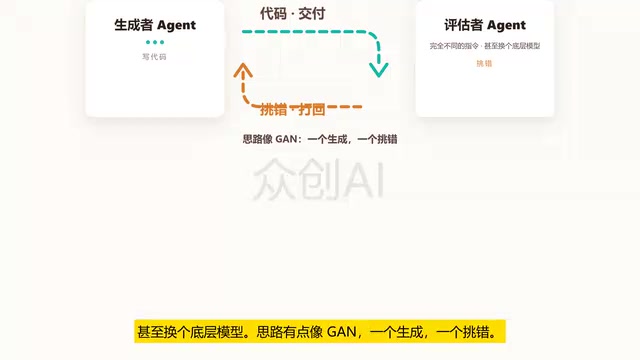
Loop Engineering: An Engineering Paradigm for AI That Writes Code and Merges PRs Autonomously
Loop Engineering is transforming AI development pipelines: Stripe's Minions system merges over 1,300 machine-generated PRs weekly. This article breaks down Loop Engineering's five core actions, six components, five failure modes, and three safety disciplines, explaining why independent evaluators, state files, and budget caps matter more than full automation.