AI SDK Toolkit Update: tool-bash 1.0.18 Patch Released

@ai-sdk/tool-bash releases patch 1.0.18, with companion core package ai at 7.0.164.
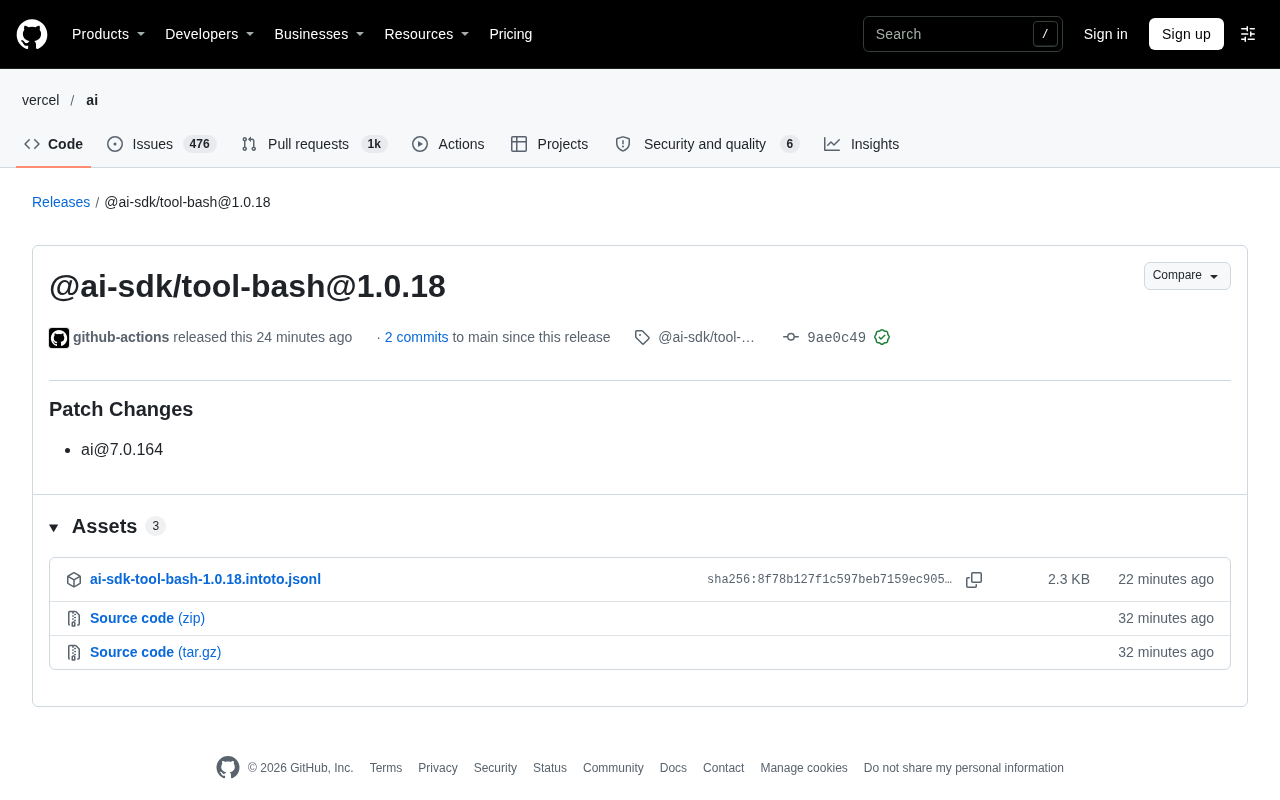
The AI SDK ecosystem's @ai-sdk/tool-bash releases patch version 1.0.18, with the companion core package ai updated to 7.0.164. The release was automatically published by GitHub Actions with signature verification and contains only 2 commits since the previous version. The release notes list only Patch Changes, indicating backward-compatible internal implementation or dependency synchronization updates with no new APIs or breaking changes. tool-bash encapsulates command-line execution as a standardized AI SDK tool, so developers don't need to repeatedly adapt tool definitions, parameter validation, and result passback for different model providers. The article reminds that providing a tool interface doesn't equal guaranteeing execution safety—actual deployment still requires sandboxing, allowlists, and human confirmation mechanisms. It also recommends keeping tool packages and the core package version-matched when upgrading, and re-testing tool-call-related test cases.
The AI SDK ecosystem has received a minor version iteration. @ai-sdk/tool-bash has released patch version 1.0.18, with the companion core package ai updated to 7.0.164.
A Low-Key Patch Release
As seen on the GitHub Releases page, this release was automatically pushed by github-actions and contains 2 commits since the previous version, finally merged into the main branch. The commits carry GitHub verified signatures, indicating that the release pipeline follows the official automated workflow.
The release notes list only a "Patch Changes" entry and reference ai@7.0.164 as an associated change. This form typically means: the changes are concentrated in internal implementation or dependency synchronization, no new public APIs were introduced, and no breaking changes were flagged.
Where tool-bash Fits in the AI SDK
@ai-sdk/tool-bash belongs to the tools module of the AI SDK. In AI application development, tool calling allows models to break out of pure text generation and perform concrete operations—the bash tool specifically targets command-line execution capabilities.
Encapsulating command execution as a standardized SDK tool has the advantage that developers don't need to repeatedly adapt for each model provider; tool definitions, parameter validation, and result passback can all follow a unified abstraction. For scenarios where an AI agent needs to run scripts, inspect files, or invoke system commands in a controlled environment, this type of toolkit is part of the infrastructure.
It's important to note that "providing a tool interface" and "guaranteeing execution safety" are two different things. Command-line capabilities inherently carry permission risks, and in actual deployment you still need to combine sandboxing, allowlists, and human confirmation mechanisms. You shouldn't relax boundary controls just because it's been packaged as an SDK component.
A "tool" in the AI SDK is essentially a structured function declaration provided to the model, typically containing a name, description, and parameter JSON Schema. When generating a response, the model doesn't execute code directly; instead, it outputs a call request conforming to that Schema, and the host application is responsible for parsing the parameters, actually executing the function, and passing the result back to the model as a new message. What @ai-sdk/tool-bash does is encapsulate this declaration-and-execution bridge, smoothing over the differences in tool-calling formats across model providers.
The bash tool here isn't as simple as starting a shell in a process; it's closer to a controlled command execution adapter layer: developers define which command patterns the tool exposes, how parameters are validated, and how output is truncated and passed back. Since command execution happens in the developer's own runtime environment, the SDK is only responsible for protocol-level standardization, while permissions, resources, and network boundaries still need to be decided by the application side.
What a Patch Version Means
A change in the third digit of semantic versioning typically corresponds to a backward-compatible bug fix. For consumers, updates like 1.0.18 can generally be upgraded directly without modifying business code.
The AI SDK uses a multi-package coordinated release model, with version correspondence between the ai core package and the various tool packages. This release explicitly names ai@7.0.164, hinting that when upgrading, you should keep the core package and tool packages matched to avoid type or runtime behavior inconsistencies caused by mixing versions.
From an engineering perspective, automated CI patch releases with signature verification reflect the maturity of the release process. For projects that depend on this toolchain, this kind of small, rapid-iteration cadence is easier to follow than large version jumps.
What Developers Should Watch For
If you use the bash tool in your project, it's recommended to upgrade to 1.0.18 through the usual process and verify the version of the ai core package at the same time. After upgrading, run through the test cases involving tool calls to confirm that command execution and result parsing haven't changed.
If you haven't used it yet, this update alone isn't a reason to adopt it. Whether to integrate the bash tool depends on whether your application needs models to trigger command-line operations and whether you have the appropriate isolation and auditing conditions in place.
Related articles
 Tech Frontiers
Buoyant Open-Sources Kinference: An Inference Control Plane for vLLM on K8s
Buoyant open-sources Kinference, an inference control plane for vLLM on Kubernetes, with declarative routing, KV-cache-aware load balancing, and per-tenant metrics—claiming 95% lower median TTFT in official benchmarks.
 Tech Frontiers
The Truth Behind Anthropic's 2x R&D Speedup: A Deep Dive into the METR Report
METR's external evaluation shows Anthropic's AI testing progress over the past year roughly equals the prior two years, with R&D accelerating about 2x—and roughly 80% likely from AI assistance. The report also admits key evidence was redacted, the range spans 1.3x to 3x, and Anthropic says it hasn't doubled yet, diverging from METR's judgment.
 Tech Frontiers
T3 Code: Free, Open-Source, and a Unified Way to Manage All AI Coding Agents
T3 Code is a free open-source app that aggregates AI coding tools like Cloud Code and Codex into one interface, with conversation handoff, branch isolation review, automatic PR creation, and remote access.