AI SDK Web Fetch Tool 1.0.14 Patch Update Explained

@ai-sdk/tool-web-fetch releases patch 1.0.14, locking ai@7.0.164 in sync.
The article covers the 1.0.14 update of `@ai-sdk/tool-web-fetch` in the AI SDK ecosystem. This Patch-level release contains only backward-compatible fixes, introduces no new APIs, and aligns the core dependency `ai` to 7.0.164 to keep the toolkit and core package consistent in type definitions and invocation protocols, reducing type errors and runtime differences from version mismatches. The release was automated by github-actions, with fairly template-like Release notes, so specific changes require checking commit 9ae0c49. The article notes that web fetching sits at the data pipeline entry, where small fixes can be amplified in later model calls, so it recommends verifying the returned structure in a test environment before production and emphasizes incorporating toolkit versions into dependency management while upgrading in sync with the core package.
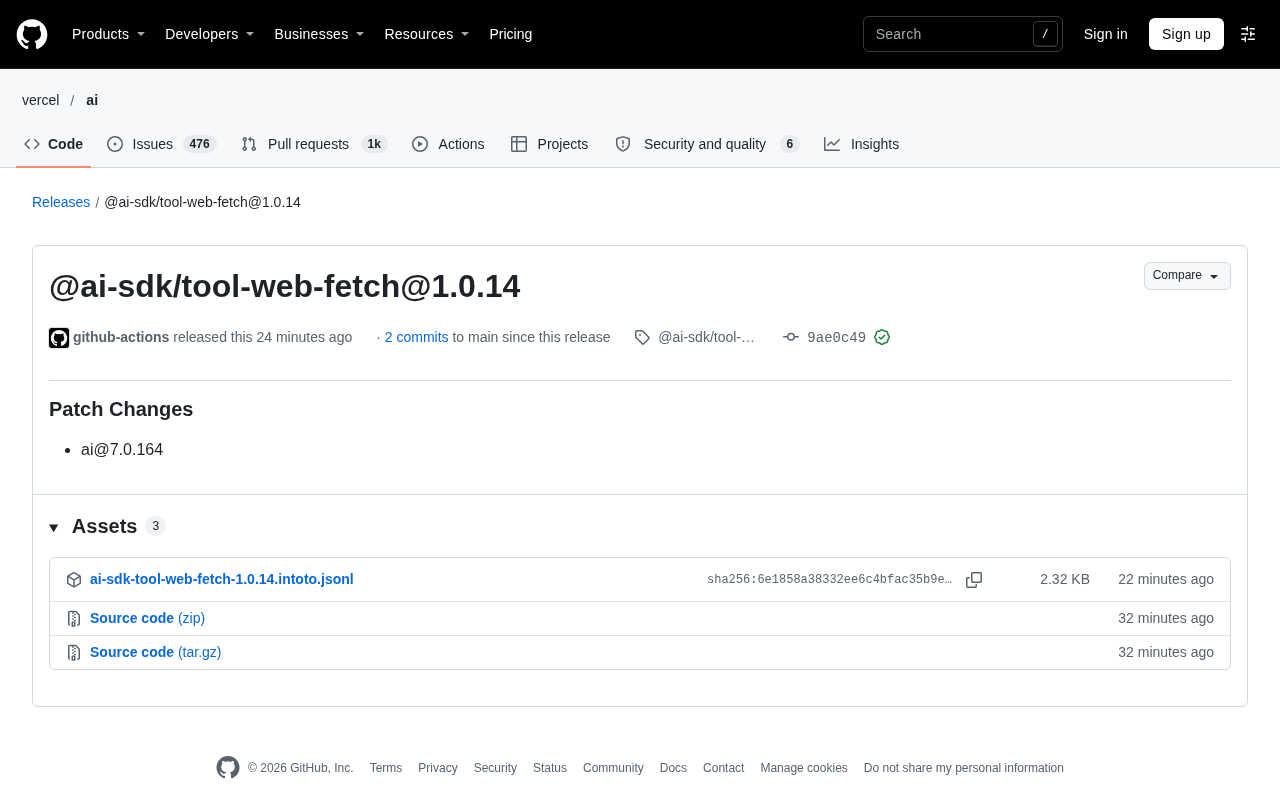
In the AI SDK ecosystem, an inconspicuous version number change often corresponds to pitfalls that application developers no longer have to step into. @ai-sdk/tool-web-fetch has released version 1.0.14, a patch-level update that also bumps the dependency ai package to 7.0.164.
What This Update Changed
From the GitHub Release page, 1.0.14 is a Patch Change, automatically published by github-actions, with commit 9ae0c49 and a GitHub verified signature. The tag filter component on the version comparison page failed to load properly, so the specific diff needs to be viewed locally via the commit.
Patch versions, per semantic versioning conventions, only make backward-compatible bug fixes and do not introduce new APIs. For developers who have already integrated this tool, the upgrade path is short: just change one version number.
Dependency Alignment: ai@7.0.164
The Release notes separately list ai@7.0.164. tool-web-fetch is the toolkit in AI SDK responsible for web fetching, and at runtime depends on the ai core package for tool definitions and invocation protocols. Locking the dependency to 7.0.164 means this toolkit stays consistent with the core package of the same period in type definitions and invocation conventions, reducing type errors or runtime behavior differences caused by version mismatches.
This kind of dependency alignment is common in toolkit ecosystems, and often overlooked. Upgrading a toolkit alone while leaving the core package at an old version is a source of many integration issues.
Semantic Versioning (SemVer) is the convention in the npm ecosystem that version numbers follow the MAJOR.MINOR.PATCH format. A MAJOR change indicates incompatible API changes, a MINOR change indicates backward-compatible new features, and a PATCH change indicates backward-compatible bug fixes. Therefore, 1.0.14 compared to 1.0.13 should only contain bug fixes, not add interfaces or change existing behavior contracts—this is the basis for judging in this article that "the upgrade path is short."
It is important to note that SemVer is a convention, not an enforced constraint, and publishers may still mistakenly put breaking changes into patch versions. Therefore, for a fetching tool positioned at the data entry point, it is still recommended to verify the returned structure in a test environment before upgrading, rather than confidently pushing to production based solely on the version position.
The difference between peerDependency and dependencies is worth explaining here. If tool-web-fetch declares ai as a regular dependencies, it may install a copy of ai internally that differs from the host application's, resulting in two core package instances coexisting with incompatible types; if declared as a peerDependency, it requires the consumer to provide the same ai, ensuring tool definitions and invocation protocols share the same set of types.
The emphasis on "locking the dependency to 7.0.164" in this article is essentially about narrowing the version drift window between the toolkit and the core package. In practice, you can use npm ls ai or your package manager's dependency tree command to check for duplicate instances, and pin versions in the lockfile to prevent different sub-dependencies from resolving different minor versions.
Practical Impact on Users
Low Upgrade Cost, But Don't Skip It
Patch updates sound trivial, but the web fetching tool sits at the entry point of the data pipeline: fetch results go directly into subsequent model calls. Small fixes at the entry point can be amplified in a long chain. It is recommended to run a round of fetching tasks in a test environment first to confirm the returned structure hasn't changed, then push to production.
Visibility of the Automated Release Process
This release was triggered by github-actions, indicating the repository uses an automated release process. Automation reduces human error, but it also makes Release notes more template-like—under Patch Changes, the specific fixes are not expanded, and the comparison page's tag loading also showed an error. For downstream developers wanting to know exactly what 1.0.14 fixed, they need to go back to commit 9ae0c49 to see the code changes.
This is not an isolated issue of a particular repository, but a common phenomenon in the toolchain ecosystem: version cadence is driven by CI, but the level of detail in change descriptions cannot keep up with the release frequency.
Changesets is a version and release management tool adopted by many JavaScript monorepo projects: developers attach a changeset file when submitting a PR, describing the type of change (major/minor/patch) and explanatory text, and CI uses it after merging to automatically calculate version numbers, generate changelogs, and publish. The "Patch Changes" wording and github-actions auto-publishing in this article are typical products of such processes.
This also explains why Release notes are template-like: the quality of change descriptions depends on what is filled in when submitting the changeset. If the author only marked it as patch without writing details, the auto-generated notes will be left blank. Therefore, for downstream users wanting to understand actual changes, going back to the commit diff is often more reliable than reading the Release page.
How to View This Small Version
A single patch version does not itself constitute a technical trend, but it reflects two things. First, AI SDK toolkits are iterating at a high frequency, with the core package and toolkits advancing in sync; second, the tool system around web fetching is being continuously refined, and fetching capabilities are being maintained as infrastructure for model applications.
For teams building applications with web connectivity, incorporating toolkit versions into dependency management and upgrading alongside the core package is more important than chasing a single patch.
FAQ
Is 1.0.14 a breaking update?
No. As a Patch Change, it only contains backward-compatible fixes and does not involve API changes.
Do I need to upgrade the ai package as well?
The Release notes list ai@7.0.164 alongside this release, so it is recommended to keep both on the same version line to avoid protocol inconsistency between the toolkit and the core package.
Where can I see the specific changes?
The comparison view on the Release page failed to load completely, so you can directly view the code diff of commit 9ae0c49.
One-line Summary
@ai-sdk/tool-web-fetch releases patch 1.0.14, locking ai@7.0.164 in sync.
Paragraph Summary
The article introduces the 1.0.14 update of @ai-sdk/tool-web-fetch in the AI SDK ecosystem. This is a Patch-level release containing only backward-compatible fixes, no new APIs, while aligning the core dependency ai to 7.0.164 to ensure consistency between the toolkit and core package in type definitions and invocation protocols, reducing type errors and runtime differences caused by version mismatches. The release was automated by github-actions, and the Release notes are fairly template-like, with specific changes requiring a look at commit 9ae0c49. The article reminds that web fetching sits at the data pipeline entry, and small fixes can be amplified in subsequent model calls, so it is recommended to verify the returned structure in a test environment before going to production, and emphasizes incorporating toolkit versions into dependency management and upgrading in sync with the core package.
Related articles
 Tech Frontiers
Buoyant Open-Sources Kinference: An Inference Control Plane for vLLM on K8s
Buoyant open-sources Kinference, an inference control plane for vLLM on Kubernetes, with declarative routing, KV-cache-aware load balancing, and per-tenant metrics—claiming 95% lower median TTFT in official benchmarks.
 Tech Frontiers
The Truth Behind Anthropic's 2x R&D Speedup: A Deep Dive into the METR Report
METR's external evaluation shows Anthropic's AI testing progress over the past year roughly equals the prior two years, with R&D accelerating about 2x—and roughly 80% likely from AI assistance. The report also admits key evidence was redacted, the range spans 1.3x to 3x, and Anthropic says it hasn't doubled yet, diverging from METR's judgment.
 Tech Frontiers
T3 Code: Free, Open-Source, and a Unified Way to Manage All AI Coding Agents
T3 Code is a free open-source app that aggregates AI coding tools like Cloud Code and Codex into one interface, with conversation handoff, branch isolation review, automatic PR creation, and remote access.