AI Video on an 8GB GPU: A Practical Guide to Running MiniMax H3 on Budget Hardware
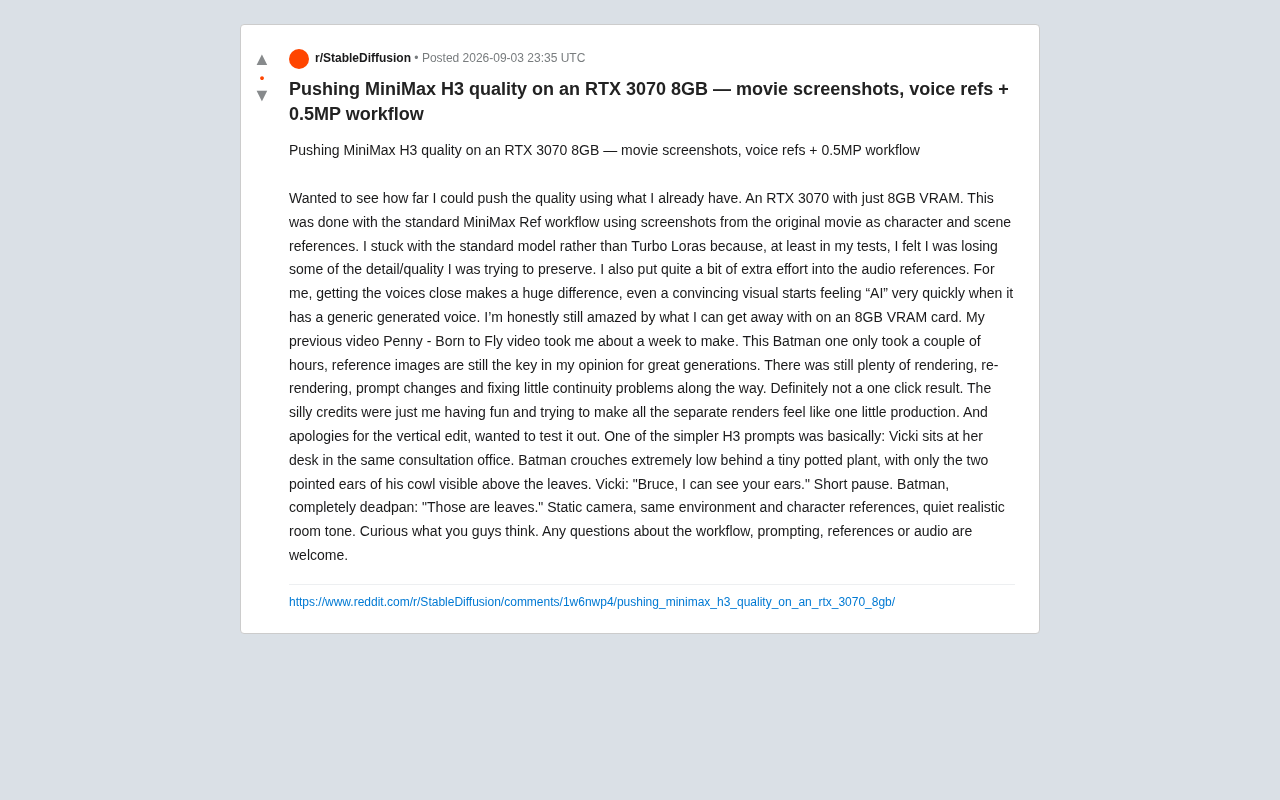
A Reddit creator produced cinematic AI video using MiniMax H3 on an RTX 3070 with just 8GB VRAM.
A Reddit creator challenged the assumption that AI video requires high-end hardware by producing cinematic results with MiniMax H3 on an RTX 3070 (8GB VRAM). Their approach combined a 0.5MP low-resolution workflow, original film screenshots as reference material, and heavy investment in audio reference to eliminate the "AI feel." Compared to a previous project that took a week, this one was completed in just a few hours — though still required extensive manual iteration. The key insight: strong reference materials and prompt craftsmanship consistently outweigh raw compute power.
AI Video Generation on 8GB VRAM — It's Actually Possible
Hardware requirements have long been one of the biggest barriers keeping everyday creators out of AI video generation. High-end workflows routinely demand 24GB of VRAM or more, leaving users with consumer-grade GPUs on the sidelines. But a recent project by a Reddit creator has challenged that assumption — using nothing more than an RTX 3070 (8GB VRAM), they produced cinematic-quality AI video with MiniMax H3.
Their core philosophy was straightforward: "I wanted to see how far I could push quality with what I already had." Rather than upgrading hardware, they designed a refined workflow and optimized their reference materials to squeeze maximum visual quality out of limited compute. For budget-conscious AI video enthusiasts, this is a genuinely encouraging proof of concept.

Reference Images: The Foundation of High-Quality AI Video
At the heart of this workflow is the MiniMax Ref standard workflow. The creator used screenshots directly from the source film as character and scene reference material, using them to lock in visual consistency across generated outputs.
Why Skip Turbo Lora?
One notable technical choice: they stuck with the standard model instead of Turbo Lora. While Turbo Lora typically delivers faster generation speeds, in their testing it "felt like it lost some of the detail and quality I wanted to preserve." This reflects a classic trade-off in AI video generation — speed and quality rarely go hand in hand. For creators focused on final output quality, accepting longer render times in exchange for higher visual fidelity is a worthwhile bargain.
What the 0.5MP Low-VRAM Workflow Actually Means
The 0.5MP (roughly 500,000 pixels) workflow is essentially a resolution compromise strategy designed for low-VRAM environments. By capping generation resolution, the full inference process becomes manageable on 8GB of VRAM. The creator emphasized repeatedly: "Reference images are still the key to quality generation." In other words, rather than chasing ultra-high resolution on the first pass, the better approach is to guide the model with high-quality reference materials and iterate at a reasonable resolution.
Audio Reference: The Secret Weapon Against the "AI Feel"
If visuals are the skeleton of an AI video, audio is its soul. This creator put "quite a bit of extra effort" into audio reference, and articulated a truth that often gets overlooked:
"Getting the sound as close to the source as possible makes a huge difference. Even a convincing shot can immediately feel very 'AI' the moment you put generic generated speech over it."
This is a sharp observation. Much of the reason viewers can immediately spot AI video isn't the visuals — it's the flat, characterless synthetic voices. By carefully crafting audio references that match the original character's timbre and intonation, you can maintain the illusion of immersion far more effectively. The takeaway: audio optimization deserves just as much priority as visual optimization.
From One Week to a Few Hours: A Leap in Workflow Efficiency
The creator shared a striking before-and-after comparison. Their previous project, Penny - Born to Fly, took roughly one week to complete. This Batman-themed video took only a few hours.
That efficiency gain comes partly from mastering the workflow, and partly from having a solid reference material system in place. That said, they were honest about the reality: "This is definitely not a one-click process." The workflow still involves extensive rendering, re-rendering, prompt adjustments, and fixing various continuity issues. That candor is refreshing — AI tools lower the barrier, but they don't eliminate the patience and polish that creative work demands.
MiniMax H3 Prompting in Practice: The Details Make the Difference
The creator also shared a relatively concise H3 prompt example, demonstrating how to use language to precisely control a scene and a performance:
Vicki is seated at the desk in the same consulting office. Batman is crouched extremely low behind a small potted plant, with only the pointed ears of his cowl visible above the leaves. Vicki: "Bruce, I can see your ears." Brief pause. Batman, completely deadpan: "Those are leaves." Static shot, same environment and character references, quiet and natural room ambience.
What makes this prompt work:
- Clear spatial relationships: "crouched extremely low behind the plant," "ears visible above the leaves" — these give the model concrete compositional direction;
- Performance direction: "completely deadpan" is an acting note that gives the generated character dramatic tension;
- Consistency anchors: repeatedly specifying "same environment and character references" helps maintain coherence across multiple shots;
- Sound design: "quiet and natural room ambience" — even the ambient audio is accounted for.
A great AI video prompt doesn't just describe the image. It functions like a script — choreographing performance, dialogue, and atmosphere all at once.
What This Means for Everyday Creators
The biggest takeaway from this project is that AI video creation isn't exclusive to high-end hardware owners. With the right strategy — lower resolution, carefully chosen reference images, attention to audio, and patient iteration — even a consumer-grade 8GB GPU can produce results that approach professional quality.
That said, a few realities are worth keeping in mind:
- Low-VRAM workflows involve resolution trade-offs;
- High-quality results require significant manual adjustment — this is far from fully automated;
- The quality of your reference materials directly determines the ceiling of your final output.
For creators looking to get started with AI video, the answer isn't to stress about inadequate hardware — it's to invest that energy into preparing strong reference materials and refining your prompts. As this creator demonstrated by completing a polished short piece in just a few hours: creativity and method almost always matter more than raw compute power.
Related articles

Vibe Coding Full-Stack in Practice: AI Programming from Beginner to Enterprise Deployment
From Cursor to Claude Code, this Bilibili AI programming course uses four progressive projects to cover full-stack development, open-source secondary development, and team collaboration. The article analyzes the shock to frontend roles, the efficiency shift from 50 people to 5, and the methodology required for enterprise-grade projects.

David Blaine's Global Quest for Real Magic: From South Africa to Japan and India
David Blaine travels to South Africa, Japan, and India in his Do Not Attempt special, documenting Spinning drivers, black mamba rescuers, iaijutsu masters, and ascetics—exploring the boundary between magic and real human极限 challenges.

Is a Touchscreen MacBook Coming? Vergecast Reveals Apple Executive's Response
Vergecast podcast reveals a conversation between a reporter and Apple executive John Ternus about a touchscreen MacBook and Apple Pencil support. Ternus says iPad is the best device for a stylus, while the reporter bets MacBook will eventually support Apple Pencil.