Any Command: Instantly Turn Your Phone into a PC Second Screen, Touchpad, and Gamepad

Any Command turns your Android phone into a PC second screen, touchpad, and gamepad for free.
Any Command is a free tool that transforms an Android phone into a Windows PC second screen, touchpad, keyboard, and gamepad. Its standout feature is window-level streaming — letting you send individual windows to your phone without mirroring the whole desktop. Running locally via LAN or Bluetooth with no account required, it prioritizes privacy and low-latency control for multitasking, entertainment, and remote PC operation.
An Overlooked Pain Point: The Idle Phone Screen
Almost everyone has a phone sitting on their desk, ready at a moment's notice — yet most of the time, it passively receives notifications and nothing more. Meanwhile, when using a PC, we often struggle with limited screen real estate — you want to watch a movie in full screen, but you also need a corner for a chat window or a monitoring panel. Any Command, a tool that recently launched on Product Hunt, targets exactly this scenario by turning an Android phone into a Windows PC's second screen, touchpad, keyboard, and even a gamepad.
The product received 61 upvotes on Product Hunt, ranking 15th for the day. While not exactly a breakout hit, its pragmatic positioning and free-to-use, no-signup-required approach makes it refreshingly straightforward among a sea of tools that heavily rely on cloud services and subscriptions.
Core Capabilities: More Than Just Screen Mirroring
Single-Window Streaming Without Disrupting Your Main Screen
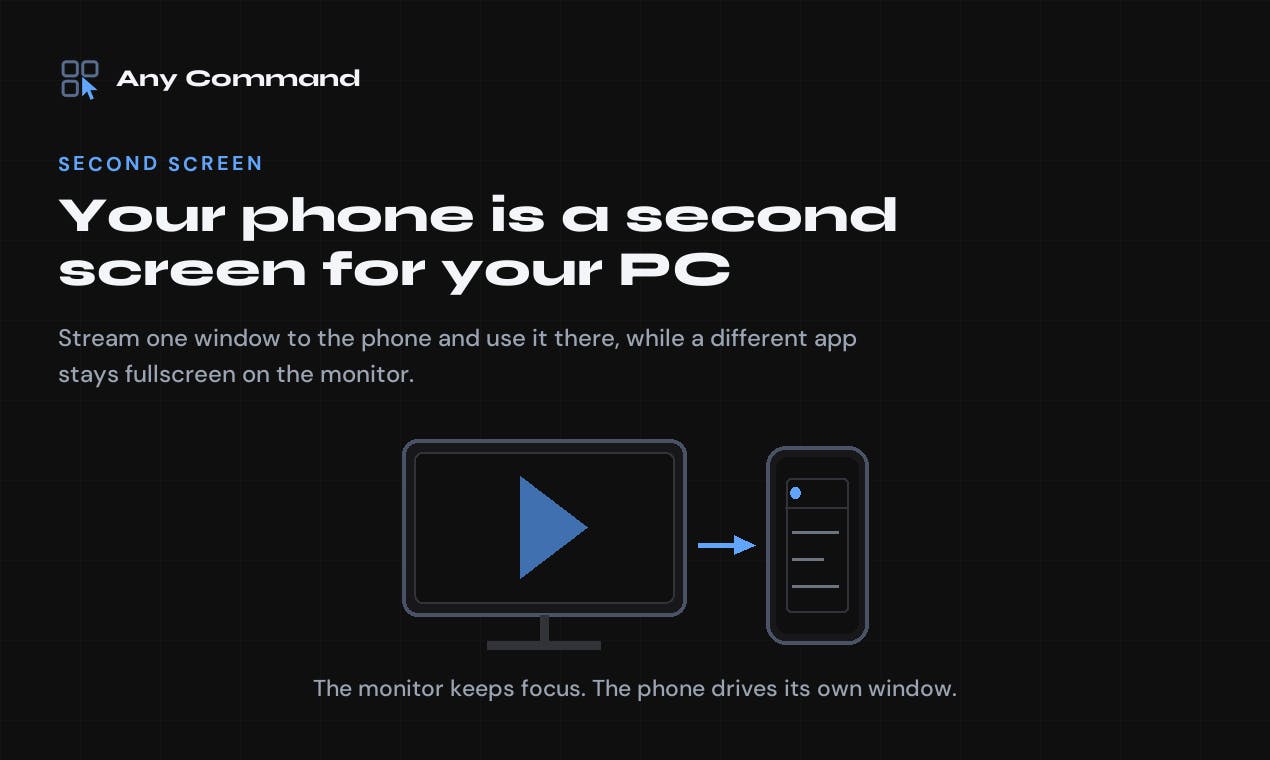
Any Command's most differentiating feature is its support for streaming individual windows to your phone, rather than simply mirroring the entire desktop. This means you can keep a movie playing full screen on your monitor while "tossing" a chat app, task list, or monitoring window over to your phone screen for independent operation.
This "window-level" separation is critical for multitasking scenarios. Traditional extended display solutions (such as Windows' built-in projection or third-party mirroring tools) typically duplicate the entire screen and can't decouple the content on the main display from the secondary one. Any Command's approach is much closer to real productivity needs.
Touchpad, Keyboard, and Gamepad — All in One
Beyond display capabilities, the phone also takes on the role of an input device. It can serve as:
- Touchpad: Use your phone screen as a mouse — perfect for controlling your PC from the couch;
- Keyboard: Type text directly on your phone, eliminating the hassle of finding a physical keyboard when using a TV or projector setup;
- Gamepad: Turn your phone into a gamepad, providing an additional control method for PC games.
This combination makes Any Command not just a tool for "viewing" but also for "controlling," covering a wide range of use cases including living room entertainment, remote control, and portable productivity.
Technical Approach: Local-First, No Account Required
Dual-Channel Connection via LAN and Bluetooth
Any Command emphasizes that it runs on the user's own local network, with data never passing through third-party cloud servers. In an era where privacy is increasingly valued, this is a clear advantage. Even more noteworthy, it also supports Bluetooth connections without needing to install any software on the PC — providing a lightweight entry point for temporary use or situations where installing programs isn't convenient.
For everyday use, the PC side requires a standard Windows installer with no complicated configuration process. This local-first architecture ensures both a low-latency control experience and peace of mind regarding network requirements and data privacy.
Low Barrier to Entry with a Free Tier and Restrained Business Model
The product offers a free tier with no account registration required. This "out-of-the-box" strategy dramatically lowers the cost of trying it out — users don't have to hand over their email address or endure a tedious onboarding process before experiencing the core features. For utility-type products, this low-friction user acquisition approach often builds word-of-mouth far more effectively than an aggressive paywall.
Product Positioning Analysis: A Pragmatist in a Niche Market
Any Command doesn't try to reinvent the wheel. Instead, it takes the well-established concept of "phone as PC peripheral" and makes it more focused and practical. There are plenty of screen-mirroring and remote-control tools on the market, but Any Command's combination stands out in several ways:
- Window-level streaming instead of full-screen mirroring, genuinely solving multitasking pain points;
- Local network + Bluetooth dual channels, balancing performance with ease of use;
- Zero accounts required with a free tier, minimizing the barrier to trying it out;
- Multi-role integration (screen / touchpad / keyboard / gamepad) — one app covering multiple peripheral needs.
Currently, it only supports the Android + Windows combination, with no iOS or macOS coverage yet. This is both a limitation and an indication that the team has chosen to refine the experience on the largest user base first.
Final Thoughts
Any Command is a quintessential "small but beautiful" tool — it doesn't aim to disrupt, but precisely fills a gap in everyday use. For anyone who frequently watches content on a PC in the living room, needs an extra control panel, or simply wants to put an idle phone to good use, it's worth a try. Its local-first, no-account-needed design is especially commendable in today's software ecosystem that over-relies on the cloud.
If you happen to have an Android phone and a Windows PC, consider adding Any Command to your productivity toolkit and see how much this pocket-sized second screen can improve your workflow.
Related articles

Chain of Thought Isn't Just for AI: How Humans Can Use CoT to Improve Thinking Quality
Chain of Thought isn't just a prompt trick for large models. Starting from a Hacker News discussion, this article analyzes why CoT works for human thinking too, breaks down actionable ways to transfer it, and highlights the key differences between human CoT and machine CoT.
Cloudflare Teams Up with OpenAI: Closi…
Cloudflare Teams Up with OpenAI: Closing the Loop from Vulnerability Discovery to Defense with AI
Cloudflare uses OpenAI Daybreak to investigate security vulnerabilities and generate reviewable remediation plans, while developers use Codex to boost coding efficiency and quality.

Orca Multi-Agent Orchestration in Practice: A Guide to Parallel Collaboration with Claude and Codex
Orca is Stable AI's free open-source agent workbench supporting 34 agents like Claude Code and Codex in parallel. Learn its Git worktree isolation, multi-model orchestration, and mobile management.