Apple Launches iPhone Duo Developer Resources: Xcode 27.1 Beta and Design Kits Now Available

Apple opens Xcode beta, official design kits, and global workshops to help developers prepare for iPhone Duo.
Apple has released a focused set of developer resources ahead of the iPhone Duo launch. Xcode 27.1 beta is now available with Simulator support for the new device, while official Figma and Sketch design kits have been added to Apple Design Resources for both major design workflows. Apple has also opened global workshop registrations and launched a dedicated developer page. The emphasis on building experiences for "all screen sizes" strongly suggests the iPhone Duo introduces a new screen form factor, making early adaptation especially important for teams looking to stand out at launch.
Apple has rolled out a comprehensive set of developer resources for its upcoming iPhone Duo, including a beta release of Xcode, official design kits, and global workshop registrations — all aimed at helping developers optimize their apps for the new device ahead of launch.
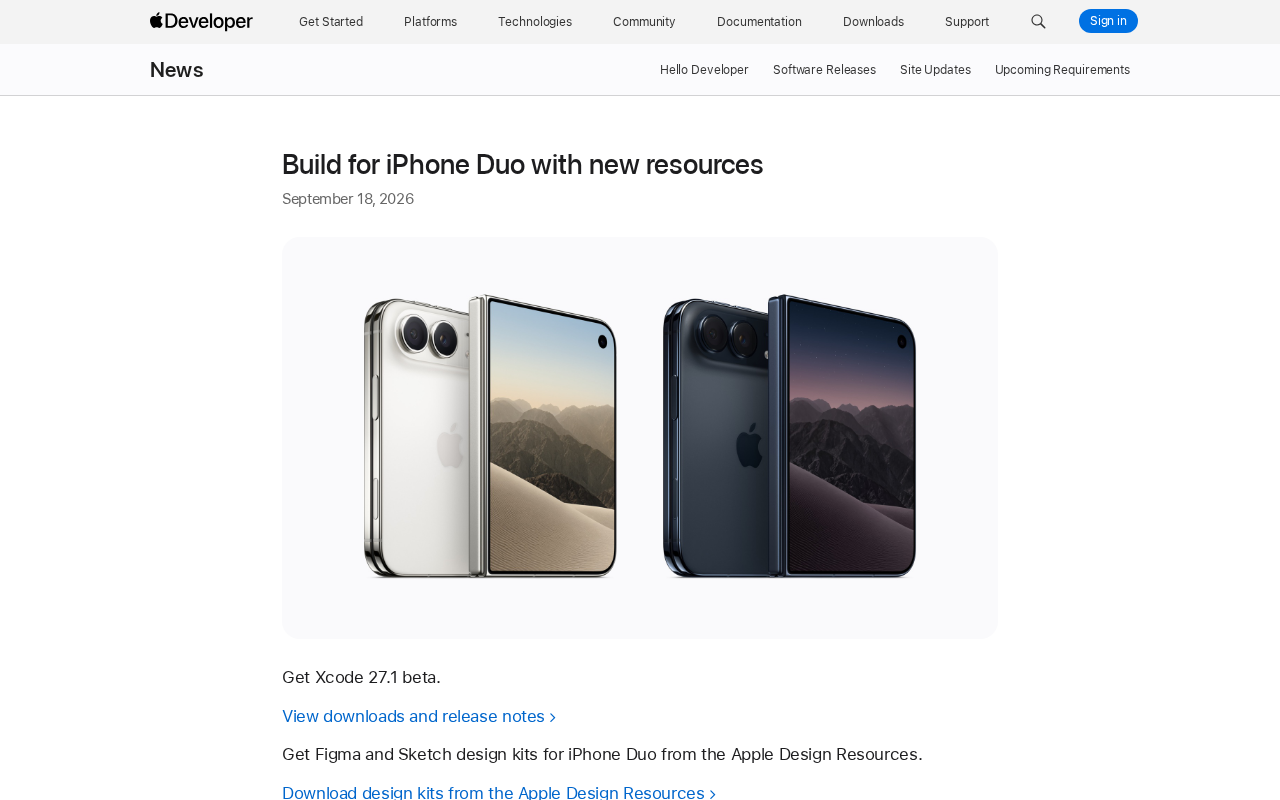
Xcode 27.1 Beta Now Available for Download
Developers can now download Xcode 27.1 beta, the primary tool for adapting apps to the iPhone Duo. Apple has also published a download page and release notes to help developers understand what's new and what has changed in this version.
For teams looking to complete compatibility work before the device ships, getting into the beta toolchain early means catching issues sooner — especially on a new form factor where screen layout and interaction patterns may differ significantly from existing models. Historically, Apple has tended to give better App Store visibility to apps that are well-optimized at launch for new hardware.
Xcode is Apple's official integrated development environment (IDE) and the only supported way to build, debug, and submit apps for iOS, macOS, and other Apple platforms. With each new hardware or software release, Xcode updates typically include a corresponding Simulator so developers can test their apps in a virtual environment without needing a physical device. Beta versions are available to anyone with an Apple Developer account and include new device support earlier than the stable release — but may also contain unresolved bugs, so it's best to use them in an isolated environment rather than replacing your production toolchain.
Design Kits for a Multi-Screen Form Factor
Apple has added iPhone Duo design kits for both Figma and Sketch to Apple Design Resources. Designers can download these assets and work within their preferred tools using iPhone Duo's exact specifications for layout and prototyping.
Providing official design kits is standard practice for Apple, and the value lies in ensuring that third-party apps stay aligned with system-level visual guidelines, control sizing, and safe area definitions. The fact that Apple specifically highlights the goal to "build customized experiences for all screen sizes" suggests that the iPhone Duo likely introduces a meaningfully different screen configuration compared to existing iPhone models — which is precisely why the design kits merit their own announcement.
Figma and Sketch are the two dominant tools in UI/UX design today. Figma runs in the browser and supports real-time collaboration, making it popular with cross-functional product teams; Sketch is a macOS-native desktop app with deep roots in the Apple ecosystem design community. By offering official kits in both formats, Apple ensures coverage across different team workflows. These kits typically include device frames, system fonts, standard component libraries, safe area annotations, and screen resolution specs — essential references for accurate layout work when you don't yet have a physical device.
Global Workshops and In-Depth Adaptation Guides
Beyond tools and design assets, Apple has opened registration for workshops worldwide. These in-person or online sessions are designed to help developers learn how to optimize their apps and build tailored experiences for different screen sizes. Sessions are typically led by Apple engineers and offer practical guidance that goes beyond what's available in documentation alone.
Apple has also set up a dedicated iPhone Duo developer page that consolidates key preparation steps for app adaptation. For developers planning to support the new device, a practical path forward looks like: download the tools → adapt your designs → attend a workshop → prepare for submission.
What This Means for Developers
Looking at the overall resource rollout, Apple is following its well-established launch playbook for the iPhone Duo ecosystem: release the tools first, then the design specifications, then close remaining knowledge gaps through events and documentation. The core goal of this approach is to lower the barrier to adaptation and maximize the number of well-optimized apps available at launch.
For development teams, the most valuable first step right now is downloading Xcode 27.1 beta and testing existing apps in the Simulator, then using the design kits to adjust layouts accordingly. The earlier you complete that cycle, the better positioned you'll be to capture user attention during the iPhone Duo's launch window.
Note: This article is based on content published through Apple's official developer channels. Final hardware specifications for the iPhone Duo will be confirmed by Apple at a later date.
Related articles

FastAPI: A High-Performance Python Framework and a Production-Ready API Development Powerhouse
FastAPI is a high-performance web framework based on Python type hints, supporting async and automatic OpenAPI docs. With over 100k GitHub stars, this article analyzes its core strengths, production readiness, and selection advice.

Tesla Optimus Begins Mass Production: Can the Goal of 20,000 Units Per Week Be Achieved?
Tesla Optimus officially begins mass production as Musk sets a target of 20,000 units per week. This article analyzes the supply chain challenges behind mass production, the real gap in capacity ramp-up, and the competitive landscape for humanoid robots.

PCL: A Minecraft Launcher with 8.5k Stars — Why Was It Written in VB.NET?
An in-depth analysis of PCL, the GitHub Minecraft launcher with 8,500+ stars: why it chose VB.NET, its features and China network advantages, and the limits of Windows-only.