Auto-Generate Anime Short Dramas from a Script: A Complete Skills Pipeline Tutorial
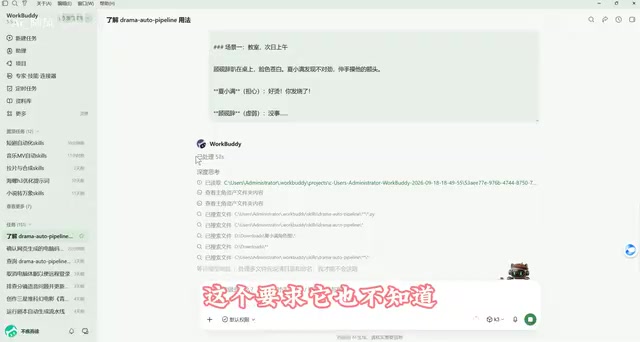
A fully automated AI Agent pipeline that takes a script and produces a complete anime short drama through conversation.
The "drama auto pipeline" Skills workflow breaks anime short drama production into 12 conversational steps — from script co-creation and style approval to character asset generation, director storyboarding, prompt writing, and batch video rendering. Users provide creative direction and review at key checkpoints; the AI Agent handles all execution, integrating LLM APIs, image generation, video rendering via RunningHub, and voice cloning. A one-minute finished video costs roughly ¥3–6, with a 20-segment, ~4-minute demo totaling about ¥10 — all via cloud API, requiring no local GPU. A dual review mechanism has the Agent self-audit before human review, with errors logged for continuous improvement.
From Script to Final Cut: A Fully Automated AI Short Drama Pipeline
Traditional anime short drama production spans multiple stages — scripting, storyboarding, voice acting, rendering — making it extremely demanding for solo creators. This workflow, built on Skills (drama auto pipeline), wraps the entire chain into a conversational AI Agent pipeline. All you need to provide is a concept or script; character generation, storyboard design, prompt writing, and video rendering are all handled automatically by the Agent. Your only job is to review and approve at key checkpoints.
As demonstrated by a Bilibili creator, the core philosophy of this system is "humans set the goal, Agent does the work." You can choose to hand off everything and let it run on autopilot, or review every single step yourself. Under the hood, it runs on a built-in standardized SOP, calling large models, image generators, video renderers, and voice cloning tools via API — no code required at any point.
Prerequisites: Model Selection and Credit Costs
Before starting, you'll need to install and activate Skills, create a new task, and load the drama auto pipeline skill. If you're unfamiliar with the workflow, just ask the Agent "how do I use this Skills?" — it will explain that this is a fully or semi-automated pipeline from script to final video.
Model selection is the first key decision. The system offers three tiers — Fast, Balanced, and Ultimate — with higher tiers delivering deeper reasoning at greater credit cost. The available models span China's mainstream offerings:
- Hunyuan series: Developed in-house by Tencent; Hunyuan is currently free for a limited time
- DeepSeekAd 4.1 flash: 0.03 credits per call, highly cost-effective — one of the creator's primary models
- Zhipu GLM 5.3 flash: Another go-to model — cheap and fast
- Kimi K3, MiniMax M3, DeepSeek Pro: More capable, suited for long-context and long-chain tasks
The creator's practical advice: for general tasks, DeepSeek 4.1 flash or GLM 5.3 flash is more than sufficient; for long-chain tasks like anime short dramas, Kimi K3 is worth the upgrade if you have credits to spare. New users get 2,000 credits upon WeChat login, plus 100 credits for each daily login — more than enough for testing and experimentation.
A quick note on these models: DeepSeek 4.1 flash is a lightweight inference model from DeepSeek, known for ultra-low latency and token costs — ideal for high-frequency pipeline calls. Zhipu GLM 5.3 flash, from Tsinghua-affiliated Zhipu AI, also prioritizes cost-efficiency with solid Chinese comprehension and instruction-following. Kimi K3 is Moonshot AI's latest flagship, offering a clear edge in long-context handling and complex reasoning chains, though at higher per-call cost. In an automated pipeline, model selection ultimately comes down to a trade-off between reasoning depth and call cost: lightweight models handle simple formatting steps just fine, while director-level storyboarding — which involves multi-turn logic and long-form generation — benefits from stronger models to reduce hallucinations and rework.
12-Step Full Workflow Breakdown: How the Agent Builds a Film
The entire process is broken into sequential steps, each of which can be adjusted or skipped as needed. Here are the core stages:
Script Co-Creation and Style Approval
The first checkpoint is script co-creation — the Agent generates a script unit for your review, and you can reject and request revisions. The second is style approval, where the system presents three options (e.g., vibrant youth, soft-light idol drama) with recommended rationale. A single sentence is all it takes to make your choice, or you can ask it to "try another set."
Asset Generation and Review
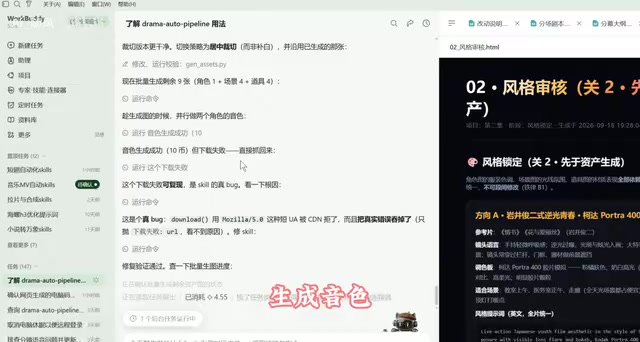
Step three generates character, scene, and prop assets. Images are processed through the "真真工坊" (Zhenzhen Studio) workflow (approximately ¥0.04 per 1K image, using the GPT 2.5 model), while voices are generated via breeze TTS. The Agent builds a white-background image and voice sample for each character while maintaining consistent faces and voices throughout. Once generated, it outputs an HTML review page — flag any issues and it will redo them.
Storyboard Design (The Director Step)
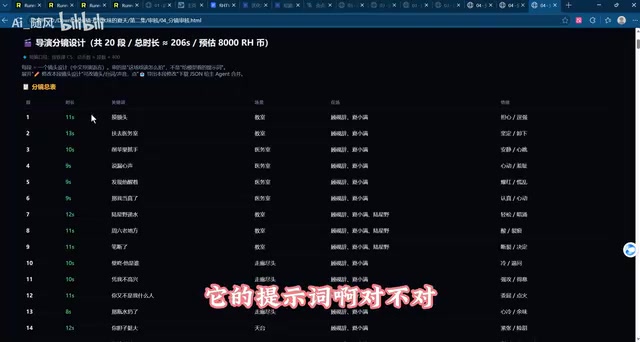
Step four — Chinese director storyboarding — is the most critical stage. The Agent breaks the story into multiple storyboard segments, annotating each with scene, characters, emotion, dialogue, and duration, while intelligently handling continuity. When continuing in the same scene, it extracts the last frame of the previous clip as a reference; scene transitions start a fresh shot. In the demo, a 20-segment, 206-second short drama was laid out entirely this way.
Prompt Generation and Final Checkpoint
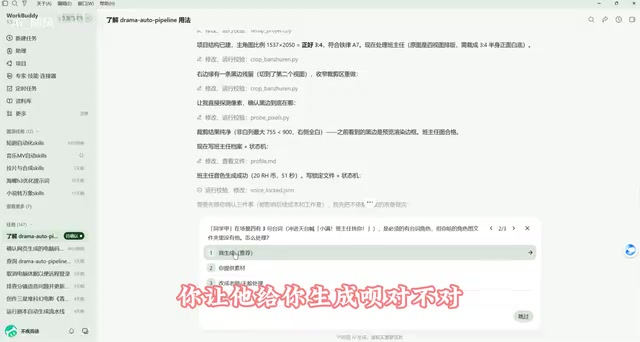
Step five generates video prompts for MiniMax H3 — the last checkpoint before rendering. The Agent methodically breaks down each shot, checks whether dialogue exceeds the time limit, and asks how to handle issues (split the segment, compress dialogue, or extend duration). The creator recommends "split the segment, keep every word of dialogue." Make sure to review dialogue and storyboards carefully at this stage.
Batch Rendering and Final Review
The final stages are batch video generation and final review. The Agent calls the RunningHub workflow to render everything, then stitches the segments into a complete film. If any segment falls short, just tell it to re-render that clip.
Compute and Cost: Consumer vs. Enterprise API
Cost is an unavoidable consideration in real-world use. Video rendering runs through the RunningHub workflow, with two API options:
- Consumer API (deducts RHB): Regardless of membership tier, maximum 5 parallel lanes. Using the Plus tier (48GB GPU), approximately ¥6/hour of compute.
- Enterprise API (wallet top-up): Up to 100 simultaneous parallel jobs — highly efficient, but slightly higher per-unit cost.
In the creator's tests, one minute of finished video (roughly 4 × 15-second segments, ~15 minutes each to render) costs approximately ¥3–4 (consumer) or around ¥6 (enterprise). The demo's 20-segment, 3-minute-45-second short drama came to a total of ¥10.25 over 3.65 hours.
For beginners, one major advantage is that the entire workflow runs via API calls — your local machine needs nothing beyond an internet connection. While the system also supports Xianhou Cloud or local ComfyUI, those require additional deployment and workflow export steps, making them a higher-friction path.
RunningHub is a cloud-hosted ComfyUI workflow platform. Users can export locally built ComfyUI node graphs, upload them to the platform, and trigger execution remotely via API — shifting the GPU dependency from local hardware to cloud clusters. RHB (RunningHub Balance) is the platform's internal currency, obtainable through membership subscriptions or direct top-up, used to offset compute costs from workflow execution. The key difference between consumer and enterprise API is parallelism: consumer tier is capped at 5 simultaneous workflow tasks (based on membership level), while enterprise wallet top-up unlocks 100 parallel tasks — dramatically cutting batch render wait times at a slightly higher per-unit cost. For individuals producing occasional short dramas, consumer tier is typically sufficient; for batch production or time-sensitive needs, enterprise tier is the better value.
Dual Review Mechanism and "Smarter Over Time"
One standout feature is the dual review mechanism: before passing work to you, the Agent runs its own internal quality check against built-in rules. In the demo, an issue where a character's face was half-cropped was caught during this self-audit — the Agent detected insufficient crop pixels, self-corrected, proactively checked other assets for the same issue, and logged the lesson for future reference, effectively getting smarter with each use.
When network hiccups or download failures occur, the Agent automatically retries and self-recovers. Users simply define the goal, direction, and steps — execution is handled end-to-end by the Agent. This reflects the emerging paradigm of AI Agent collaboration: humans provide judgment, machines provide execution.
The phrase "smarter over time" maps to the memory and experience accumulation mechanism in AI Agent frameworks. In systems like Skills, errors discovered during task execution, user correction instructions, and self-audit conclusions are written into session-level or persistent memory modules. On subsequent similar tasks, the Agent can retrieve these records to proactively avoid known issues. This differs fundamentally from traditional software that "runs from zero each time" — it behaves more like an assistant who builds up experience on the job rather than a stateless script. Worth noting: this learning is based on rule induction and context retrieval, not actual model weight updates. As a result, switching accounts or clearing memory wipes out any accumulated "experience."
Practical Tips: Walk Through the Full Flow First
The creator's hands-on advice is worth taking seriously: don't go full auto on your first run. Walk through each step manually — you'll understand the complete production chain for anime short dramas and get a clear picture of what each step generates and what parameters mean.
Once you're comfortable, you can optimize your rhythm: review each step up until batch video generation, then step back once rendering begins. The creator's personal habit is to queue a job in the evening, check results the next morning, re-render any problematic segments, then bring everything into a video editor for final polish.
One caveat: full auto mode carries higher error risk due to AI randomness and hallucination. If you let the pipeline run completely unattended and only discover problems after the video is done, the cost — in time and credits — can be steep. Human review at critical checkpoints remains essential for quality control.
Also worth noting: if you revise an earlier storyboard segment, later segments with continuity dependencies may need adjustment too, or you'll need to fix transitions in post-production — this falls under final polish.
All things considered, this Skills workflow transforms anime short drama production from "manual operation at every stage" to "define the goal + review at key nodes," driving large models and generation tools to work in concert through a single conversational interface — significantly lowering the barrier to entry and time cost for solo creators.
Related articles
Claude Code Adds Mods and AGENTS.md Support: A Deep Dive
Anthropic adds Mods plugin system and AGENTS.md support to Claude Code, alongside Projects redesign, background computer use, Diff panel, and Skills evaluation tools.
DeepSeek Harness Goes Open Source: An AI Agent Foundation Where Everything Is a Plugin
DeepSeek Harness is now open source. Built on an "everything is a plugin" philosophy, it supports 20+ LLM providers and launches a local Web UI with a single command.
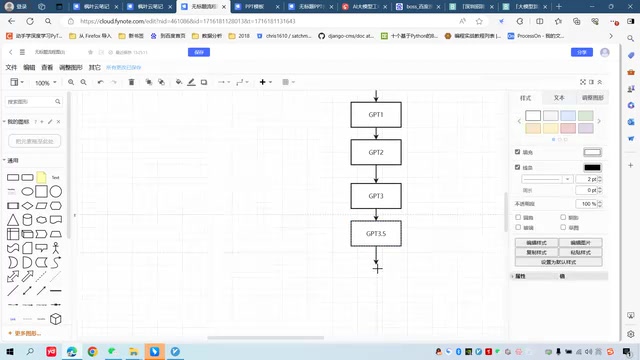
AI Large Language Model Learning Roadmap: From Theoretical Foundations to Agent Development
A complete AI large model learning roadmap: from Transformer theory and PyTorch/Hugging Face frameworks to API calls, fine-tuning, Agents, and LangChain — a clear path from beginner to job-ready.