Automating Lead Filtering with n8n: An AI Workflow in Practice

Build a lead processing pipeline in n8n that filters first, lets AI understand second, and writes to the CRM last—then replicate it to other scenarios.
The article introduces an n8n-based lead filtering automation workflow built around "filter first, understand second, store last": form submissions trigger initial screening that removes weak and spam leads, qualified leads are read by AI to extract information and generate notes, and the results are written back to the sales team's CRM. The author notes that skipping filtering wastes tokens and can contaminate the database, while failing to land results in the CRM leaves automation as an isolated one-off. The same pattern applies to email summarizers and customer service escalation.
Lead qualification is one of the most time-consuming parts of any sales team's work. Once a website form is submitted, the entries are often a mix of invalid information, spam leads, and genuinely promising customers. Rather than having salespeople judge each one manually, it's better to hand this repetitive labor over to an automated workflow. n8n offers a reusable approach: use AI to read leads, filter out noise, add notes, and then write everything into the CRM.
The Three-Step Structure of a Lead Filtering Workflow
The logic of this pipeline is very clear. When the website form is submitted, the workflow triggers first and runs an initial pass over the lead, removing obviously weak or spam entries. The remaining "good leads" are then passed to the AI to read one by one, extract valuable information, and generate notes. Finally, the processed records are saved into the CRM—the customer database the sales team uses every day.
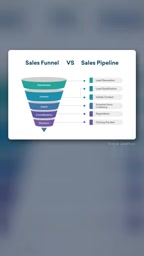
The key to this structure is the order: "filter first, understand second, store last." If you skip filtering and let the AI process every lead, you not only waste tokens but may also let spam contaminate your CRM records. Put mechanical screening up front and hand the parts that require semantic understanding to the AI, and you get both cost efficiency and processing quality.
What is n8n: n8n is an open-source workflow automation tool that uses visual node-based orchestration to connect trigger events with various services. Compared with commercial products like Zapier, n8n supports self-hosting, so data can stay on your own servers—making it suitable for teams that are sensitive about data privacy or need deep customization. It ships with hundreds of integration nodes and also lets you call any external API via HTTP requests, code nodes, and more, which is why it's often used to build AI-driven automation pipelines.
How the AI node in the workflow works: "AI reads the lead" usually means calling a large language model (such as OpenAI's models) in a node within the workflow, feeding the form fields in as a prompt, and having the model return structured results. To ensure downstream steps can parse the output reliably, you generally require the model to output a fixed JSON format—for example, extracting the company name, requirement description, and intent level, and generating a note. The initial screening of spam leads can be handled by simple rules instead—such as email format validation, keyword blacklists, or whether required fields are empty—rather than calling the model for everything.
Data Landing: The Significance of Writing to the CRM
Many automation demos stop at "the AI produced output," but the real business value comes from the last step—writing the results into the system the team already uses.
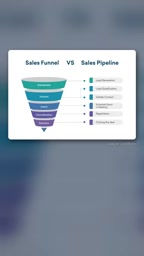
Once leads enter the CRM with AI-generated notes, sales can open the system and see the context immediately, without having to dig back through the original form or chat logs. This step looks simple, but it's the dividing line between an automation that's a "toy" and one that's a "tool." Without landing in the CRM, all the preceding AI processing is just an isolated one-off operation.
What CRM means and how to write to it: CRM stands for customer relationship management system, used to centrally store customer profiles, communication records, and sales progress. Common products include HubSpot, Salesforce, Pipedrive, and others. In n8n, writing to a CRM is typically done through the built-in node for the corresponding service or a generic HTTP request, and the core task is mapping fields one by one—for example, writing the AI-generated note into the "Notes" field and the intent level into the "Lead Status" field. Pay attention to deduplication and idempotency: if the same form is submitted more than once, you should query first using the email or phone number as a unique key and then update, to avoid creating duplicate records in the CRM.
Other Use Cases for the Same Pattern
Once you've mastered a pattern, the cost of copying it drops dramatically. The email summarizer is a variant of the same idea: every morning it reads your inbox, generates a short summary, and sends it to you. It shares the same skeleton as lead filtering—scheduled or event-triggered, AI processes the content, and output goes to some destination.
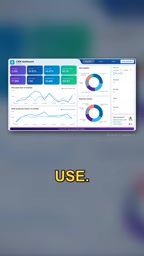
Customer service goes a step further. Some people use n8n to build customer service bots that automatically escalate and hand off to a human when they encounter a complex issue they can't handle.

What these three examples have in common is this: the AI isn't responsible for every decision, but is embedded in a pipeline with clear inputs, processing, and outputs. The trigger condition determines when it runs, the AI handles semantic-level judgment or generation, and the final result lands in a specific system.
Two types of triggers: The "scheduled or event-triggered" mentioned above corresponds to two kinds of starting points for a workflow. Event triggers (such as Webhooks) are woken up at the moment a form is submitted or a message is received, making them suitable for scenarios like lead filtering that need an immediate response. Scheduled triggers (Cron) run at preset time intervals, such as reading the inbox every morning to generate a summary. Which trigger to choose depends on the business's timeliness requirements and whether the upstream system supports actively pushing events.
Reuse Matters More Than Building from Scratch
There's a line from the original share worth remembering: once you understand a pattern, you can reuse it. Build a small but complete workflow first, then apply the same pattern to the next task. This "build small, migrate patterns" approach is more sustainable than designing a complex system from the start. Once lead filtering is up and running, the email summarizer and customer service escalation are just a matter of swapping out the trigger and the output endpoint.
For people who want to get started with automation, the value of n8n isn't in the number of nodes—it's in letting you codify repetitive judgment logic so you build it once and run it long-term.
One-line Summary
Build a lead processing pipeline in n8n that filters first, lets AI understand second, and writes to the CRM last—then replicate it to other scenarios.
Paragraph Summary
This article introduces an n8n-based lead filtering automation workflow whose core structure is "filter first, understand second, store last": when a website form is submitted, an initial screening is triggered to remove weak and spam leads; the remaining qualified leads are passed to AI to read one by one, extract information, and generate notes; and the results are finally written back to the CRM used by the sales team. The author emphasizes that skipping filtering and letting AI process all leads wastes tokens and may contaminate the database, while failing to land results in the CRM leaves the automation as an isolated one-off operation. This pattern can also be reused for email summarizers and customer service bot escalation to human agents, all sharing the same shape: trigger, AI processing, output to a specific system. The article concludes by advocating building small and migrating patterns, which is more sustainable than designing a complex system from scratch.
Related articles

Chain of Thought Isn't Just for AI: How Humans Can Use CoT to Improve Thinking Quality
Chain of Thought isn't just a prompt trick for large models. Starting from a Hacker News discussion, this article analyzes why CoT works for human thinking too, breaks down actionable ways to transfer it, and highlights the key differences between human CoT and machine CoT.
Cloudflare Teams Up with OpenAI: Closi…
Cloudflare Teams Up with OpenAI: Closing the Loop from Vulnerability Discovery to Defense with AI
Cloudflare uses OpenAI Daybreak to investigate security vulnerabilities and generate reviewable remediation plans, while developers use Codex to boost coding efficiency and quality.

Orca Multi-Agent Orchestration in Practice: A Guide to Parallel Collaboration with Claude and Codex
Orca is Stable AI's free open-source agent workbench supporting 34 agents like Claude Code and Codex in parallel. Learn its Git worktree isolation, multi-model orchestration, and mobile management.