AwaitIO: Write a TypeScript Function, Instantly Get an Admin Panel

AwaitIO auto-generates forms from TypeScript functions via await io.input for zero-frontend, self-hosted admin panels.
AwaitIO lets backend developers build internal admin tools in pure TypeScript. Calling await io.input renders a form in the browser and pauses the function, resuming after submission, turning forms into part of the execution flow. Self-hosted and zero-telemetry, free for 3 users; code-first compared to low-code platforms like Retool.
When Backend Developers Are Forced to Become Frontend Engineers
Building internal admin tools often puts you in a bind: backend logic is your comfort zone, but the moment you think about building a frontend UI, handling form validation, and wiring up APIs, you want to push the requirement right back. AwaitIO, freshly launched on Product Hunt, tries to solve this pain point with a minimalist promise—write a TypeScript function, get an admin interface back.
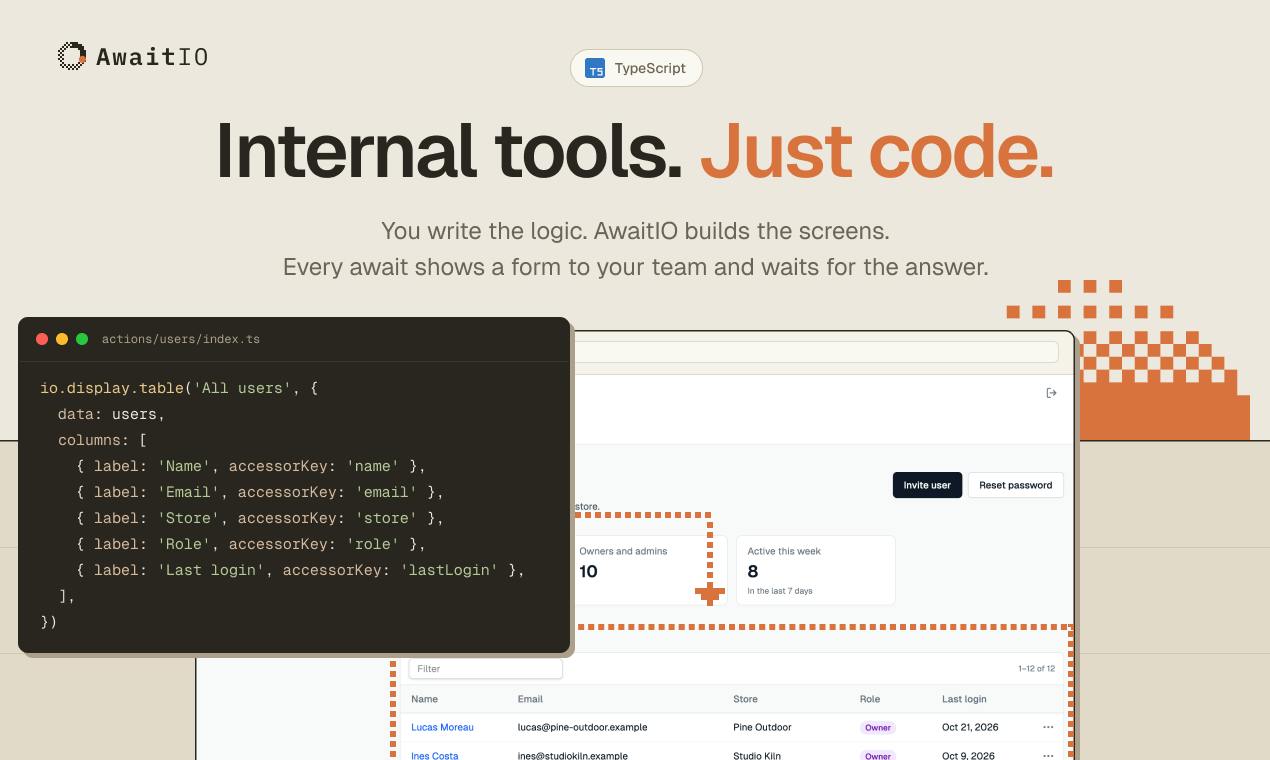
The core idea is simple: turn the async TypeScript functions you've already written directly into internal tools. Every time the function calls await io.input, the browser renders an input form and waits for the user to submit; the function then continues executing until it finishes. No frontend code required at all, the resulting back office is fully self-hosted, and the team emphasizes zero telemetry.
Core Mechanism: Pause the Function with await, Drive the Flow with Forms
AwaitIO's interaction model is a bit like a command-line script "waiting for input," except the input step becomes a browser form. Developers only need to focus on business logic—reading databases, calling internal APIs, executing approval flows—and then use io.input to declare what information the user needs to provide. At runtime, the function suspends at each input point and automatically resumes after the form is submitted.
This design makes the "form" part of the function's execution flow rather than a separate frontend page. For developers familiar with async programming, the mental overhead is minimal: you write const amount = await io.input.number("Amount") and the user sees a number input field; you write const approved = await io.input.confirm("Approve?") and the user sees a confirmation button. Forms are naturally bound to logic, with no need to map fields back and forth between frontend and backend.
According to the Product Hunt page, AwaitIO currently supports up to 3 users for free, positioned to help small teams quickly build secure, self-hosted back offices.
await is a keyword in JavaScript/TypeScript used to wait for a Promise to settle. When execution reaches an await expression, it pauses the current function, returns control to the event loop, and resumes once the Promise is resolved or rejected. In AwaitIO's design, io.input returns a Promise that resolves with the input value when the user submits the form. So const amount = await io.input.number("Amount") effectively creates a suspension point: the runtime serializes the function state (or uses a generator/coroutine mechanism) and waits for an external event. This pattern is similar to the async I/O waits common in Node.js, except the "I/O" here is user interaction. Understanding this helps grasp AwaitIO's limitations: if the process restarts while the function is suspended, the unfinished Promise may be lost, requiring a persistence mechanism to guarantee resumption.
Who Needs AwaitIO Most?
Based on the product description, AwaitIO targets teams that frequently need to build internal tools but lack frontend resources. Typical scenarios include: operations staff needing to manually trigger certain backend tasks, support staff needing to look up orders and execute refund approvals, finance needing to reconcile accounts and flag anomalous records. What these scenarios share is that the logic isn't complex but the forms are numerous—if each one went through a full frontend development process, costs would be high and iteration slow.
Another beneficiary group is indie developers and early-stage startup teams. Covering core members with the 3 free user quota compresses what would take days to build into a few hours, while retaining data control through self-hosting. The zero-telemetry promise is also attractive to compliance-sensitive customers.
Advantages and Potential Limitations
Advantages:
- Zero frontend code: developers only need TypeScript, saving the cost of learning a UI framework
- Self-hosted: data stays on your own infrastructure
- Zero telemetry: no usage data collected, suitable for privacy-sensitive scenarios
- Free to start by user count: free for up to 3 users, lowering the barrier to trial
Limitations to watch:
- Complex UI needs (rich text editing, drag-and-drop sorting, chart visualization) may exceed the capabilities of
io.input - Whether the function suspension model's recovery mechanism is robust enough when interruptions occur in long flows needs real-world testing
- TypeScript ecosystem only, unfriendly to developers using other languages
How It Differs from Traditional Low-Code Platforms
AwaitIO and low-code platforms like Retool and Appsmith seem to share the same goal but take opposite paths. Low-code platforms start from the UI, letting you drag components and then bind data sources; AwaitIO starts from code, making the UI a byproduct of code execution. The former suits non-developers or rapid prototyping; the latter suits engineering teams that already have substantial TypeScript business logic.
This "code-first" approach also means better testability and version-control friendliness—the function is the business logic, and the form is just its runtime representation. For teams accustomed to Git workflows, this is easier to manage than clicking through configurations in a low-code platform.
Low-code platforms (such as Retool, Appsmith) typically provide visual drag-and-drop interfaces where users build apps by configuring component properties, binding data sources, and writing small scripts (like JavaScript snippets). Their core abstraction is a "page-component-data source" model, suited to quickly building CRUD interfaces, but business logic is tightly coupled with the UI, complex logic often requires custom scripts, and version control relies on the platform's export features. AwaitIO adopts a "code-first" paradigm: business logic is entirely defined by TypeScript functions, and the UI is dynamically generated by io.input calls within the function's execution flow. The difference is akin to "declarative configuration" versus "imperative programming"—the former focuses on "what the interface looks like," the latter on "how the flow goes." For teams with substantial existing backend logic, code-first means directly reusing existing functions, leveraging TypeScript type checking and unit testing, whereas low-code platforms often require reimplementing logic or bridging via APIs.
Worth Trying?
If you frequently write repetitive form code for internal tools, AwaitIO offers a paradigm worth watching: downgrading the admin interface from "a product to build" to "a UI projection of function execution." The 3-user free limit is enough to validate the idea, while self-hosting and zero telemetry give you confidence to use it in production. The product currently has 66 votes on Product Hunt, ranking 20th—still early stage. It's advisable to try it first on non-critical flows and observe its stability and edge-case behavior.
One-line Summary
AwaitIO lets TypeScript functions auto-generate forms via await io.input, building self-hosted admin panels with zero frontend code.
Paragraph Summary
AwaitIO is an emerging tool that aims to let backend developers build internal admin tools in pure TypeScript. Its core mechanism: call await io.input inside an async function, and at runtime it renders the corresponding form in the browser and pauses function execution, automatically resuming after the user submits. This makes forms part of the function's execution flow, eliminating frontend development. The product emphasizes self-hosting and zero telemetry, supports 3 users for free, and suits small teams and indie developers. Compared with low-code platforms like Retool, AwaitIO takes a code-first path, better suited to engineering teams with existing TypeScript business logic, though complex UIs and long-flow recovery mechanisms remain to be seen. The product is at an early stage; trying it on non-critical flows is recommended.
Related articles

Windows 11 Customizable Context Menu: Microsoft's Compromise and the PC Revenue Slump
Microsoft rolls out a customizable Windows 11 context menu to fix hidden commands, as Windows revenue from PC makers falls over a quarter. We analyze the user complaints, forced online accounts and encryption lockouts, and PC market pressure behind the interface rollback.

AI 'Brain-Reading Patch' Incident Review: Weight Reading Is Real and Reproducible, but Editing Capabilities Were Exaggerated
The AI 'brain-reading patch' story takes a turn: Matthew Honnable criticizes the misleading headline, while Simon Willison reproduces a pure weight-reading experiment. This article analyzes which evidence holds up and which is exaggerated, revealing the true boundaries of AI weight-reading capability.

Google Bundles AI With Search: Schools That Disable AI Lose Search Too
Google disables AI for schools and takes Search with it, drawing "extortion" criticism; ChatGPT search hits 20% of Google's; Grokbot makes calls to haggle and book appointments; Postman and the Binance $6.3B theft expose AI tool security risks.