Beat Watcher: Real-Time Heart Rate Alerts on Apple Watch, Shareable with Family
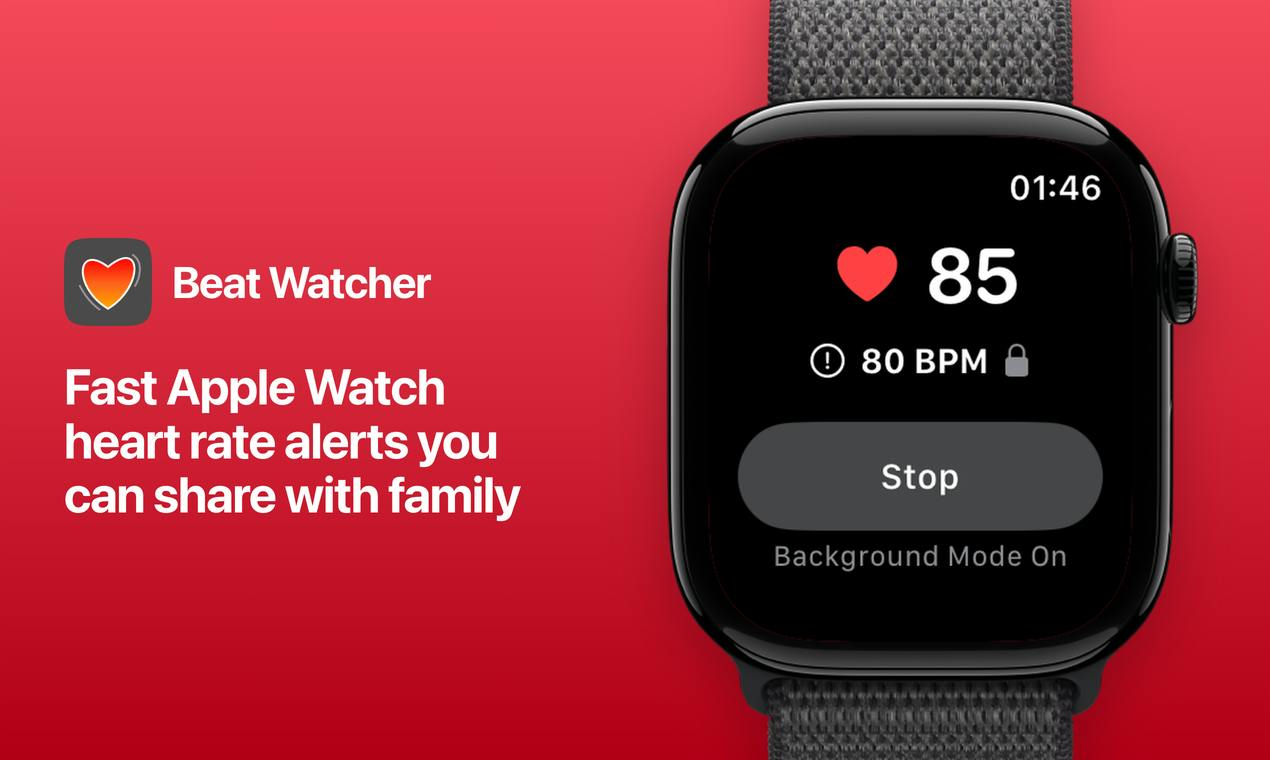
Beat Watcher adds custom heart rate threshold alerts to Apple Watch, shareable with family for free.
Beat Watcher is a third-party Apple Watch heart rate app: users set custom upper/lower limits via the Digital Crown, get instant watch alerts when crossed, and Background Mode keeps monitoring more actively when the wrist is down. Alert Sharing pushes alerts to family or friends in real time—free for recipients. The optional iPhone app adds Critical Alerts that sound through silent mode and an alert history with notes and CSV export. Aimed at POTS patients, stress awareness, and rest reminders, it has modest Product Hunt traction and lacks public validation of accuracy and battery impact.
Heart rate monitoring on Apple Watch is nothing new, but for most users the experience is passive—reviewing charts after a workout, or occasionally receiving an abnormal-heart-rate notification from the system. Beat Watcher aims to change that: you set your own upper and lower heart rate thresholds, and the moment they're crossed, the watch buzzes an alert. Better yet, those alerts can be shared with family in real time.
Custom thresholds, set with the Digital Crown
Beat Watcher's core logic is straightforward: users set upper and lower heart rate limits using the Apple Watch's Digital Crown, and when the watch detects a heart rate outside that range, it immediately alerts. Compared with the system's built-in high/low heart rate notifications, this custom-threshold approach offers finer granularity and fits individual needs more closely.
The product also offers a Background Mode, officially described as "continuous monitoring even when your wrist is down." This is worth noting—Apple Watch tends to lower its sampling frequency when the wrist is down to save power, and Beat Watcher evidently maintains a more aggressive monitoring cadence in the background, ensuring alerts aren't delayed simply because you're not raising your wrist to check.
Apple Watch heart rate monitoring is based on photoplethysmography (PPG): green LEDs on the back of the watch illuminate the skin, and heart rate is inferred from changes in light absorption caused by blood flow. The system's default sampling frequency isn't constant—it adjusts dynamically based on user state (resting, exercising, wrist raised to check)—and that's the limitation Background Mode attempts to work around. It's worth noting that watchOS's own power-saving strategy significantly reduces sampling density when the wrist is down; even with background execution permission, third-party apps can't fully escape the system's power management framework. So the actual interval of "continuous monitoring" depends on the watchOS version and the app's background refresh quota.
Alert Sharing: extending the safety net to family
Beat Watcher's most differentiated feature is Alert Sharing. You can choose to send alerts to family members or friends, who receive notifications within their own Beat Watcher app—completely free for the recipient.
The cleverness of this design lies in lowering the sharing barrier: the other person doesn't need to buy a subscription or hardware, just install the app to become your "safety contact." For people living alone, users with chronic health conditions, or elderly individuals who need care, this is a lightweight yet practical solution.
iPhone app as backup: Critical Alerts that sound even on silent
The optional iPhone app serves two supplementary roles. First, Critical Alerts can sound an audible alert even when the phone is on silent or in Do Not Disturb mode—this requires system-level permission, indicating the developer handled the compliance requirements here. Second, the app keeps an Alert History, supports adding notes, and can export to CSV.
For users who need long-term tracking of heart rate anomalies, annotated history has more clinical reference value than bare timestamps: you can record what you were doing and how you felt, and share it with your doctor at follow-ups. CSV export makes further data analysis or integration with medical device data convenient.
Critical Alerts is a special notification permission offered by iOS that requires developers to apply separately to Apple and pass review; it's typically granted only to apps in medical, public safety, and home security scenarios. Once granted, notifications can bypass the silent switch and Do Not Disturb to force an audible sound, but Apple scrutinizes applications strictly, and apps must clearly justify the urgent nature of the alerts. For heart rate alert tools, this permission is key to ensuring "you're not silenced at the critical moment," but it also means developers bear corresponding compliance responsibilities, such as avoiding notification abuse or false alarms.
Target audience: from POTS to everyday stress management
The official use cases include rhythm management for POTS (postural orthostatic tachycardia syndrome) patients, stress awareness, and rest reminders. POTS patients often experience sudden heart rate spikes from changes in posture, and real-time alerts can help them adjust posture or hydrate promptly.
Stress awareness is a more mainstream entry point—an abnormally elevated heart rate is sometimes the body signaling anxiety or overfatigue, and an early alert can prompt users to take a proactive rest. This kind of "sub-health management" need sits precisely between medical devices and consumer wearables.
POTS (postural orthostatic tachycardia syndrome) is an autonomic nervous system disorder typically characterized by a heart rate increase of more than 30 bpm within 10 minutes of standing or changing posture (more than 40 bpm in adolescents), accompanied by dizziness, palpitations, fatigue, and other symptoms. Patients often need to monitor heart rate to adjust posture, hydration, and salt intake, but episodes tend to be sudden, and reviewing data after the fact offers little warning value. Real-time threshold alert tools like Beat Watcher are therefore seen as an aid for "rhythm management," not a diagnostic or treatment device—it cannot replace clinical tests such as the tilt-table test, nor serve as a basis for medication.
A quick Q&A-style product assessment
The product received 74 upvotes on Product Hunt, ranking 8th, with only 2 comments—modest traction, placing it among niche newcomers in vertical health tools. Developer John Ganotis chose to build on Apple Watch's native capabilities, avoiding head-on competition with large health platforms.
What needs to be viewed rationally: the real value of heart rate alert apps depends heavily on monitoring accuracy and alert timeliness, and this lacks quantitative verification in the public materials. Background Mode's battery impact and long-term stability are things potential users will need to evaluate through hands-on experience.
If you or a family member has a clear need for heart rate monitoring, Beat Watcher's "free alert sharing" strategy lowers the cost of trying it. If you're just curious, it's more a lightweight tool that makes Apple Watch health data "proactive" than a medical-grade solution.
One-line Summary
Beat Watcher adds custom heart rate threshold alerts to Apple Watch and lets you share those alerts with family for free.
Paragraph Summary
Beat Watcher is a third-party app built around Apple Watch heart rate monitoring. Its core lets users set custom upper and lower heart rate limits via the Digital Crown, with the watch immediately buzzing an alert when thresholds are crossed, and Background Mode maintaining a more aggressive monitoring cadence when the wrist is down. Its differentiated Alert Sharing feature pushes alerts in real time to family or friends, who receive notifications in their own app at no cost. The optional iPhone app adds Critical Alerts that sound even in silent/Do Not Disturb mode, plus an alert history with notes and CSV export. Aimed at POTS patients, stress awareness, and rest reminders, the product has modest traction on Product Hunt; with monitoring accuracy and battery performance lacking public quantitative validation, it sits between a consumer wearable tool and a medical device.
Related articles

Vibe Coding End-to-End in Practice: A One-Person Company Development Guide for the AI Era
An analysis of the 80-episode Vibe Coding tutorial: from humans directing AI to write code to a full product loop, covering AI-collaborative development, UniApp multi-platform, and AI-automated operations, while clarifying that workflow orchestration is not AI development.
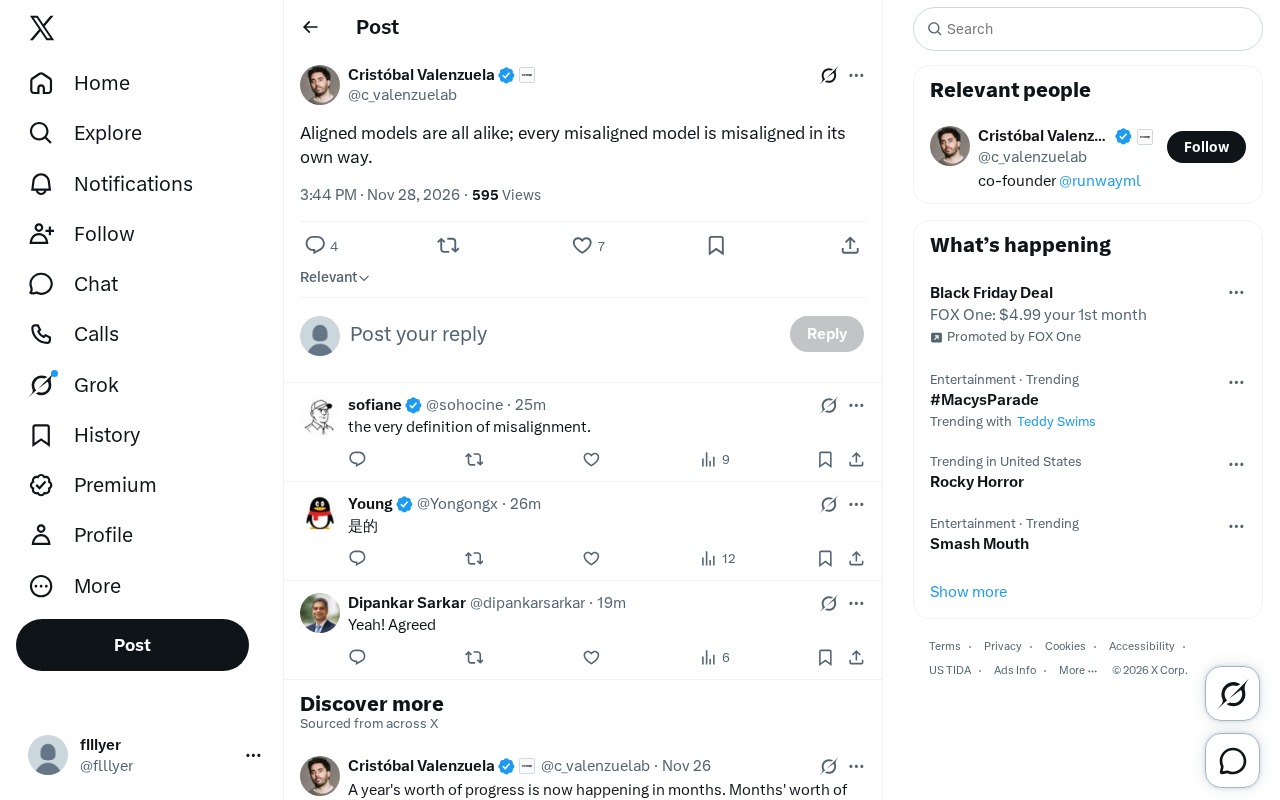
Aligned Models Are All Alike; Every Misaligned Model Is Misaligned in Its Own Way
A Tolstoy-inspired community observation reveals AI alignment's core challenge: aligned models converge, while misaligned models fail in wildly diverse ways.
Kodak Charmera Mini Camera Drops to $30: Retro Charm Beats Image Quality
Kodak Charmera keychain camera on sale for $30. Review calls image quality mediocre but charm undeniable. Learn about this mini retro camera's positioning and buying advice.