BeBox Emulator Arrives on Haiku: Recreating Be Inc.'s Classic Hardware

The BeBox app on Haiku recreates classic BeBox hardware behavior through lightweight emulation, offering a new platform for retro computing and digital preservation.
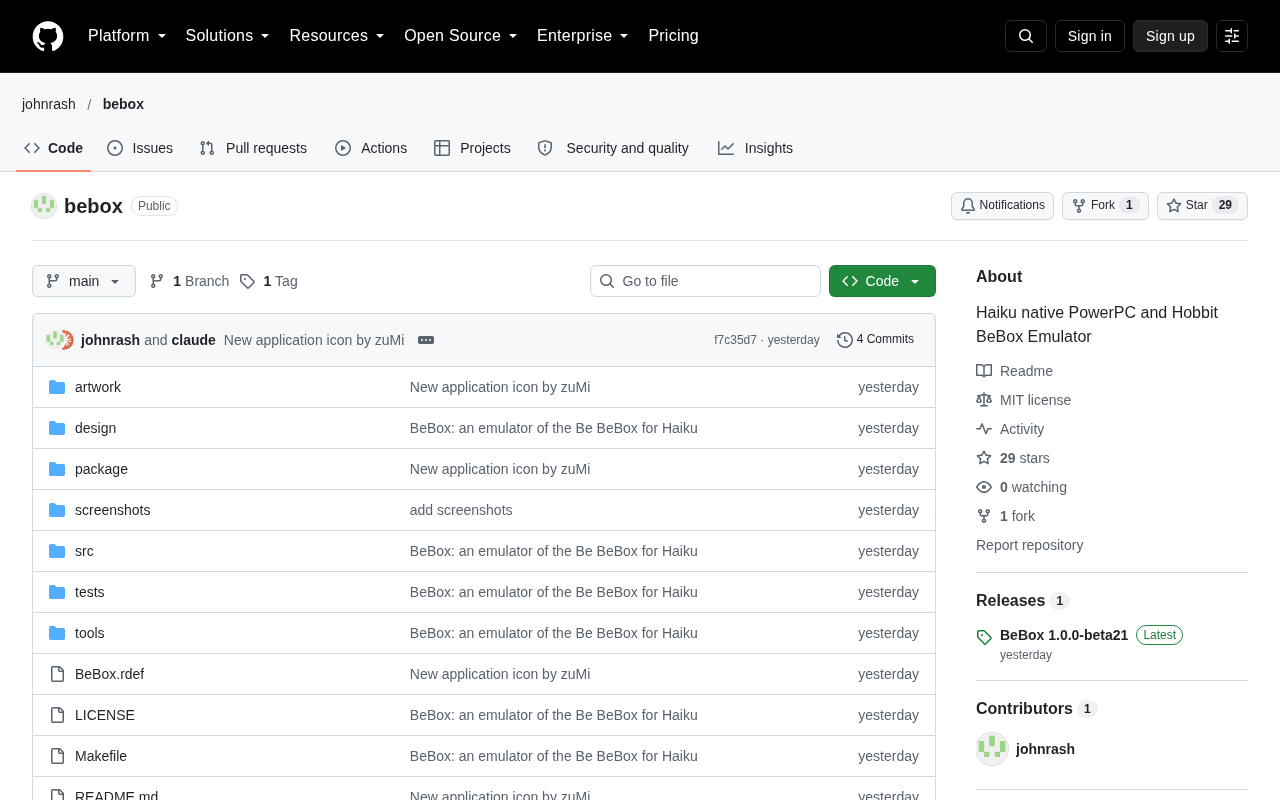
A new application called BeBox has launched on the Haiku operating system, using software emulation to recreate the classic dual-PowerPC workstation BeBox released by Be Inc. in 1995. Unlike a full-system emulator, it acts as a hardware behavior emulation layer, using Haiku's APIs to reproduce the BeBox's symmetric multiprocessing, GeekPort pin interaction, and front-panel LED logic. Developers can run old code that depends on BeBox hardware directly on Haiku without booting a full virtual machine. Though discussion on Hacker News was modest, the community sees unique value for system emulation enthusiasts and digital preservation projects, reflecting open-source efforts to preserve computing culture.
At the intersection of retro computing and the open-source operating system community, a new project called BeBox has drawn attention. It is an application running on the Haiku operating system, designed to recreate through software emulation the classic hardware released by Be Inc. in the 1990s — the BeBox workstation.
Why Is the BeBox Worth Emulating?
The BeBox was a dual-processor desktop workstation released by Be Inc. in 1995, featuring two PowerPC processors, a unique "GeekPort" interface, and front-panel LEDs. It was not only the native hardware for the BeOS operating system but also a testing ground for multimedia and multiprocessor programming at the time. However, due to extremely low production numbers and high prices, very few people ever encountered one in person.
Today, Haiku, as the open-source spiritual successor to BeOS, can run on many modern hardware platforms. But to fully reproduce the behavior of old BeOS software and system features, emulating the original hardware environment is sometimes still necessary. The BeBox application emerged precisely to fill this gap — it lets Haiku users experience or test code and system features written for that hardware without needing a physical BeBox.
GeekPort is a 37-pin general-purpose interface on the back of the BeBox, providing 16 digital I/O lines, 4 analog inputs, and 4 analog outputs, with the ability to directly connect to external power. It allowed developers to connect homemade sensors, LEDs, motors, and other peripherals without additional interface chips — a remarkably rare "maker-friendly" design in the mid-1990s. The front-panel LEDs refer to the two rows totaling 8 red LED bars on the front of the BeBox chassis, which by default display the real-time utilization of the two CPUs and can also be programmatically controlled by user programs; there is also a reset button and two programmable buttons. Together, these hardware details formed the BeBox's uniquely "tangible" programming experience — and they are also among the most challenging aspects to emulate in software.
How Does an App Emulate a Computer?
According to discussions on Hacker News, this BeBox application is not a full system-level emulator (like QEMU) but rather a hardware behavior emulation layer. It uses Haiku's own APIs and driver framework to reproduce hardware components unique to the BeBox, such as:
- Symmetric multiprocessing (SMP) behavior of the dual PowerPC processors
- Pin-level interaction with the GeekPort
- Response logic for front-panel LEDs and buttons
This means developers can run old code that depends on BeBox-specific hardware directly on Haiku without booting a full virtual machine. For those studying BeOS history or maintaining retro software, this offers a more lightweight approach.
Symmetric multiprocessing (SMP) refers to multiple processors sharing the same main memory and bus, with the operating system scheduling them uniformly, allowing any processor to run kernel or user threads. The two PowerPC 603e processors in the BeBox achieved what was then a rare desktop-class SMP under BeOS scheduling, giving BeOS inherent advantages in multithreading and multimedia processing. To reproduce SMP behavior on Haiku, the emulation layer doesn't actually virtualize two CPU cores; instead, it uses Haiku's thread scheduling and locking primitives to simulate the timing and contention characteristics of multiple processors accessing shared resources on the BeBox, such as the logical behavior of cache coherency and interrupt distribution. This "behavior-level" emulation is essential for running old code that depends on SMP features, yet it is far more lightweight than full-system emulation.
Community Reaction and Controversy
The news received 12 points on Hacker News with only 3 comments — not particularly popular, but the discussion was quite representative. Some commenters pointed out that the practicality of BeBox emulation may be limited, since most BeOS software does not directly depend on BeBox hardware; but others argued that for system emulation enthusiasts and digital preservation projects, any tool that lowers the barrier to reproduction has value.
You may not have noticed that Haiku itself already provides good BeOS compatibility, and the BeBox application is more like a "cherry on top" geek toy. Its real significance may not lie in everyday use, but in providing a new experimental platform for the retro computing community — allowing those who never owned a BeBox to glimpse the internal logic of this legendary machine.
Digital preservation refers to ensuring through technical means that digital heritage — including software, documents, and hardware behavior descriptions — remains accessible and runnable after the original platform disappears. It is not just about storing bits; it emphasizes preserving "executability" and "interactive experience." The BeBox emulation application falls into this category: it does not preserve the BeBox's circuit diagrams or firmware images, but rather encodes hardware interaction behaviors such as GeekPort pin responses and LED state changes into software modules that can be reproduced on modern systems. This approach is called "behavior-level preservation" in the emulator community, complementing chip-level or full-system-level preservation, and is particularly suited to scenarios where the hardware structure is unique but the software ecosystem has partially migrated to a new platform (such as Haiku).
The Continuation of Open Source and Retro Computing
The BeBox application is released as open source, in keeping with the collaborative spirit of the Haiku community. Although its code repository and documentation have not yet spread widely, it has already attracted a small group of developers with deep interest in BeOS history. In an era when emulation and virtualization technologies are highly mature, this kind of fine-grained emulation targeting specific hardware seems all the more precious — it is not just running software, but preserving the memory of a computing culture.
For Haiku users interested in multimedia programming or hardware interaction from the BeBox era, this application is worth trying. And for the broader tech community, it reminds us: open source is not only about the future, but also about how to gracefully preserve the past.
One-line Summary
The BeBox application on Haiku recreates classic BeBox hardware behavior through lightweight emulation, offering a new platform for retro computing and digital preservation.
Paragraph Summary
A new application called BeBox has launched on the Haiku operating system, using software emulation to recreate the classic dual-PowerPC workstation BeBox released by Be Inc. in 1995. Unlike a full-system emulator, this application is more like a hardware behavior emulation layer, using Haiku's APIs to reproduce the BeBox's symmetric multiprocessing, GeekPort pin interaction, and front-panel LED logic. Developers can run old code that depends on BeBox hardware directly on Haiku without booting a full virtual machine. Discussion on Hacker News was not particularly active, but the community believes its everyday practicality is limited while offering unique value to system emulation enthusiasts and digital preservation projects, reflecting the open-source community's efforts to continue the memory of computing culture.
Related articles

Chain of Thought Isn't Just for AI: How Humans Can Use CoT to Improve Thinking Quality
Chain of Thought isn't just a prompt trick for large models. Starting from a Hacker News discussion, this article analyzes why CoT works for human thinking too, breaks down actionable ways to transfer it, and highlights the key differences between human CoT and machine CoT.
Cloudflare Teams Up with OpenAI: Closi…
Cloudflare Teams Up with OpenAI: Closing the Loop from Vulnerability Discovery to Defense with AI
Cloudflare uses OpenAI Daybreak to investigate security vulnerabilities and generate reviewable remediation plans, while developers use Codex to boost coding efficiency and quality.

Orca Multi-Agent Orchestration in Practice: A Guide to Parallel Collaboration with Claude and Codex
Orca is Stable AI's free open-source agent workbench supporting 34 agents like Claude Code and Codex in parallel. Learn its Git worktree isolation, multi-model orchestration, and mobile management.