Before Deploying an AI Agent, You Must Understand These Safety Switches

Master permission modes, tools config, and Hooks to safely deploy AI Agents in production.
This article breaks down the three safety layers essential for deploying AI Agents in production. Permission Mode controls whether the Agent needs human approval before acting — Bypass mode is the most powerful but must only be used in a sandbox. The tools vs. allowedTools distinction is a common trap: tools controls whether a capability exists, while allowedTools only skips confirmation prompts. To truly disable a dangerous tool, remove it from tools. Finally, Hooks — especially pre-tool-use hooks — provide deterministic, out-of-band interception before any tool executes, at zero token cost.
AI Agents can autonomously edit files, run commands, and call tools — and the more capable they are, the greater the risk of losing control. A single misconfiguration could silently execute a command that wipes an entire directory. Before pushing an Agent into production, there are several security mechanisms you simply can't skip. This article, based on a YouTube technical walkthrough, breaks down the key details of three critical safety layers: permission modes, tool configuration, and Hooks.
Permission Mode: How Much Can the Agent Act on Its Own?
Permission Mode boils down to one question — does the Agent need to ask you before it does something? Different settings correspond to very different trust boundaries:
- Default: Requires your approval before every operation. The most conservative and safest option.
- Accept edits: Automatically approves file modifications, eliminating repeated confirmation prompts — but you give up review of every write operation.
- Plan only: The Agent proposes a plan but never actually makes changes. Useful for seeing what it intends to do first.
- Bypass permissions: All operations are approved without any prompting.
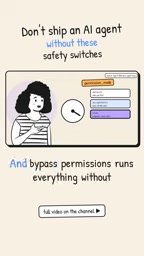
The last option — Bypass — is the most powerful and the most dangerous. It means the Agent can execute any command without any confirmation. The original walkthrough repeatedly emphasized: this mode should only be used inside a sandbox environment. In other words, once you remove all permission guardrails, you must confine the Agent to an isolated space where even a worst-case failure can't reach your real systems. Enabling Bypass in production is like handing the steering wheel to a stranger and blindfolding yourself.
A sandbox here is not just a metaphor — it refers to concrete technical isolation. Common implementations include: containerized environments (e.g., Docker), which restrict the Agent's filesystem access to an isolated container layer invisible to the host; virtual machine snapshots, which allow one-click rollback after a bad operation; and OS-level permission sandboxes (e.g., Linux seccomp/namespaces or macOS App Sandbox), which limit the system calls a process can make at the kernel level.
Choosing a sandbox approach involves trade-offs between isolation strength and performance overhead. Containers start fast with low overhead but offer weaker isolation than VMs. VMs provide the strongest isolation but come with higher resource consumption and startup latency. For development and testing scenarios requiring frequent iteration, containers are usually the more practical choice. For pre-production validation of highly sensitive operations, VM-level isolation is worth the investment.
tools vs. allowedTools: One Word Apart, Worlds Apart in Meaning
This is a trap almost everyone falls into. tools and allowedTools look nearly identical on the surface, but they control two completely different things:
toolsdetermines "what's actually in the toolbox" — it controls whether an Agent can see or call a given tool at all.allowedToolsonly handles "skipping the permission confirmation prompt" — the tool is already in the toolbox; this config just prevents a popup when it's called.
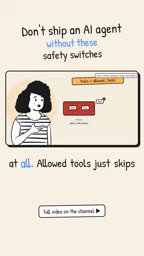
How subtle is this distinction? The original video mentions that someone actually filed it as a "documentation bug" on GitHub. Even developers who read the docs carefully can easily conflate the two.
Why does this matter in practice? If you want to completely prohibit a dangerous tool (like the ability to execute shell commands), you need to remove it from tools — not rely on allowedTools to restrict it. The latter has no say in "whether" a tool can be used; it only controls "whether to ask" when it is used. Routing your security controls through allowedTools instead of tools is a subtle but genuinely dangerous mistake.
Hooks: Your Emergency Brake
If permission modes define your trust boundary, Hooks are the mechanism that can actually pull the Agent back at a critical moment. Hooks are small functions that trigger at specific points and run entirely in your own code.
The most important one is the pre-tool-use hook, which fires before any tool actually executes. This gives you an interception window — for example, if a command attempting to delete files is detected, you can block it before it ever lands.
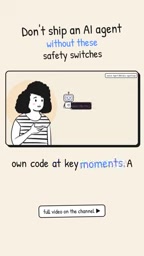
Hooks also have an easy-to-overlook advantage: they run outside the model and consume zero tokens. This means you can freely add all kinds of safety-check logic without worrying about inference costs ballooning. Compared to stuffing security rules into a prompt and hoping the model "voluntarily complies," hard interception via code hooks is far more reliable — a model can be bypassed or hallucinate, but your own deterministic code won't.
Hooks are architecturally an example of "out-of-band control" — their execution path is completely independent of the LLM's reasoning chain. This is fundamentally different from writing security rules into the system prompt: the latter still depends on the model's understanding of and compliance with instructions, leaving it vulnerable to prompt injection attacks or model hallucinations. Hooks, by contrast, are deterministic program code whose behavior is unaffected by input content.
Beyond the pre-tool-use hook, there are typically post-tool-use hooks and on-error hooks as well, used respectively for audit logging, validating operation results, or triggering alerts when the Agent encounters an error. In practice, a common strategy is to use the pre-tool-use hook as a "whitelist" check — maintaining a list of safe operations approved for automatic execution, and blocking any tool call not on the list for human review. This achieves a balance between automation efficiency and security control.
How the Three Layers Work Together
Stack these three mechanisms together, and a reasonably solid Agent security strategy emerges:
- Use
toolsto narrow the toolbox at the source — don't include capabilities that shouldn't be there in the first place; - Use permission mode to set appropriate trust levels — keep production environments away from Bypass, and route dangerous operations through Default or Plan only;
- Use Hooks as the final hard stop — intercept truly catastrophic operations before they execute, at zero token cost.

The original walkthrough wrapped up with a few "homework" items: read through relevant vulnerability reports to understand the technical undercurrents. This is a reminder to developers that security configuration isn't a one-time checkbox — it requires continuously tracking real-world attack surfaces and incident cases as they emerge.
The capability boundary of AI Agents is expanding rapidly, but there will always need to be an explicit layer of control between "can do" and "should do." Before pushing an Agent into any environment with real consequences, make sure all these switches are in the right positions.
Related articles

ChatGPT Space Launches: Team Collaboration and New Pages Features Explained
ChatGPT Space is OpenAI's new team collaboration feature with Pages, real-time collaboration, and Slack/Google Drive sync. We break down its privacy design, multi-platform integration, and the full workflow from conversation to document.

Migrating Apache Spark UDFs to GPU Acceleration with AI Agents
NVIDIA developer blog explains how AI Agents rewrite Apache Spark UDFs for GPU acceleration, covering migration criteria, agent rewriting and verification workflows, plus pitfalls like result consistency and CPU-GPU transfer overhead.

Zed Editor v0.40.4-rc2 Released: Usage Credits Now Available Without Upgrading
Zed editor releases v0.40.4-rc2, allowing users to use usage credits for AI features without upgrading to a paid plan, lowering the trial barrier.