Beyond MCP: Wiring Your AI Coding Agent to Jira and Bitbucket with the TWG CLI

Atlassian's TWG CLI connects coding agents to Jira and Bitbucket in a CLI-first, load-on-demand way, at far lower token cost than an MCP server.
The article explains how Atlassian's Teamwork Graph CLI (TWG CLI) lets AI coding agents access Jira, Confluence, Bitbucket, and other work context directly, sparing developers from manual copy-pasting. Built on the permission-aware Teamwork Graph, it only ever exposes what the user can already see. The core argument is about form factor: MCP servers preload every tool schema into context before a task begins, and public data shows token consumption can hit 4 to 32 times an equivalent CLI call; TWG reads command help on demand, so its fixed cost is a few short skill descriptions. The piece includes comparison tables, a self-measurement method, five daily scenarios, and the HTTPS inspection and certificate issues hit on a corporate Windows laptop with correct fixes. It closes by noting MCP still wins for browser and non-developer scenarios, and sets clear guardrails for an agent writing as the user.
A CLI-first way to give your coding agent the ticket, the PR, and the review comments. Why it usually costs fewer tokens than an MCP server, and what broke when I set it up on a corporate Windows laptop.
AI coding agents are already pretty good at writing code, but most of them still have no idea why they're writing it. Acceptance criteria live in Jira, design notes live in Confluence, and review comments live in Bitbucket PRs. So developers end up as the human copy-paste layer between tools and agents.
This article is about how Atlassian's Teamwork Graph CLI (TWG CLI) fills that gap: why its CLI-first design suits coding agents better than a typical MCP server, and the pitfalls I hit installing it on a locked-down corporate Windows laptop.
What the TWG CLI actually is
The TWG CLI is a command-line tool that gives AI coding agents access to your Atlassian work context. Atlassian's pitch is that it was built for agents, rather than retrofitting an older tool for agent use.
It's built on the Teamwork Graph — the graph Atlassian uses to describe people, content, activity, and the relationships between them. That graph is permission-aware, so an agent can only see what you already have permission to see.
Coverage is broad:
- Jira: work items, boards, sprints, filters, status transitions, relationships
- Confluence: pages, spaces, databases, whiteboards, search
- Bitbucket: repositories, PRs, branches, commits, pipelines
- Others: Jira Service Management, Assets, Loom, Trello, Rovo Search, Goals
It works with Claude Code, Codex, Gemini CLI, Cursor, or any agent that can execute shell commands. You don't need to learn its syntax — you just ask for outcomes, like "What are my open Jira issues?", and the agent picks the specific commands itself.
The TWG CLI is currently in Atlassian's Early Access Program, free to use, with the official note that some features may become paid in the future.
Why not MCP? Start with the context tax
MCP is an open protocol that lets agents discover and call external tools through a standard interface. Atlassian has its own too: Rovo MCP Server, a cloud-hosted endpoint for Jira, Confluence, Jira Service Management, Bitbucket, and Compass, secured with OAuth 2.1 and your existing permissions.
It's a good product. The question is which form factor fits coding agents better.
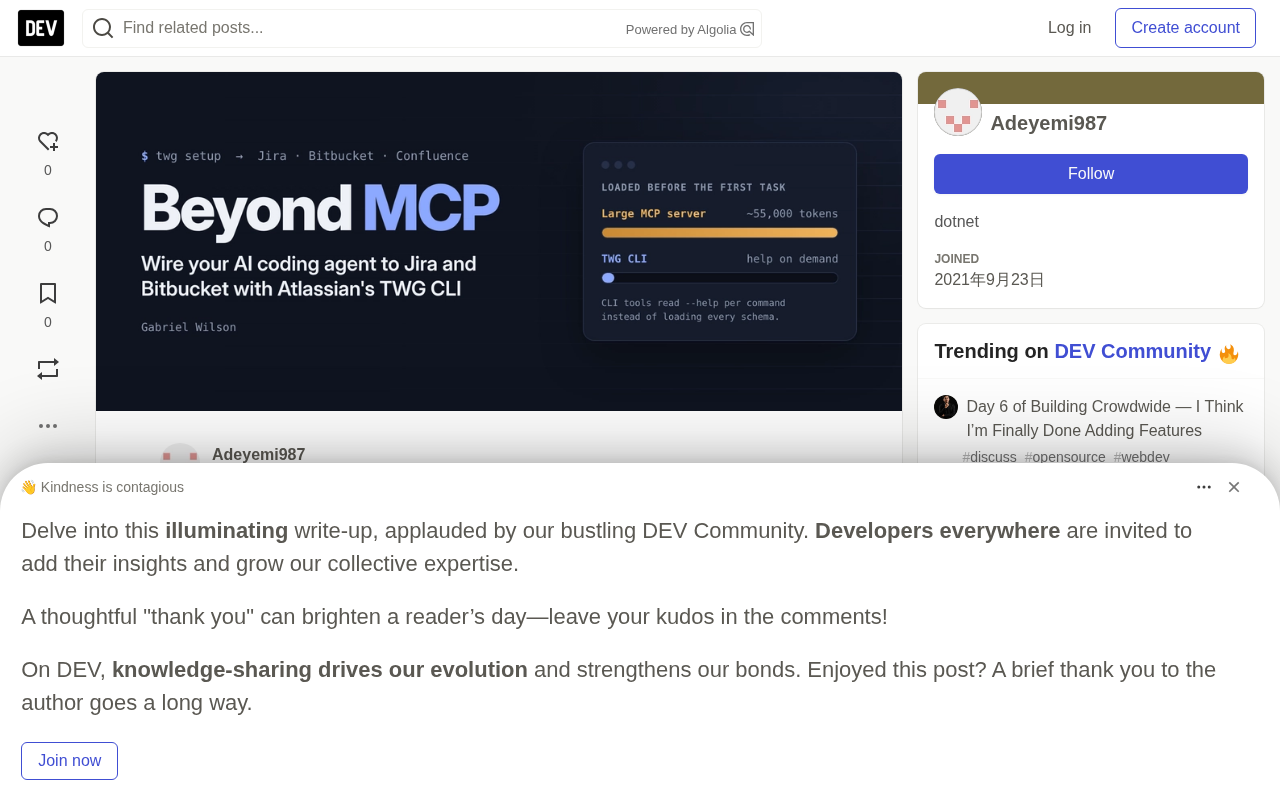
The biggest cost of MCP for coding agents is context. A typical MCP client loads every tool's name, description, and input schema into the model's context window before the agent does any work. The larger the service, the more expensive that overhead. One widely cited example: a certain GitHub MCP server loaded roughly 55,000 tokens of tool definitions before the first task. Benchmarks collected by Tyk show MCP using 4 to 32 times the tokens of an equivalent CLI call.
CLI takes a different path. At startup, the agent loads almost nothing. When it needs a command, it runs that command's --help once and reads a few hundred tokens. TWG leans into this fully: every command follows the same pattern, and help is exposed at every level, so the agent can discover functionality as it goes.
To be fair, MCP clients are getting smarter too. Claude Code added tool search, so it no longer loads all schemas at once. The gap is narrowing, but for a coding agent that already lives in the terminal, CLI remains the more natural fit.
MCP (Model Context Protocol) is a standard open-sourced by Anthropic in late 2024 that lets AI applications discover and call external tools and data sources through a unified interface. Its value is abstracting scattered integrations into a protocol: an MCP Server declares which tools it provides (names, descriptions, input parameters in JSON Schema format), and any MCP-compatible client can mount it without adapting separately for each model or IDE. In theory this lowers integration cost, but it comes with an underappreciated side effect — tool definitions must enter the model context to be callable, and the model context window is a scarce resource. The larger the service, the more expensive that "inventory" becomes, which is exactly what this article calls the context tax.
TWG CLI vs. Rovo MCP Server
Both respect your Atlassian permissions. The difference is mainly in where they run and how they load into the agent.
| Dimension | TWG CLI | Rovo MCP Server |
|---|---|---|
| Where it runs | Locally, as a native binary | Atlassian cloud, remote endpoint |
| Context cost | Reads help on demand, per command | Tool schemas preloaded, unless the client supports tool search |
| Login | Browser OAuth; PR features also need a Bitbucket API token | OAuth 2.1; Bitbucket and JSM tools require API token auth |
| Product coverage | Jira, Confluence, Bitbucket, JSM, Assets, Loom, Trello, Rovo, Goals | Jira, Confluence, JSM, Bitbucket, Compass |
| Composability | Output can be piped to scripts and other shell commands | Calls go through the MCP client |
| Best fit | Coding agents in the terminal or IDE | Browser and chat clients without a shell |
| Status | Early Access, free for now | Jira, Confluence, Compass generally available |
Token consumption: what changes once you add TWG
Adding TWG barely changes the agent's startup context, whereas an MCP server stuffs the full tool list into every session. The exact gap depends on the server and client, so the public numbers below are only a reference — ultimately, test your own setup.
What the public measurements show
| Configuration | Tokens loaded before the first task | Typical task tokens | Source |
|---|---|---|---|
| GitHub MCP server (43 tools) | ~55,000 | Schemas resident throughout | Manveer Chawla |
| MCP server with 20 tools | 3,000–10,000 | Schemas resident throughout | MindStudio |
Equivalent CLI (gh issue create) | Near zero | ~200 tokens of help, under 500 total | Manveer Chawla |
Scalekit's benchmarks also found MCP using 4 to 32 times the tokens of CLI on equivalent tasks. These numbers aren't Atlassian-specific, but they reveal the pattern.
Where TWG fits
TWG enters Claude Code as skills + CLI. A skill loads only its short name and description at session start; the full instructions load only when the agent decides to use it. After that, the agent reads TWG's command help only for the command it's about to run.
So the fixed cost is just a few short skill descriptions, and everything else is pay-per-task, spending as much as the task requires. In other words, a TWG workflow typically uses fewer tokens than the same MCP workflow. What you save is the overhead: an MCP server keeps all tool definitions in context for the entire session, used or not; TWG loads only what the current step needs.
Two caveats
- The content itself costs the same either way. A long Jira description or a big PR diff costs about the same in tokens whether you go through MCP or TWG. If the task is mostly reading large tickets or large diffs, the gap shrinks.
- The gap is narrowing. MCP clients are adding tool search, loading tool definitions only when needed. Claude Code already does this, which eliminates a large part of MCP's upfront overhead.
Skills are a progressive-loading mechanism Anthropic introduced in Claude Code. A skill is usually a Markdown file plus some supporting resources, with a short name and description in its metadata header. At session start, Claude loads only that short metadata into context; only when the model judges that the current task actually needs a skill does it read the skill's full instruction body. This is the opposite of MCP's approach of listing all tool schemas at once, deferring the "whether to load" decision to the moment it's actually needed. TWG uses exactly this to push almost all context overhead to the moment it actually invokes a command, rather than to the start of the session.
Measure it yourself
Run the same prompt in three fresh sessions and record the numbers. In Claude Code, /context shows what makes up your context window, including tool definitions.
- Start a session with no Atlassian integration and run
/context. That's your baseline. - Add the Rovo MCP Server, start a new session, and run
/contextagain; then ask "Fetch PROJ-1234 and summarize its acceptance criteria" and run/contextonce more. - Remove the MCP server, enable TWG, and repeat step 2 in a new session.
| Configuration | Tool and skill definitions at startup (tokens) | Total after fetching and summarizing the task (tokens) |
|---|---|---|
| Baseline, no integration | [your number] | [your number] |
| With Rovo MCP Server | [your number] | [your number] |
| With TWG CLI | [your number] | [your number] |
Your own numbers are more convincing than any benchmark. If your client supports MCP tool search, note that too, because it shrinks the gap.
Five workflows you'll use every day
Once TWG is set up, you stop moving text between two tools and just ask for outcomes. Here are the five most useful scenarios in practice.
- Pick up a ticket. "Take on PROJ-1234." The agent reads the story and acceptance criteria, creates a branch, and proposes an approach. You start from the real requirements, not from memory.
- Open a PR in one step. "Commit, push, and open a PR for PROJ-1234." The agent writes the PR description from the ticket and the diff automatically, keeping the description aligned with and linked to the work item.
- Handle review feedback without opening a browser. "Address the comments on my PR." The agent pulls the review comments, makes the fixes, and drafts replies for you to check.
- Review against the ticket, not just the code. "Review PR #193." The agent checks the diff against the acceptance criteria, catching the "clean code but wrong feature" problem that pure style reviews miss.
- Get the big picture in the morning. "What do I have to do today?" The agent rounds up sprint tickets and PRs waiting on your review — a good starting point for standup.
The common thread: the agent and your team share the same source of truth. That matters more than speed — a PR description generated from the ticket is more accurate than one typed from memory at 6 p.m.
Installation and the pitfalls on corporate networks
The official install takes about ten minutes. On a corporate Windows laptop, mine took longer. Here's the path I actually got working, and the problems you might hit.
1. Install the binary
On Windows, Atlassian's installer is a PowerShell script:
curl.exe -fsSL https://teamwork-graph.atlassian.com/cli/install.ps1 -o "$env:TEMP\twg-install.ps1"
powershell -ExecutionPolicy Bypass -File "$env:TEMP\twg-install.ps1" -Yes -SkipLogin -Plugin claude-code
Run it yourself. An agent in auto mode will usually refuse to download and execute a remote script — and it's right to refuse.
2. Open a new terminal
The installer adds TWG to your user PATH, but the current window won't see it. Verify with twg --version.
3. Connect your account and agent
twg setup
twg skills install --agent claude
twg upkeep enable
twg setup opens a browser login and asks for your Atlassian site. When it offers to set up a Bitbucket API token, say yes — otherwise the PR-related features won't work. Paste the token only into TWG's masked input prompt, never into a chat window. The second command puts TWG's skills where Claude Code looks for them. The third keeps the login refreshed in the background.
4. Verify
Start a fresh agent session and have it run twg doctor and fetch a ticket you know well. All checks should pass.
The pitfalls I hit
- The installer hung while downloading the binary. Corporate HTTPS inspection slows down or blocks large downloads. Just download the binary directly with
curl.exeto%LOCALAPPDATA%\Programs\twg\bin\twg.exe, add that directory to your user PATH, and continue from step 2. This skips the installer's plugin step, so don't forgettwg skills install. - Node scripts threw
unable to get local issuer certificate. The same HTTPS inspection broke Node tools calling Atlassian APIs. Newer Node versions can trust the Windows certificate store with--use-system-ca; older versions need the trusted root certificate exported as a PEM file withNODE_EXTRA_CA_CERTSpointing to it. Never setNODE_TLS_REJECT_UNAUTHORIZED=0, which is equivalent to turning off certificate verification entirely.
Guardrails: your agent acts as you
Everything your agent publishes is under your name: PRs, comments, ticket status changes. Take that seriously.
- Approve every write. Let the agent read freely, but confirm every PR, every comment, and every status change before it goes out.
- Own the output. A generated PR description or review reply is a draft. Read it like you wrote it, because your name is on it.
- Don't put secrets in chats or repos. Tokens belong in masked prompts, the OS credential store, or a git-ignored
.envfile. Check withgit check-ignore .envbefore adding one. - Know which account is active. When a machine has both personal and company AI accounts, confirm which one is active before working on company code, and follow your employer's policy on personal tools.
- Least privilege still applies. Both TWG and Rovo MCP Server inherit your Atlassian permissions and never grant more. So an over-privileged user means an over-privileged agent.
When MCP is still the better choice
CLI-first isn't a universal answer. Choose the Rovo MCP Server when:
- Your client has no shell. Browser-based agents and chat apps can't run local binaries. Atlassian's own plugin page suggests Rovo MCP for people using Claude Code in the browser.
- Non-developers need access. PMs and support staff can connect to the hosted MCP server without installing anything.
- Admins want centralized control. Atlassian admins can control which external AI tools and domains can connect to the Rovo MCP Server.
Many teams use both: developers use the TWG CLI in the terminal, everyone else uses Rovo MCP.
Key takeaways
- A coding agent is only as good as the context it gets. Wiring your agent to your tickets and PRs matters more than writing a better prompt.
- For agents that live in the terminal, a CLI like TWG keeps the context window lean by reading help on demand rather than preloading all tool schemas.
- MCP still wins for browser clients, non-developers, and centrally managed access, so most teams will use both.
- Expect network and certificate friction on corporate machines. Fix it with the system certificate store, not by disabling TLS verification.
- Your agent speaks as you. Approve every write, and treat its output as your own draft.
Sources
- What is Teamwork Graph CLI? (Atlassian Support)
- Teamwork Graph CLI (Atlassian Developer)
- TWG CLI (Atlassian Developer)
- atlassian/twg-cli (GitHub)
- Atlassian Teamwork Graph CLI plugin (Claude plugins)
- About the Atlassian Rovo MCP Server (Atlassian Developer)
- atlassian/atlassian-mcp-server (GitHub)
- MCP vs CLI for AI agents: enterprise comparison guide (Tyk)
- MCP vs. CLI for AI agents: when to use each (Manveer Chawla)
- MCP vs CLI for AI agents: token costs (MindStudio)
- CLI vs MCP: what AI agents actually use now (VideoGen)
Background note
Corporate networks commonly deploy man-in-the-middle (MITM) HTTPS inspection: a proxy server replaces the server certificate with its own so it can decrypt and audit traffic. The operating system trusts this proxy root certificate, but many runtimes — especially Node.js — ship their own independent CA trust list and don't read the Windows certificate store, resulting in unable to get local issuer certificate. The correct fix is to make Node trust the system certificates: newer versions can use the --use-system-ca flag, while older versions require exporting the proxy root certificate as a PEM and setting the NODE_EXTRA_CA_CERTS environment variable to point to it. Setting NODE_TLS_REJECT_UNAUTHORIZED=0 bypasses the error immediately but disables certificate verification entirely, exposing all HTTPS traffic to man-in-the-middle attacks — never do it.
One-line Summary
Atlassian's TWG CLI connects coding agents to Jira and Bitbucket in a CLI-first, load-on-demand way, at far lower token cost than an MCP server.
Paragraph Summary
The article explains how Atlassian's Teamwork Graph CLI (TWG CLI) lets AI coding agents access Jira, Confluence, Bitbucket, and other work context directly, eliminating the need for developers to copy-paste manually. It's built on the permission-aware Teamwork Graph, so an agent can only see what the user already has access to. The core argument is about form factor: MCP servers preload all tool schemas into context before a task starts, and public data shows token consumption can reach 4 to 32 times that of an equivalent CLI call; TWG reads command help on demand, with a fixed cost of just a few short skill descriptions. The article provides comparison tables, a do-it-yourself measurement method, five daily scenarios, and the HTTPS inspection and certificate issues encountered on a corporate Windows laptop along with the correct fixes. It closes by emphasizing that MCP still has advantages for browser and non-developer scenarios, and lays out clear guardrail requirements for an agent that performs writes as the user.
Related articles

How Big Can Stars Really Get? The Physical Limits of the Largest Stars
Red supergiants are the largest stars by volume, with radii up to 2,000 times the Sun, engulfing the inner solar system. But there is no precise upper limit on stellar size—models predict up to 15,000 solar radii. The most massive blue stars are far smaller than red supergiants—biggest and heaviest are two different things.

Apple HomeView Smart Display Full Feature Breakdown: Wall-Mount or Desktop, $299
Apple launches HomeView, a $299 smart display with wall-mount and desktop options, 12MP camera for facial recognition, smart home control, music playback, and recipe step-by-step cooking. Full breakdown of watch faces, apps, privacy, and cooking integration.

Where Did the Promised New Studio Go? Craft Computing Answers After Five Years
Craft Computing's host responds to viewer questions: the new studio promised five years ago was shelved as construction costs soared from $30,000 to $75,000, and was replaced by a 168-square-foot garage conversion.